
Sales & Performance Filters let you recommend products based on sales results, revenue, conversion, promotions, and customer engagement. WowRecommend includes 7 sales and performance filters.
To use one, go to the Products to Be Recommended Filter, click Add Filter, and select the Sales & Performance tab. The filters are:
- Best-Selling Products – Recommend products with the highest sales volume.
- High-Revenue Products – Recommend products based on their revenue.
- Low-Selling Products – Recommend products with lower sales performance.
- High Conversion Products – Recommend products with higher purchase conversion rates.
- On Sale Products – Include or exclude products currently on sale.
- Featured Products – Include or exclude products marked as featured in WooCommerce.
- High Click-Through Products – Recommend products receiving higher customer click-through activity.
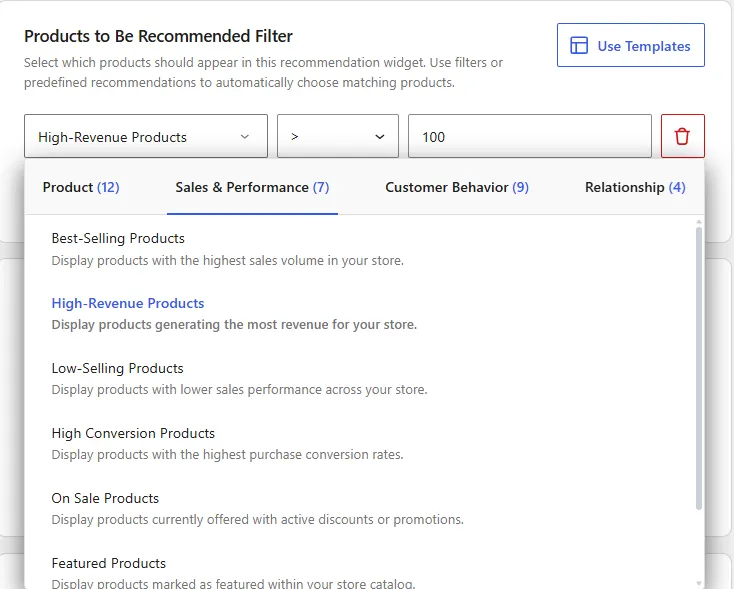
Each filter provides its own conditions and values for controlling which products can appear in the recommendation.
1. Best-Selling Products
The Best-Selling Products filter recommends products based on their sales volume during a selected period.
After selecting this filter, choose:
In– Include the best-selling products from the selected period.Not In– Exclude the best-selling products from the selected period.
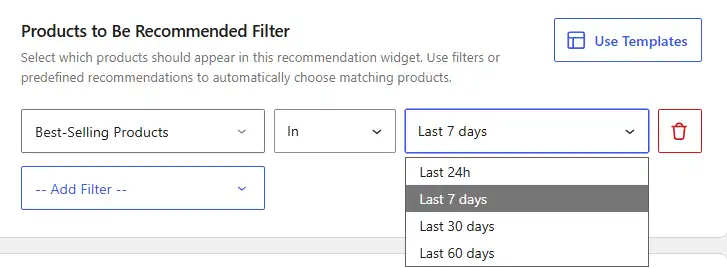
Then select a time period of the last 24 hours, 7 days, 30 days, or 60 days.
For example, In → Last 30 days Let’s have WowRecommend recommend products that were among your best sellers during the previous 30 days.
2. High-Revenue Products
The High-Revenue Products filter recommends products based on the amount of revenue they have generated.
After selecting this filter, enter a revenue amount and choose:
>– Include products that generated more than the entered amount.<– Include products that generated less than the entered amount.
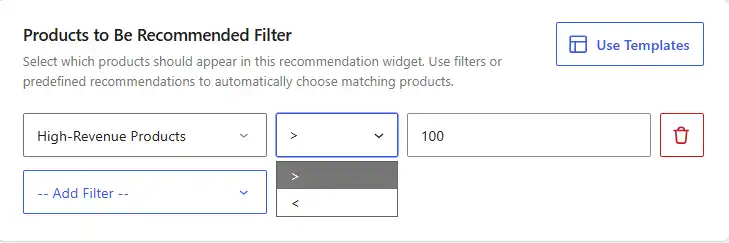
For example, > → 500 Let’s recommend products that generated more than 500 in revenue.
3. Low-Selling Products
The Low-Selling Products filter recommends products with lower sales performance during a selected period.
After selecting this filter, choose:
In– Include low-selling products from the selected period.Not In– Exclude low-selling products from the selected period.
Then select a time period of last 24 hours, 7 days, 30 days, or 60 days.
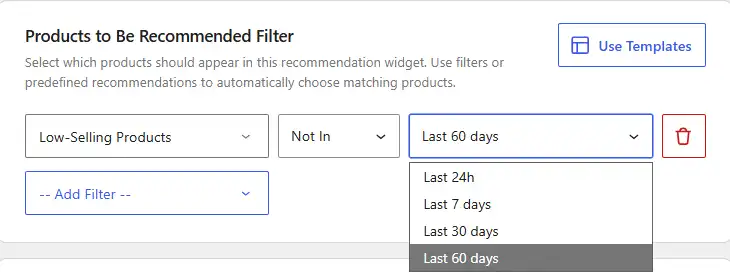
For example, In → Last 30 days Let’s recommend products with lower sales performance during the previous 30 days.
4. High Conversion Products
The High Conversion Products filter recommends products with higher purchase conversion rates during a selected period.
After selecting this filter, choose:
In– Include high-converting products from the selected period.Not In– Exclude high-converting products from the selected period.
Then select a time period of last 24 hours, 7 days, 30 days, or 60 days.
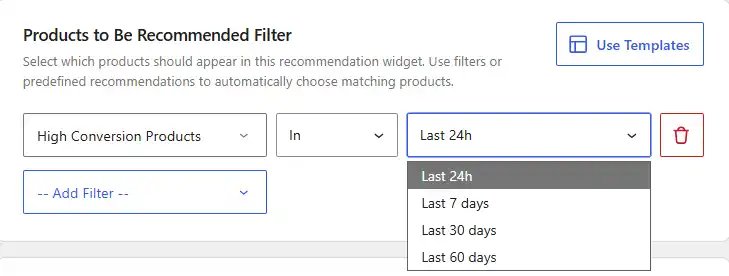
For example, In → Last 7 days Let’s recommend products with high conversion performance during the previous 7 days.
5. On Sale Products
The On Sale Products filter controls whether products currently offered at a sale price can appear in the recommendation.
This filter has two conditions:
Is– Include products that are currently on sale.Is Not– Exclude products that are currently on sale.
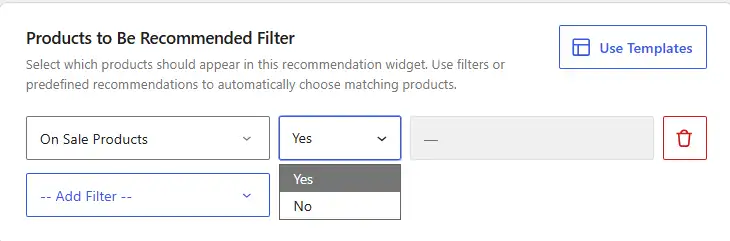
For example, selecting Is lets WowRecommend recommend only products that are currently on sale.
6. Featured Products
The Featured Products filter controls whether products marked as featured in WooCommerce can appear in the recommendation.
This filter has two conditions:
Is– Include products marked as featured.Is Not– Exclude products marked as featured.
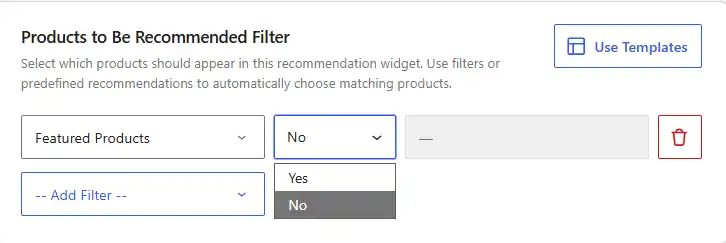
For example, selecting Is lets WowRecommend recommend products currently marked as featured in your store.
7. High Click-Through Products
The High Click-Through Products filter recommends products that receive higher customer click-through activity during a selected period.
After selecting this filter, choose:
In– Include products with high click-through performance.Not In– Exclude products with high click-through performance.
Then select a time period of the last 24 hours, 7 days, 30 days, or 60 days.
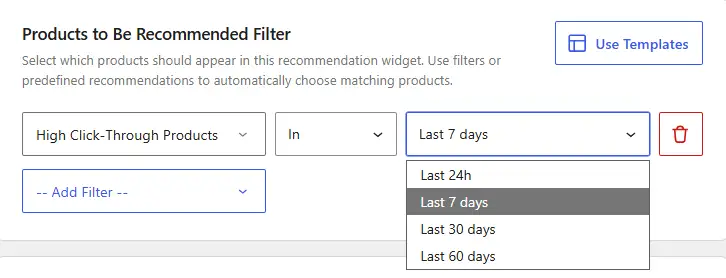
For example, In → Last 30 days Let’s have WowRecommend recommend products with high click-through activity during the previous 30 days.

