
Installing WowRecommend works like installing any other WordPress plugin. Before you begin, make sure your site meets the WowRecommend System Requirements and has WooCommerce installed and activated.
Need Help? If you have trouble installing or activating WowRecommend, contact our support team for assistance.
You can install WowRecommend automatically from the WordPress dashboard or upload the plugin file manually.
For Early-Bird Users
If you joined WowRecommend during the early-bird launch, your plugin package and license details will be available from your WPXPO account dashboard.
- Log in to your WPXPO account.
- Download the WowRecommend plugin file from your dashboard.
- Copy your license key if one is provided with your early-bird purchase.
- Go to WordPress Dashboard → Plugins → Add Plugin → Upload Plugin.
- Upload the WowRecommend
.zipfile and click Install Now. - Activate the plugin after installation.
- If your version includes license activation, open the WowRecommend license area and enter the key from your WPXPO dashboard.
Once activated, the early-bird version gives you access to the features included with your launch offer.
Automatic Installation
This is the easiest way to install WowRecommend once it is available from the WordPress plugin directory.
- Go to WordPress Dashboard → Plugins → Add Plugin.
- Search for WowRecommend.
- Click Install Now.
- Once installation is complete, click Activate.
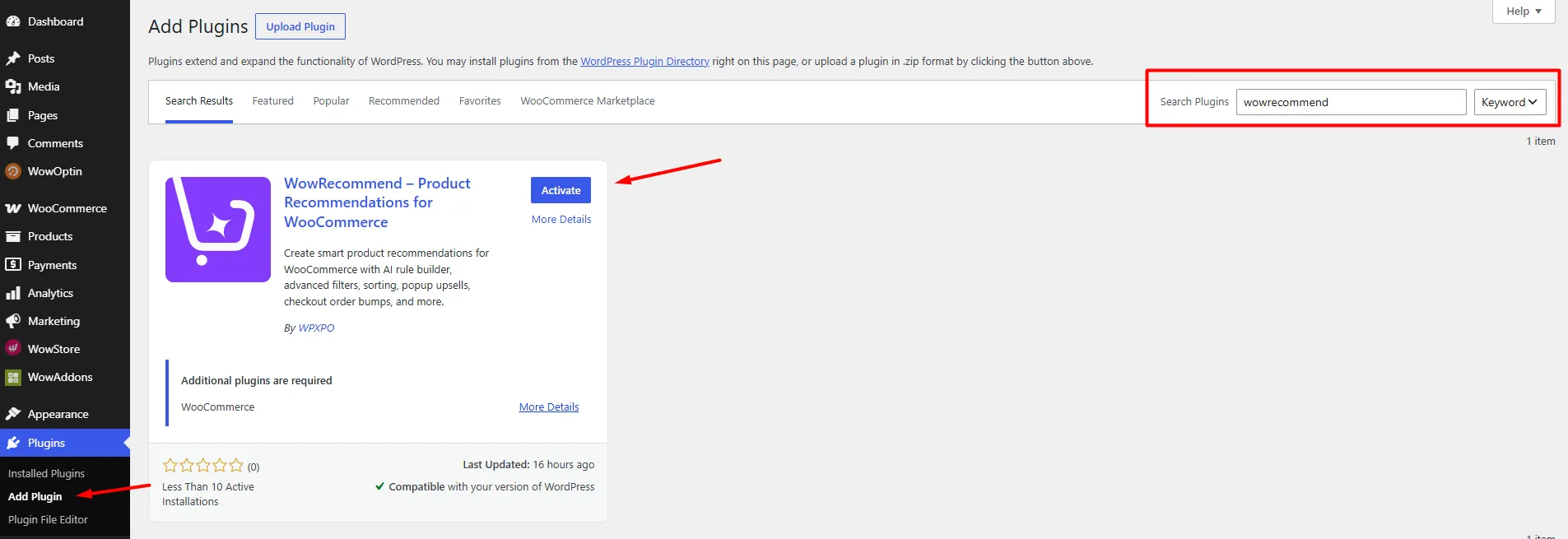
After activation, WowRecommend will appear in your WordPress dashboard.
Note: WowRecommend requires WooCommerce. If WooCommerce is not active, install and activate it before using the plugin.
Manual Installation
If you already have the WowRecommend plugin file:
- Go to WordPress Dashboard → Plugins → Add Plugin.
- Click Upload Plugin.
- Select the WowRecommend
.zipfile from your device. - Click Install Now.
- When installation finishes, click Activate Plugin.
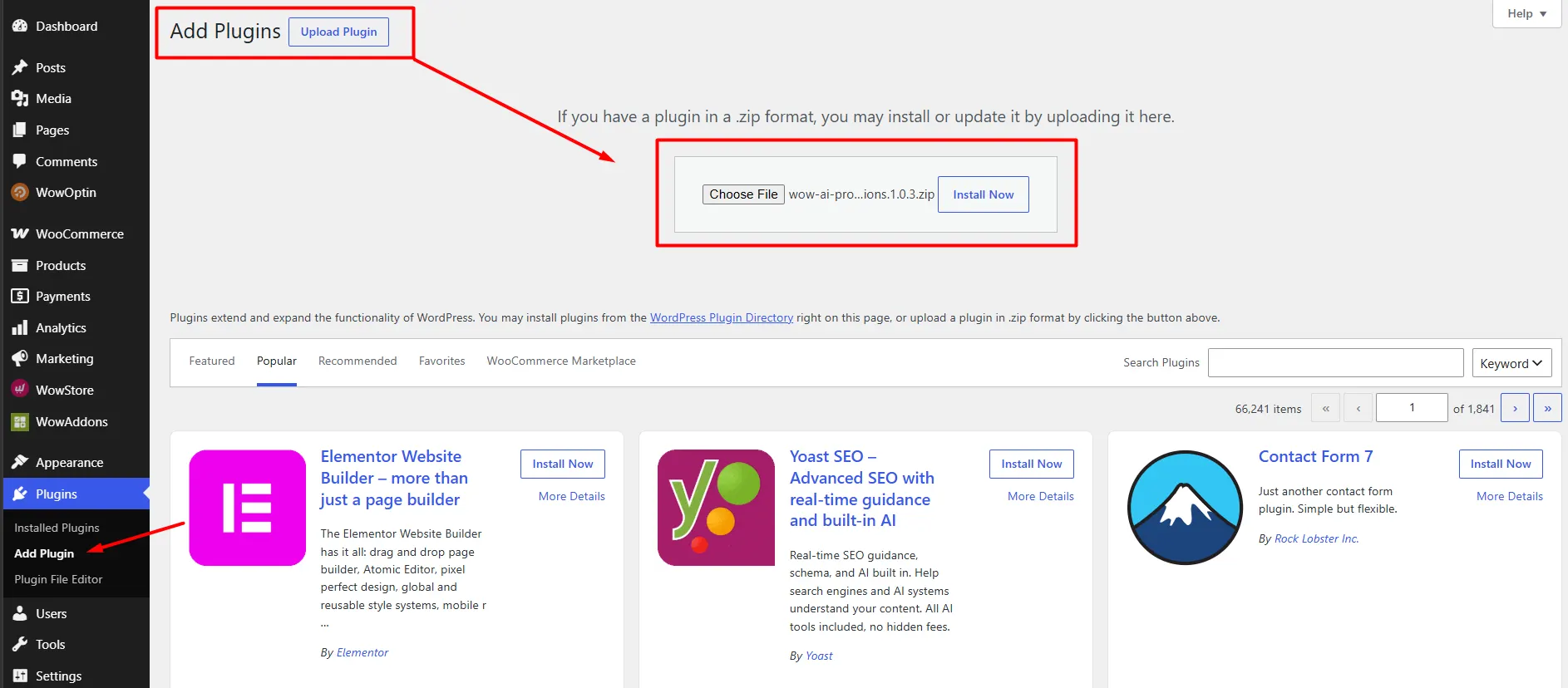
WowRecommend is now ready to use.
Start Using WowRecommend
After activation, open WowRecommend from your WordPress dashboard.
You will land on the Overview page, where you can access the Recommendation Builder, Analytics, feature shortcuts, documentation, and other resources.
To create your first recommendation, click Create Recommendation or open Recommendation Builder from the left menu.
From there, you can build recommendations manually, use premade templates, follow Guided Steps, or use AI Chat if an AI provider is connected.

