
WowRecommend lets you add product recommendations to different WooCommerce pages and positions. Start by selecting a target page from the Recommendation Rules Builder. The preview then marks every available position with an Add Recommendation button.
Choose a Target Page
In the Recommendation Rules Builder, use the left panel to switch between the available recommendation locations:
- Product Page – Individual WooCommerce product pages
- Shop Page – The main WooCommerce shop page
- Product Archive – Product archive pages
- Thank You – The page customers see after completing an order
- Cart – The WooCommerce cart page
- Checkout – The checkout page
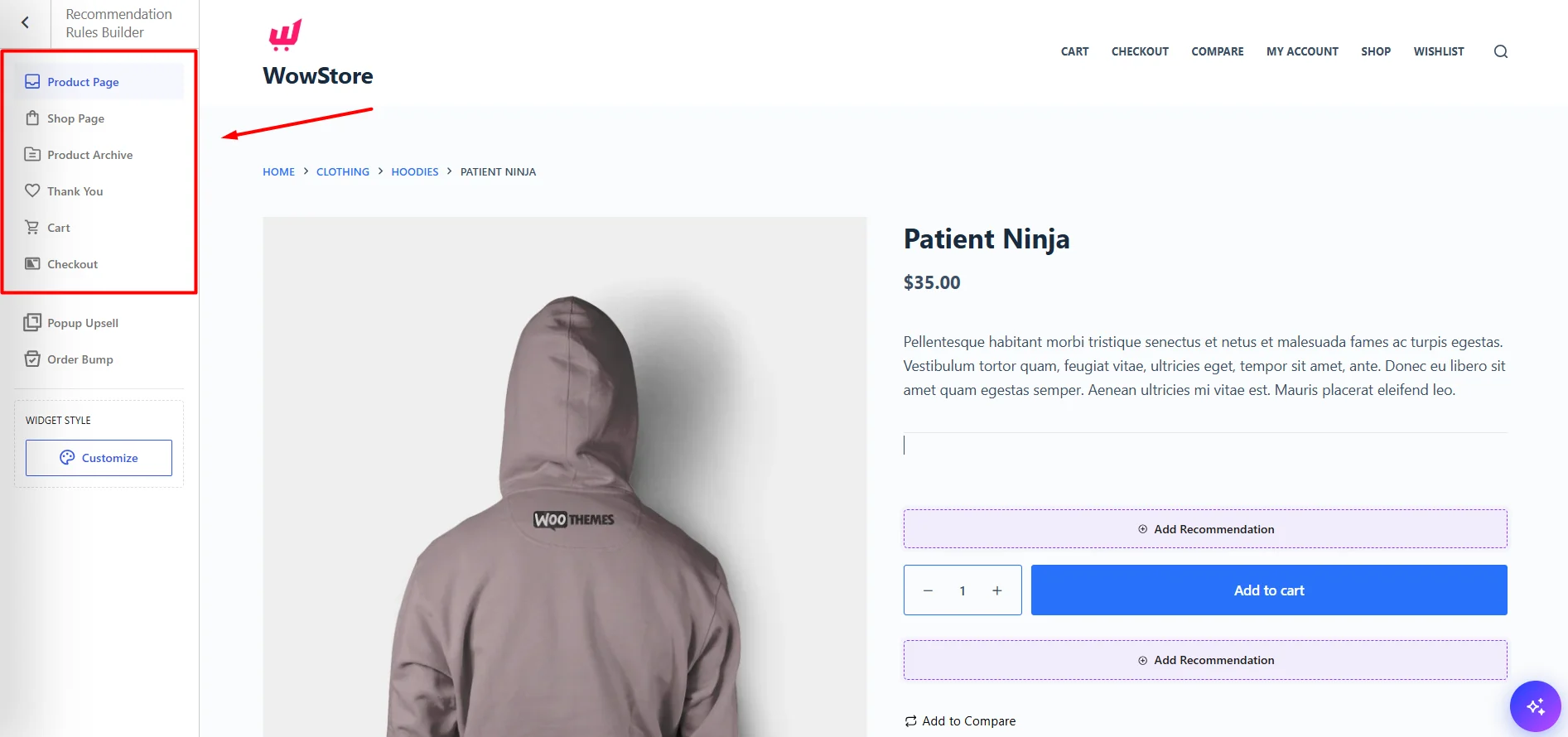
Selecting an option loads a preview of that page on the right.
Choose a Placement
Each target page can have multiple positions where a recommendation can be added.
Available positions are marked with Add Recommendation in the preview. Scroll to your preferred position and click Add Recommendation. This opens the recommendation builder, where you can configure products, sorting, scheduling, layout, and other settings.
Note: You can repeat the process to add recommendations to multiple positions on the same page or across different WooCommerce pages.
Product Page
Use the Product Page target to add recommendations throughout an individual product page. Available placements include:
- Below the product description – Before the product selection or purchase options.
- Below the Add to Cart area – Directly after the main purchase section.
- Below the product meta – After information such as product category.
- Below the product summary – A full-width placement after the main product information area.
- Before Related Products – After the review section and before WooCommerce related products.
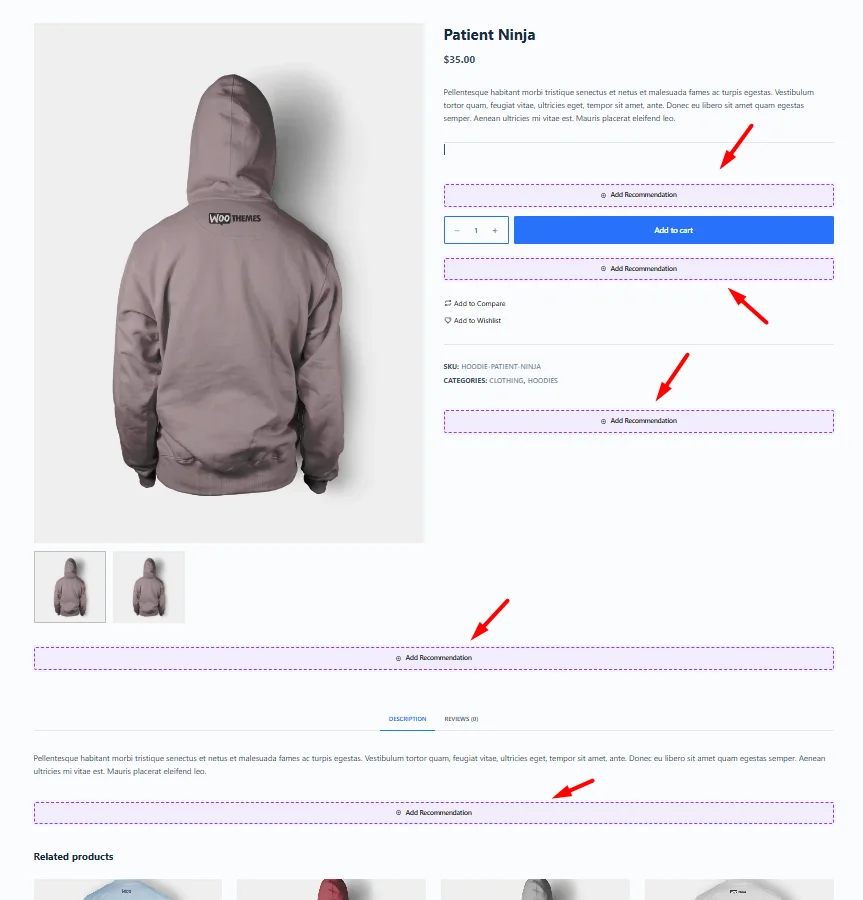
These placements let you recommend products at different stages while a customer is viewing and considering a product.
Shop Page
Use the Shop Page target to show recommendations on your main WooCommerce product listing page. Available placements include:
- Above the product grid – Displays the recommendation before the shop products and sorting controls.
- Below the product grid – Displays the recommendation after all products in the main shop listing.
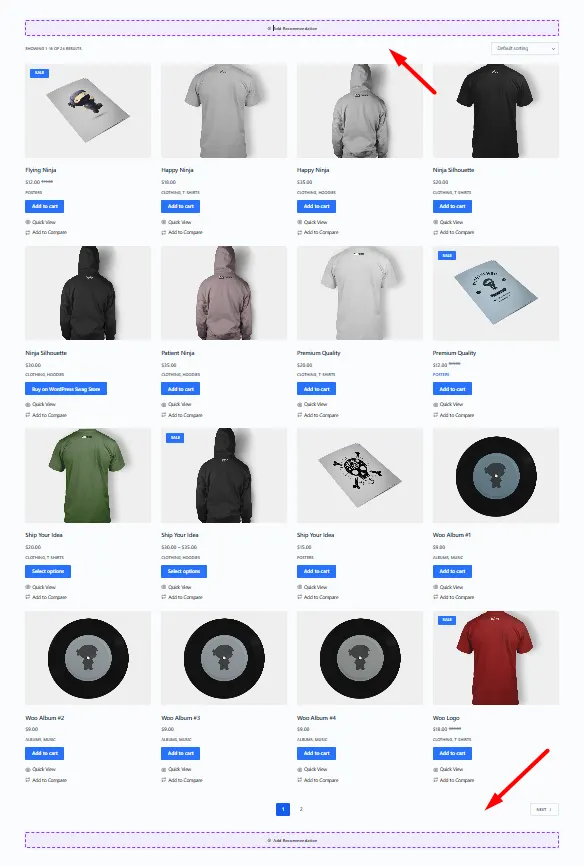
These placements are useful when you want to feature selected, trending, or personalized products without interrupting the main product grid.
Product Archive Page
Use Product Archive for WooCommerce product archive pages, such as category-based product listings. There are placements:
- Above the product grid – Shows recommendations before the archive products.
- Below the product grid – Shows recommendations after the archive products.
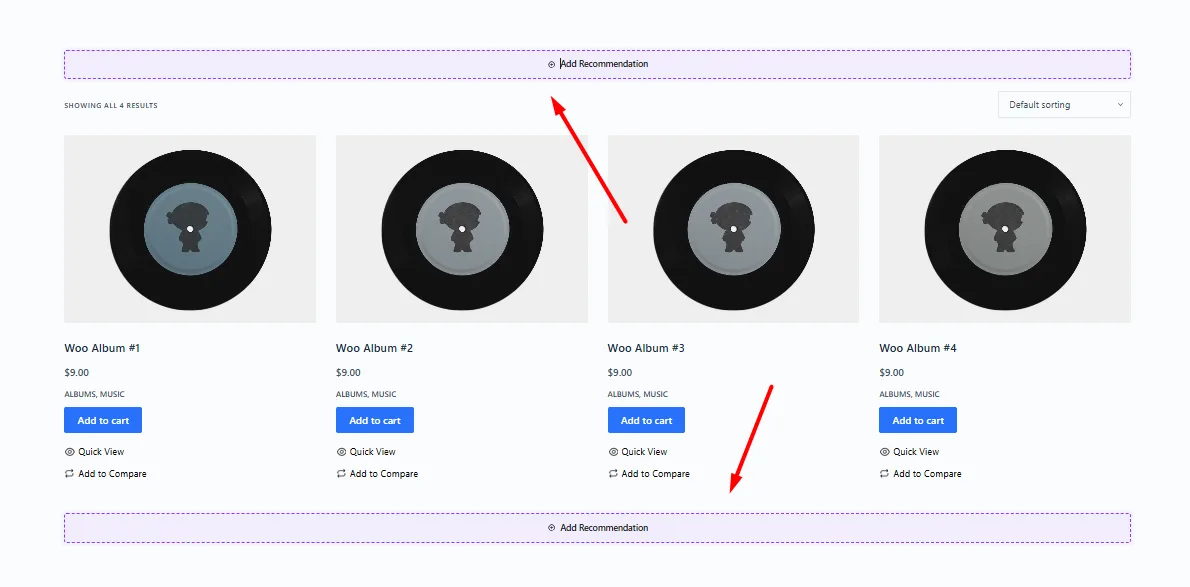
Cart Page
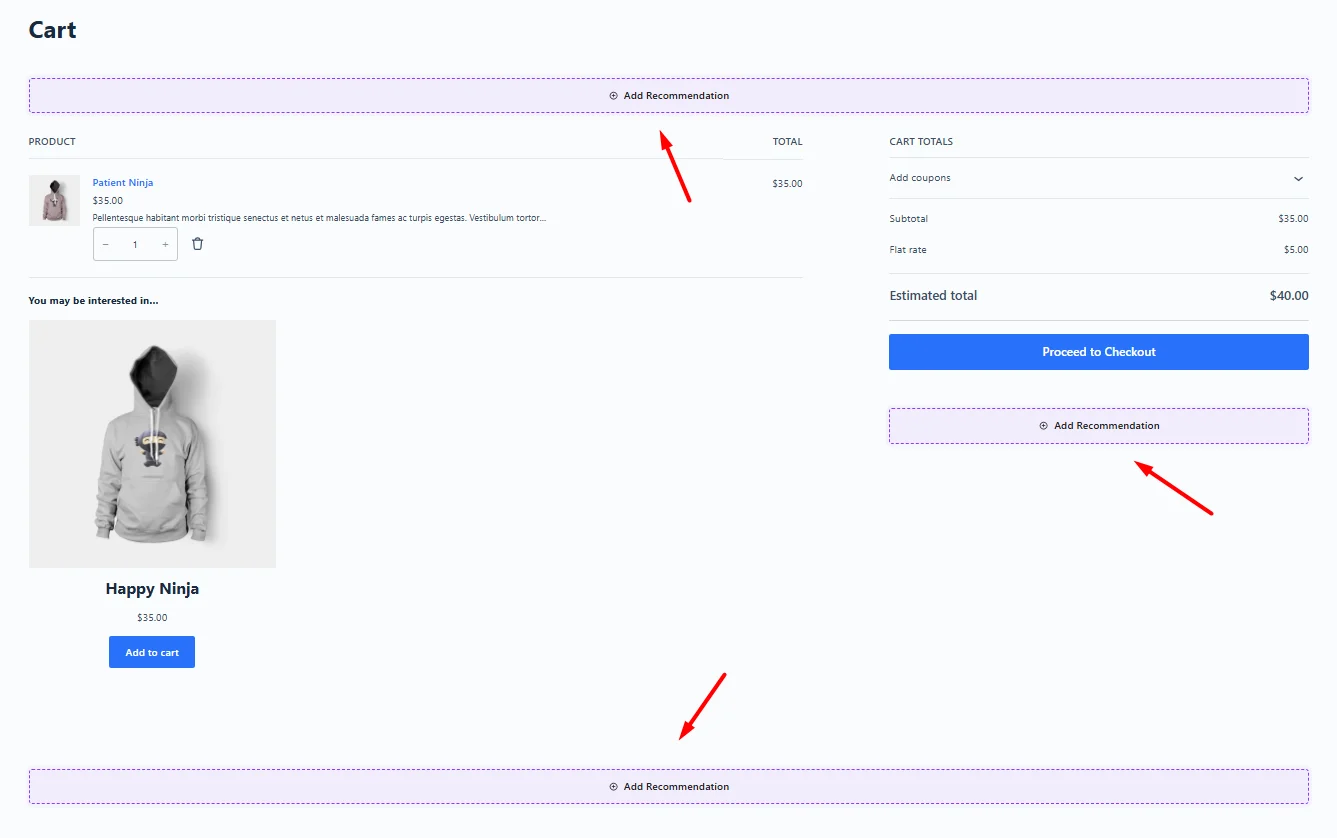
The Cart target provides several opportunities to recommend additional products before the customer proceeds to checkout. Available placements include:
- Above the cart contents – Before the list of products currently in the cart.
- Below the Proceed to Checkout button – Inside the Cart Totals area.
- Below the cart section – A full-width recommendation after the main cart content.
Checkout Page
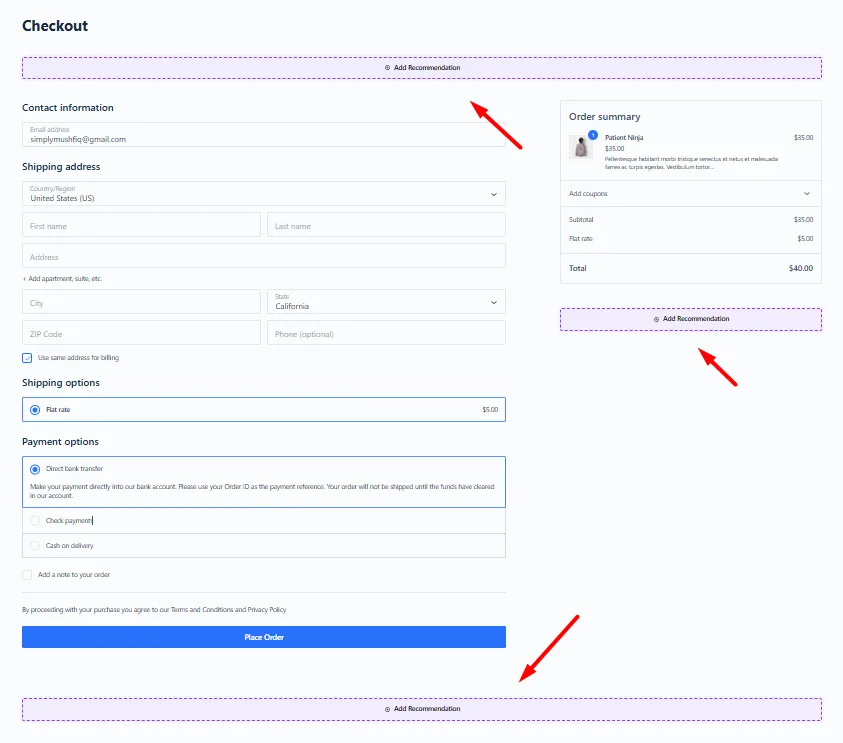
Use the Checkout target to display recommendations while the customer is completing their purchase. Available placements include:
- Above the checkout form – Before the billing and order information.
- Below the Place Order button – Inside the order summary area.
- Below the checkout form – After the main checkout section.
Thank You Page
The Thank You target lets you recommend products after an order has been completed. The recommendation can be placed after the order details and before the billing and shipping information.
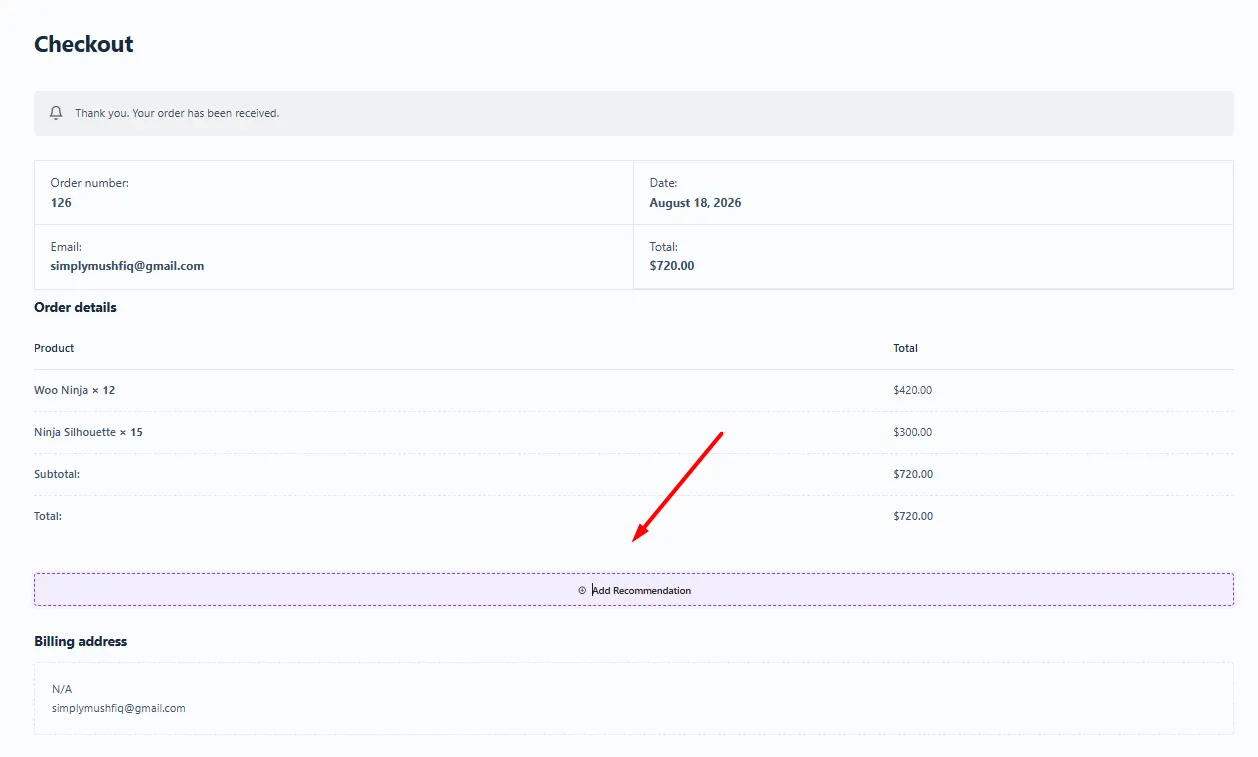
This placement can be used for post-purchase product discovery without interrupting the checkout process.

