
Customer Behavior Filters let you recommend products based on how customers interact with your store. WowRecommend includes 9 customer behavior filters.
To use one, go to the “Products to Be Recommended Filter“, click Add Filter, and select the Customer Behavior tab. The filters are:
- Products Viewed – Recommend products the customer viewed during their visit.
- Recently Viewed – Recommend products the customer viewed most recently.
- Frequently Viewed – Recommend products the customer views most often over time.
- Added to Cart – Recommend products the customer has added to their cart.
- Removed from Cart – Recommend products recently removed from the customer’s cart.
- Previously Purchased – Recommend products the customer purchased in previous orders.
- Customer Interest Categories – Recommend products from categories that match the customer’s interests.
- Customer Interest Tags – Recommend products with tags that match the customer’s interests.
- Customer Interest Attributes – Recommend products with attributes that match the customer’s preferences.
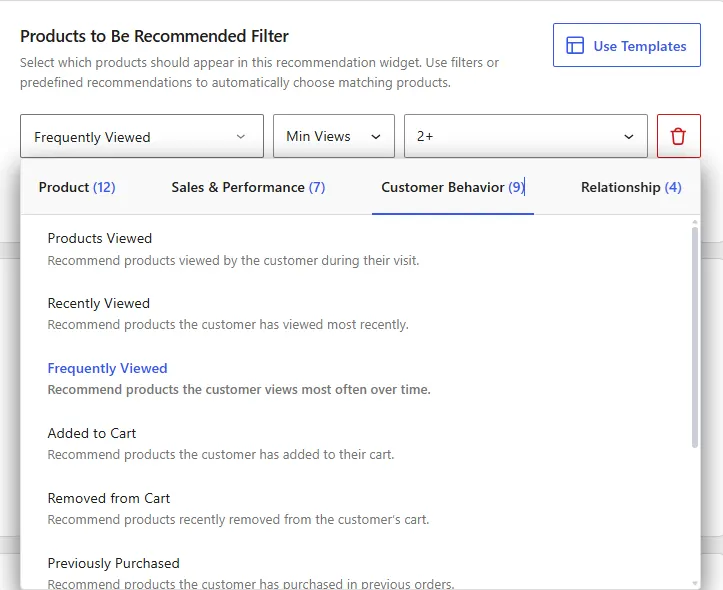
Each filter has its own configuration options. Select the filter you want to use, then configure its settings to control which products can appear in the recommendation.
1. Products Viewed
The Products Viewed filter recommends products a customer has viewed within a selected period.
After selecting this filter, keep the default In condition, which is the only available condition. Then choose how far back WowRecommend should check the customer’s viewing history:
- Last 7 days
- Last 14 days
- Last 30 days
- Last 60 days
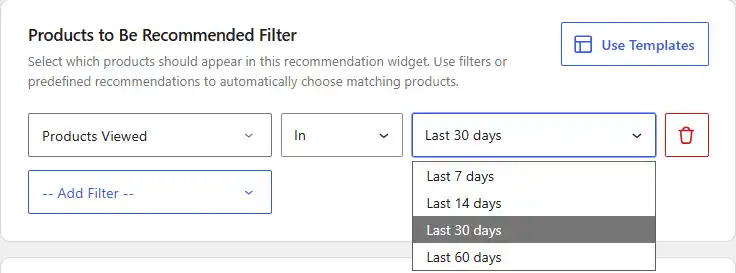
For example, if you select Last 30 days, WowRecommend can recommend products the customer viewed during the previous 30 days.
2. Recently Viewed
The Recently Viewed filter lets you include or exclude products based on the customer’s most recent browsing activity. After selecting this filter, choose one of the available conditions:
- Is – Include recently viewed products in the recommendation.
- Is Not – Exclude recently viewed products from the recommendation.
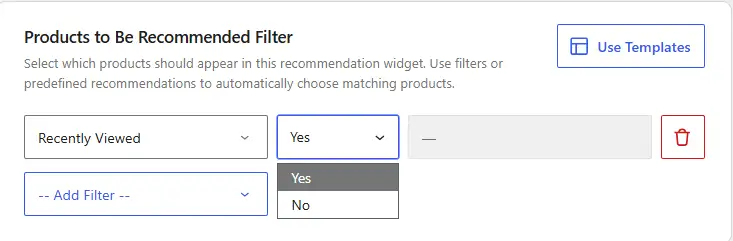
Then configure the value in the final field based on how you want the filter to work.
3. Frequently Viewed
The Frequently Viewed filter recommends products based on how often a customer has viewed them.
After selecting this filter, choose how you want to use the view count:
- Min Views – Recommend products viewed at least the selected number of times.
- Max Views – Recommend products viewed up to the selected number of times.
Then select the view threshold, such as 2+, 5+, 10+, 15+, or 20+.
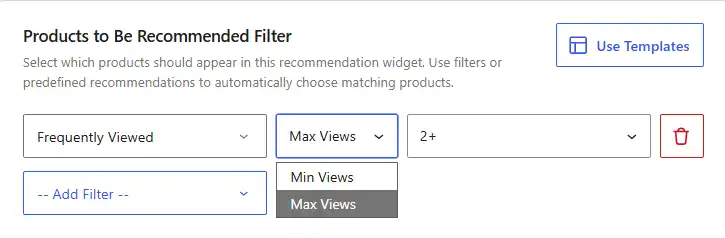
For example, Min Views → 5+ recommends products the customer has viewed five times or more.
4. Added to Cart
The Added to Cart filter recommends products based on whether the customer added them to their cart within a selected time period. After selecting this filter, choose:
- In – Include products the customer added to their cart during the selected period.
- Not In – Exclude products the customer added to their cart during the selected period.
Then choose a time range of the last 7, 14, or 30 days.
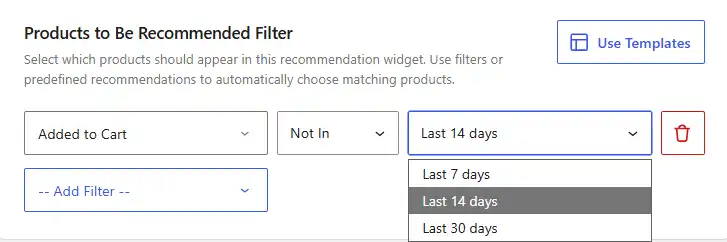
For example, In → Last 30 days lets WowRecommend use products the customer added to their cart during the previous 30 days.
5. Removed from Cart
The Removed from Cart filter recommends products based on whether the customer removed them from their cart within a selected time period. After selecting this filter, choose:
- In – Include products the customer removed from their cart during the selected period.
- Not In – Exclude products the customer removed from their cart during the selected period.
Then choose a time range of the last 7, 14, or 30 days.
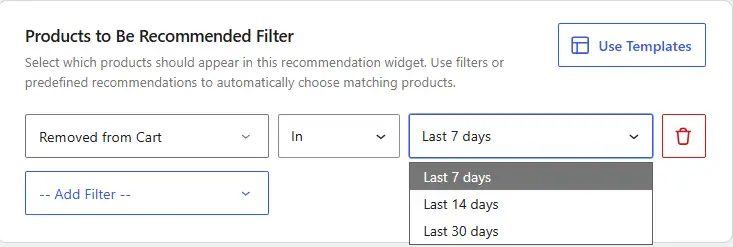
For example, In → Last 14 days lets WowRecommend use products the customer removed from their cart during the previous 14 days.
6. Previously Purchased
The Previously Purchased filter uses the customer’s order history to include or exclude products based on when they were purchased. After selecting this filter, choose:
- Purchased Within – Include products purchased during the selected period.
- Not Purchased Within – Include products that were not purchased during the selected period.
Then choose a time range of the last 7, 14, or 30 days.
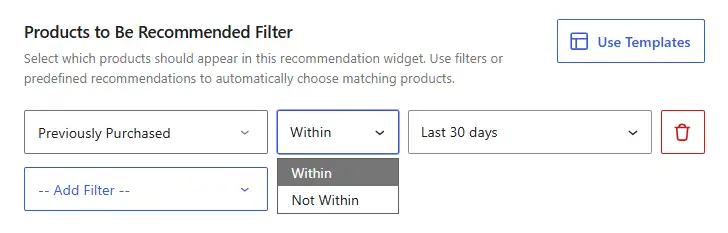
For example, Purchased Within → Last 30 days lets WowRecommend use products the customer purchased during the previous 30 days.
7. Customer Interest Categories
The Customer Interest Categories filter recommends products from categories that reflect the customer’s browsing and purchase interests. After selecting this filter, choose:
- In – Include products from the identified interest categories.
- Not In – Exclude products from those categories.
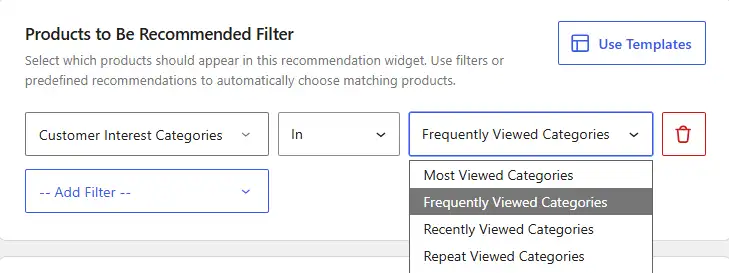
Then choose how WowRecommend should determine the customer’s category interests:
- Most Viewed Categories – Categories the customer has viewed the most.
- Frequently Viewed Categories – Categories the customer views frequently over time.
- Recently Viewed Categories – Categories the customer viewed most recently.
- Repeat Viewed Categories – Categories the customer has returned to and viewed multiple times.
- Purchased Before Categories – Categories of products the customer has purchased previously.
For example, In → Most Viewed Categories recommends products from the categories the customer has shown the most interest in through their browsing activity.
8. Customer Interest Tags
The Customer Interest Tags filter recommends products based on tags connected to the customer’s browsing and purchase behavior. After selecting this filter, choose:
- In – Include products with the identified interest tags.
- Not In – Exclude products with those tags.
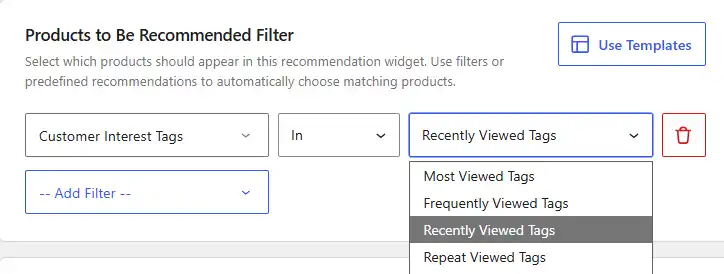
Then choose how WowRecommend should determine the customer’s tag interests:
- Most Viewed Tags – Tags associated with the products the customer has viewed the most.
- Frequently Viewed Tags – Tags associated with products the customer views frequently.
- Recently Viewed Tags – Tags associated with products the customer viewed most recently.
- Repeat Viewed Tags – Tags associated with products the customer has returned to and viewed multiple times.
- Purchased Before Tags – Tags associated with products the customer has purchased previously.
For example, In → Recently Viewed Tags recommends products that share tags with products the customer viewed recently.
9. Customer Interest Attributes
The Customer Interest Attributes filter recommends products based on attributes connected to the customer’s browsing and purchase behavior, such as size, color, or other WooCommerce product attributes. After selecting this filter, choose:
- In – Include products with the identified interest attributes.
- Not In – Exclude products with those attributes.
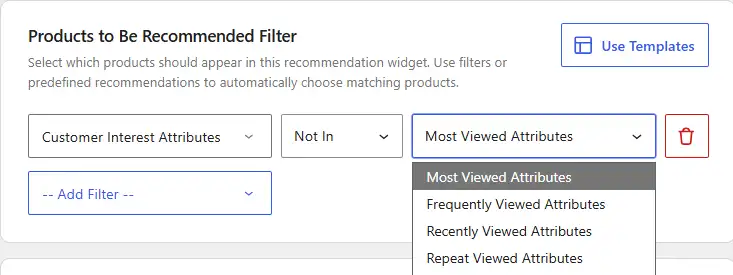
Then choose how WowRecommend should determine the customer’s attribute interests:
- Most Viewed Attributes – Attributes associated with the products the customer has viewed the most.
- Frequently Viewed Attributes – Attributes associated with products the customer views frequently.
- Recently Viewed Attributes – Attributes associated with products the customer viewed most recently.
- Repeat Viewed Attributes – Attributes associated with products the customer has returned to and viewed multiple times.
- Purchased Before Attributes – Attributes associated with products the customer has purchased previously.
For example, in → Purchased Before Attributes, recommends products that share attributes with products the customer has already purchased.

