
The Guided Steps let you create a recommendation by selecting from predefined options instead of configuring every rule manually.
Note: You do not need to connect an AI provider to use Guided Steps.
How to Create a Recommendation with Guided Steps
First, select the target page you want to work with from the Recommendation Rules Builder. Then click the AI Recommendation Chat button at the bottom-right. Now follow the suggested options in the chat panel.
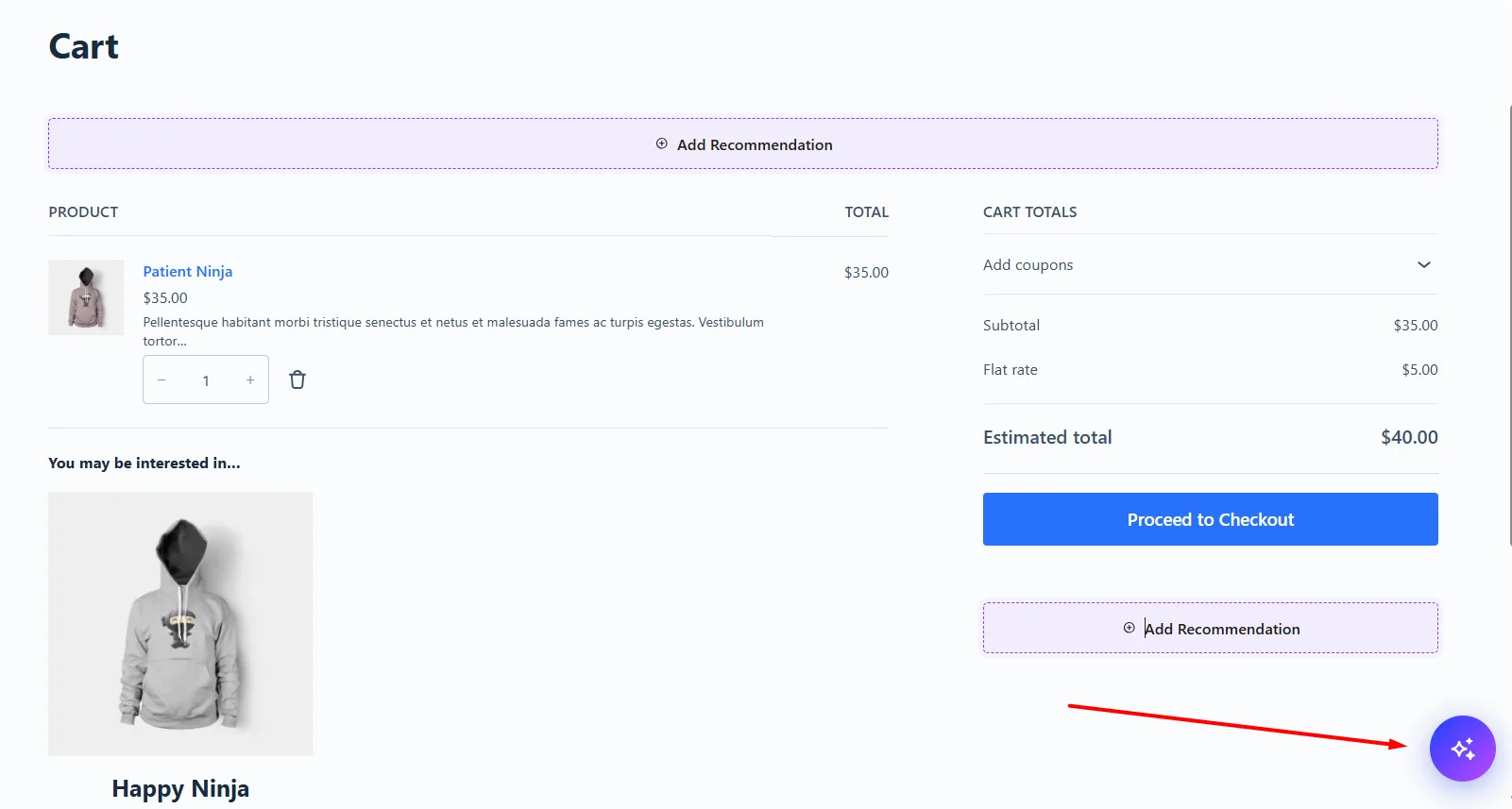
1. Choose a Recommendation Goal
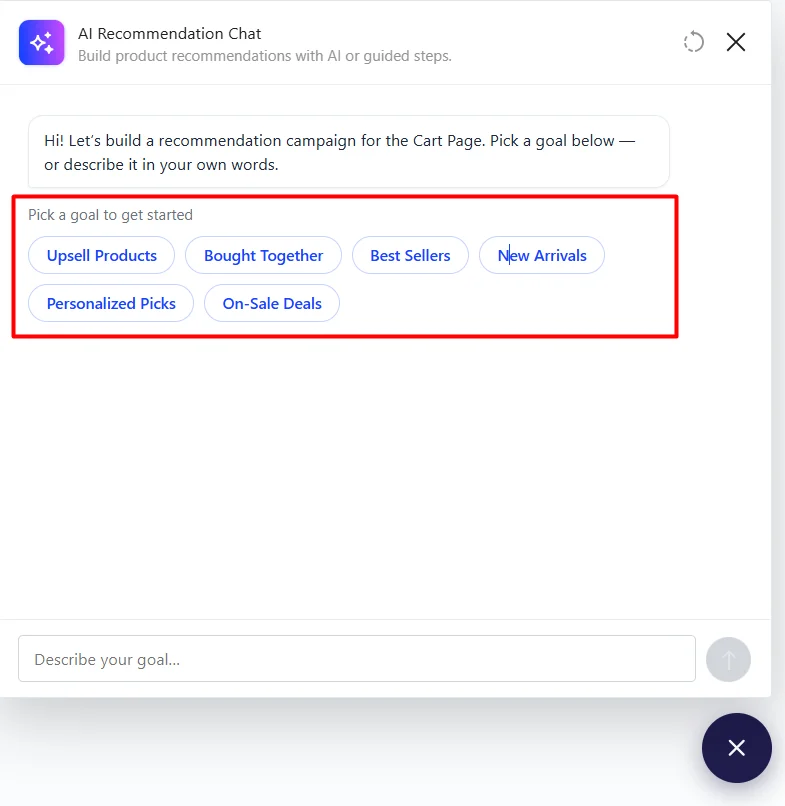
WowRecommend first shows recommendation goals suitable for the selected target page. For example, on the Product Page, you may see:
- Upsell Products
- Bought Together
- Best Sellers
- New Arrivals
- Personalized Picks
- On-Sale Deals
The available goals change depending on the target page.
Choose the goal that matches the recommendation you want to create for the page.
2. Follow the Suggested Steps
After choosing a goal, the next options appear dynamically based on your selection. Depending on the recommendation, WowRecommend may ask you to choose:
- The recommendation placement
- How the products should be sorted
- Other settings required for that recommendation
For example, a guided flow for the Thank You page could be: Clear Inventory → After Order Details → Trending First
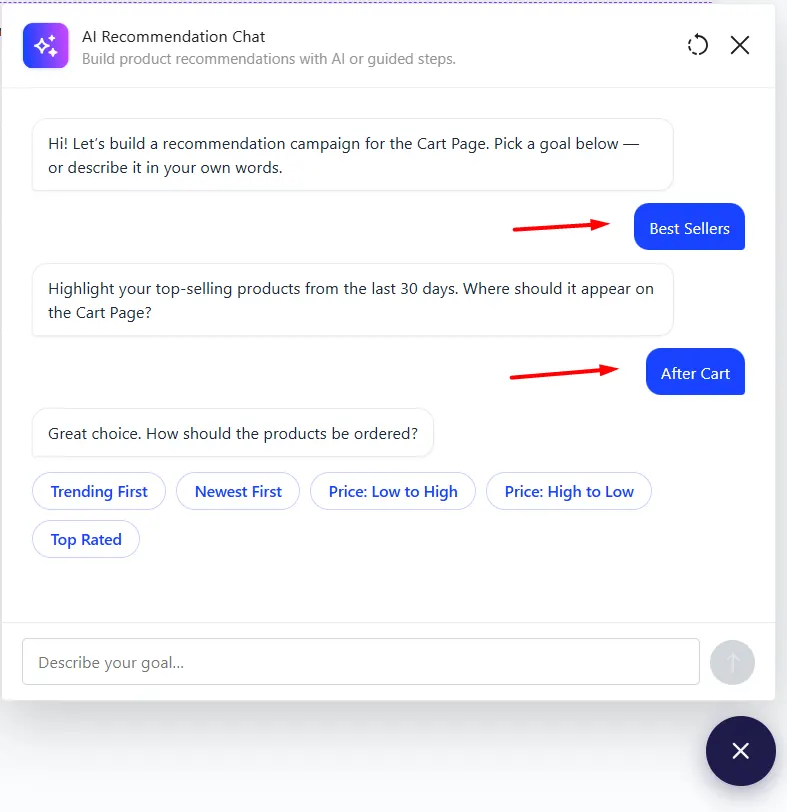
You only need to choose from the options shown at each step.
3. Review the Recommendation
After completing the guided steps, WowRecommend creates the recommendation and opens it in the settings panel.
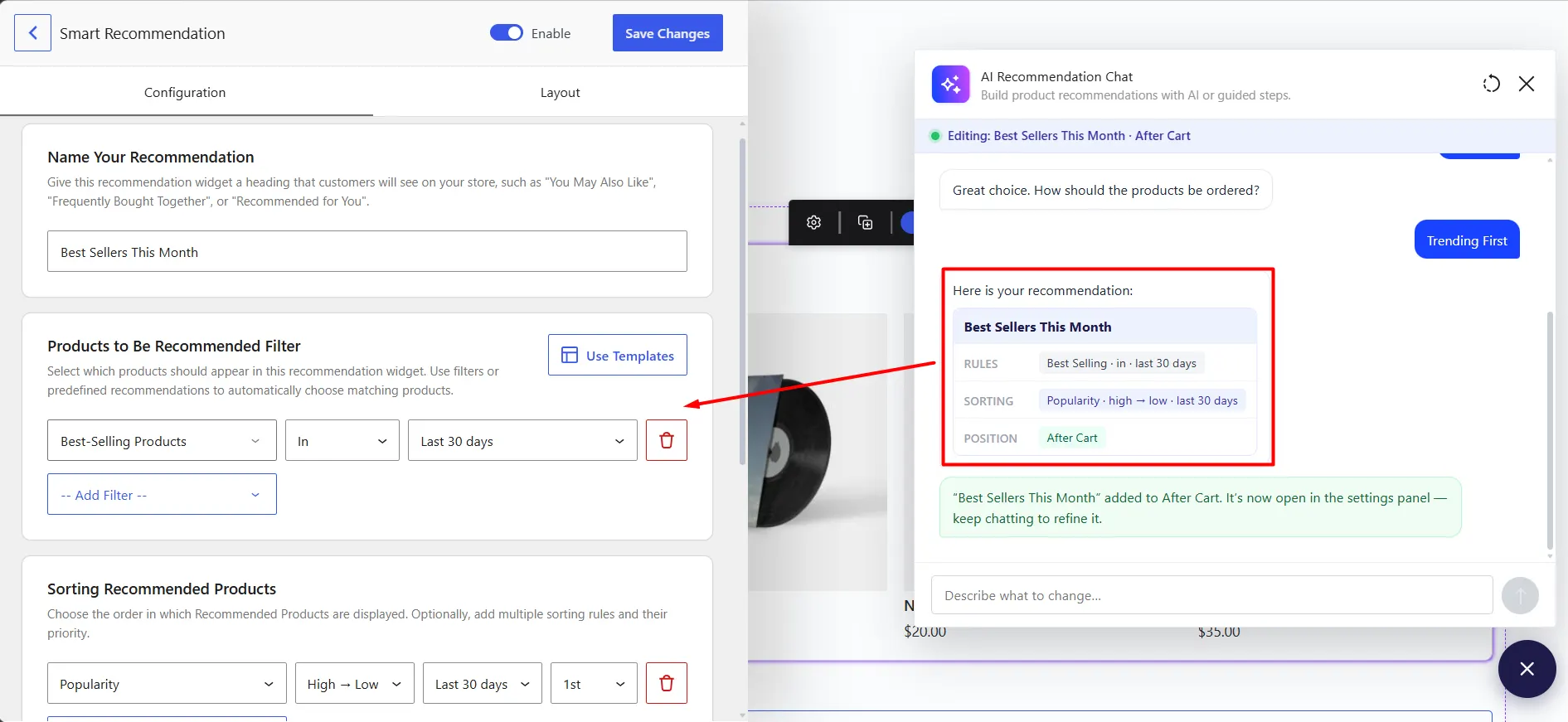
You can then review or manually change its name, filters, sorting, layout, schedule, and other available settings.

