
The Recommendation Analytics page shows how your product recommendations are contributing to sales, orders, and cart activity.
Use it to monitor overall performance, compare different recommendation placements, and review recent orders generated through recommendations.
Select a Date Range
Use the date filter in the top-right corner to choose the period you want to analyze. You can select: Last 7, 30, or 90 Days.
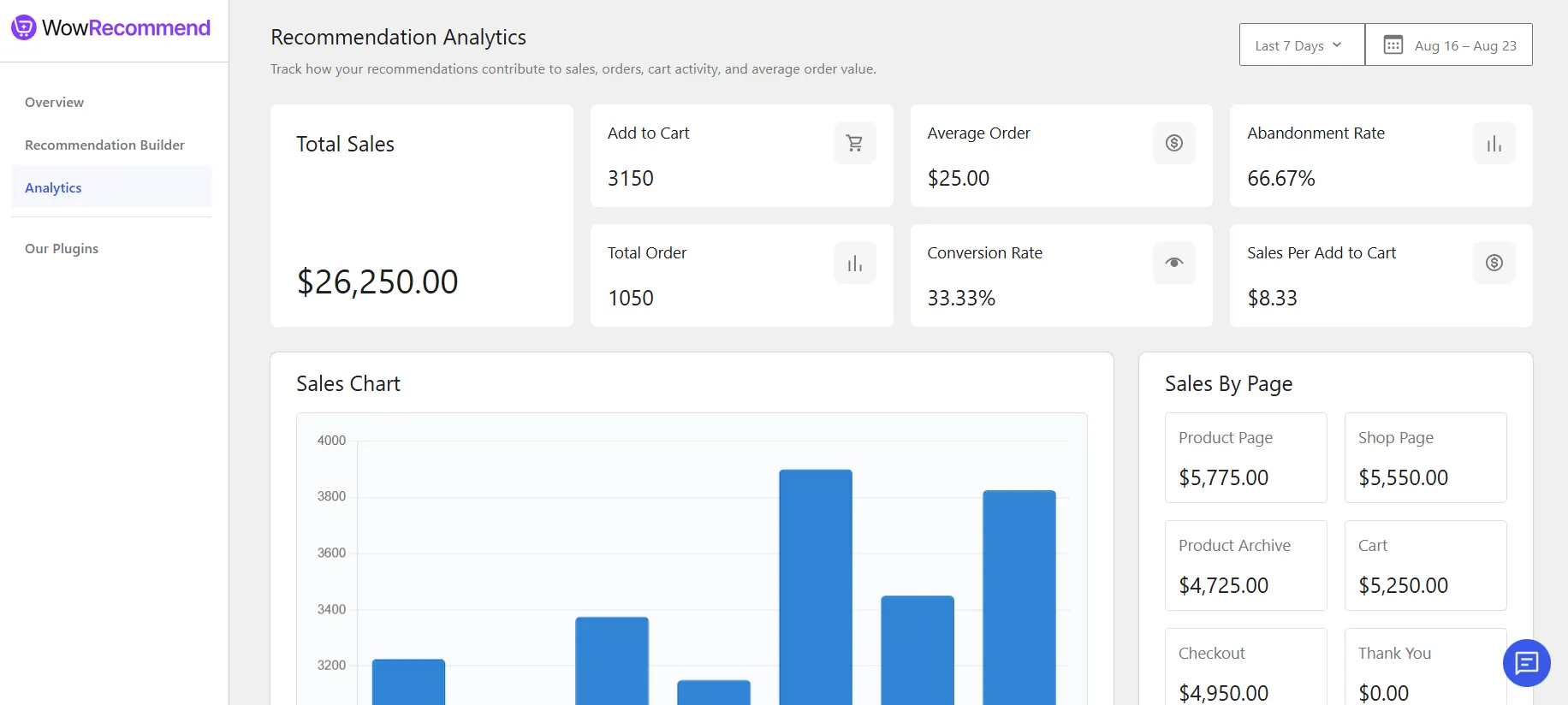
The metrics, sales chart, and other analytics update based on the selected period.
Check the Performance Overview
The top section gives you a quick overview of recommendation performance.
- Total Sales – Total sales generated through recommendations.
- Add to Cart – Number of times recommended products were added to the cart.
- Total Orders – Number of orders generated through recommendations.
- Average Order – Average value of orders generated through recommendations.
- Conversion Rate – Percentage of recommendation add-to-cart actions that resulted in an order.
- Abandonment Rate – Percentage of recommendation add-to-cart actions that did not result in an order.
- Sales Per Add to Cart – Average sales generated for each add-to-cart action from recommendations.
These metrics help you quickly understand how customers are responding to your recommendations and how well they are contributing to purchases.
View Sales Over Time
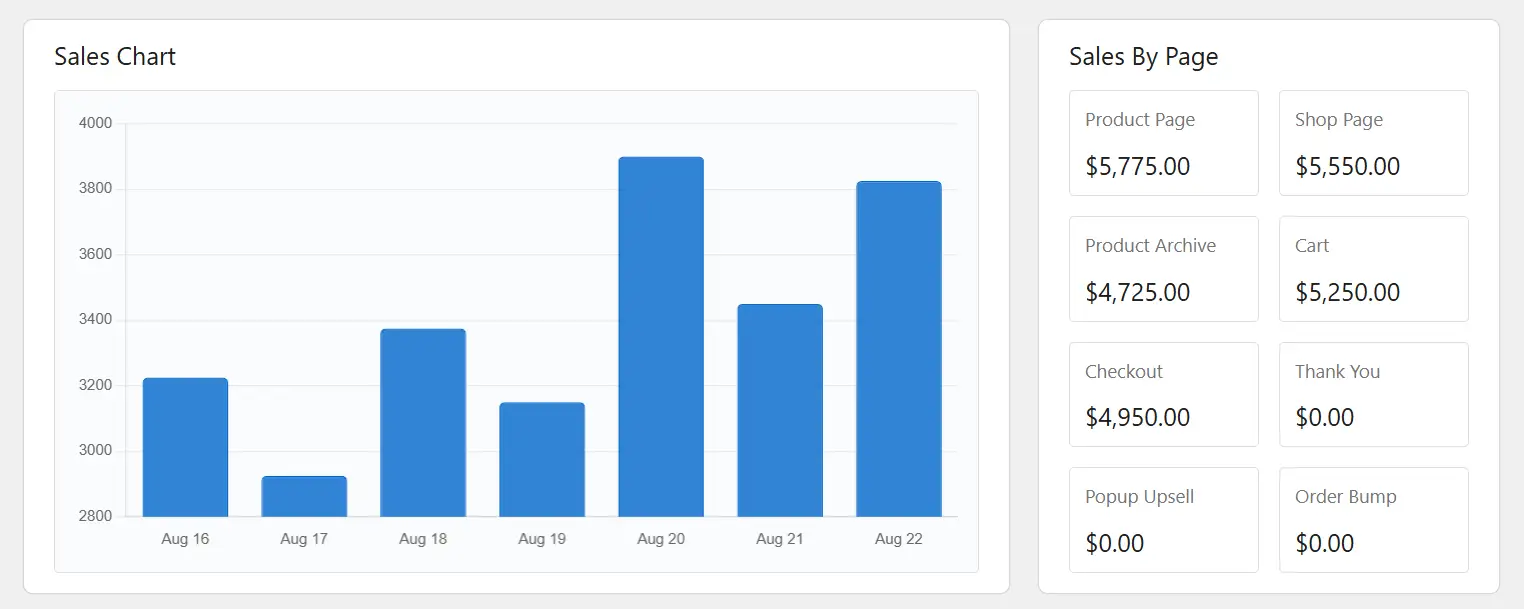
The Sales Chart shows recommendation-generated sales across the selected date range.
You can use it to see how sales change from day to day and identify periods when your recommendations performed better or worse.
Compare Sales by Placement
The Sales By Page section breaks down recommendation sales based on where the recommendation appeared. You can compare performance across:
- Product Page
- Shop Page
- Product Archive
- Cart
- Checkout
- Thank You
- Popup Upsell
- Order Bump
This helps you identify which recommendation placements are generating the most sales.
Review Recent Recommendation Orders
The Recent Orders From Recommendation section lists recent orders generated through recommendations.
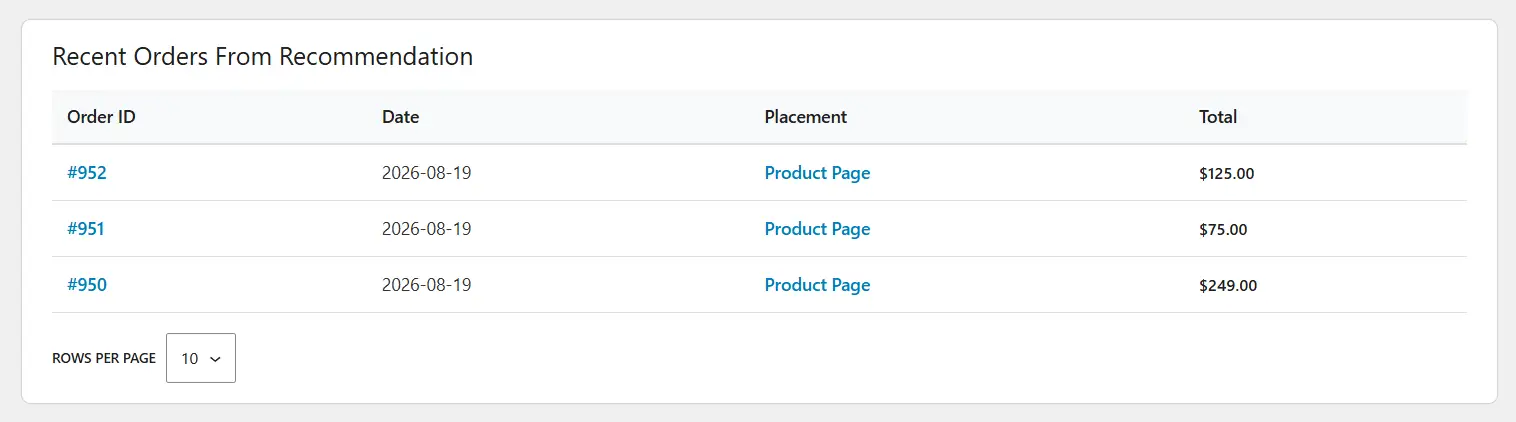
For each order, you can see the Order ID, Date, Placement, and Total fields.

