
The Live Preview lets you see how your recommendation will appear on the selected WooCommerce page while you configure it. It appears on the right side of the Recommendation Builder, so you can adjust the settings and check the result without repeatedly opening the storefront.
Preview the Recommendation on the Target Page
When you select a target page, WowRecommend loads a preview of that page and shows the available recommendation positions.
Each supported position is marked with Add Recommendation. Click the position where you want to place the recommendation, then configure it from the settings panel.
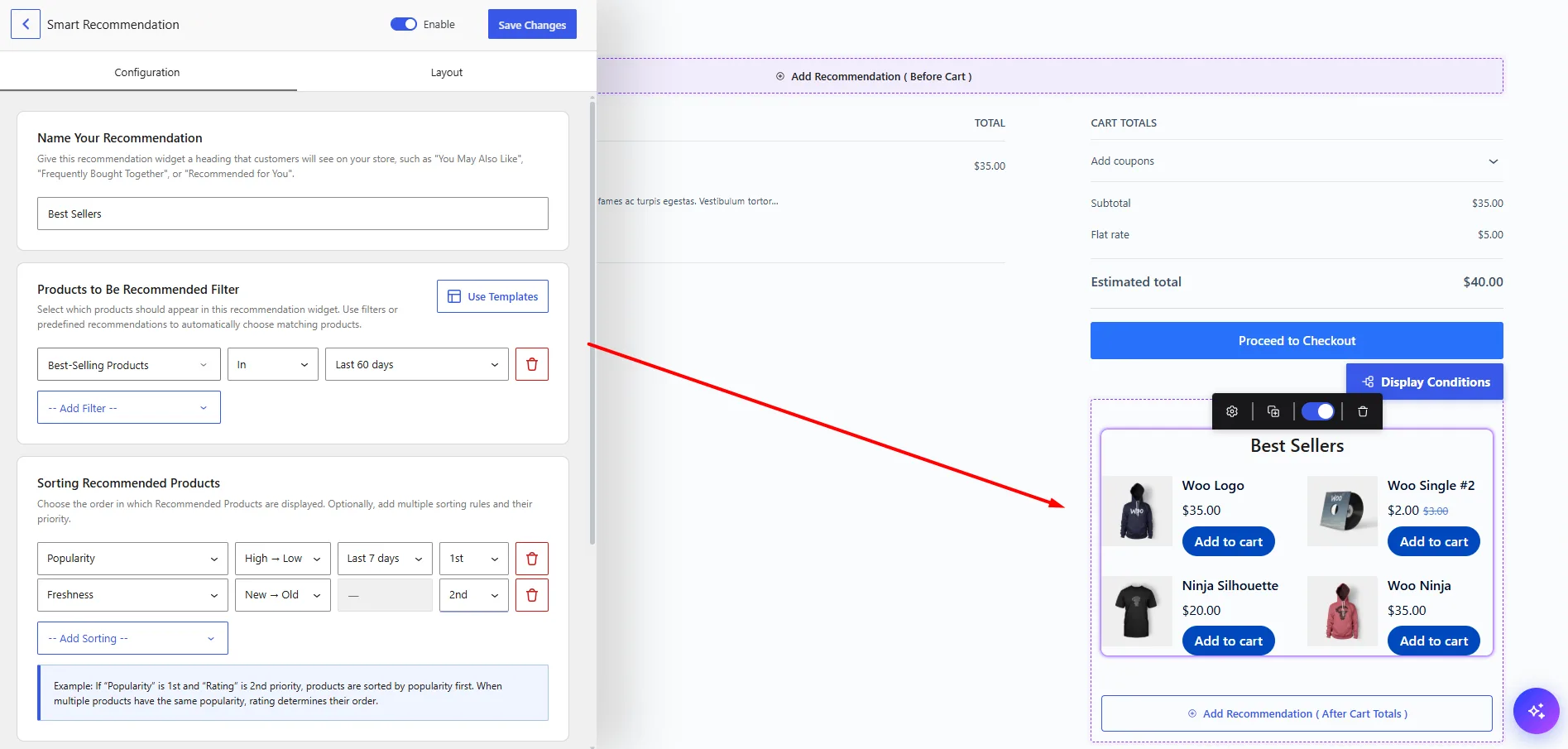
The available positions depend on whether you are working with the Product Page, Shop Page, Product Archive, Cart, Checkout, or Thank You Page.
See Select Target Pages for all supported placements.
Check Changes While You Configure
Use the Live Preview while configuring the recommendation to check how it will look in its actual page context. You can preview changes such as:
- Recommendation heading
- Product layout
- Grid or slider display
- Number of products shown
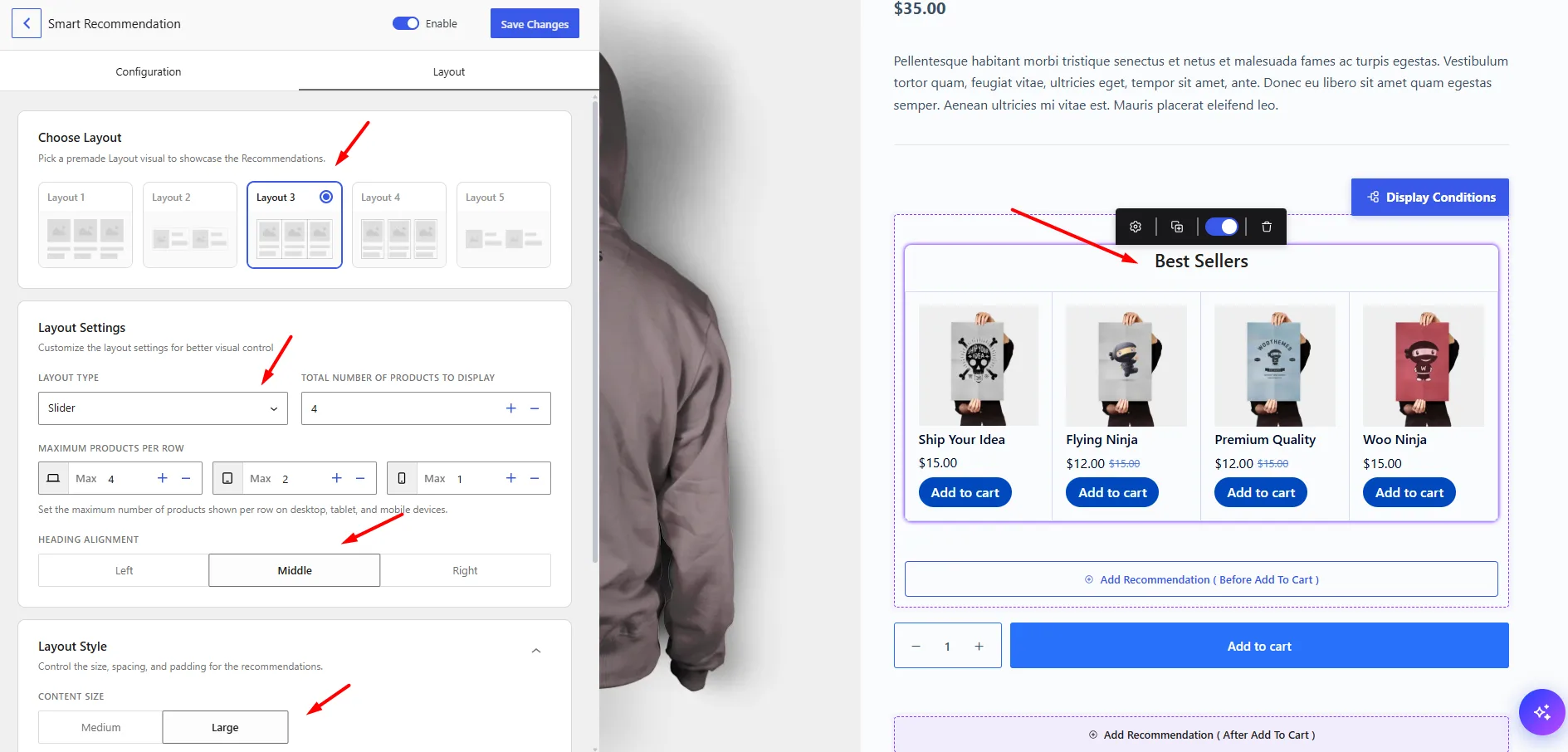
- Products per row
- Heading alignment
- Product image, category, title, rating, price, and Add to Cart button
- Other available layout and style settings
This makes it easier to adjust the recommendation before saving it.

