
The WowRecommend Dashboard gives you quick access to recommendation creation, performance data, key features, learning resources, and support from one place.
After opening WowRecommend, you will land on the Overview page.
Create a Recommendation
At the top of the dashboard, click Create Recommendation to open the Recommendation Rules Builder and start creating a new product recommendation.
From there, you can choose the target page, placement, filters, sorting rules, layout, and other recommendation settings.
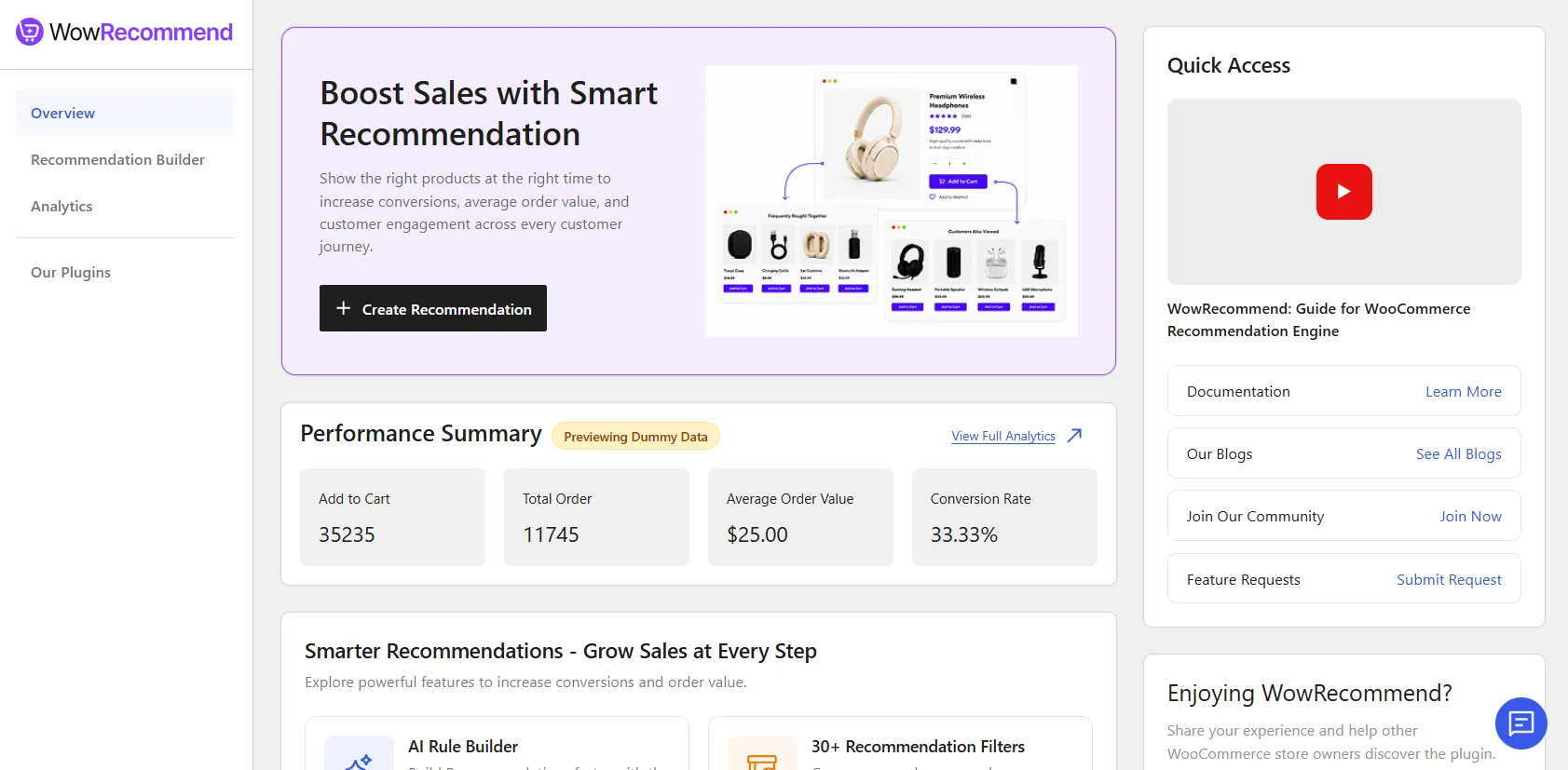
Performance Summary
The Performance Summary gives you a quick view of how your recommendations are performing.
You can see:
- Add to Cart – Number of recommended products added to carts.
- Total Orders – Orders generated through recommendations.
- Average Order Value – Average value of recommendation-generated orders.
- Conversion Rate – Percentage of recommendation interactions that resulted in orders.
Click View Full Analytics to open the complete Recommendation Analytics page.
If you see Previewing Dummy Data, the values shown are sample data rather than your store’s live recommendation data.
Explore WowRecommend Features
The Smarter Recommendations – Grow Sales at Every Step section provides shortcuts to important WowRecommend features.
You can explore:
- AI Rule Builder
- 30+ Recommendation Filters
- Popup Upsell Campaigns
- Checkout Order Bumps
- Smart Product Sorting
- Show Recommendations Anywhere
- Behavior-Based Recommendations
- Bought Together Suggestions
- Sequential Display Conditions
- Scheduled Campaigns
- Premade Templates
- Live Preview
Click Explore on any feature to access the relevant area or learn more about it.
Quick Access
The Quick Access panel on the right provides links to useful WowRecommend resources.
You can access:
- Video Guide
- Documentation
- Blogs
- Community
- Feature Requests
You can also use the Leave a Review button if you want to share your experience with WowRecommend.
Navigate WowRecommend
The left sidebar gives you access to the main plugin areas:
- Overview – Return to the main dashboard.
- Recommendation Builder – Create and manage product recommendations.
- Analytics – Track sales and performance generated through recommendations.
- Our Plugins – View other available plugins from our product lineup.
Explore Our Other Plugins
Open Our Plugins to see other available products such as WowInvoice, WowShipping, WowAddons, WholesaleX, WowStore, WowRevenue, WowOptin, and PostX.
Depending on the plugin’s current status, you can install, activate, or view its Plugin Details directly from this page.
Get Support
A support button is available in the bottom-right corner of the WowRecommend dashboard.
Click it to open the support form. Enter your email and message, attach files or screenshots if needed, and click Send to contact the support team.

