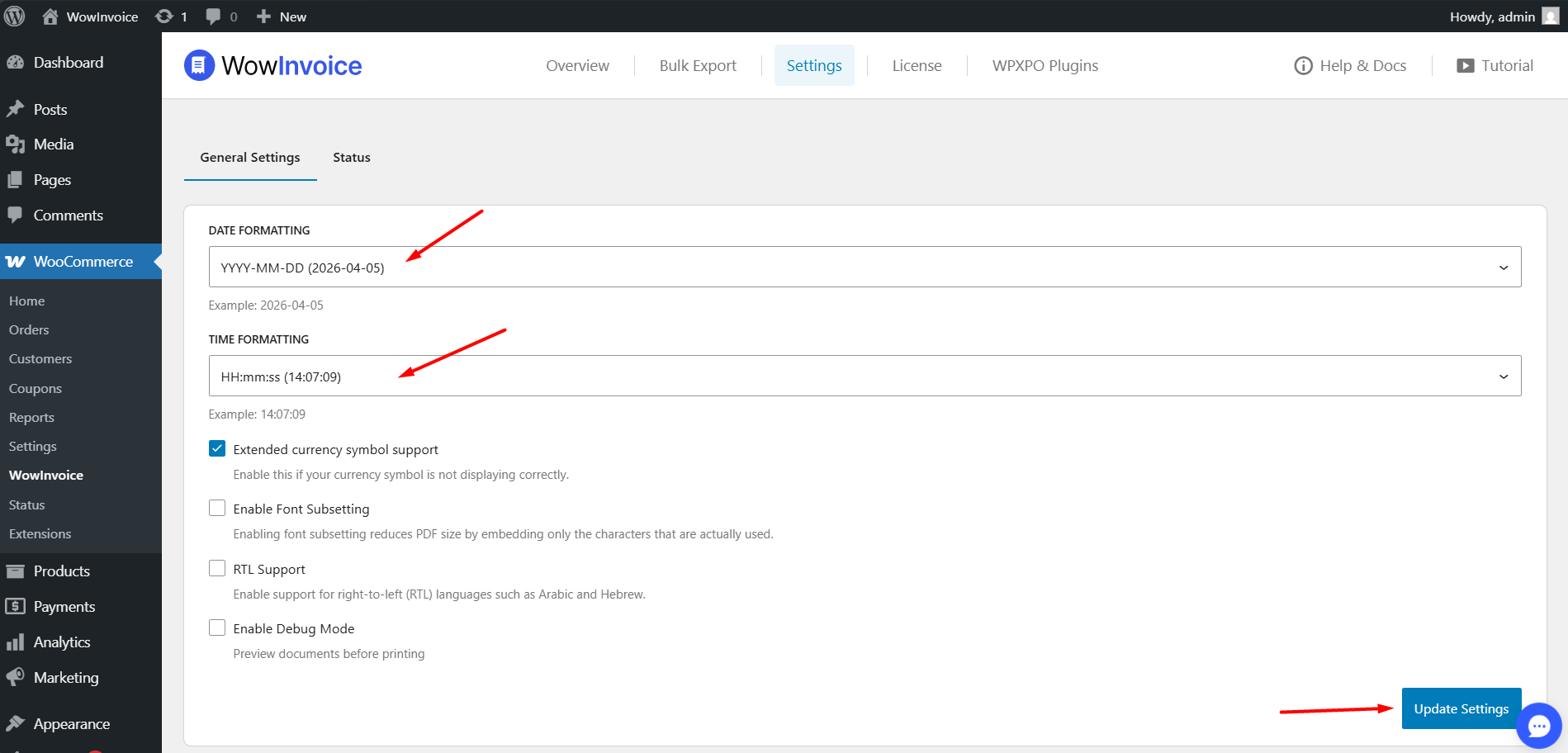
The General Settings panel in WowInvoice allows you to configure global preferences for document formatting, technical performance, and language support.
Formatting Options
Date Formatting: Choose how dates appear on all generated documents. An example format provided is YYYY-MM-DD.
Time Formatting: Select the preferred time display format for your documents. An example format provided is HH:mm:ss.
Technical & Display Settings
Extended currency symbol support: Enable this feature if your currency symbols are not rendering correctly in the PDF documents.
Enable Font Subsetting: Enabling this reduces the overall PDF file size by embedding only the specific characters used in the document rather than the entire font library.
RTL Support: Enable this to support right-to-left languages such as Arabic or Hebrew.
Enable Debug Mode: Turn this on to preview documents before printing for troubleshooting purposes.
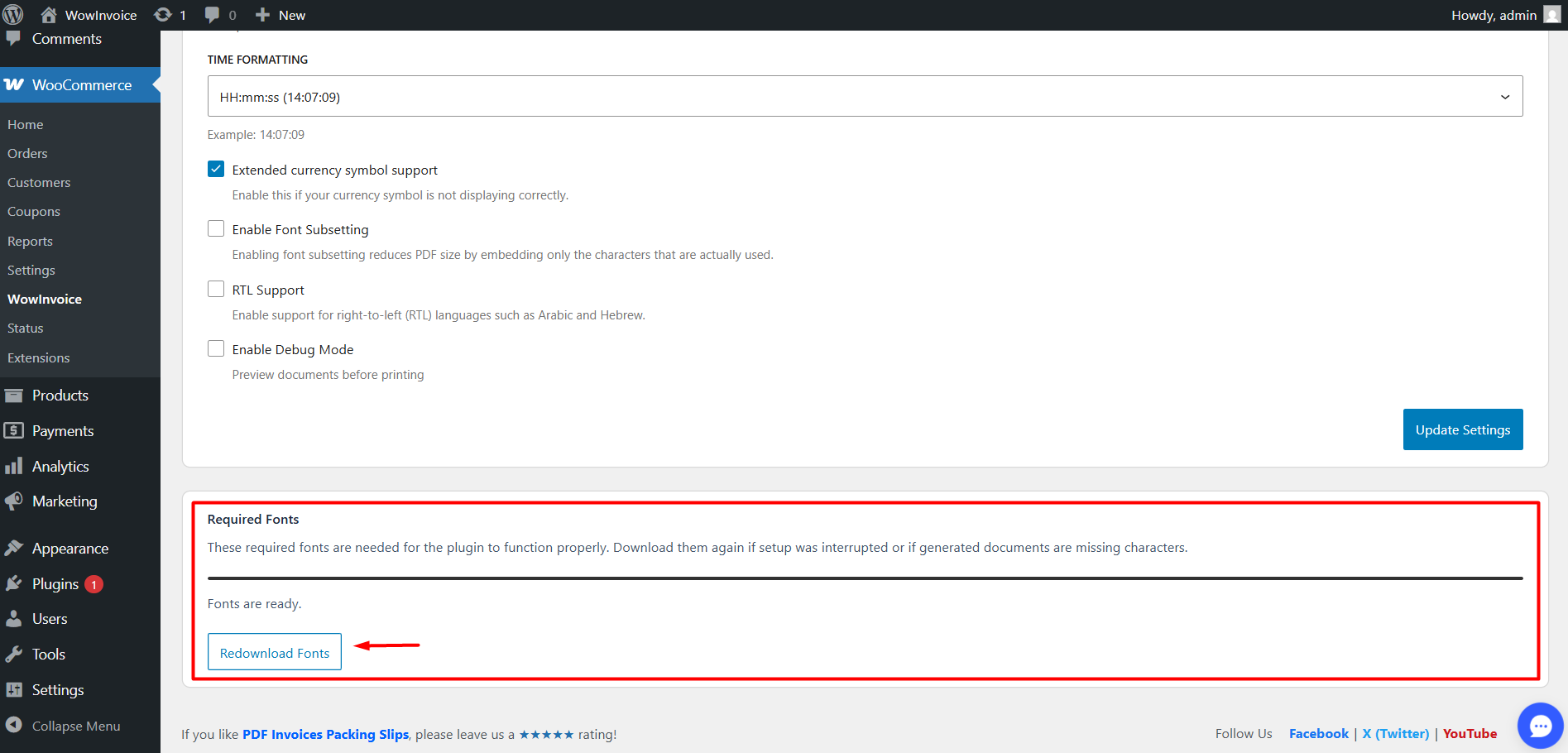
Required Fonts
This section ensures that all necessary fonts are installed for the plugin to function properly.
If your documents are missing characters or the initial setup was interrupted, you can use the Redownload Fonts button to refresh the font library.
A status message will indicate if “Fonts are ready.”
Was this page helpful?
Thank you for your feedback!
Grow Faster With Industry Experts
Whether you're just getting started or scaling fast, we’ve got you covered. Join our community or contact our support to get expert advice!