WowInvoice allows you to generate organized picklists for WooCommerce orders directly from your store.
You can customize picklist layouts, control displayed order and customer information, and configure automated notification settings for different WooCommerce order statuses.
Picklists help simplify warehouse and fulfillment operations by providing a clear overview of ordered products and customer information required for order processing.
In the following sections, we will go through each picklist setting and customization option.
Configuration
WowInvoice makes picklist configuration simple and flexible. WowInvoice supports multiple picklist layout sizes. You can choose from:
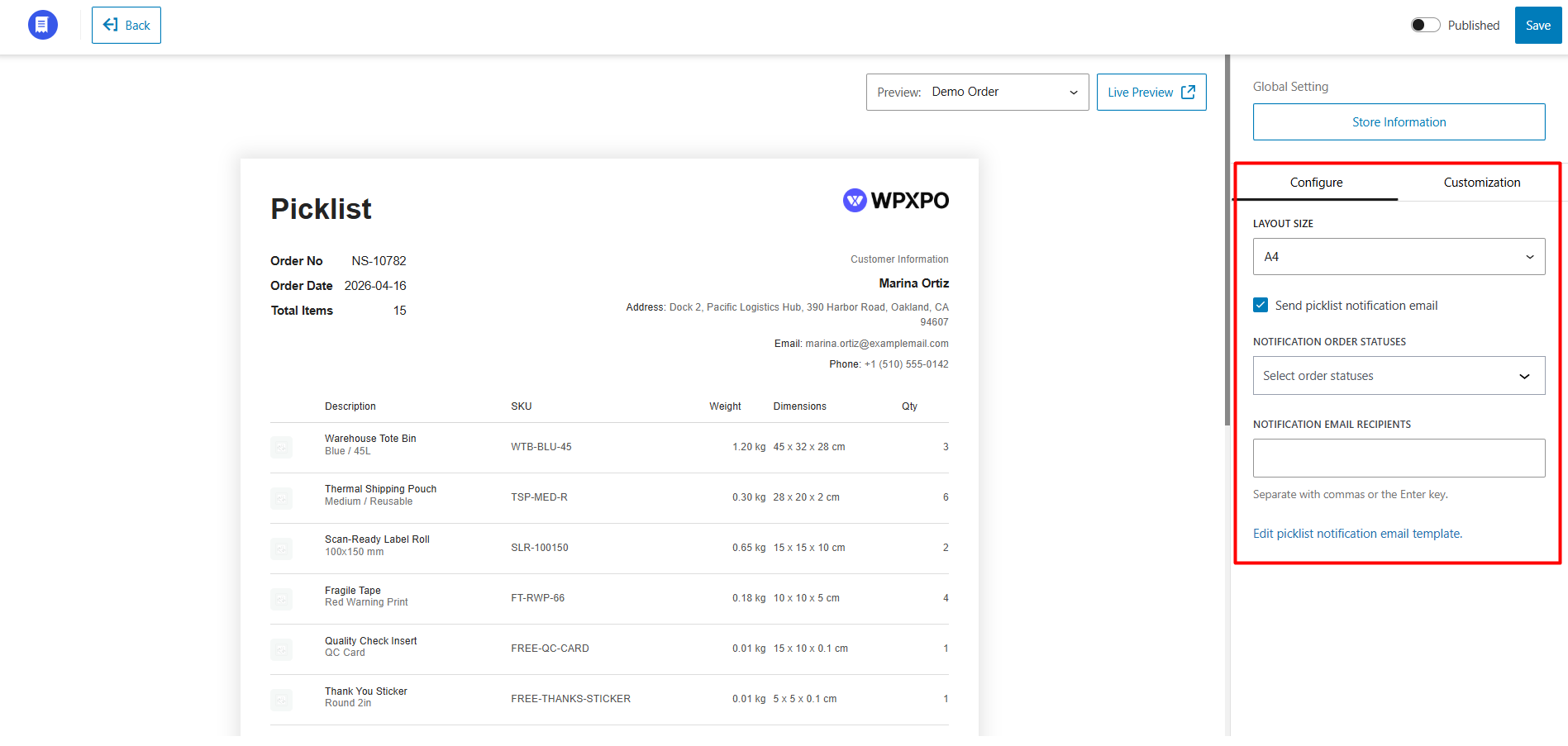
Then, you can enable a dedicated picklist notification email by enabling the Send Picklist Notification Email option.
Once enabled, you can configure:
Additionally, you can customize the email design and content using the Edit Picklist Notification Email Template option.
Customization
WowInvoice provides extensive customization options for WooCommerce picklists.
You can control the appearance, displayed information, labels, and order-related details directly from the customization panel.
The customization settings are divided into multiple sections for easier management.
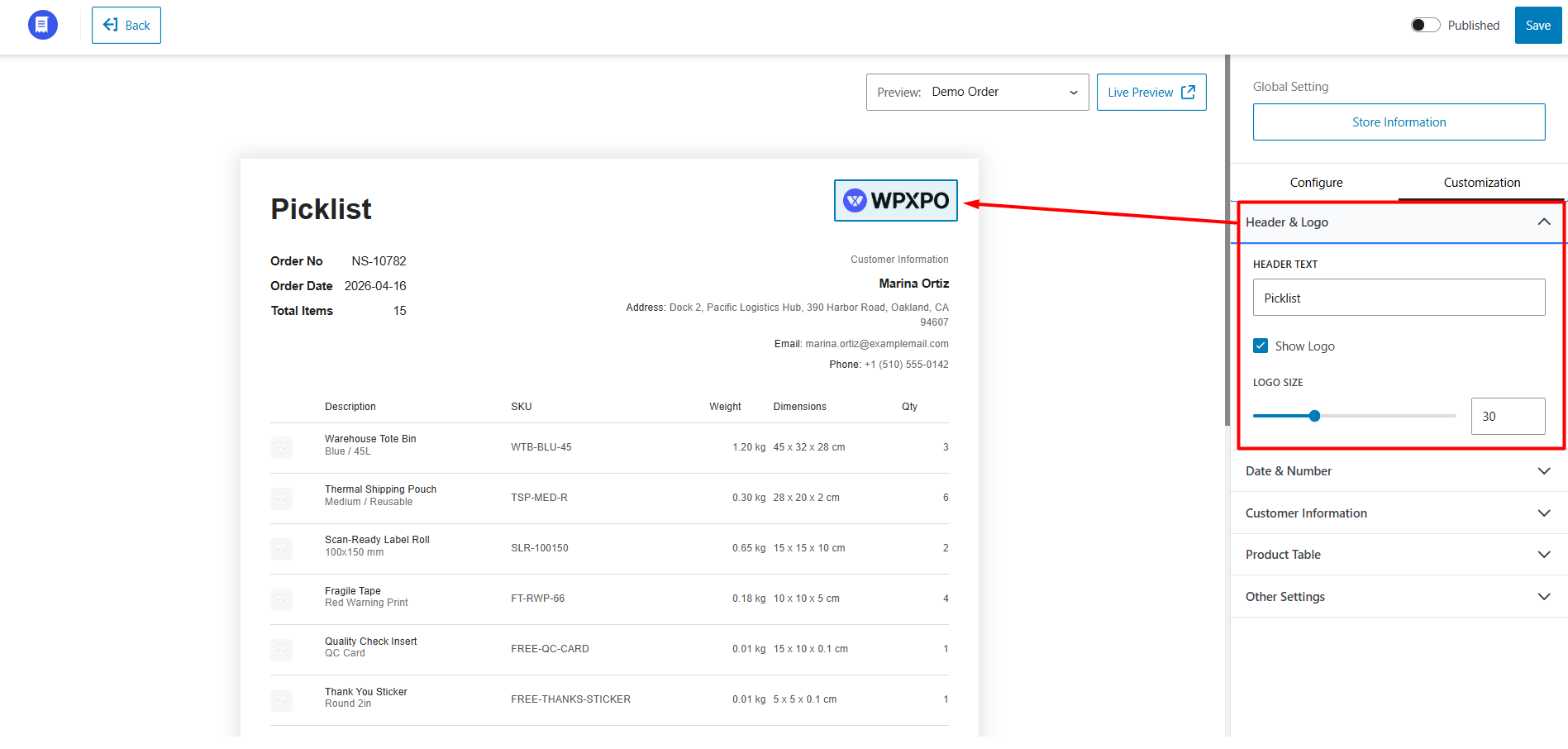
Header & Logo
This section controls the primary branding of your picklist. You can customize:
Date & Number
This section allows you to customize order dates and identification information.
You can:
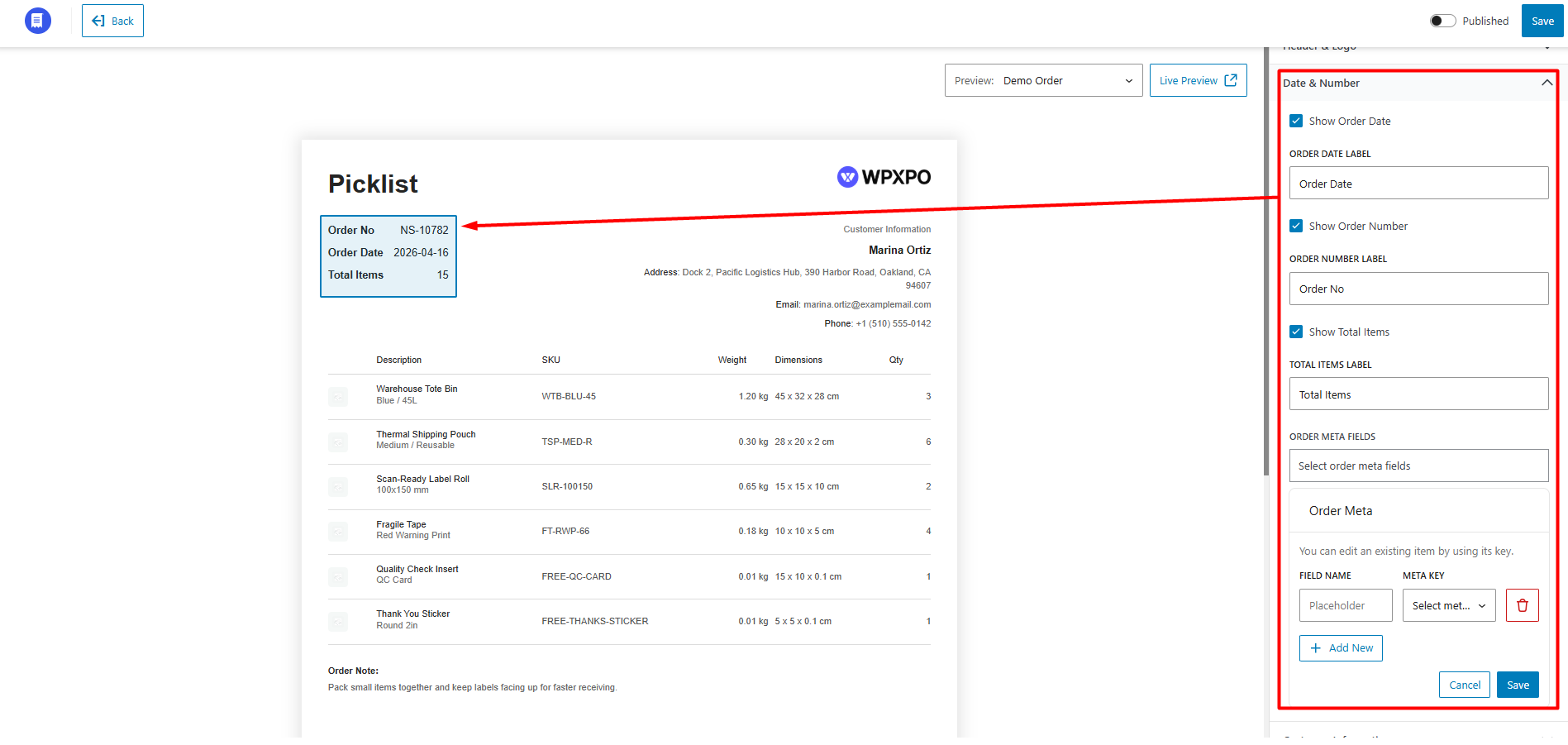
Custom order meta fields allow you to fetch and display WooCommerce order data dynamically using meta keys.
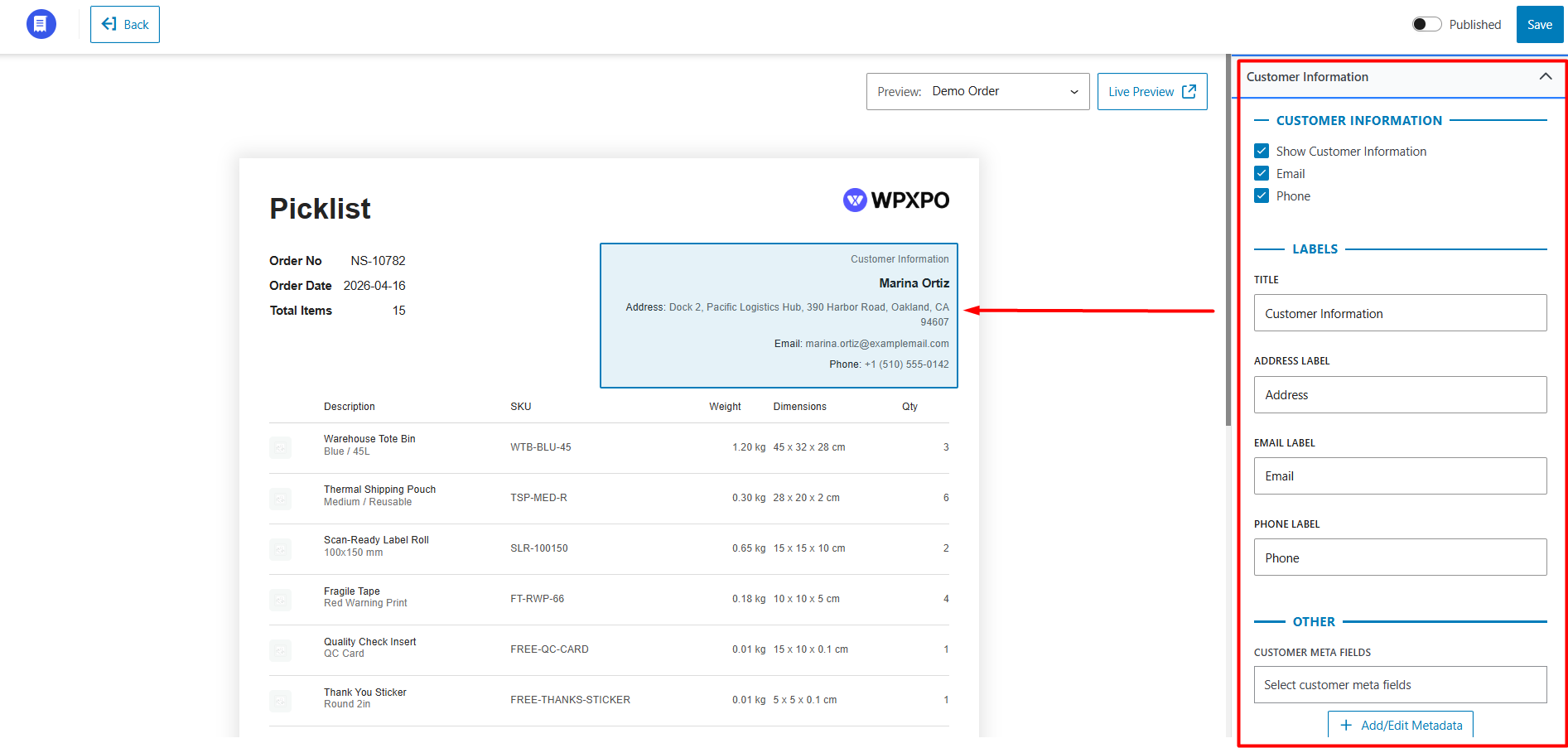
Customer Information
This section controls how customer details are displayed on the picklist.
Customer Information
You can:
Labels
You can customize:
Other Options
You can also display customer meta fields fetched dynamically from WooCommerce using meta keys.
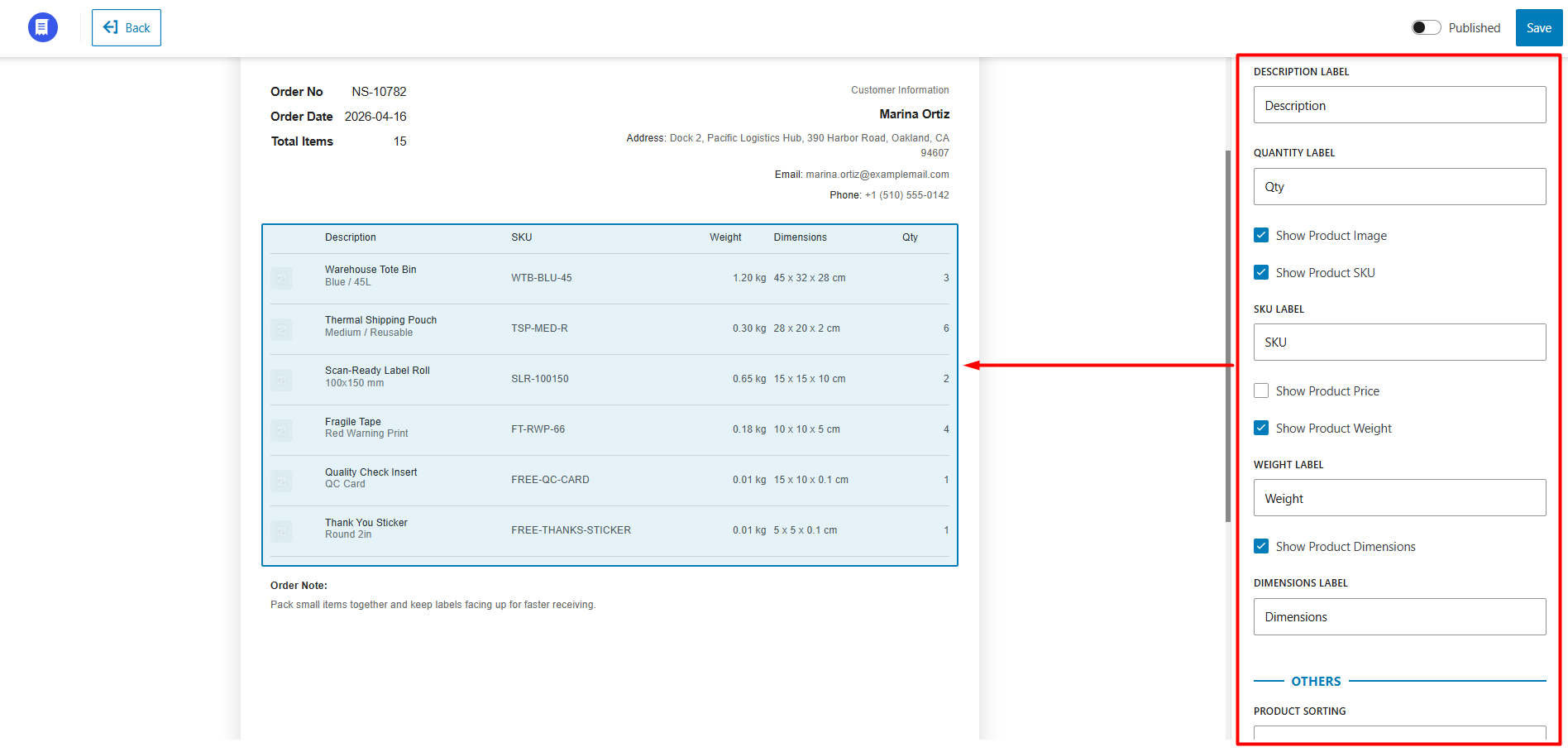
Product Table
This section controls the appearance and displayed data inside the product table. You can customize:
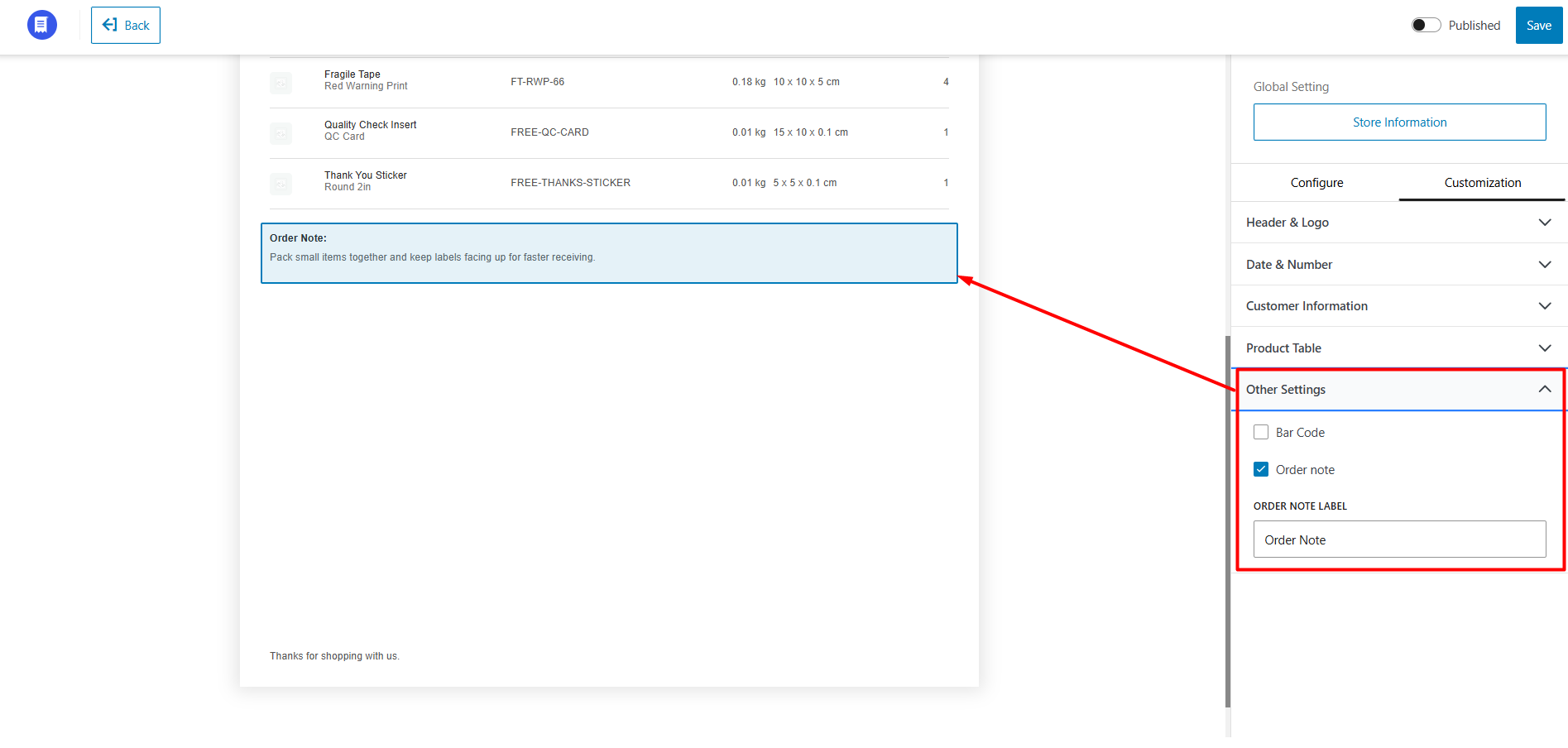
Other Settings
Additional picklist customization options include: