WowInvoice allows you to generate professional credit notes for WooCommerce orders directly from your store.
You can customize credit note layouts, configure numbering strategies, manage displayed order and refund information, and automate credit note generation and email delivery.
Credit notes help store owners maintain accurate refund and adjustment records while providing customers with clear financial documentation.
In the following sections, we will go through each credit note setting and customization option step by step.
Configuration
WowInvoice makes credit note configuration simple and flexible. Follow the steps below to configure your credit note settings.
Step 1: Configure Layout Size and Credit Note Generation Status
WowInvoice supports multiple credit note layout sizes. You can choose from:
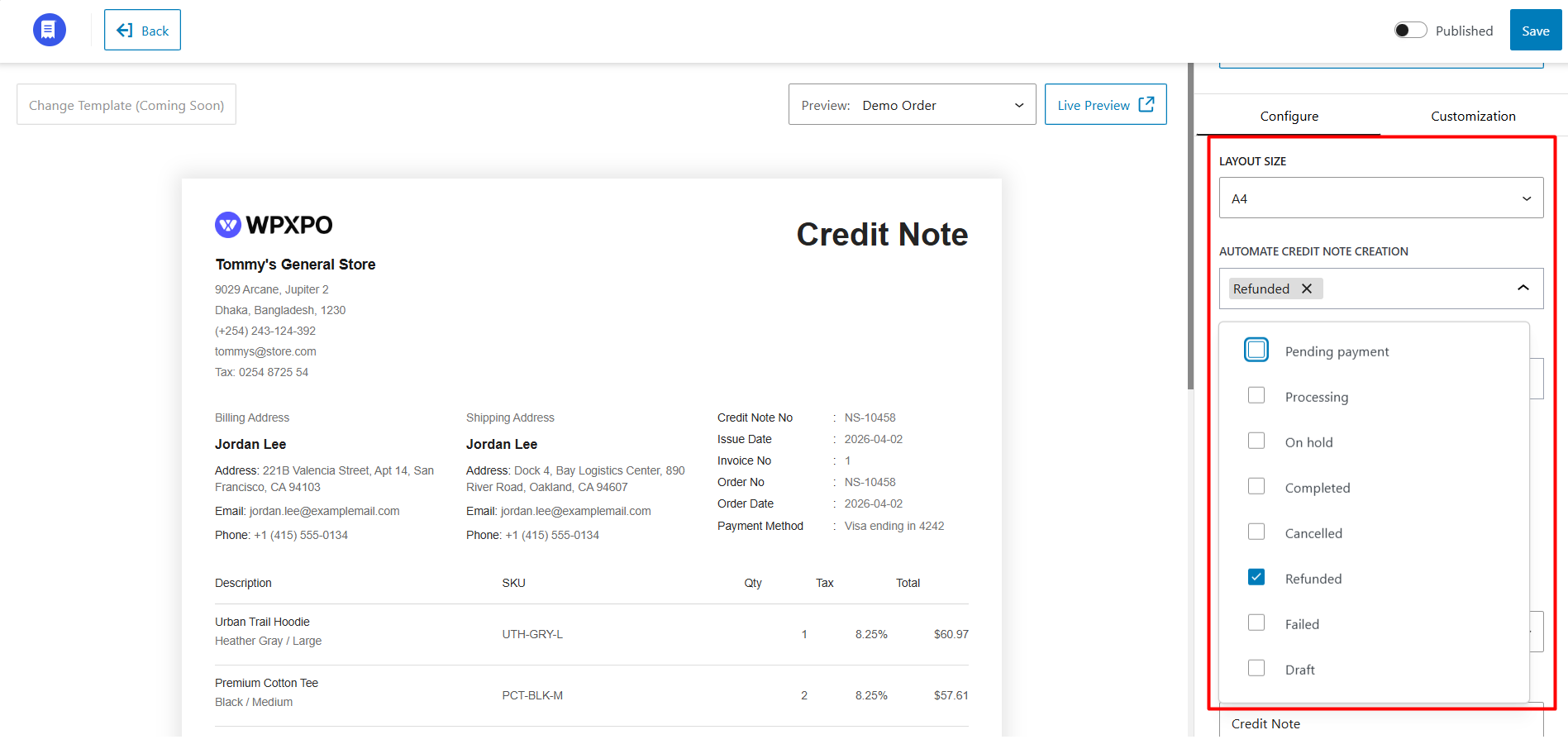
Next, select the WooCommerce order statuses for which credit notes will be generated automatically. Available order statuses include:
Credit notes will be generated automatically when an order reaches the selected status.
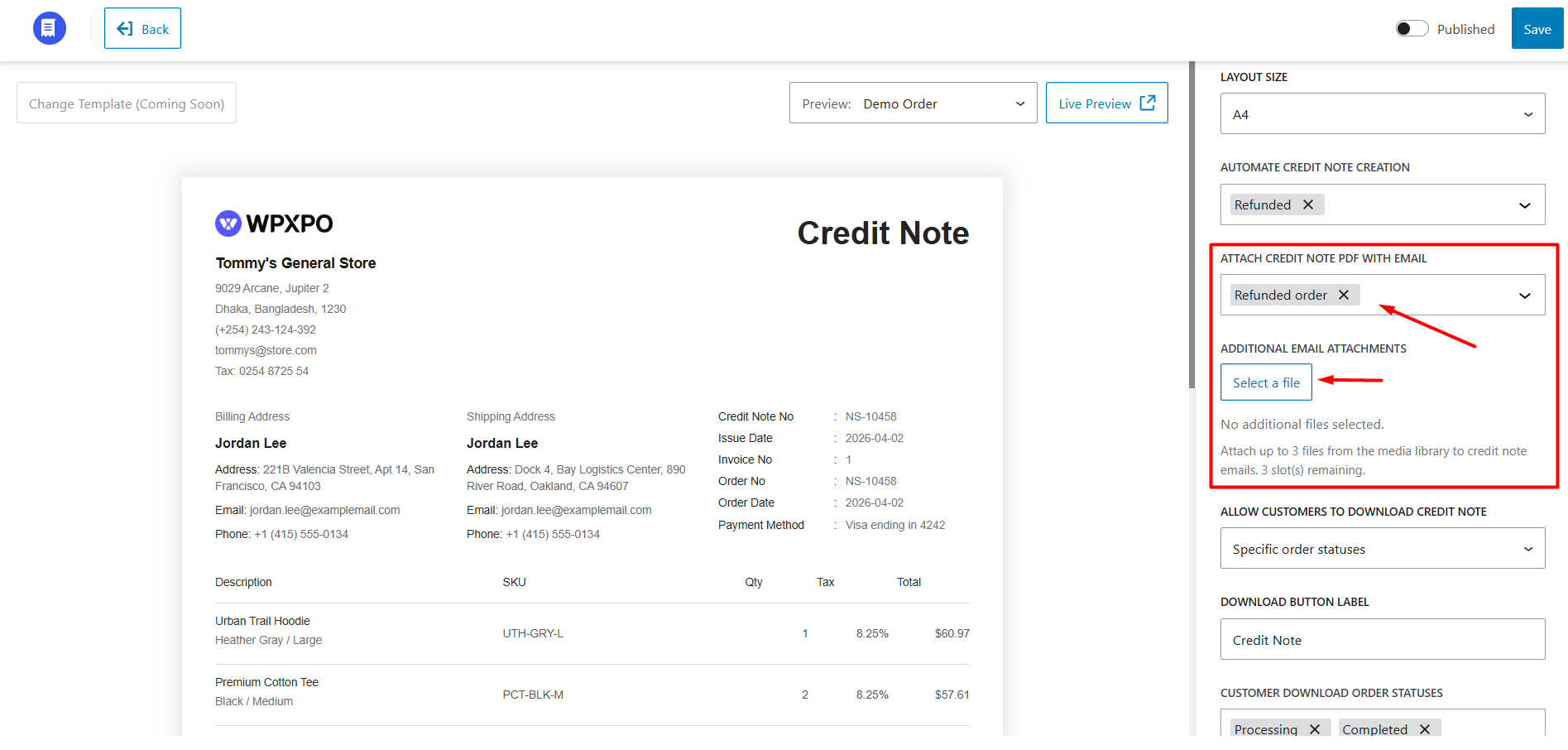
Step 2: Configure Email Attachments
WowInvoice allows you to automatically send PDF credit notes through WooCommerce emails. You can attach credit notes to different WooCommerce email types, including:
You can also attach additional files to credit note emails. WowInvoice allows you to upload and attach up to 3 files from the WordPress media library.
Step 3: Configure Credit Note Download Settings
You can control when customers are allowed to download credit note PDFs from the My Account page.
Available options include:
If you select Specific Order Status, you must also choose the allowed statuses.
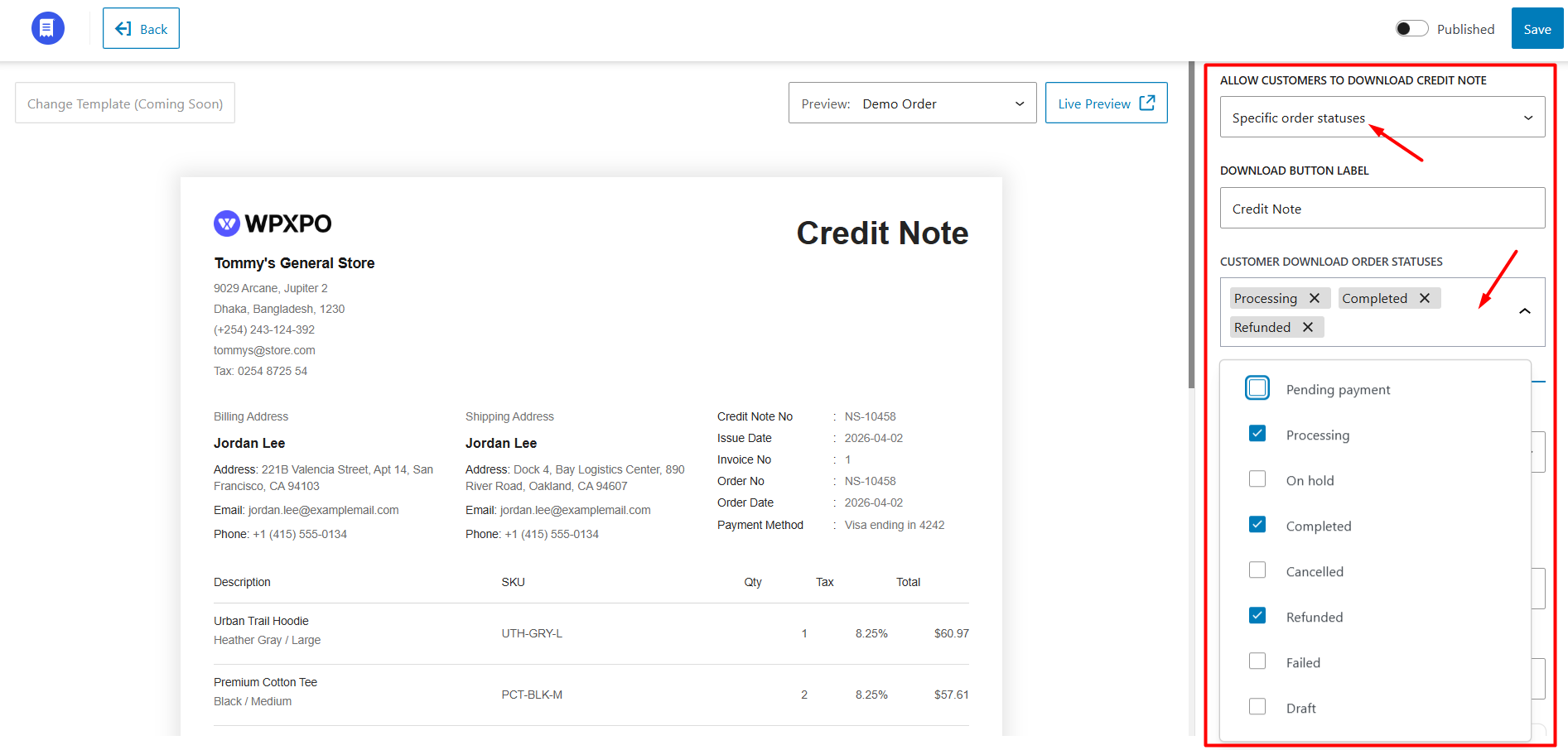
You can also customize the download button label.
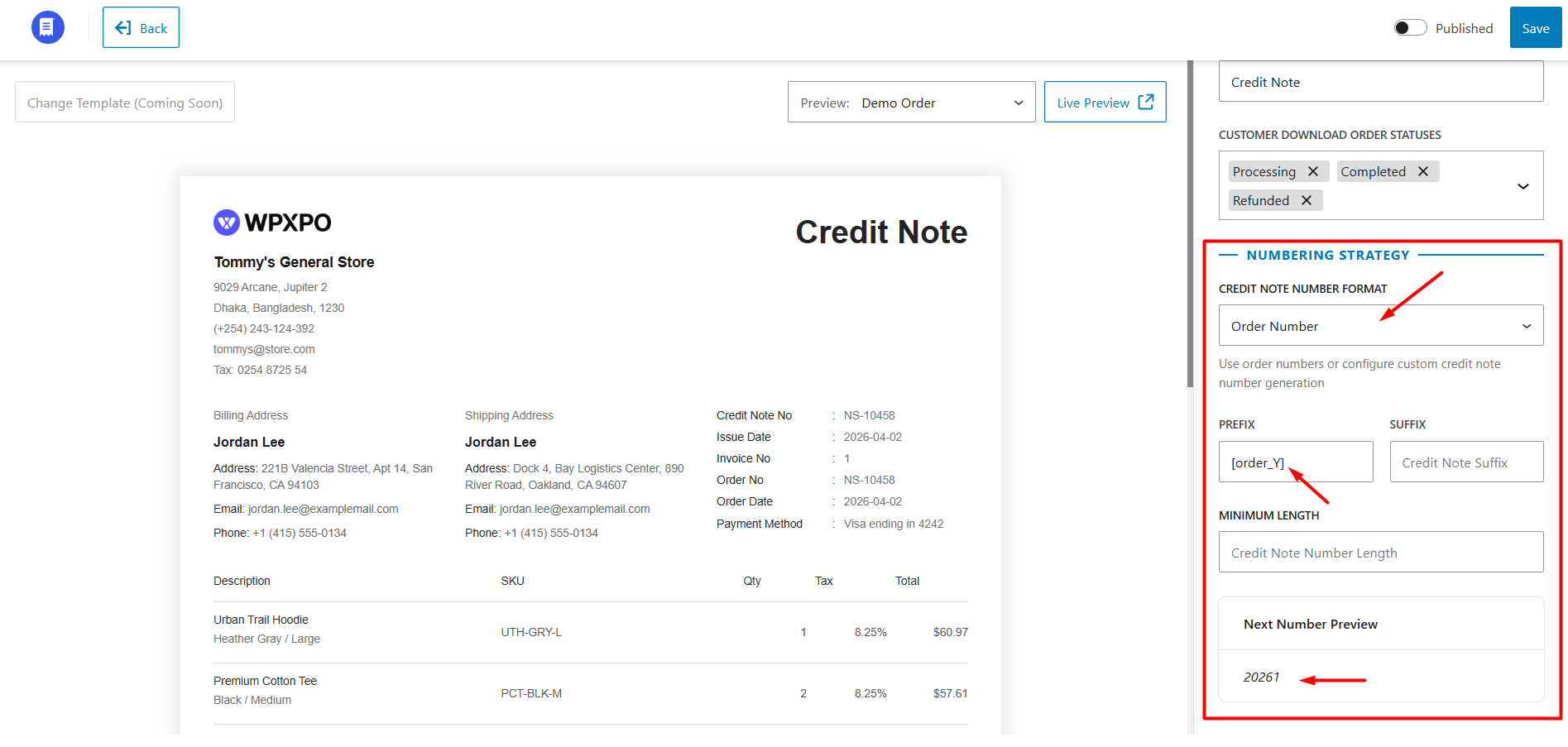
Step 4: Configure Numbering Strategy
This section allows you to fully customize the credit note numbering system.
Number Format
You can:
Prefix
Add a custom prefix before the credit note number. Dynamic shortcodes for year, month, and day can also be used.
Suffix
Add a custom suffix after the credit note number.
Minimum Length
Set a minimum character length for credit note numbers. If necessary, leading zeros will automatically be added to match the defined length.
You can preview the next generated credit note number directly from this section.
Customization
WowInvoice provides extensive customization options for WooCommerce credit notes.
You can control the appearance, displayed information, labels, document structure, and additional document elements directly from the customization panel.
The customization settings are divided into multiple sections for easier management.
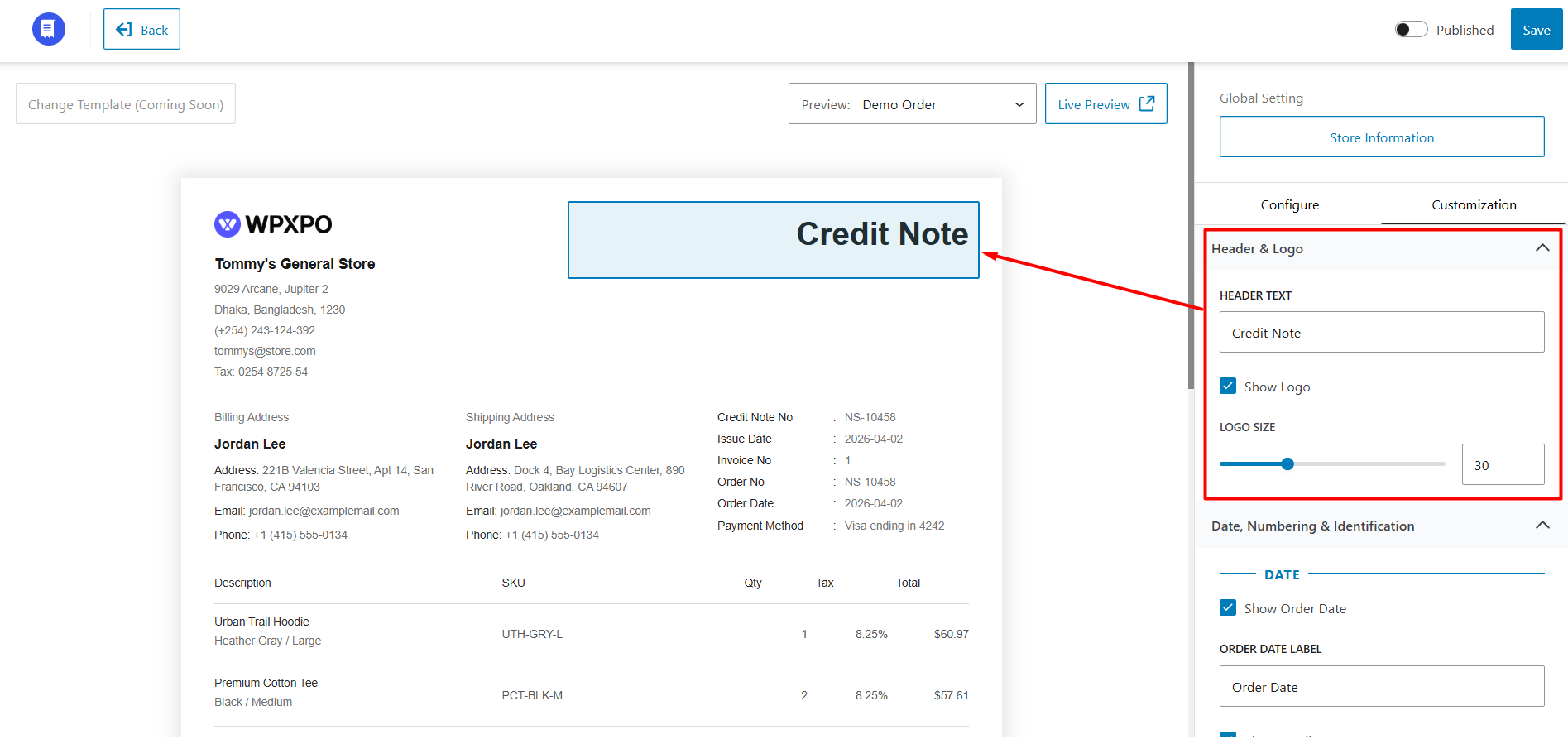
Header & Logo
This section controls the appearance of the credit note header.
You can customize:
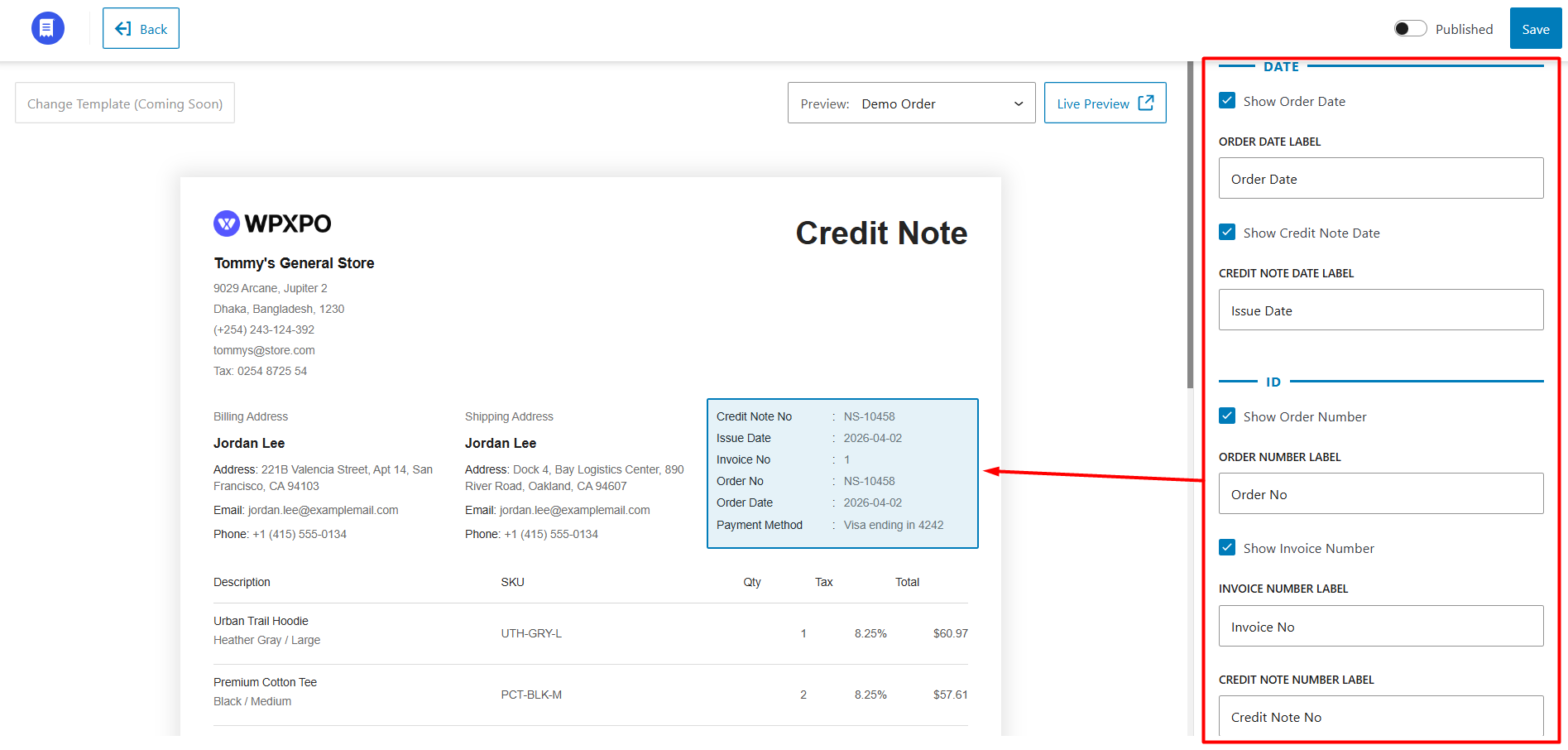
Date, Numbering & Identification
This section allows you to customize document dates, order information, and identification labels. You can:
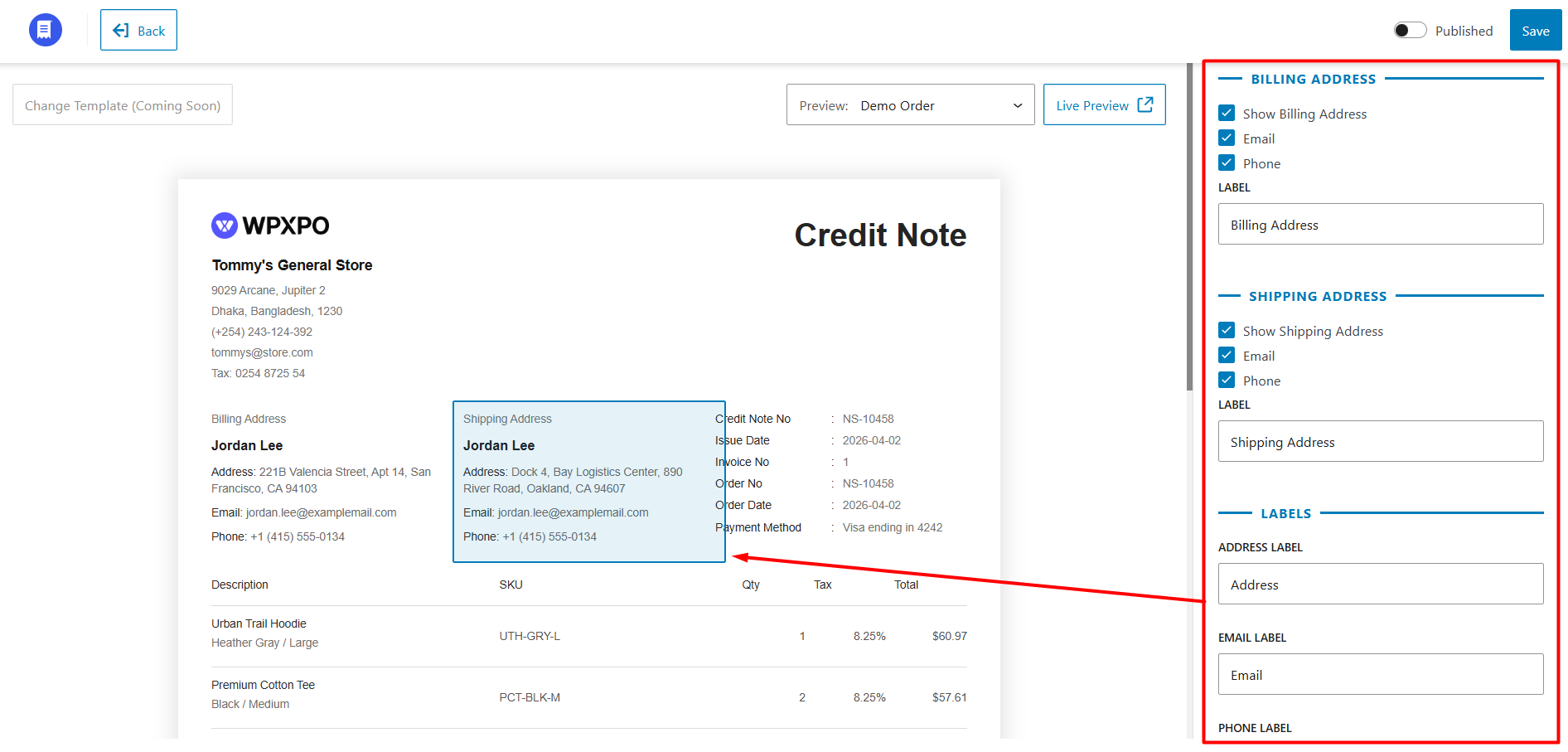
Billing & Shipping Address
This section controls the appearance of billing and shipping information on the credit note.
Billing Address
You can:
Shipping Address
You can:
Field Labels
You can customize:
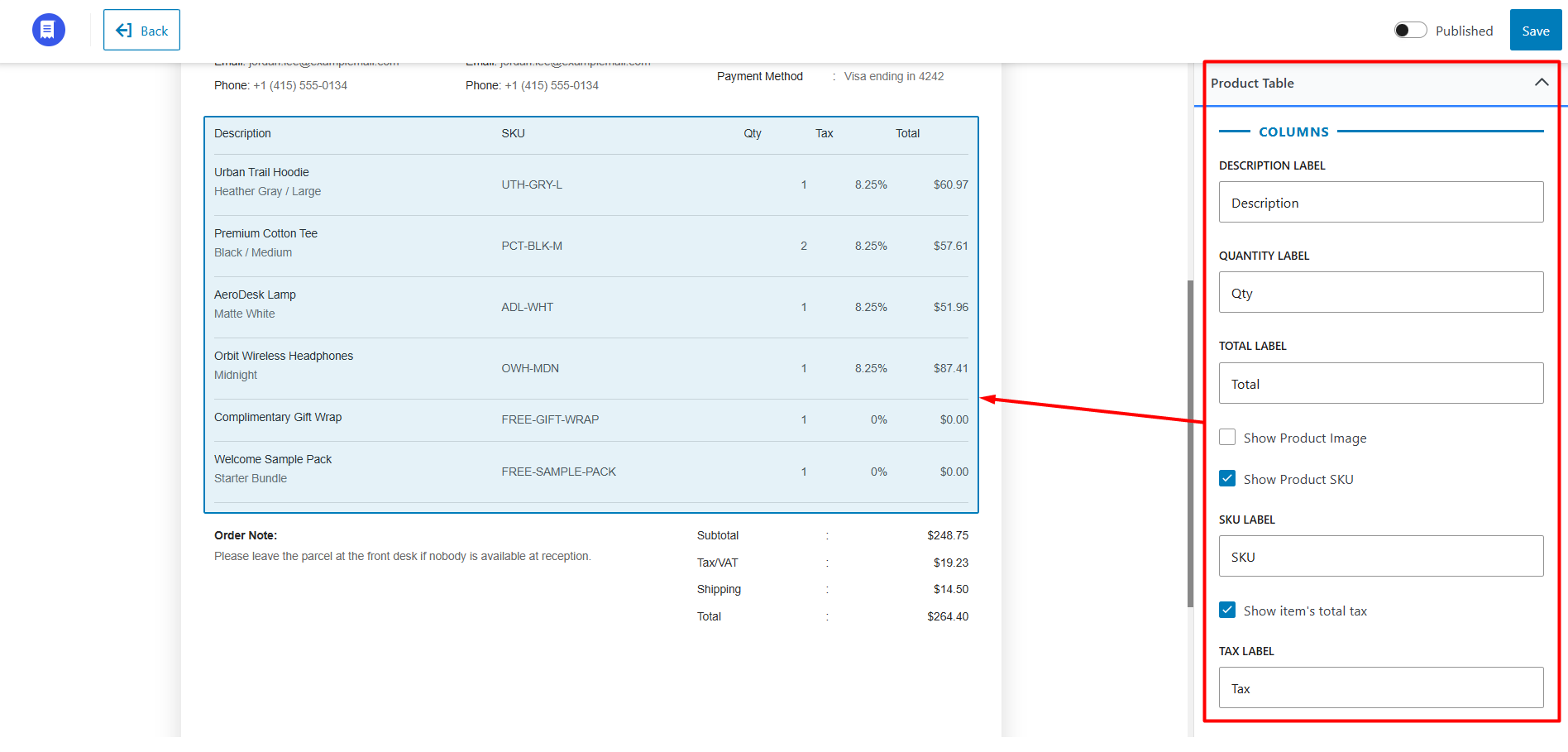
Product Table
This section controls the appearance and displayed data inside the product table.
Table Columns
You can customize:
You can also:
Other Product Table Settings
You can also:
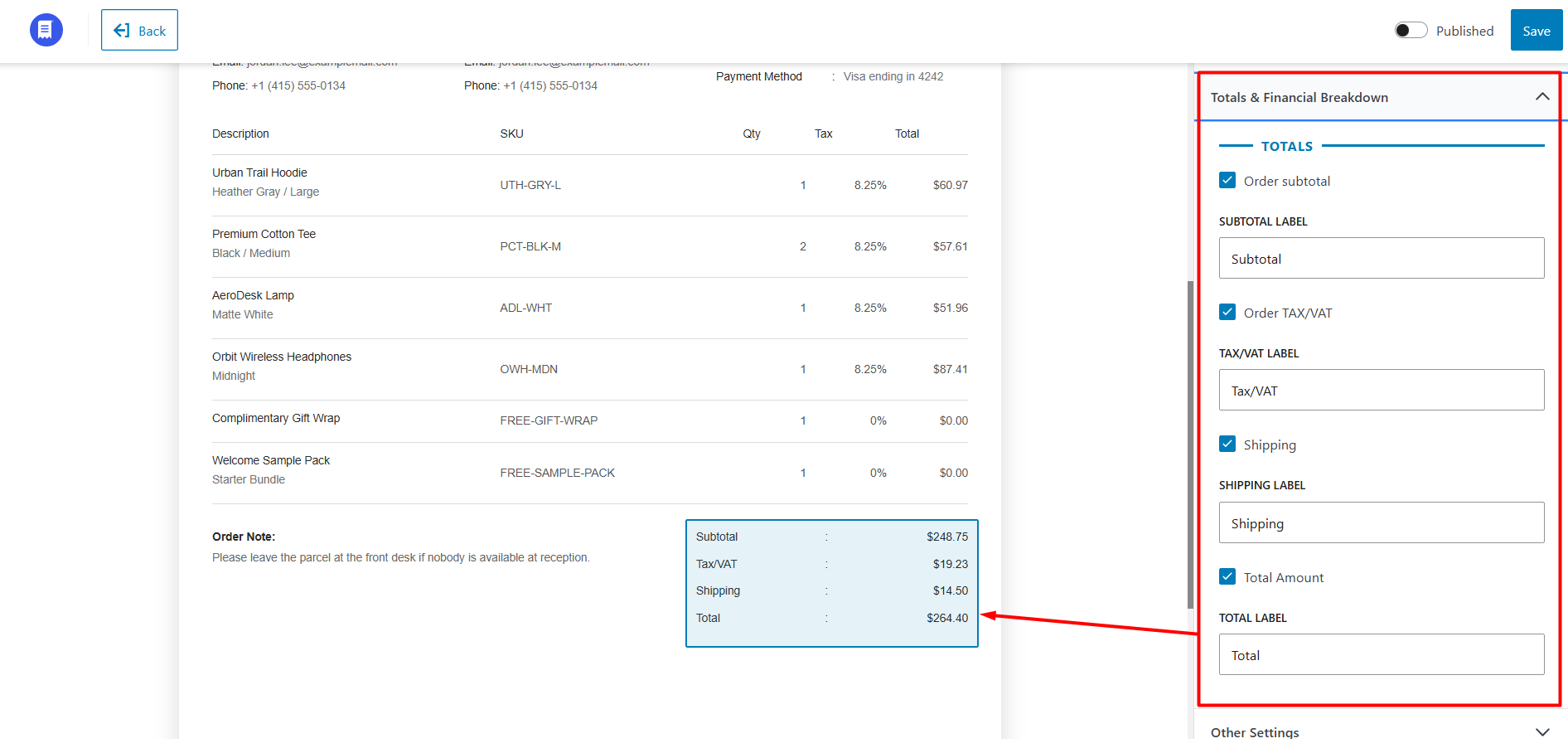
Totals & Financial Breakdown
This section controls the totals area displayed below the product table. You can show, hide, and customize labels for:
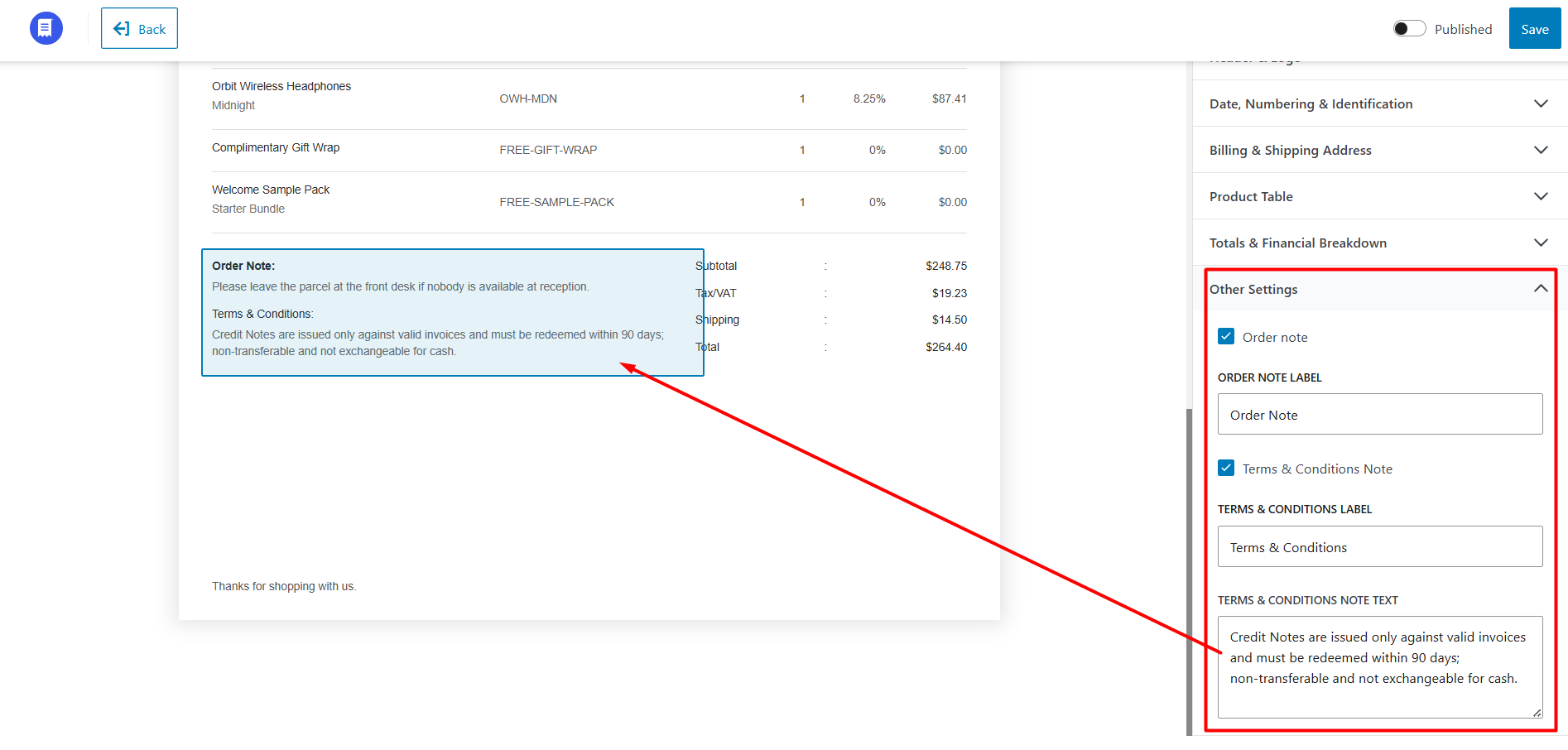
Other Settings
Additional credit note customization options include: