

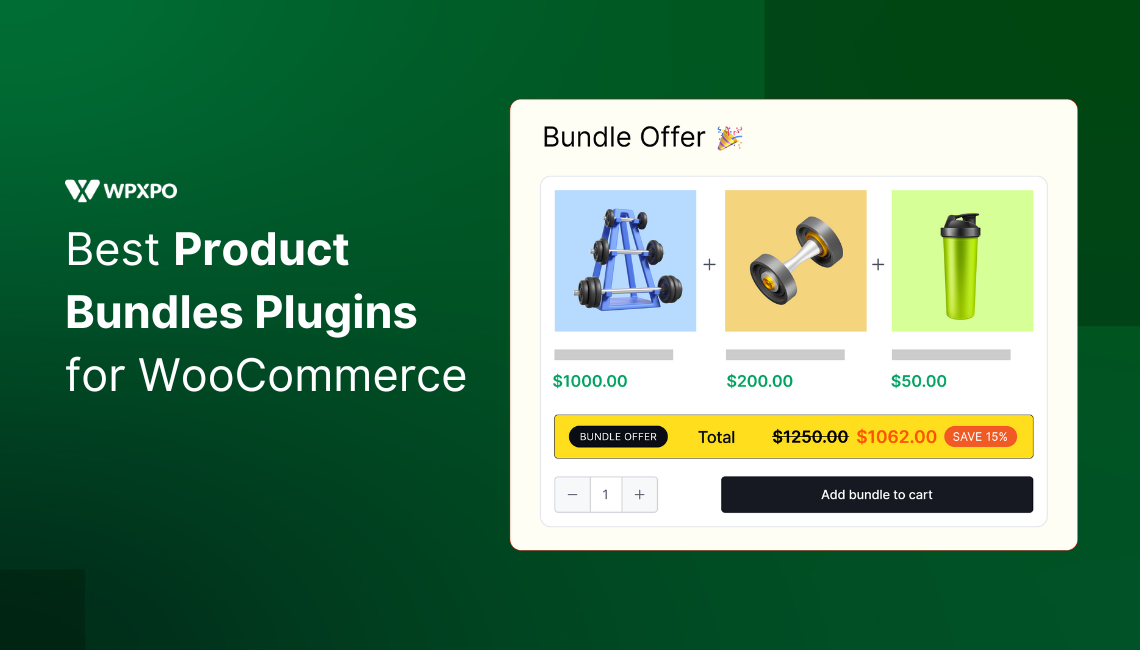
Key Summary: Top Product Bundle Plugins for WooCommerce
The best WooCommerce product bundles plugin depends on how you want to sell your products. Here are my top three picks based on their features and use cases.
1. WowRevenue – Best All-in-One Product Bundles Plugin
WowRevenue lets you create different types of bundle offers, including Product Bundles, Mix and Match, Frequently Bought Together, Buy X Get Y, and Volume Discounts.
It also offers 10+ conversion-focused designs, flexible discount options, support for product variations, free gifts, and optional upsells. It’s a suitable choice if you want to manage multiple bundling strategies and promotional offers from one plugin.
2. WooCommerce Product Bundles – Best for Subscription Bundles and Product Kits
WooCommerce Product Bundles is an official WooCommerce extension for creating fixed bundles, personalized product boxes, and assembled product kits.
It supports simple, variable, and subscription products, along with flexible pricing, shipping, and inventory management. It’s particularly useful for stores that need subscription bundles or precise control over individual bundle components.
3. YITH WooCommerce Product Bundles – Best for Customizable Product Sets
YITH WooCommerce Product Bundles lets you combine simple and variable products with flexible pricing and customization options.
Customers can select optional bundle items and choose product variations. You can also set quantity restrictions, apply discounts, and configure shipping preferences. It’s a good fit for stores that want to offer customizable product combinations.
If you have a WooCommerce store, you know how challenging (and also rewarding) it is to increase average order value – meaning customers spend more every time they shop in your store.
In most cases, customers add just a single product to their cart and leave, even when you have plenty of complementary items they could benefit from. What if you could encourage them to purchase more?
With the right product bundles plugin, you can entice customers with exciting bundle offers. Instead of customers seeing random suggestions, they get curated bundles that feel valuable and relevant.
The result is: Bigger orders, happier customers, and more revenue without spending extra on ads.
In this article, I’ll walk you through the best product bundle plugins for WooCommerce. We’ll explore top tools like WowRevenue, WooCommerce Product Bundles, and WooCommerce Composite Products.
By the time you finish reading, you’ll have a clear idea of which plugin is the perfect fit for your store and why product bundling is a game-changer for WooCommerce businesses.
Comparing the Best Product Bundle Plugins
Here you will see a quick overview of some of the best product bundle plugins:
| Plugin | Notable Features | Best For |
|---|---|---|
| WowRevenue | – All-in-one bundles features: product bundle, mix and match, buy X get Y, frequently bought together, etc. – 10+ designs for conversion-focused offers – Variation product selection – Four types of bulk discount offers – Smart analytics for optimization | Store owners who want an all-in-one product bundles plugin with conversion focused designs |
| WooCommerce Product Bundles | – Official WooCommerce extension – Personalized pick-and-mix boxes – Supports assembled products with inventory parts | Stores needing official, tightly integrated bundle features |
| WooCommerce Composite Products | – Full product configurator for complex kits – Advanced pricing rules per component – Seamless customer experience for custom builds | Businesses selling customizable or build-your-own products |
| Store One | – Includes Product Bundles, Frequently Bought Together, and Stock Scarcity – Boosts conversions with 15+ modules | Store owners looking for an advanced solution with a high-performance toolkit |
| WPC Product Bundles | – Lightweight, easy to use – Bundle discounts and flexible pricing rules | Beginners who need a quick bundle setup |
| Mix and Match Products | – Let customers fill containers with chosen items – Flexible quantity rules per product – Works with simple/variable products | Stores selling bulk packs or customizable boxes |
| Smart Product Bundles | – Multiple layouts (grid, table, full width) – Bulk discounts with min/max rules – Flexible pricing models (fixed, per-item) | Businesses needing advanced pricing and layout flexibility |
Product Bundles for WooCommerce: What Is It and Best Bundling Strategies
A product bundle is a sales tactic where you group multiple items together and sell them as a single package. This increases the perceived value for customers while boosting the average order value for your store. Bundles often include discounts, complementary items, or seasonal combinations to make them more attractive.
Most Common Types of Product Bundles
Product bundles are implemented in different ways in WooCommerce stores. Here are the most common and effective product bundle types:
Fixed Bundles
A fully assembled package where all items are pre-selected and sold together at a set price. This is ideal for kits or gift sets – such as a skincare bundle featuring cleanser, toner, and moisturizer.
Full Guide: Learn the steps to set up bundle discounts effectively!
Buy X Get Y
This is one of the oldest and most effective bundling tactics. For example, “Buy 2 T-shirts, Get 1 Free.” Customers feel like they’re getting extra value, and you include more products in a single order. It’s especially useful for clearing slow-moving stock or encouraging bulk purchases.
Full Guide: Learn how to easily set up Buy X Get Y offers.
Mix and Match Bundles
Mix and Match bundles give customers the freedom to choose products from a predefined selection. For instance, a “Build Your Own Gadget Box” where customers can select any 4 items from a list of 10. This makes customers feel in control, while you get more profit.
Full Guide: Learn about the detailed steps to offer mix-and-match bundles.
Frequently Bought Together
This is the approach where you suggest complementary products that are often purchased with the main item. For example, if someone is buying a camera, you show them a bundle with a memory card and a tripod. We found that this tactic increases order value without extensive discounts since the products naturally complement each other.
Full Guide: Check the best guide on setting up frequently bought together items.
Best Product Bundling Strategies: Factors to Keep in Mind
When bundling products, you cannot just group products randomly. You should follow some best practices:
1. Understand Customer Needs and Buying Behavior: Store owners should study purchase patterns, common product pairings, and customer feedback to determine which bundles will actually appeal. A bundle that solves a real customer problem (like a “work-from-home kit”) will always outperform random pairings.
2. Price Bundles Strategically: Pricing is critical – you want to offer discounts without hurting your profit. Set bundles at a point where customers clearly see savings compared to buying items individually. Store owners should also test whether flat discounts, tiered pricing, or other discount strategies perform best.
3. Balance Inventory and Product Mix: Bundles are a great tool for moving slow stock, but they must be paired with popular products to remain appealing. Store owners should avoid overloading bundles with clearance items, as this reduces perceived value. Rather, maintain a balance between bestsellers, complementary items, and slow-moving items.
4. Highlight Convenience and Value: One of the biggest advantages of bundling is saving customers time and effort. Bundles should feel like ready-made solutions – for example, a “starter pack” or “holiday essentials” kit that removes decision fatigue.
5. Optimize and Refine Regularly: Bundling isn’t a one-time tactic; it needs ongoing refinement. Store owners should A/B test different bundle combinations, pricing models, and promotions to see what resonates with the customers. You can easily monitor the performance of your product bundles using the WowRevenue plugin’s analytics feature.
Best Plugins to Create Product Bundles in 2026
You have already seen the quick overview of the best product bundle plugins. In this section, you will learn details for each of them.
WowRevenue – All-in-One Product Bundles Plugin for WooCommerce
Best for: Store owners who want multiple product bundling strategies, flexible discounts, and conversion-focused designs in one plugin.
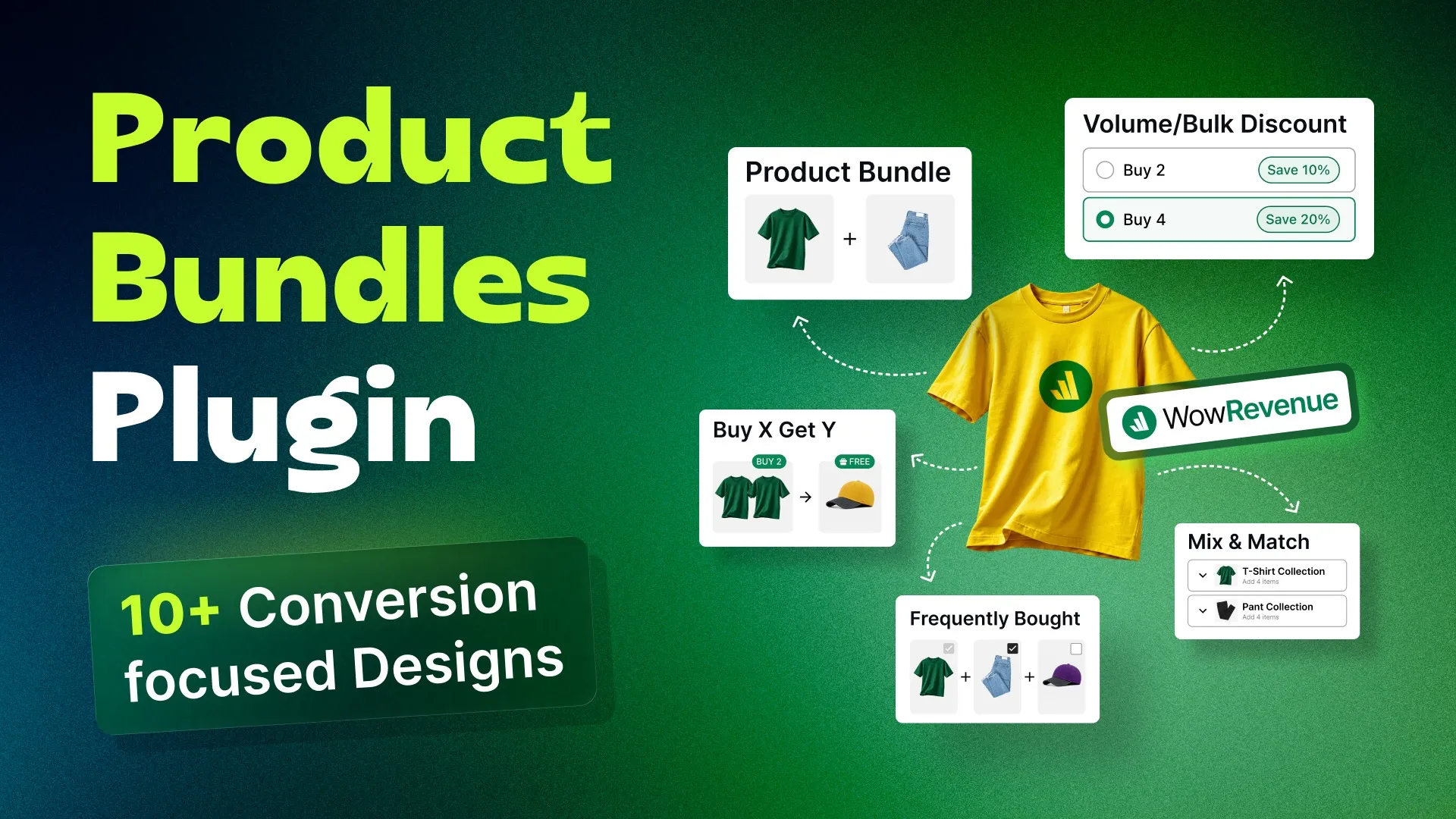
WowRevenue is an all-in-one product bundles plugin for WooCommerce that helps store owners create different types of bundle offers without writing code.
What makes it interesting is that you’re not limited to traditional fixed product bundles. You can also create Mix and Match bundles, Frequently Bought Together suggestions, Buy X Get Y promotions, and quantity-based discounts from the same plugin.
For example, let’s say you run a clothing store. You can combine a winter jacket, jeans, and a beanie into one discounted bundle. Customers can choose their preferred product variations, and you can offer a free gift or optional upsell to make the bundle more attractive.
One of WowRevenue’s biggest highlights is its 10+ conversion-focused designs. Instead of relying on a basic product list, you can choose ready-made offer designs and customize the headings, colors, savings badges, and buttons to match your store.
You also get flexibility with bundle pricing. You can set a fixed bundle price, apply percentage or fixed-amount discounts, or offer different discounts on individual products.
Beyond product bundles, WowRevenue includes Growth Tools such as Spending Goals, Free Shipping, Stock Scarcity, and Countdown Timers. There’s also an analytics dashboard for tracking campaign performance.
So, if you want to experiment with different bundling strategies without managing several separate plugins, WowRevenue is worth considering.
What Users Like
- Create six types of product bundle and discount offers within one plugin.
- Choose from 10+ conversion-focused designs with customizable colors, headings, and savings badges.
- Include simple and variable products, with options to preselect or let customers choose variations.
- Offer fixed prices, percentage discounts, product-specific discounts, free gifts, and optional upsells.
- Create Mix and Match bundles where customers choose their preferred products and quantities.
- Use additional Growth Tools and campaign analytics to manage promotional offers.
What Can Be Improved
- With multiple bundle types and promotional settings available, beginners may need time to understand all the options.
WooCommerce Product Bundles
This is one of WooCommerce’s official Product Bundles extensions, which promotes itself as a “complete product grouping toolkit”. From our testing, it lived up to that expectation to an extent.
Unlike simple grouped products, this extension lets you build pick‑and‑mix boxes with minimum and maximum quantities for each item. For example, we were able to create a “Build‑Your‑Own Snack Box” where customers could choose exactly three snack items, and they loved having that control.
The plugin also offers multiple layout options, so the bundle selector can appear as a list or a more visual grid.
Another useful feature we discovered was the ability to recommend add‑ons and essentials. The extension integrates with WooCommerce’s Product Recommendations so you can show frequently bought together items within your bundle to boost average order value.
Promotion options are flexible though; you can list bundles anywhere in the catalogue with shortcodes and create upsell offers on related product pages.
What Users Like
- Choose among multiple layout options when displaying bundles.
- Integrates with WooCommerce Subscriptions to build personalized subscription boxes.
- Supports assembled products made from multiple inventory‑managed parts.
- Recommend add‑ons and essentials to boost average order value.
- Allow bulk quantity discounts with flexible pricing rules.
What Can Be Improved
- You can’t include a bundle inside another bundle or reuse the same product in multiple slots.
- Several users noted subpar support and confusing instructions.
- Another user pointed out that the extension had a negative impact on site performance.
Product Bundle Builder for WooCommerce
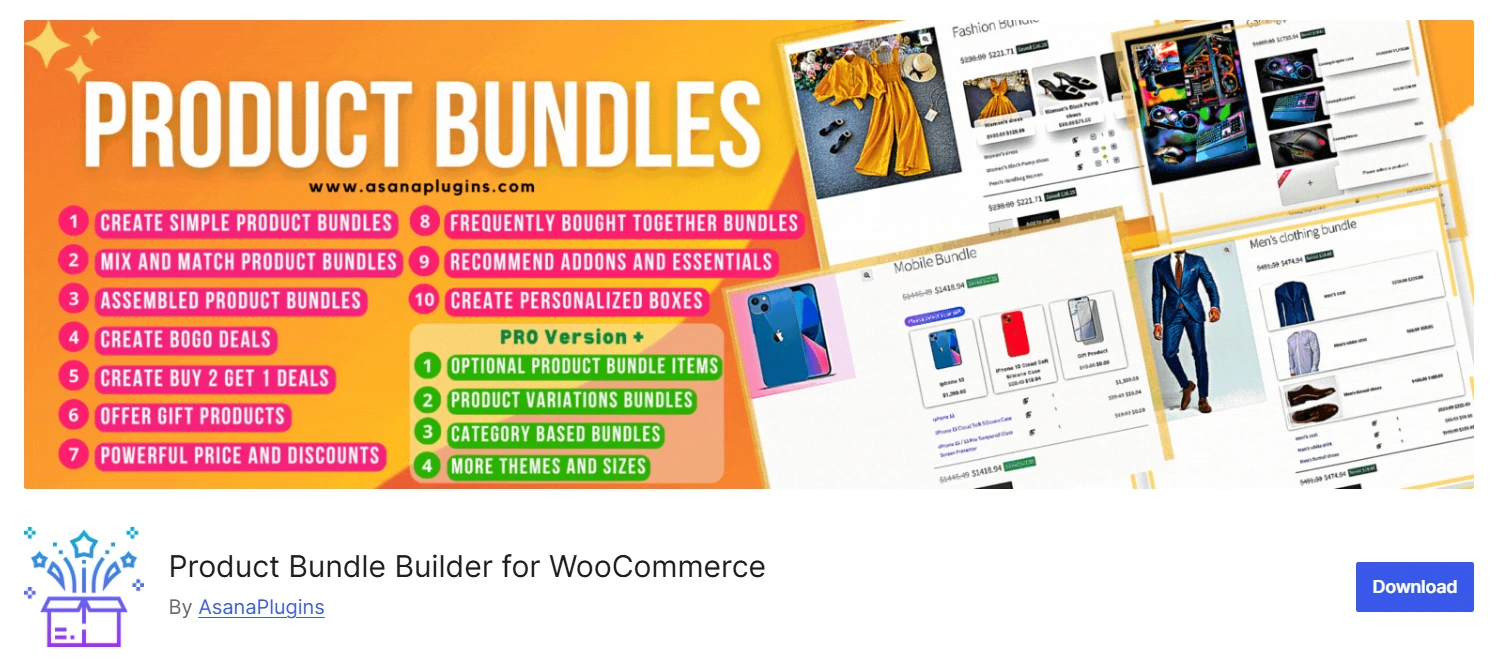
If you need a powerful tool for creating all kinds of bundles, Product Bundle Builder for WooCommerce is worth a look. Installing it on our test site has been straightforward, and you can do so too to create composite products, mix‑and‑match combos, and BOGO offers.
In practice, I found the bundle builder interface intuitive: you can create bundles in existing products, set discounts, and decide whether the bundle includes simple or variable items.
You can allow customers to assemble complex items like custom PCs or gift boxes using its composite‑product mode.
It also includes a “Personalized Products” option where buyers can build custom products from components and a feature for customers to assemble products from scratch.
The plugin provides good control over pricing and display. You can calculate dynamic bundle prices based on chosen items, decide whether to charge shipping per bundle or per item, and offer fixed‑price bundles.
What Users Like
- Create simple or advanced bundles for simple and variable products.
- Offer dynamic mix‑and‑match bundles, BOGO deals, and buy‑two‑get‑one promotions.
- Exclude tags, products, and categories to fine-tune the bundles.
- Calculate dynamic pricing and choose between bundle‑level or per‑item shipping fees.
- Drag‑and‑drop interface with rules for default products and min/max quantities.
- Display optional stock, ratings, or descriptions for each item and control coupon behavior and cart counting.
What Can Be Improved
- Some users reported inventory issues: when bundled items sold individually, bundle stock wasn’t reduced.
- Users noted basic bugs like stock sync in the free version.
Store One
Store One stands out by offering much more than a traditional product bundling solution. Instead of relying on multiple WooCommerce plugins for different sales and marketing functions, StoreOne combines a wide range of conversion-focused tools into a single, lightweight package.
Its Product Bundle and Frequently Bought Together modules enable merchants to create attractive product combinations that encourage customers to purchase more items in a single order. These features are designed to increase average order value (AOV) and improve the overall shopping experience.
What truly sets Store One apart is its collection of complementary sales-boosting modules. Features such as stock scarcity alerts, sale countdown timers, sticky cart bars, live sale notifications, trust badges, and smart offers work together to create urgency, build customer confidence, and drive conversions.
What Users Like
- Replaces multiple WooCommerce plugins with one high-performance toolkit.
- Includes Product Bundle and Frequently Bought Together modules.
- Offers custom pricing, inventory sync, and flexible bundle layouts.
- Features like stock scarcity, sale countdown, and live sale notifications create urgency.
- Helps increase conversions and Average Order Value (AOV).
- Easy-to-use dashboard with module enable/disable controls.
- Modular design keeps your store fast and optimized.
- Compatible with most WooCommerce themes, including Shop Mania.
What Can Be Improved
- Some advanced modules, including Product Bundle, are available only in the Pro version, so users looking for free bundling features may need to upgrade.
Composite Products for WooCommerce
Composite Products for WooCommerce allows store owners to use a full product configurator rather than a simple bundle.
Users can easily build customizable kits–things like custom skateboards, PC builds, or gift boxes with multiple components. The plugin lets customers choose from components you define and combine them into a single product.
Compared to usual Product Bundles, which focus on static packages, Composite Products go above and beyond: dynamic configurations with multiple options per component and complex pricing rules.
Behind the scenes, Composite Products uses advanced grouping, flexible pricing and shipping methods, customizable flows and layouts, and conditional logic. This means you can decide how customers progress through configuration steps and even hide options based on previous selections.
You will also appreciate its scalable interface. The plugin can handle thousands of product options and offers pagination, sorting, and filtering to keep large catalogs manageable.
What Users Like
- Let customers build custom kits by combining multiple products into a package.
- Increase perceived value with unique combinations that encourage higher spending.
- Advanced grouping, flexible pricing/shipping, customizable layouts and conditional logic.
- Conditional logic to control visibility of steps or options.
- Extensible architecture with REST API and hooks for custom projects.
What Can Be Improved
- One user found that the plugin doesn’t integrate with shipping services like ShipStation, forcing them to split shipments manually.
- A few users felt the user interface was bulky and inflexible
- The annual pricing can be high for some users.
Pro Tip: Learn the detailed comparison between WowRevenue and Composite Products.
WPC Product Bundles for WooCommerce
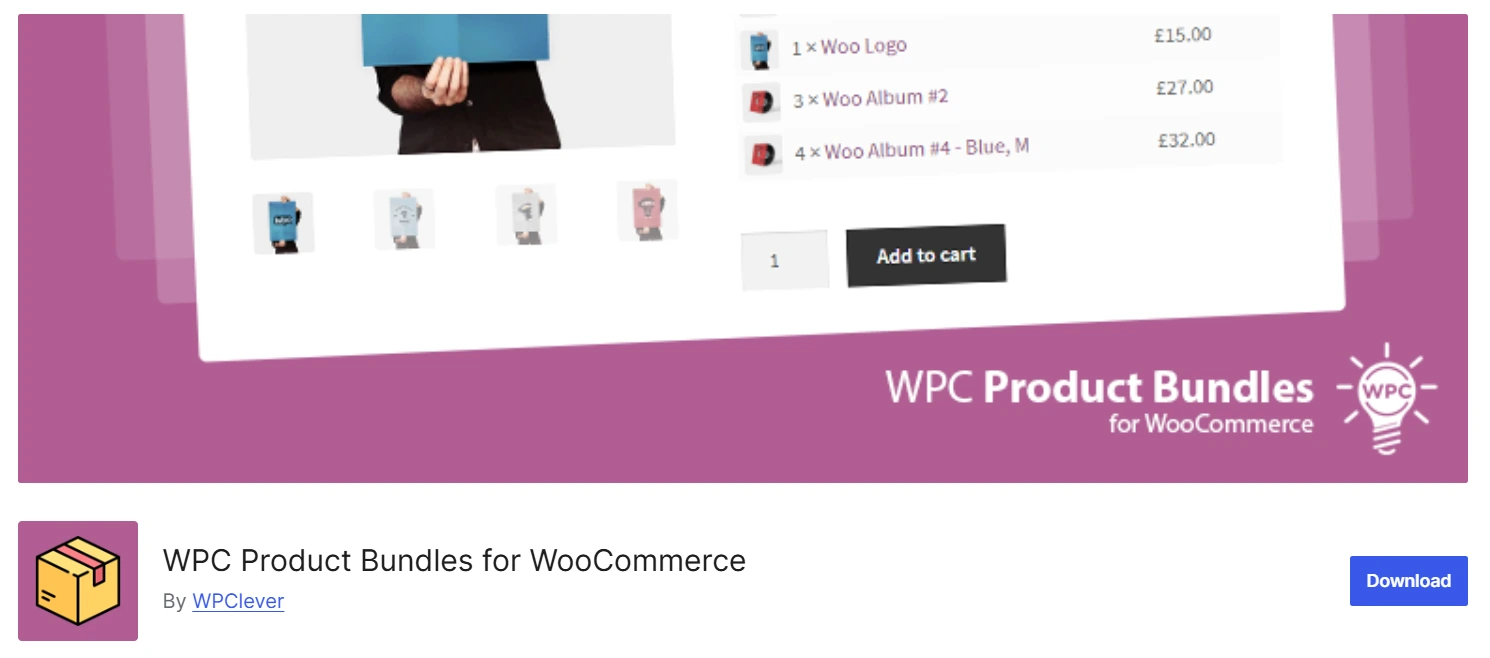
WPC Product Bundles plugin is a popular bundles plugin in the market. While we found its interface lot to be desired, it gets the job done in showing bundle items in your WooCommerce store.
The plugin is designed to help shop owners create “amazing deals” by combining multiple products, leading to more sales and customers getting good value.
The plugin is lightweight and integrates naturally into the product editor.
You can easily select the items for your bundles, assign default quantities, and set discounts as percentages or fixed amounts.
During testing, we also set min/max quantities for each item, and there’s an auto‑calculate option that recalculates bundle pricing based on selected items’ regular and sale prices.
What Users Like
- Simple bundle type that combines multiple products to create deals.
- Customer‑adjustable quantities with min/max limits per item or per bundle.
- Set percentage or fixed discounts and auto‑calculate sale prices.
- Create virtual or downloadable product bundles; manage stock at bundle or item level.
- Adjust search limits and add variable products in the premium version.
What Can Be Improved
- Users reported bugs with tax calculations and currency conversions
- Support can be hit or miss, even for PRO users.
Pro Tip: Learn the detailed comparison between WowRevenue and WPC Product Bundles.
Mix and Match Products for WooCommerce
Mix and Match Products is ideal when you want to sell similar items in bulk containers while giving customers control over the contents.
After installing the extension, we created custom assortments such as a “Create Your Own Bundle Pack” where customers could choose any six items from a set of products.
You define the container size (minimum and maximum quantity) and specify which items can be added. Customers appreciate being able to mix flavors or styles rather than being forced into a pre‑packaged set.
Also, you will find that the plugin handles inventory management for both the container and its contents.
Once configured, the product page uses a grouped‑product‑style layout where customers see all available options and can build their assortment.
What Users Like
- Create custom assortments by defining container size and available items.
- Customers control quantities of individual items in the pack.
- Supports both simple products and variations in the same bundle.
- Flexible pricing – set a static price or price each item individually.
- Customizable templates so you can tailor the look and feel of the product table.
What Can Be Improved
- Limited to mixing similar items and doesn’t support cross‑category kits
- There is no free version, so small stores may find the price high
- Additional design templates or drag‑and‑drop bundle builders would make it easier for non‑technical users.
WPC Frequently Bought Together
Cross‑selling is a proven way to boost revenue, and WPC’s Frequently Bought Together plugin makes it easy to suggest complementary products.
When I enabled the plugin on a product page, it displayed a small table of related items below the description. Customers can tick checkboxes next to the suggested items, adjust quantities, and add the entire bundle to the cart with one click.
It’s a simple but effective implementation and feels like the familiar “Frequently Bought Together” section on Amazon.
The plugin’s settings let you configure search behavior, discounts, and display. For instance, we could search for products by SKU or title when selecting items for the deal and set discounts as a percentage or fixed amount.
For the front-end view: you can choose the position of the product list, adjust the main product’s visibility and image, and decide whether to show thumbnails, prices, and descriptions for each additional item.
What Users Like
- Advanced Ajax search by SKU or title for selecting bundled items.
- Drag‑and‑drop ordering of products and optional “select all” default.
- Customize the position of the product list and adjust main product visibility and image.
- Customers can change quantities, and you can enforce min/max quantities for deals.
- Treat additional items as separate products or use upsells/related products as default suggestions.
What Can Be Improved
- Some users noted incompatibility with the plugin for their home and shop pages.
- Users noted that design customisation was poor and layout issues required CSS tweaks.
Pro Tip: Learn the detailed comparison between WowRevenue and WPC Frequently Bought Together.
Smart Product Bundles for WooCommerce
Smart Product Bundles for WooCommerce is a decent bundle builder extension, and our hands‑on experience was positive.
The extension makes it easy to add variable products to bundles and even exclude item prices or apply discounts to individual items.
You can easily create bundles with different colors and sizes, and the plugin handles variable products seamlessly. It also supports subscription bundles; by integrating with WooCommerce Subscriptions, you can let customers sign up for regular delivery of a personalized bundle.
Another perk is the ability to add custom notes above or below the bundle on the product page. The plugin includes a bundle‑in‑bundle feature so you can display all your bundles in one place, which saves customers from hunting through multiple pages.
You can encourage bulk purchasing by letting customers specify the number of items needed to complete a bundle and then applying discounts based on volume.
What Users Like
- Add unlimited variations and personalize bundles with item‑level discounts.
- Create subscription bundles using WooCommerce Subscriptions.
- Add notes above/below bundles and show all bundles together with the bundle‑in‑bundle feature.
- Build bundles by selecting individual products or entire categories.
- Control pricing with fixed, per‑product with bundle price, or per‑product only models.
- Choose from multiple layouts and configure min/max quantities
What Can Be Improved
- Some merchants note the lack of a free version and a subscription cost that may not be suitable for budget‑conscious stores.
YITH WooCommerce Product Bundles
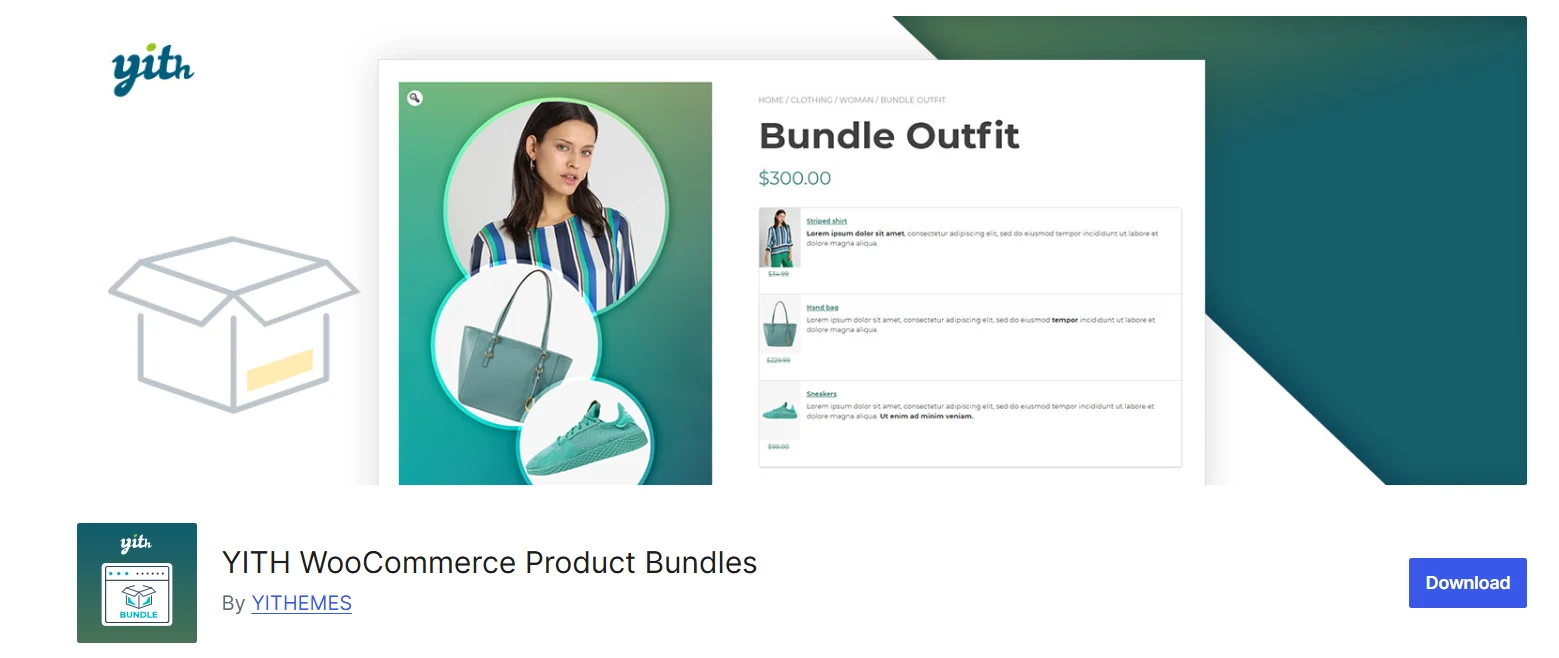
YITH is a well-known WooCommerce plugin developer, and its Product Bundle plugin is one of them.
You can offer unlimited products in a bundle and customize whether the product name or description appears on the bundle page. Variable products are supported, so customers can select attributes like size or color for each item before adding the bundle to their cart.
The plugin also excels in flexibility. You can mark products as optional, giving customers a checkbox to decide whether to include an item. Purchase rules let you set minimum or maximum numbers of products that must be selected before the bundle can be added to the cart.
When pricing bundles, you can either set a fixed price or calculate the price from the sum of the items and even apply discounts to encourage larger purchases.
What Users Like
- Add unlimited products to a bundle and support for variable products.
- Define purchase rules with minimum and maximum numbers of required items.
- Set a fixed bundle price or calculate the price from the sum of individual items and apply discounts.
- Choose to ship items together or separately and decide how to handle shipping costs.
- Hide or show the bundle when items are out of stock.
What Can Be Improved
- Some users may find it overpriced and its features limited compared to competitors
- Other reviewers reported subpar pre‑sales communication.
Related Products – Create Upsells, Cross‑sells, and Product Recommendations
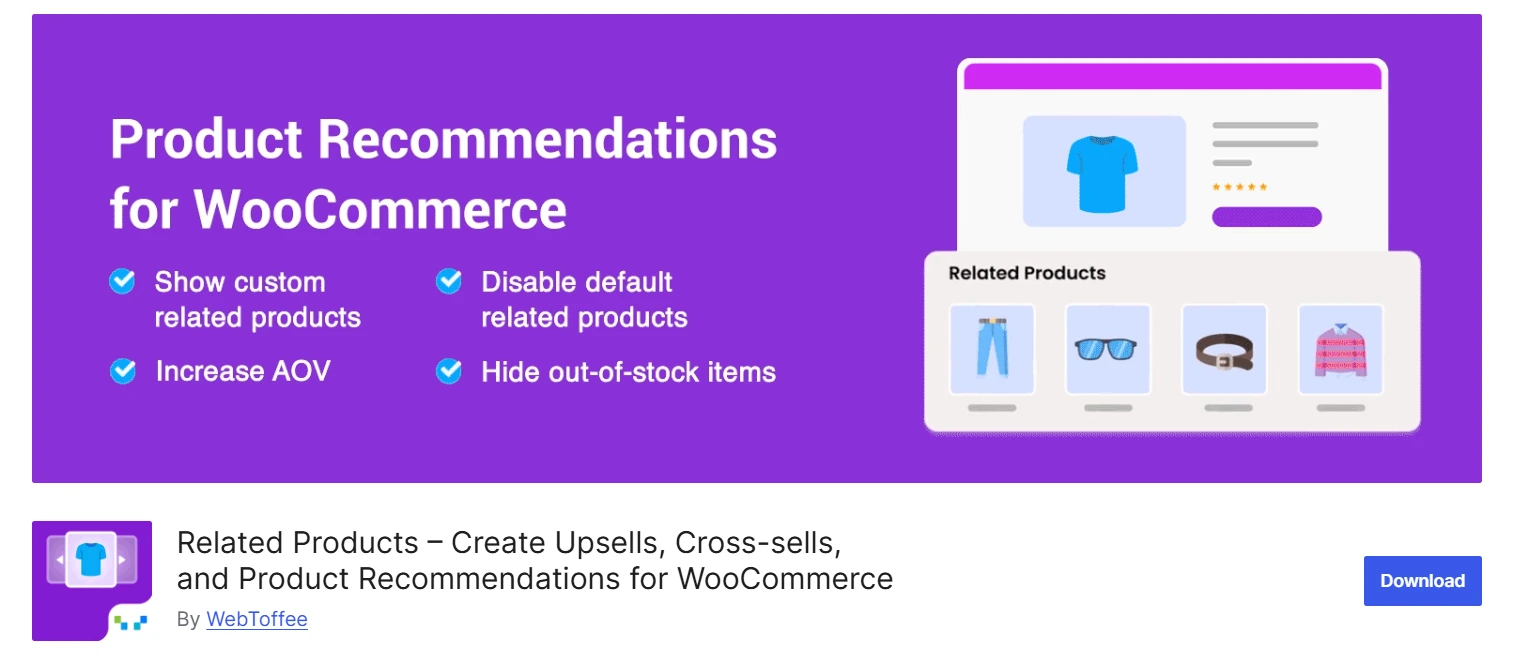
Related Products by WebToffee is designed to replace WooCommerce’s default related‑product functionality with a much more flexible system.
In our tests, we were able to disable WooCommerce’s built‑in related products and choose our own recommendations based on categories, tags, or specific products.
The plugin is also capable of displaying upsells and cross‑sells with frequently bought together product bundles on the product page or in other positions on your site.
One of the things we liked most was the ability to customize how related products are displayed. You can change the heading text, reorder items, and decide how many products to show.
There’s also a handy shortcode that allows you to embed related products anywhere on your site. In multilingual stores, the plugin shows the same set of related items on translated versions of a product, which is great for consistency.
What Users Like
- Assign related products per item by category, attributes, tags, or specific products.
- Exclude selected categories or out‑of‑stock products from recommendations.
- Display product bundles as related items and customize headings, order, and product count.
- Remove the theme’s default related products, use a block‑compatible widget, and import related products via the default importer.
What Can Be Improved
- One user reported that overriding their theme’s related products still showed unrelated suggestions.
- Documentation can be limited for configuring advanced options.
So, Which Product Bundle Plugin Should You Choose for Your Business?
If you want a complete solution at an affordable price, WowRevenue is hard to beat. It packs everything – Bundle Products, Buy X Get Y, Mix and Match Bundle, Frequently Bought Together, bulk/quantity discounts, and analytics. For store owners who don’t want to juggle multiple extensions, this plugin is a one-stop shop.
For merchants who prefer official WooCommerce solutions, WooCommerce Product Bundles is a strong contender. It integrates seamlessly with WooCommerce Subscriptions, handles assembled products, and offers professional support directly from WooCommerce.
If you’re selling highly customizable or configurable products, then WooCommerce Composite Products is the right fit. It allows customers to build products piece by piece, supports complex pricing structures, and delivers a polished product-configurator experience.
Steps to Create a Free Product Bundle with WowRevenue:
- After installing and activating WowRevenue, go to its dashboard and click Create Bundle.
- From the available templates, select Bundle Product and click Use This.
- Under Bundle Products, click Add Products and choose the items you want to include. You can also adjust their quantities and arrange them as needed.
- Set up your bundle pricing by applying a percentage discount. For example, offer 15% off when customers purchase the complete bundle.
- Under Product Details, enter your bundle’s name, short description, and featured image.
- Customize the bundle’s appearance, including its heading, colors, and other available design elements. Use the live preview to see how it looks.
- Save your changes and publish the bundle to make it available on your WooCommerce store.
That’s it! You’ve created a product bundle with WowRevenue’s free version without writing any code.
Summing Up
Product bundles are more than just a clever sales tactic – they’re one of the simplest ways to increase revenue per customer while offering more value. Whether it’s Buy X Get Y, mix-and-match packs, or seasonal gift bundles, the right strategy can transform how customers shop in your store.
From our deep dive, plugins like WowRevenue, WooCommerce Product Bundles, and WooCommerce Composite Products stand out as top choices, each catering to different needs. WowRevenue is the go-to for an all-around solution as it offers all the effective bundle features.
No matter which plugin you choose, investing in a product bundling solution will help you create better shopping experiences and maximize profits. The right bundle plugin doesn’t just boost sales; it turns single-item orders into high-value transactions.
