
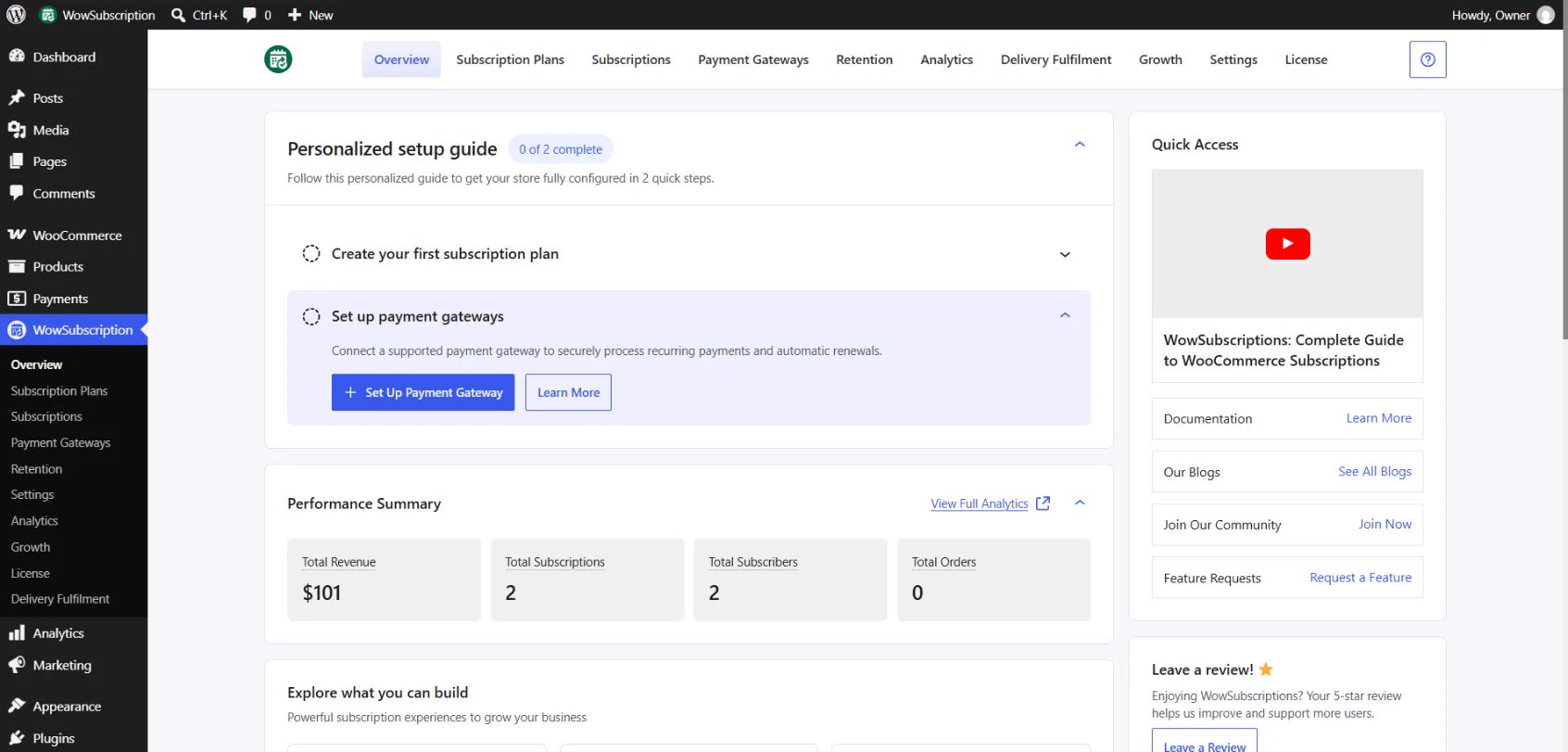
Open WordPress Dashboard → WowSubscription → Overview to access the setup guide, performance summary, feature discovery cards, and resource links.
Personalized setup guide
The guide contains two tasks: Create your first subscription plan and Set up payment gateways. Expand a task to see its action button and Learn More link. Create Subscription Plan opens the plan-creation entry point; Set Up Payment Gateway provides a payment-setup entry point.
The guide displays a completion counter. Use the relevant plan and gateway settings to review your configuration; the counter is not a payment-processing test.
Performance Summary
The summary displays Total Revenue, Total Subscriptions, Total Subscribers, and Total Orders. Select View Full Analytics to open the reporting area. Read the report context before interpreting figures, especially when comparing values from different periods or different screens.
Explore what you can build
Feature cards introduce plans, rewards, deliveries, gifting, upgrade offers, swaps, and cancellation management. Select View all Features to reveal additional cards; Hide Features collapses the list.
A card introduces a topic. It does not by itself establish that the feature is enabled, included in your edition, or configured. Use the linked documentation and the actual feature settings to check those requirements.
Quick Access and recommendations
Quick Access provides video, documentation, blog, community, and feature-request links. The page also contains a review link and recommended WPXPO plugins. These resources are separate from subscription configuration; installing a recommended plugin is not a prerequisite unless a particular integration requires it.
Main navigation
The Pro-enabled interface inspected for this guide includes Overview, Subscription Plans, Subscriptions, Payment Gateways, Retention, Analytics, Delivery Fulfilment, Growth, Settings, and License. Available areas depend on the installed edition.
Continue with Create Your First Subscription Plan.