
The integration with Germanized for WooCommerce now allows you to show the necessary legal information on the product page.
Here’s how you can set it up.
How it Works
Before setting up, you need to install and activate the Germanized for WooCommerce plugin from WordPress.
Then follow these steps,
Step 1: Add a Shortcode block in the Single Product Page Template
Go to the Woo Builder option of your WowStore plugin and open the single product page template.
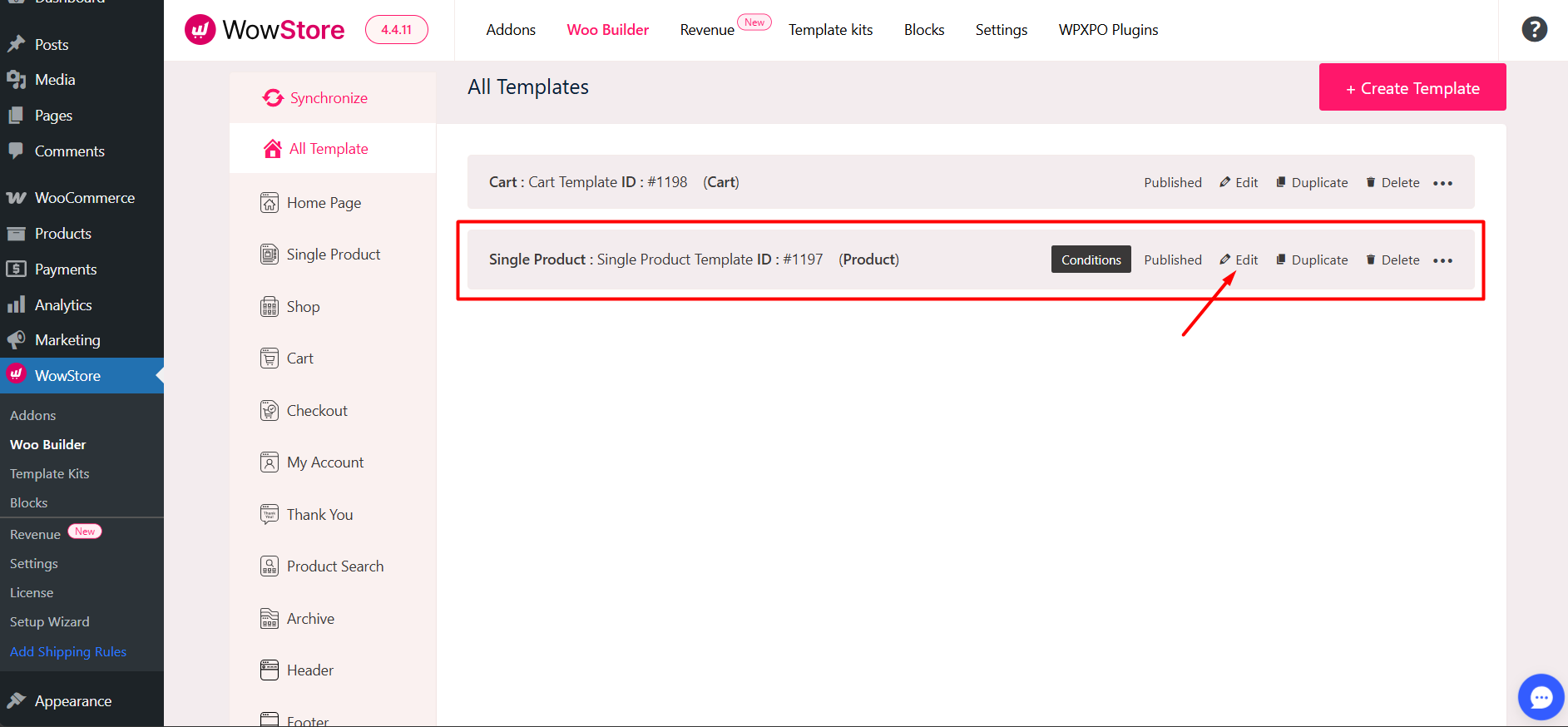
Here, add a shortcode block in the product information section. Normally, this information is placed under the ‘Add to Cart’ button.
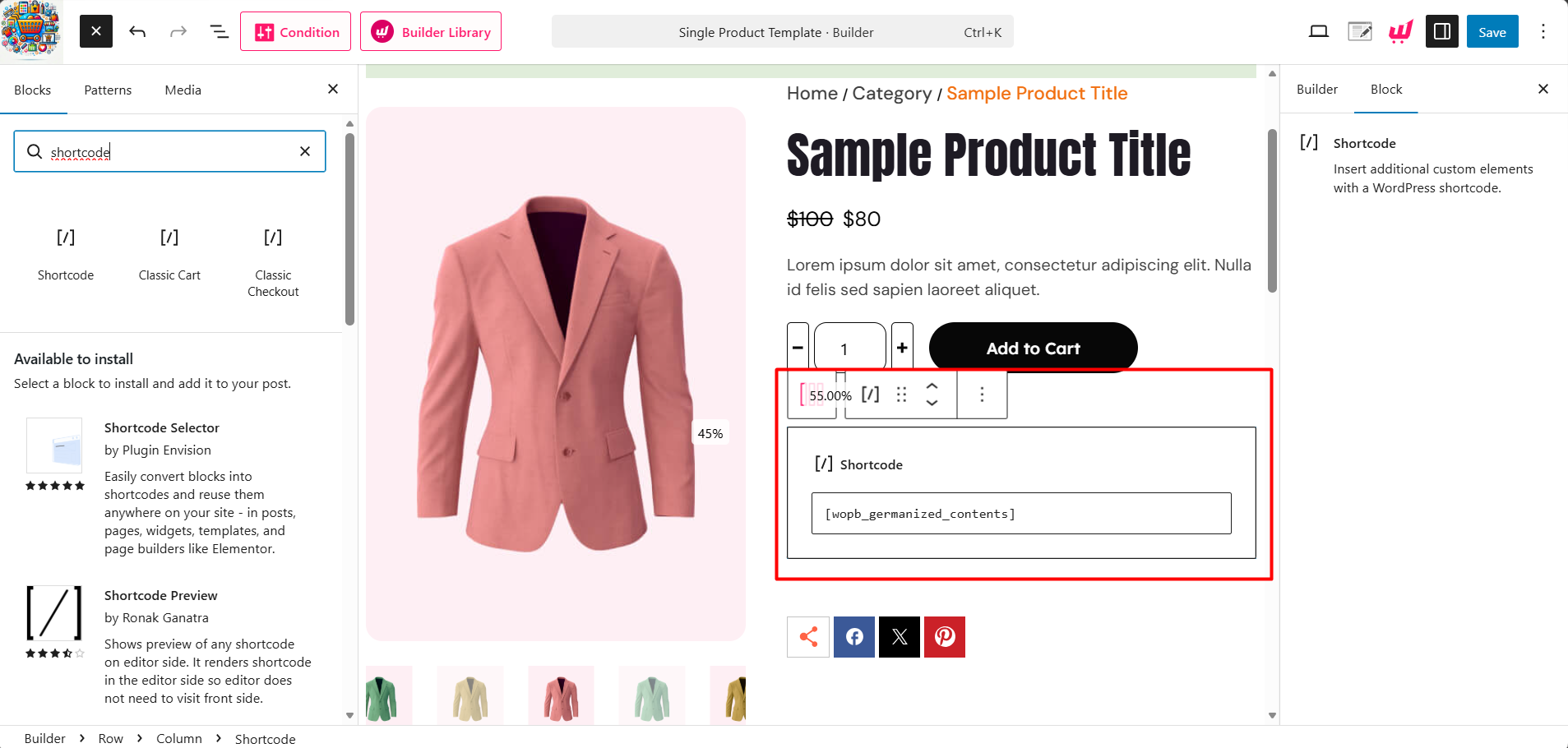
Now, insert the following shortcode in the block: [wopb_germanized_contents]
This will fetch the data from Germainized and show it to your product page.
Step 2: Configure Product-Level Information
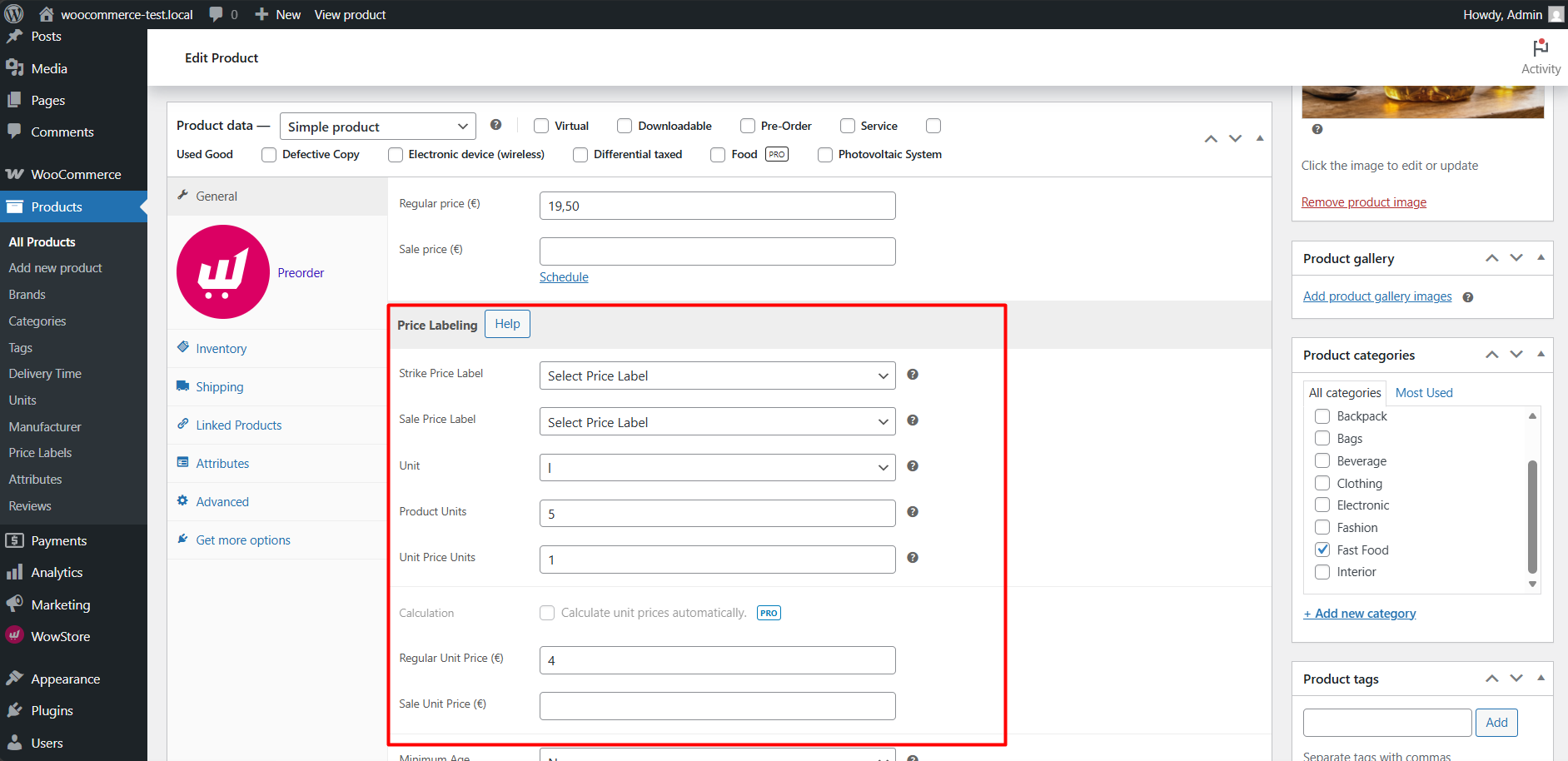
After placing the shortcode, you need to input the information for each product. For that, go to the product editor of WooCommerce and scroll down to the General tab.
Under the regular and sale price, you will find the necessary fields:
- Strike Price Label: Show a price label right before outputting the old price to inform the customer
- Sale Price Label: Show a price label right before outputting the new price to inform the customer
- Unit: This defines the measurement type for the product. Example: If you are selling soda, you would select “l” (Liters) or “ml” (Milliliters).
- Product Units: This is the total amount of units included in the single product you are selling. Example: If you are selling a 500ml bottle of shampoo for $10, you would enter 500 here. The system now knows that $10 buys exactly 500 units of “ml.”
- Unit Price Units: This defines the reference amount used to show the “price per…” comparison. Example: If you want the customer to see how much the product costs per 100ml, you would enter 100 here.
Step 3: Update and Test
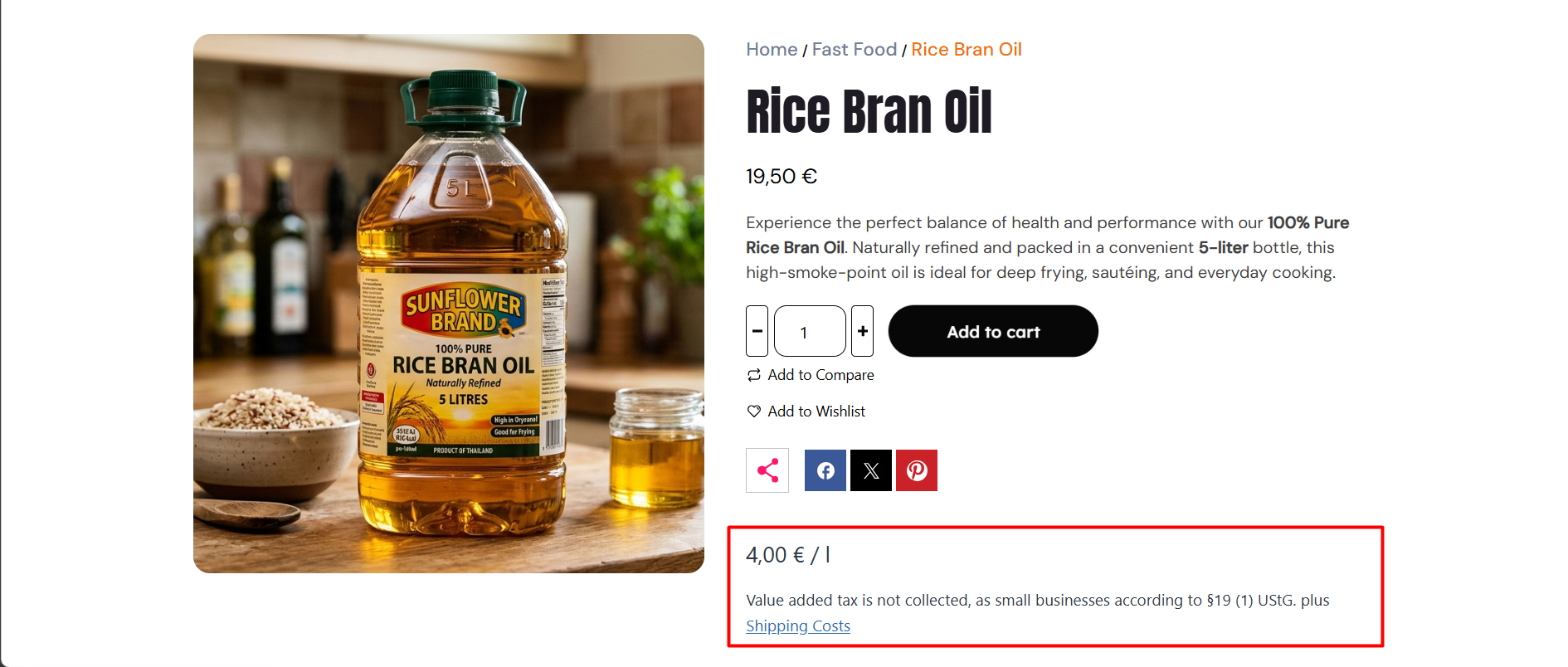
Finally, you should check the frontend to ensure that everything appears as expected. Here’s how it should appear,
If you face any issues regarding this setting, please contact our dedicated support team for WowStore.

