
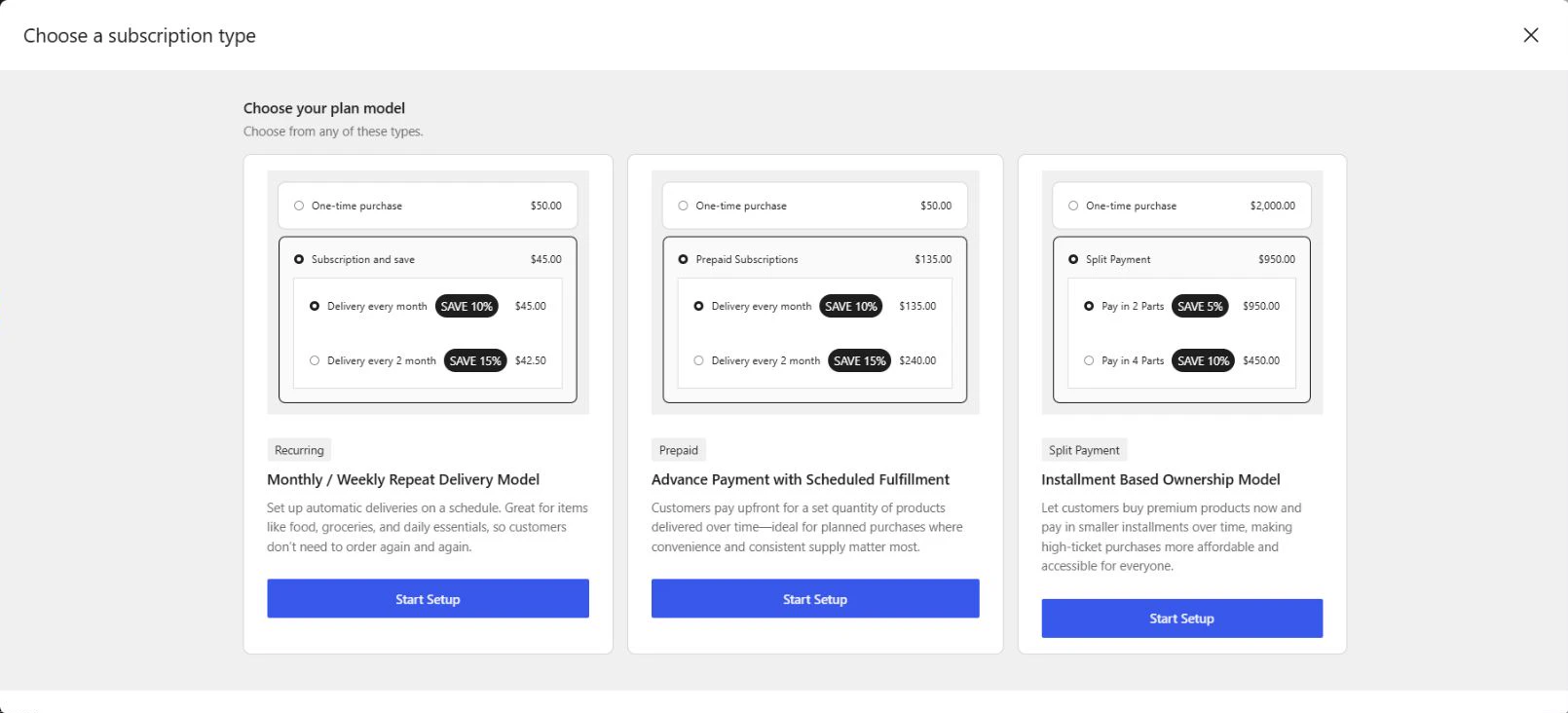
Choose a subscription model according to how you want to collect payment and arrange deliveries. WowSubscription supports Recurring and Split Payment plans in Free and adds Prepaid plans in Pro.
Compare the subscription models
| Model | What you configure | Example | Availability |
|---|---|---|---|
| Recurring | A repeated charge/delivery interval | Offer a product every one month | Free and Pro |
| Prepaid | A period paid in advance and a delivery interval within that period | Charge for six months upfront and deliver every one month | Pro |
| Split Payment | A total duration, installment count, and delivery-after-payment setting | Divide a purchase into four payments over the configured duration | Free and Pro |
Recurring plans
Recurring plans provide repeated purchase intervals using a number and Day, Week, Month, or Year. A plan can contain more than one selling option, allowing you to configure choices such as monthly and yearly purchases.
Prepaid plans
A prepaid plan collects payment for a defined period upfront while scheduling deliveries within that period. Its charge duration and delivery interval must be positive, share a time unit, and divide evenly.
For example, a six-month period with deliveries every one month describes six deliveries. A charge period in weeks combined with a delivery interval in months is invalid and prevents publishing or updating the plan.
Split Payment plans
A Split Payment plan divides a purchase balance into installments. Its main controls define the total duration, number of splits, and payment milestone for delivery.
With Pro, a merchant can also specify a Down payment. That upfront amount reduces the remaining balance to split. Pro’s Delivery synchronization aligns delivery with fixed weekdays or month dates; delivery enters the next scheduled slot after payment.
Understand the main records
Subscription plan
The merchant’s configuration for eligible products and purchase terms. Find these records in WowSubscription → Subscription Plans.
Selling option
A set of purchase terms within a plan, such as a monthly frequency. The builder uses Set selling plans and Add Subscription Plan for these options. In these guides, “selling option” distinguishes an option inside the builder from the overall plan record.
Customer subscription
An individual customer’s subscription record, containing items, billing terms, customer information, upcoming-order information, and activity. Find these records in WowSubscription → Subscriptions.
WooCommerce order
A related order record with its own items, totals, payment method, and status. A subscription’s Order History provides access to associated orders. An order status and a subscription status describe different records and should be checked separately.
Renewal
A subsequent scheduled subscription cycle. When reviewing an action that applies at the next renewal, check its effective timing rather than assuming it changes the current order immediately.
Payment date and delivery date
The payment date concerns when a charge is due. The delivery date concerns fulfillment. Delivery synchronization can align fulfillment to a fixed schedule independently of the day the customer subscribed or paid.
What to configure first
Choose a plan model, identify the eligible products, and define the required billing and delivery terms. Configure the payment integration before accepting subscription payments, then review how purchase options are presented.
See Free and Pro Features to check whether your chosen options require Pro.