
WowSubscription is a subscription plugin for WooCommerce. It lets you configure subscription purchase options for products, set billing terms, and manage customer subscriptions from your WordPress dashboard.
You can offer recurring purchases or split payments with Free. Pro adds prepaid plans and additional tools for presentation, deliveries, retention, growth, and reporting.
How WowSubscription fits into your store
WooCommerce provides your store’s products and order records. WowSubscription adds subscription plans and the tools used to configure and manage them. A compatible, configured payment gateway handles subscription payments.
The main workflow has three parts:
- Configure a plan. Choose eligible products and define the available purchase terms, including the plan model, interval, and any applicable discounts or additional settings.
- Present purchase options. Configure the subscription widget and its wording. You can also allow a one-time purchase alongside a subscription option.
- Manage customer subscriptions. Open the Subscriptions area to inspect individual records, related orders, upcoming-order information, and activity.
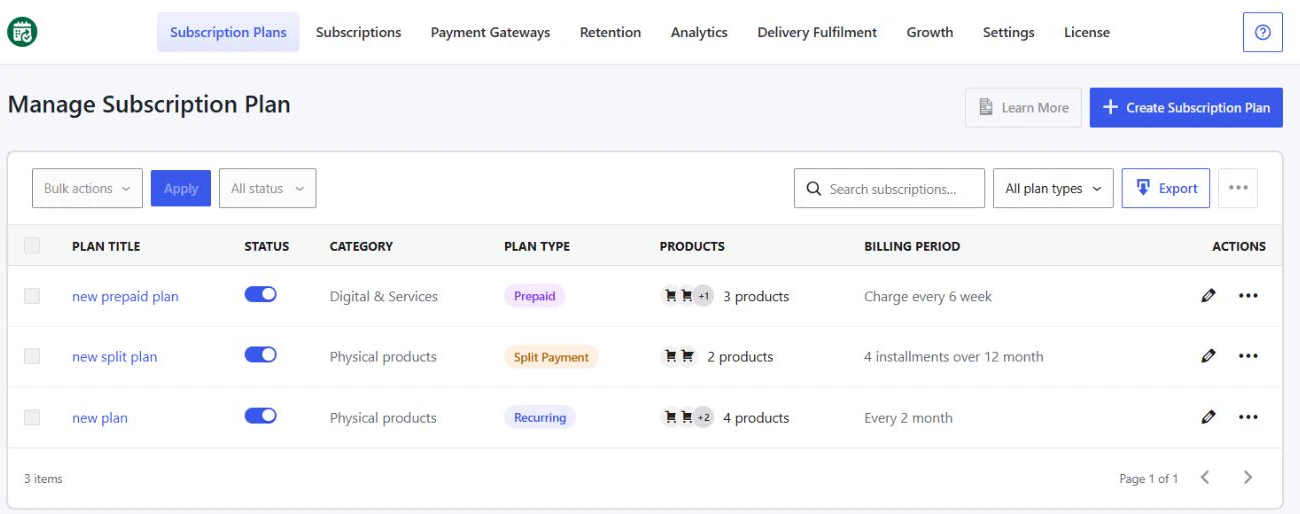
Choose how customers pay
WowSubscription provides three plan models:
- Recurring: Configure purchases at a repeated interval, such as every month.
- Prepaid — Pro: Charge for a defined period upfront and schedule deliveries during that period.
- Split Payment: Divide a purchase balance into installments across a defined duration.
These models serve different billing needs. Read Subscription Models and Key Terms before choosing one.
Configure the purchase experience
In the plan builder, you can assign eligible products, edit purchase labels, add selling options, and preview the widget. Shared styling and storefront-text settings help control how subscription information appears.
The Radio widget layout is available in Free. Dropdown, Stacked card, and Card grid layouts require Pro. See Free and Pro Features for other confirmed differences.
Manage subscriptions and retention
The merchant administration area includes subscription details, order history, activity information, and management controls. Customer Portal Settings lets you choose which self-service actions customers are allowed to use. An action may also depend on the subscription’s status, payment integration, or other configuration.
Retention tools provide cancellation-flow configuration and failed-payment recovery settings. Pro also includes Win-back Campaigns, frequency upgrade offers, product-swap rules, dedicated Analytics, and Delivery Fulfilment screens.
Enabling a setting is a configuration step. Successful payments, scheduled deliveries, and outgoing messages also depend on their respective integrations and store environment.
Where to find the plugin
Open WordPress Dashboard → WowSubscription. Start in Subscription Plans to configure purchase options. Open Subscriptions when you need to inspect an individual customer’s subscription.
Before setup, visit Getting Started and review the feature differences and key terms. Keep the Free plugin installed and active when using Pro.