Streamline Custom Apparel Orders in WooCommerce with Structured Personalization

Turn custom apparel orders into structured, production-ready workflows for t-shirt, jersey, hoodie and more with guided personalization and automated validation.

Trustpilot 5 Stars4.9/5 based on 400+ reviews onTrustpilot
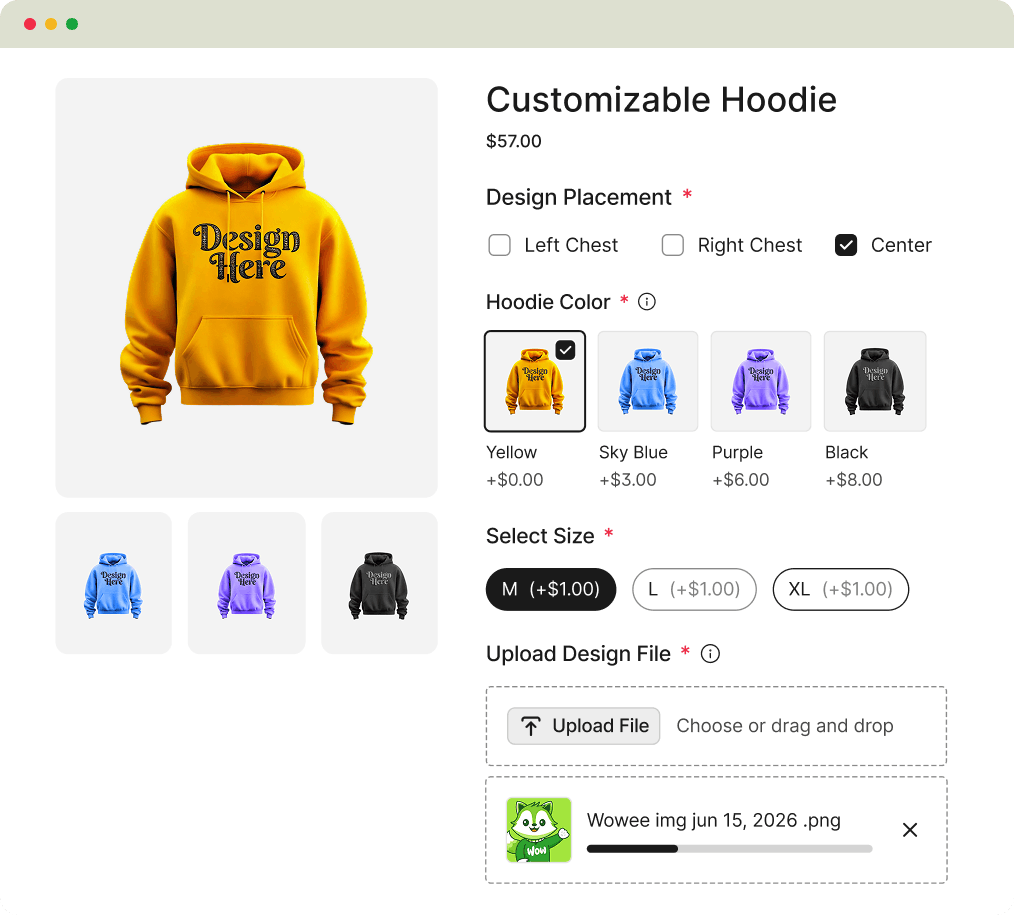
Custom hoodie with color and size selection, design placement options, and file upload
custom clothing and apparel
99% Users satisfaction
custom clothing and apparel
43,263+ Downloads
custom clothing and apparel
No coding required
custom clothing and apparel
Works with any WordPress theme

Turn Custom Apparel Orders into Structured, Error-Free Workflows

Improve order accuracy, speed up fulfillment, and increase revenue by guiding customers through a structured apparel customization experience in WooCommerce.

icon representing error warning alert

60% Fewer Rework Requests Before Production

Icon representing growth

30% Higher Conversion on Personalized Apparel Products

icon representing speed and fast production

3X Faster Custom Apparel Order Completion

Manage Every Type of Custom Apparel Order with Structured Personalization

Turn every apparel product into a high-converting personalized ordering experience with guided customization and accurate input collection.

orange t shirt for personalize

Structure Custom T-Shirt Orders

Perfect for: Custom apparel brands, streetwear labels, merch stores

  • Size, fit, and fabric options are arranged in a guided selection flow
  • Print areas such as front, back, and sleeves are linked with individual pricing rules
  • Add-on elements like embroidery, tags, and extra print zones can be configured per selection
  • Final order data is calculated automatically based on chosen variations and upgrades
a personalized red color hoodie

Structure Hoodie Orders

Perfect for: Apparel brands, winterwear stores, influencer merch lines

  • Hoodie types, sizing options, and fabric weights are presented in a structured layout
  • Print locations across front, back, sleeves, and pockets are mapped with placement rules
  • Optional enhancements such as embroidery, patches, and premium finishes can be assigned per choice
  • Pricing recalculates dynamically based on selected attributes and customization combinations
a custom half sleeve jersey with green color and number 8

Collect Jersey Names, Numbers, and Sizes

Perfect for: Sports merch stores, team order managers, event organizers

  • Capture player names, numbers, and sizes in a single interface
  • Offer team colors, jersey styles, and matching gear options
  • Group orders by team or roster for easier fulfillment
  • Get clean, organized order data for production or printing
custom printed cap with multiple color and text

Structure Cap and Headwear Orders

Perfect for: Headwear brands, promotional merch sellers, uniform suppliers
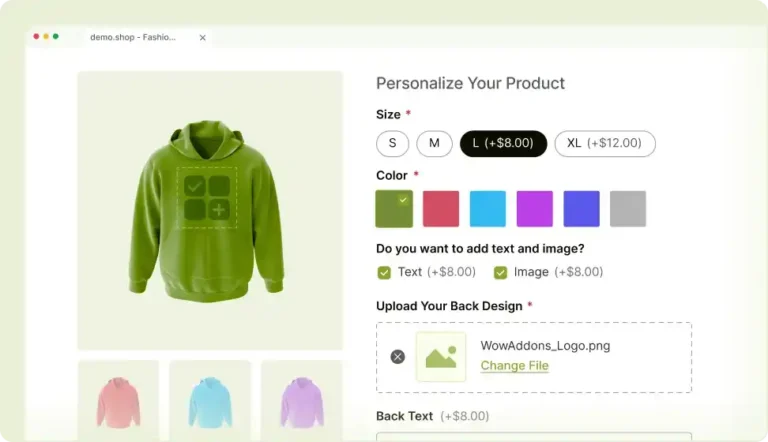
  • Offer cap styles, colors, and material options in a structured layout
  • Enable precise embroidery placement (front, side, back)
  • Allow customization of thread colors, patches, and logo styles
  • Apply pricing rules based on placement and design complexity

See Custom Apparel Personalization in Action

Watch how customers design custom t-shirts, hoodies, and jerseys with guided inputs, live customization options, and structured order flows in WooCommerce.

Guide Apparel Customization with Smart Conditional Logic

Display or hide apparel customization fields dynamically based on product type, print area selection, and personalization inputs to reduce order errors.
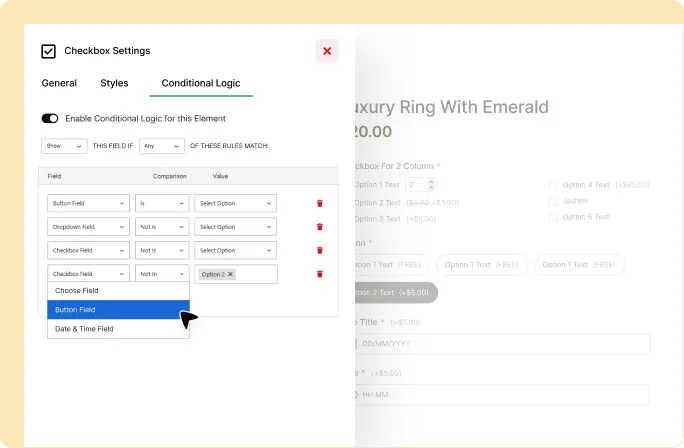
WowAddons settings interface showing how to create an option dependent on a button field.

Build Structured Custom Apparel Order Flows in Just 3 Steps

Launch apparel customization flows that reduce errors, speed up orders, and improve production accuracy with a simple 3-step setup.

Step 1

Configure Apparel-Specific Customization Fields

Use the visual builder to add structured inputs like sizes, fit types, fabric options, names, numbers, and artwork upload fields tailored for apparel products.

Step 2

Define Pricing for Print Areas and Custom Upgrades

Set flexible pricing for customization options such as front/back print placement, embroidery, sleeve prints, name/number personalization, and premium apparel finishes.

Step 3

Launch Guided Apparel Customization Flows

Launch your engraving workflow and begin receiving structured, error-free orders that are ready for immediate production.

Frequently Asked Questions

Got questions about custom apparel and clothing?

Feel free to contact our support team in case you have questions.

Yes. Customers can upload logos, images, or design files directly on the product page, with controlled placement options for different apparel areas like front, back, or sleeves.

Yes. You can define specific print placement options such as front, back, sleeves, or chest, and assign rules so customers only see relevant placement choices based on the product.

Yes. You can create custom fields to collect jersey names, player numbers, and sizes, ideal for sports and team orders.

Yes. You can apply conditional pricing for product options like embroidery, premium upgrades, extra print areas, or size-based add-ons.

It ensures customers provide structured inputs like names, numbers, sizes, and artwork in a guided flow, reducing unclear instructions and minimizing production errors.

Start Accepting Error-Free Custom Apparel Orders Today

Increase conversions and reduce production errors by turning custom apparel products into structured, guided ordering experiences in WooCommerce.