

Do you know why many businesses lose customers despite having great products? Most of the time, the answer simply relates to customer experience (CX). If the customer’s experience is poor, they often won’t bother sharing the reason with you.
Great CX builds loyalty among customers. And loyalty fuels business growth. Loyal customers buy more, recommend you to others, and stay even loyal when competitors knock on their door.
Many businesses are under the misconception that they know all about customers. But the reality is, you actually need to listen to your customers. A customer feedback form can help you listen to customers by enabling them to speak through responses, by answering your specific questions. It’s a very simple yet effective tool to understand customers’ thoughts, frustrations, and expectations.
These forms come in different styles and formats. Some formats measure satisfaction with quick star ratings or smiley faces. A number of them add more open-text questions or measure Net Promoter Score (NPS) ratings. Most of this feedback is now gathered online via online forms distributed via emails or embedded in Websites and apps. Customers and businesses both love them since it’s quick, interactive, and convenient.
In the following blog, we’ll provide a detailed guide to creating your own customer feedback form on WordPress. But before that, let’s see why they are important for your business.
Why Customer Feedback Forms are Essential for Your Business

Customer experience doesn’t improve overnight. It improves when you listen and take action. A customer feedback form is the easiest and fastest way to get that clarity. Here are some valid points why customer feedback forms are essential for your business:
Reveals Customer Needs and Expectations
Customers won’t always tell you their needs in person. A form offers them a space to share what they want, what frustrates them, and what they exactly expect. This honest feedback eliminates the guesswork and helps you focus on improving the customer experience.
Guides Product and Service Improvements
Feedback shows you where to double down and where to fix things. For example, if many customers say your checkout feels slow, you know it’s time to speed it up. Instead of playing a guessing game, you act on facts.
Boosts Retention and Loyalty
Customers feel valued when you listen and respond to their feedback – they keep coming back. According to a study, 74% of consumers say they are loyal to brands that make them feel understood and valued. That means listening to your customers is beneficial for your business’s sustainability.
Encourages Referrals
Happy customers don’t just stay; they spread the word. And in customer service, word of mouth is gold. It is one of the most influential marketing channels for many businesses. Listening to customers helps you find promoters who will recommend you.
Therefore, customer feedback forms are more than surveys. They are your launchpad for creating better experiences and ensuring business sustainability.
How to Build a Customer Feedback Form: Detailed Steps
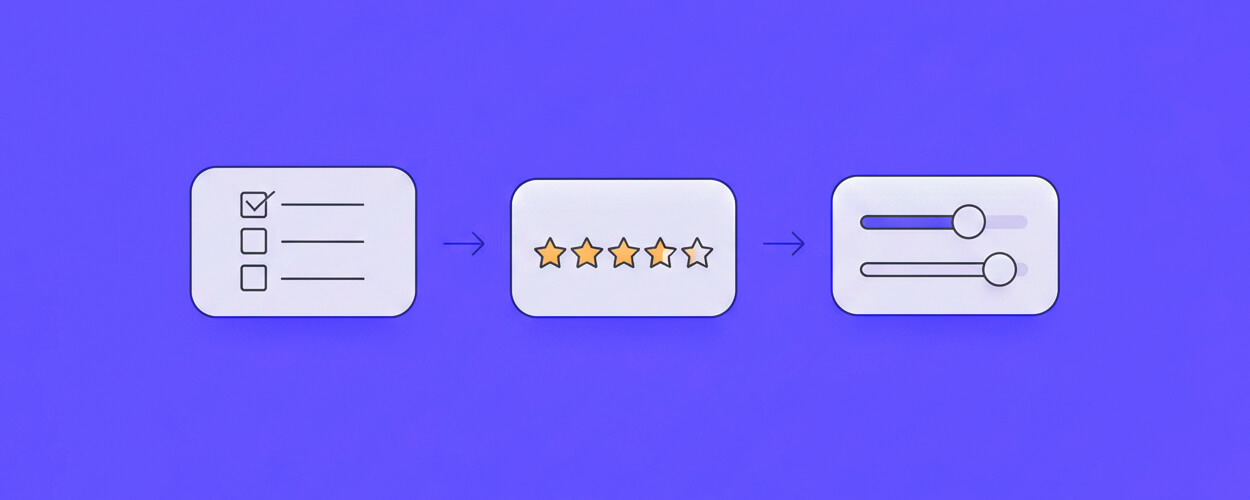
Building a customer feedback form doesn’t need to be complicated. You just need the right tool and a clear idea of what to ask. Here’s the easy process you can follow:
Step 1: Choose the Right Tool
You can collect feedback using:
Paper forms, which are not practical today
Google Forms (simple but limited)
A free online form builder or a WordPress plugin (best for businesses that need flexibility and branding)
If your business runs on WordPress, plugins like FormGent can make the job faster. It offers advanced features like multi-page forms, conditional logic, and Google Sheets integration—without forcing you to pay upfront.
Today, we’ll try out FormGent to create a customer feedback form. Let’s see how it works!
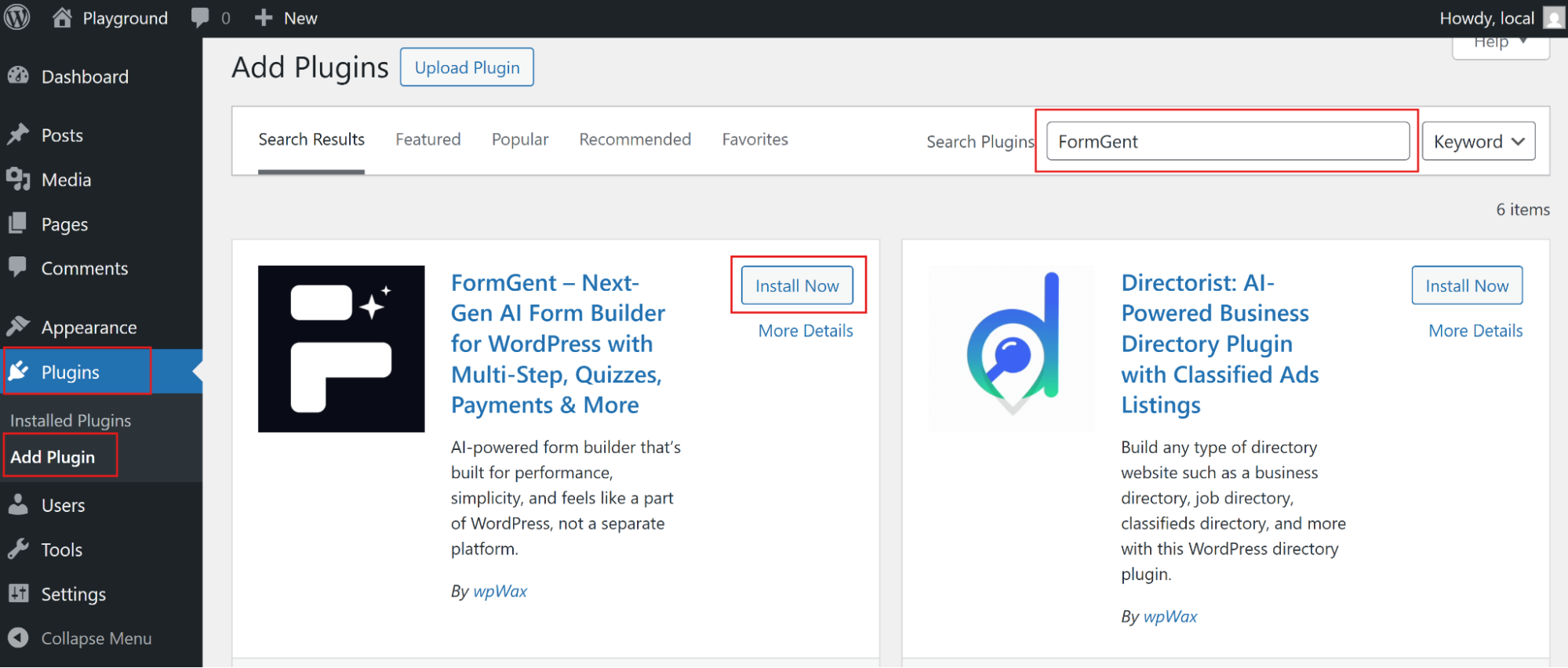
Step 2: Install the FormGent Plugin
To install FormGent, follow the installation flow:
Plugin>Add Plugin>Search “FormGent”>Click “Install”
Completing the installation, make sure to activate the plugin.
After completing the installation process, let’s try to create forms with FormGent.
For creating a form, you’ll find three options.
- Create from scratch (For creating from scratch)
- Template Library (Premade templates with customization options)
- AI (Create form instantly with AI prompt)
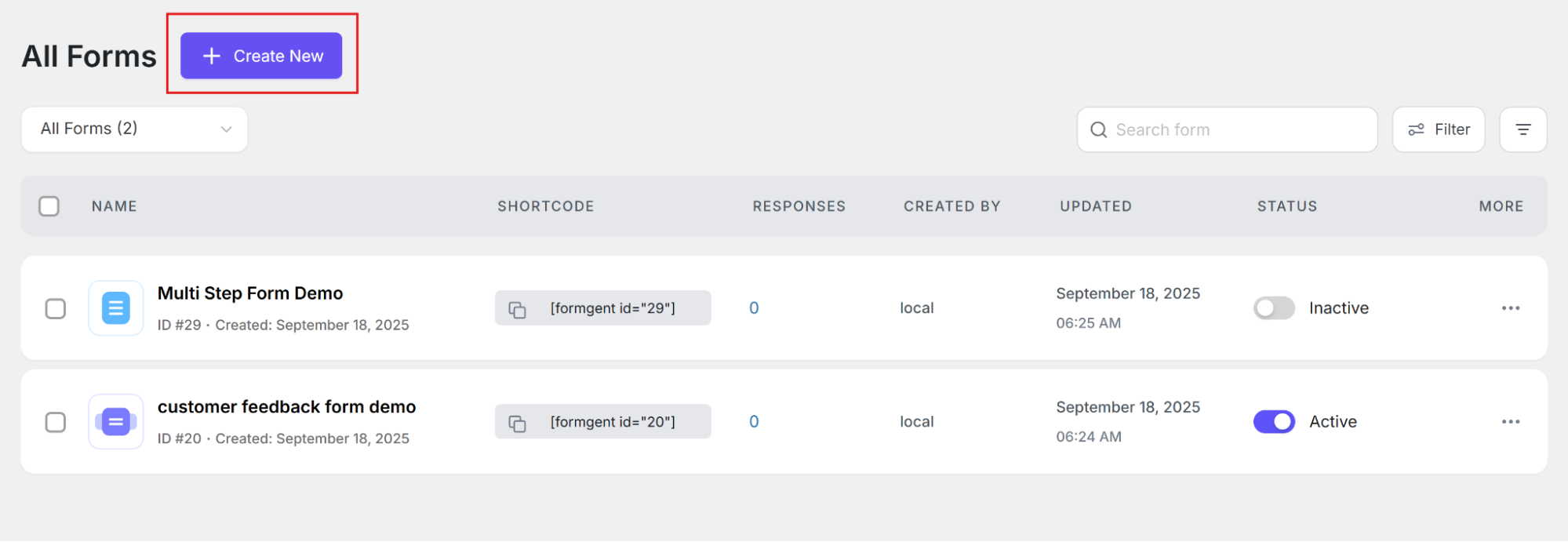
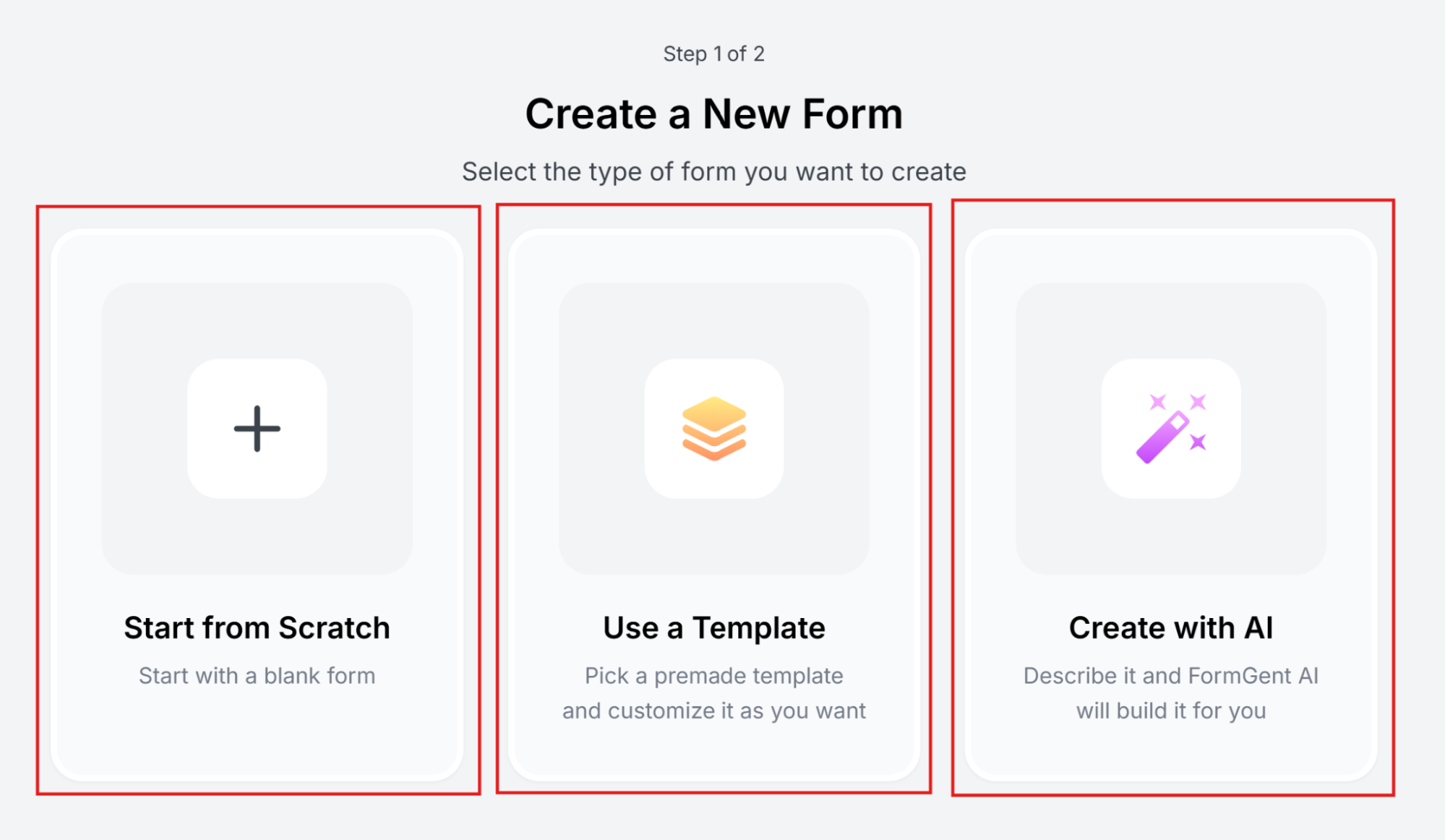
Here we’ll create a “customer feedback form” with AI. Let’s see how it works.
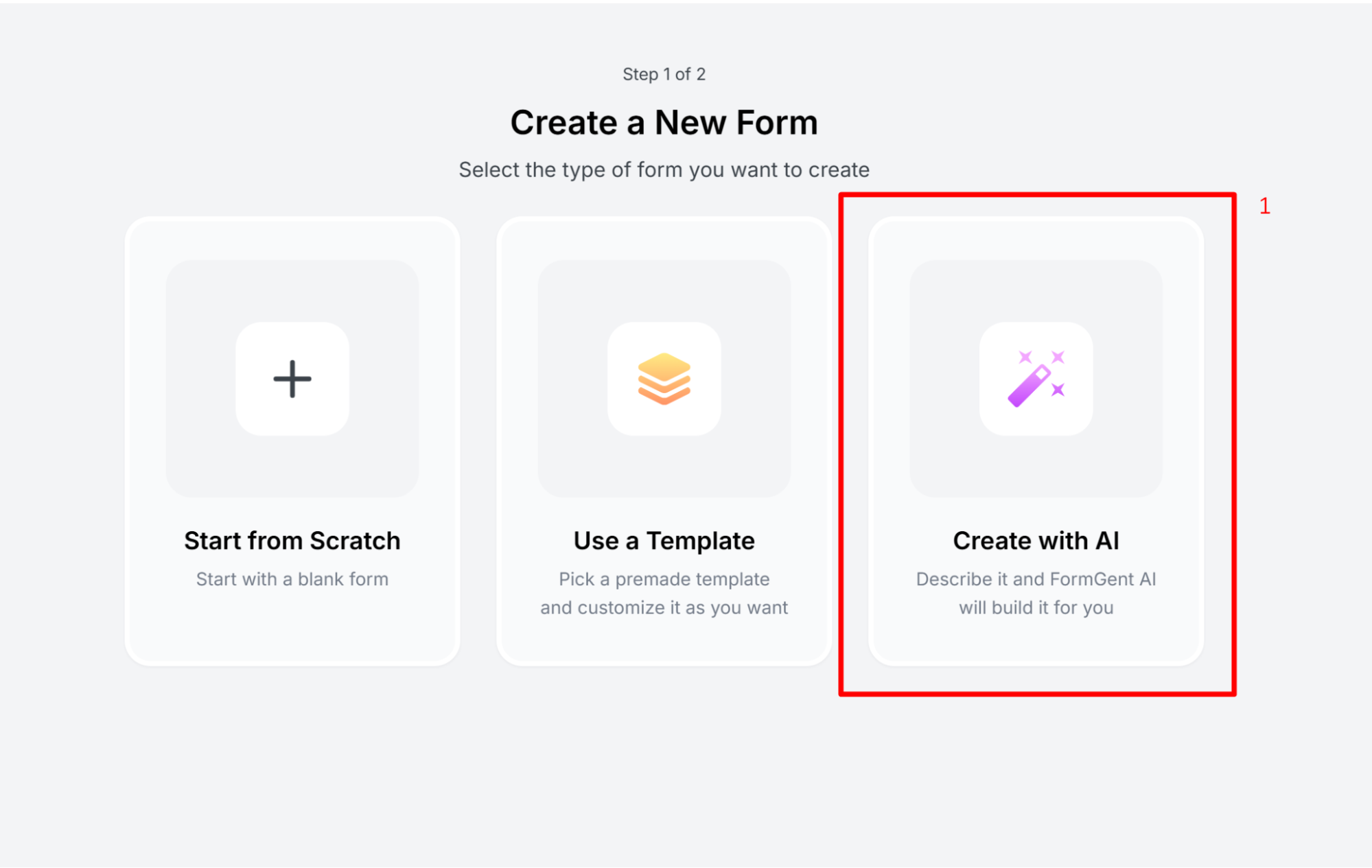
Step 3: Choose the Create with AI Option
To create a form with AI, Select “Create with AI”.
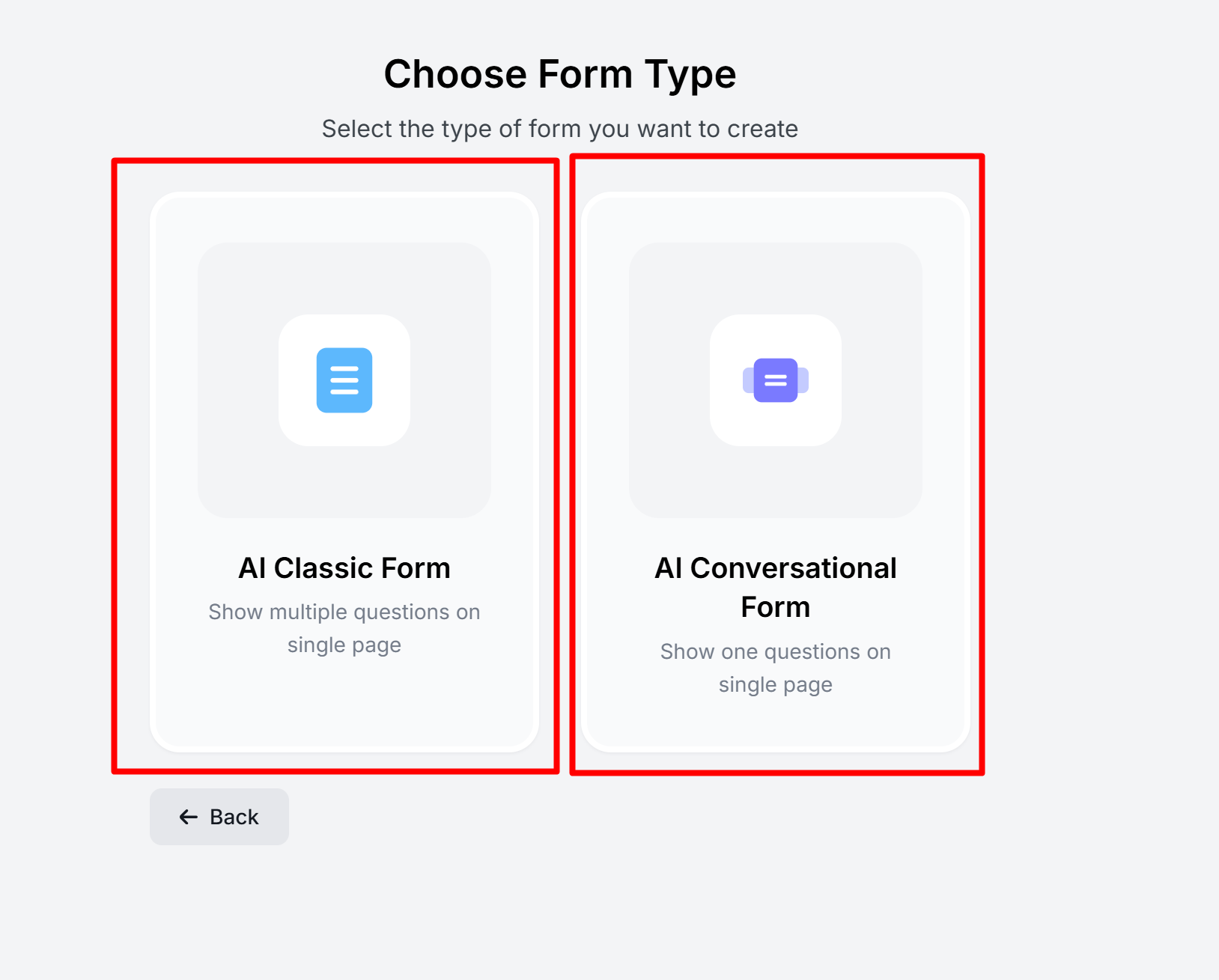
Step 4: Use Engaging Formats
Instead of boring, text-heavy forms, use options like:
- Conversational forms (one question at a time)
- Multi-step forms (break questions into smaller sections)
FormGent makes these formats easy to set up, even for beginners. We’re using the “AI conversational form” feature to make the form more interactive.
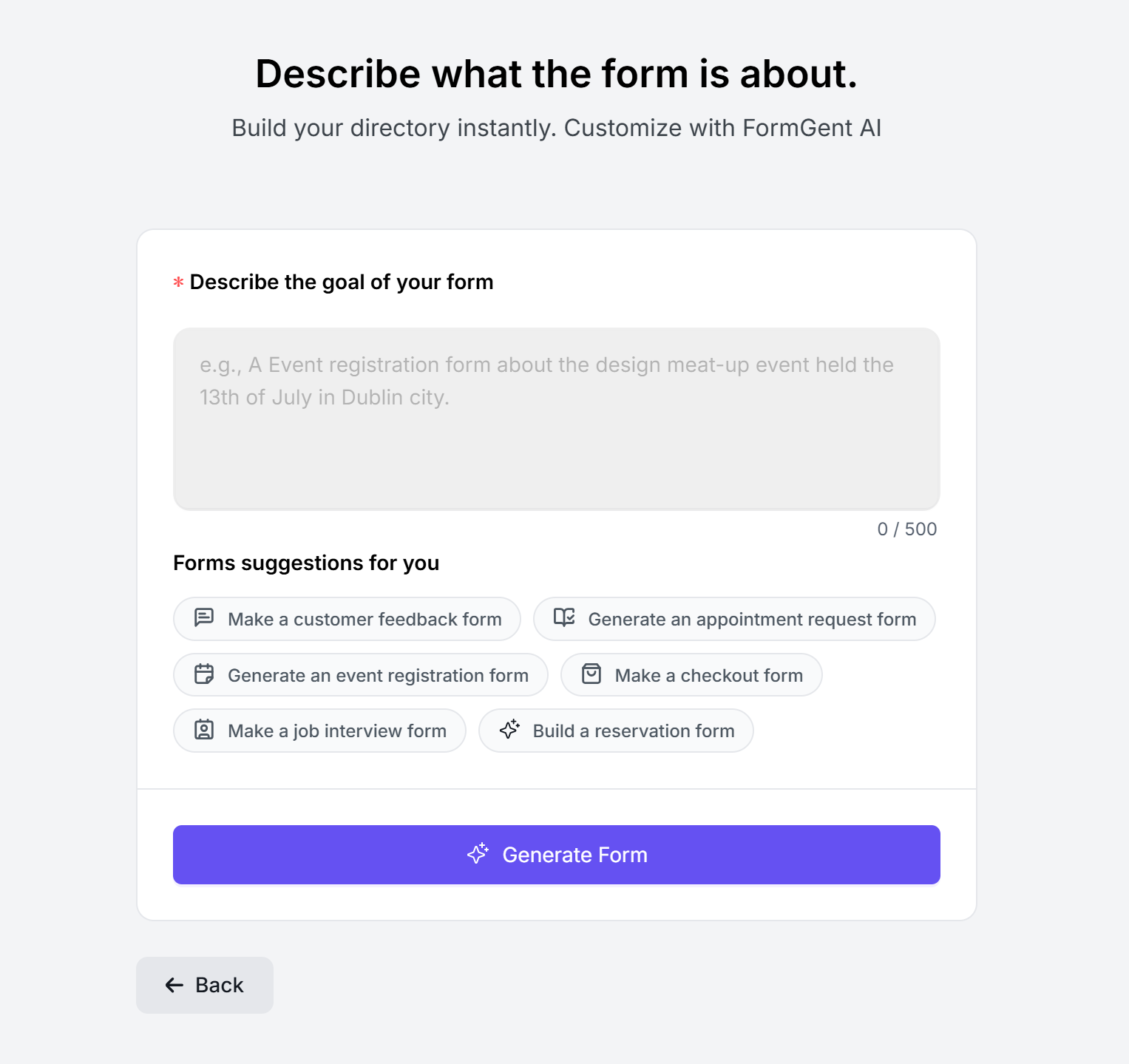
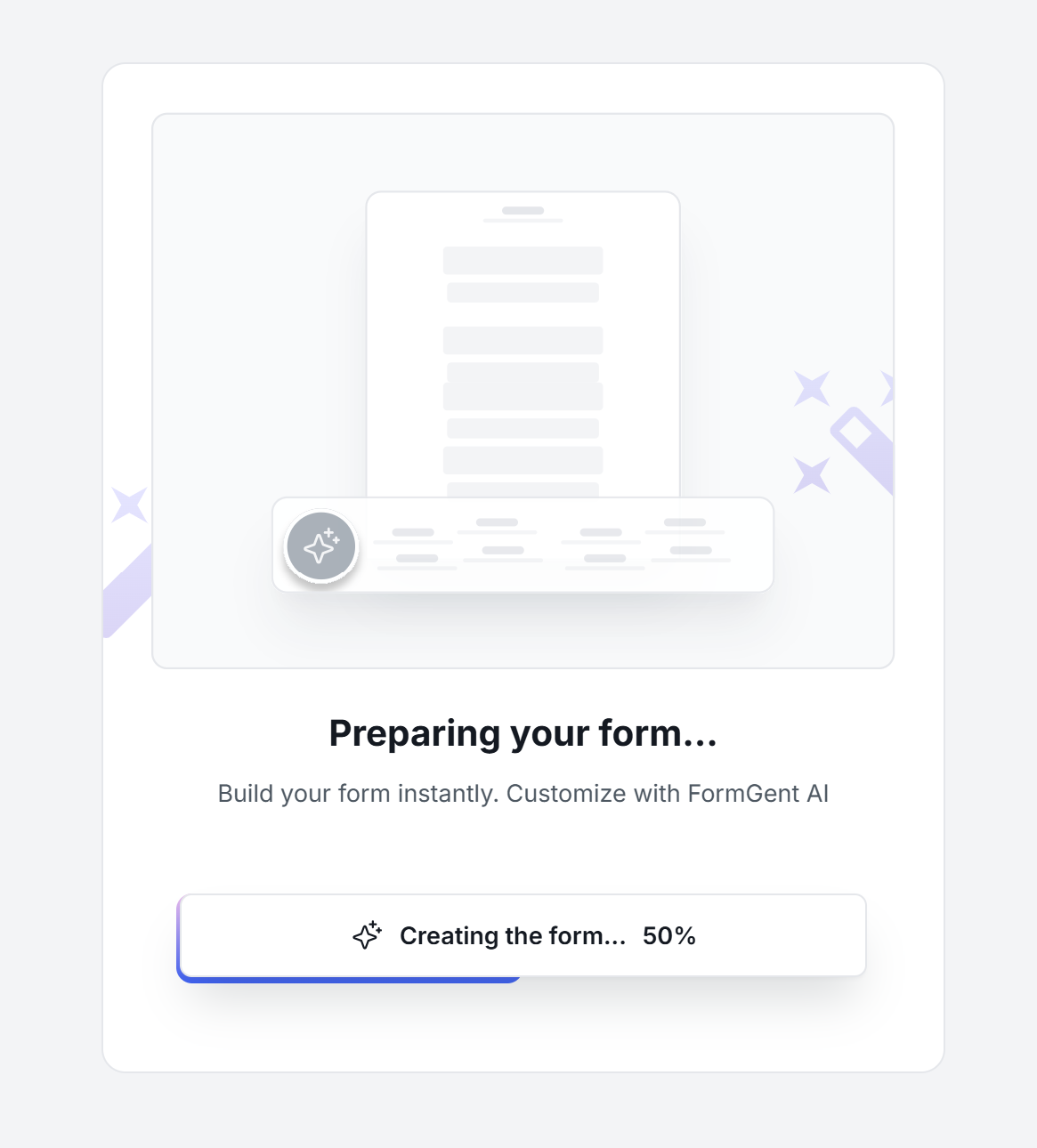
Step 5: Insert Your Prompt
Insert your prompt in the prompt box and wait for a moment.
Step 6: Add Essential Fields
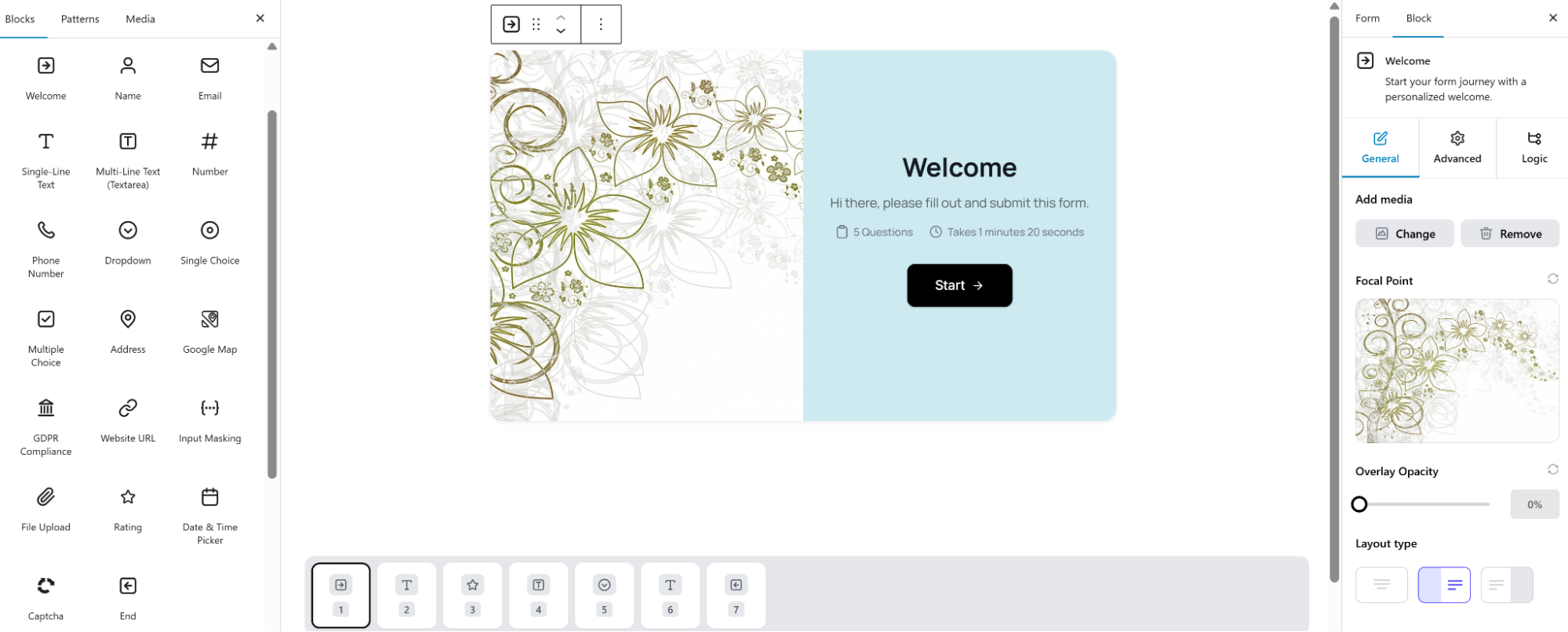
Don’t fully depend on AI. Check your form thoroughly to make it perfect. Add your essential fields. FormGent offers a lot of features. Each field offers a drag-and-drop option. So, you can easily add or remove as needed.
You can include:
- Rating scales (stars, numbers, or smileys)
- Multiple-choice or dropdowns (easy to complete)
- Open text fields (for honest comments)
- Conditional logic (make it more personalized)
- Integrations (Integrate with popular tools like Google Sheets, Zapier, Mailchimp, Slack, Zoho, and More)
Step 7: Customize with Branding
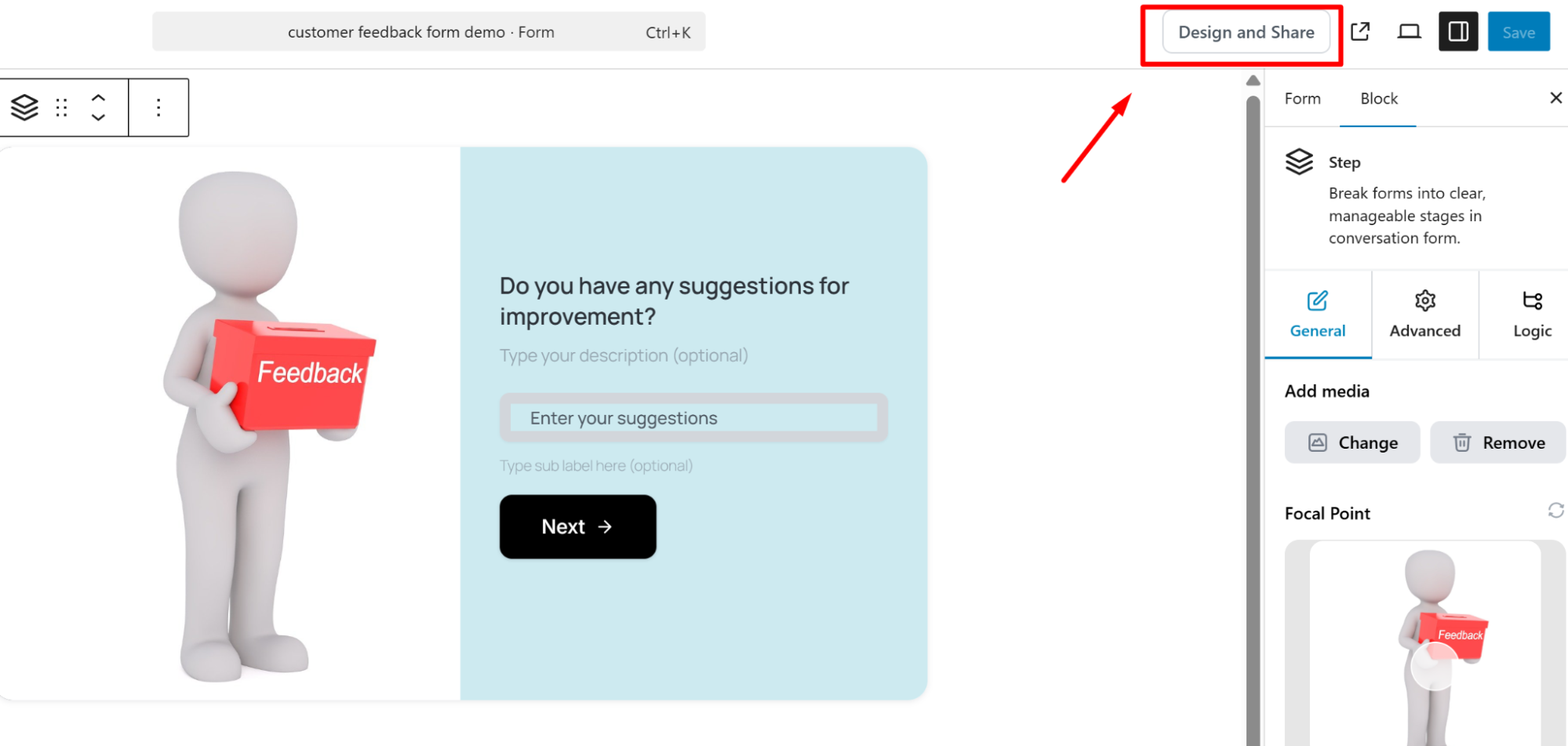
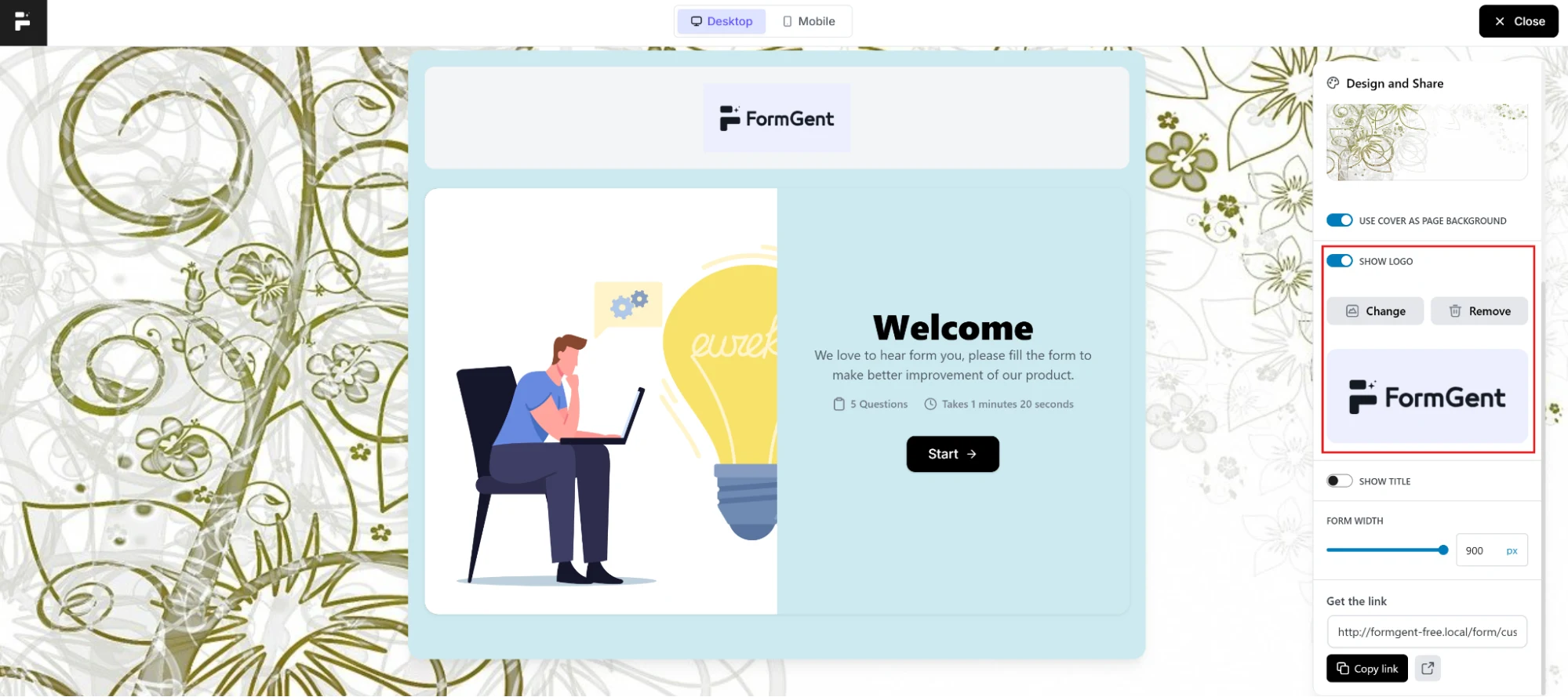
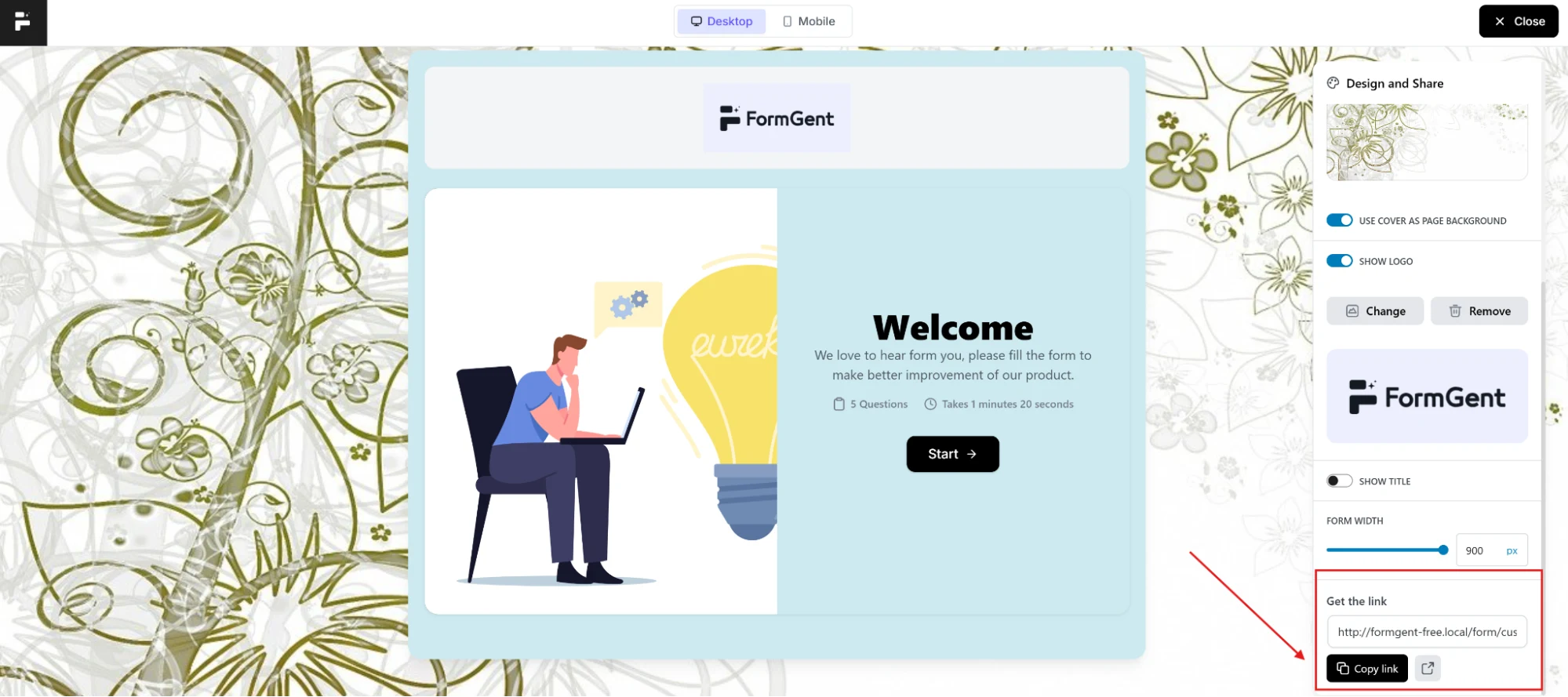
Customers are more likely to engage with a form that feels familiar. Add your brand logo, colors, and tone of voice to make it look professional and trustworthy. To add the logo in your form, click on “Design and Share”. By using the sidebar menu, you can upload your logo. You can also add or change the cover to make your form more interactive.
Step 8: Test Before Going Live
Fill out your own form to spot confusing questions, errors, or layout issues. A quick test run can save you from poor data later.

Step 9: Share It Where Customers Are
Once your form is ready, don’t hide it. Share it across:
- Your website (popup or embedded form)
- Email campaigns
- Social media posts
- QR codes
Turning Feedback into Action: Best Approach

Collecting customer responses is only half of the job. For creating an amazing customer experience, there are some more measures that you should follow. You may find many metrics or tips in different resources. These are also helpful but we figured out some of the most working insights. Here’s how to make it happen:
1. Analyze and Track Responses
For true information, avoid just quickly reading the answers. Take your time. Investigate issues for improvement. The issues can be something like:
- Are several customers submitting feedback about the same issue?
- Which features or services get the most positive feedback?
- What requests keep coming up over and over?
Visual reports and charts are also a good option for reviewing responses. The graphical interface helps to find issues faster than raw data.
2. Share Insights With Your Team
Feedback shouldn’t sit in a manager’s inbox. Share findings with product, support, marketing, or other related teams. For example, if customers say “the checkout is too slow,” the product team needs to know right away.
3. Improve Processes and Services
Change recurring feedback into useful actions. Update your FAQs, retrain the support team, or update product features. Each small modification for customers proves that you are listening to their concerns.
4. Close the Loop With Customers
Most businesses drop the ball on taking steps on customers’ feedback. If a customer suggests something, whether your response is affirmative or negative, respond to them with feedback. A quick response can create a great positive impact. Respond to them with something like “We added faster checkout based on your feedback”. Following this practice helps to build loyalty and shows you value their voice.
With FormGent, you can export data, connect it to tools like Google Sheets or CRM software, and even view analytics directly, making it easy to move from raw feedback to real action.
Best Practices for High-Performing Feedback Forms
Creating a customer feedback form is an easy task, but what if there are no responses? Some owners frequently make mistakes that create problems in obtaining the perfect leads or information. To ensure the user actually completes it and gives you meaningful answers, here are proven practices that most of the successful brands follow to get better responses:
1. Keep It Short and Focused
Nobody wants to answer a long and boring form. Keep around 5–10 well-structured questions that you actually need. A shorter form leads to a better response rate.
2. Ask the Right Questions
Always stick to the right questions. Ask the questions that you really want to know from the customers. Irrelevant questions cause an increase in the dropout rate. For example, including price-related questions is irrelevant on the food taste feedback form. So, keep the questions to the point to get an accurate response.
3. Make the Form More Interactive
Customers find the skip button when they see a long list of forms. To get rid of this, make the form more interactive.
Here are some ways you can follow to make your form more interactive.
- Rating scales like stars, numbers, smileys for quick feedback.
- Multiple-choice/dropdowns to simplify choices.
- Open text fields for detailed opinions.
4. Make It Mobile-Friendly
Making the customer feedback form is a kind of mandatory thing now. Most of the customers use mobile phones, and they do not always turn on the pc to give their feedback, right? To give a better experience, make sure to optimize the form so that it is easy to respond to. For double-check, test your form on different devices before sharing it.
5. Brand It to Build Trust
People are more likely to share their feedback when the form looks authentic and official. A form that doesn’t seem organized tends to be abandoned halfway or doesn’t get any response. To make your form authentic and official, use your company’s colors, fonts, and logo. It shows professionalism and gives a positive vibe to customers that their feedback matters.
6. Don’t forget to say “Thank You”
Don’t forget to express your gratitude, even if it is negative feedback. Always add a thank-you message or redirect to a friendly page. A small gesture like “Thanks for helping us improve!” makes the experience more positive.
7. Avoid Common Mistakes
Businesses often make some common mistakes while using a customer feedback form. You should be concerned about these mistakes and nip them in the bud before they cause serious problems. Here are some common mistakes:
- Avoid asking too personal questions.
- Avoid asking double-barreled or confusing questions
- Test your form before launch.
Pro Tip: You can also create a highly engaging pop-up form using the pop-up builder WowOptin.
Examples of Effective Customer Feedback Forms from Leading Brands
Nowadays, most of the world’s trusted brands treat customer feedback like gold. They don’t just collect it. They use it to improve every stage of the customer journey. It helps to make them stay successful and stand out among others.
Here are a few examples to clarify this:
Amazon
Amazon collects customers’ feedback on delivery speed, packaging, and product quality. They offer short forms that are easy to complete. These feedback forms include simple processes such as a star rating or a quick comment box. Customers love simplicity. With this simple form, Amazon receives better responses, and it gives Amazon real-time insights into how its operations are performing.
Starbucks
Starbucks often uses customer feedback in the form of quick surveys. They collect reviews from customers about different aspects like store cleanliness, staff friendliness, and drink quality. Upon receiving responses, they take actionable steps and ensure that every logical response leads to an improvement in the in-store experience.
SaaS Companies (e.g., Slack, Zoom)
Tech companies rely on customer feedback forms to measure the Net Promoter Score (NPS). A single question – “How likely are you to recommend us?”- reveals loyalty levels. They pair this with open-ended fields to capture the reasons behind the score. This mix gives both quantitative and qualitative insights.
What these brands have in common:
- Their forms are short and focused.
- They ask actionable questions.
- They close the loop by using responses to improve the experience.
The takeaway? A well-designed feedback form doesn’t just collect opinions; it becomes a growth engine.
Wrapping Up
Customer experience is the way and means of business success. And the fastest way to improve customer experience is by following customer feedback. A customer feedback form allows you to directly understand their needs, expectations, and frustrations.
When you analyze this feedback, share it with your team, and take steps on it. Meeting customer expectations helps to enhance good relationships and ensure customers return.
To enhance this process, a useful tool such as FormGent is a perfect choice. You can now create a customer feedback form without needing coding skills or spending a fortune. Besides, you can adjust the form as per your customer persona and can collect more feedback easily. Plus, unlike many competitors, FormGent offers premium features—like conditional logic, multi-step forms, surveys, and integrations—for free.
So, here’s your turn. Don’t just read or think about customer experience. Make your customer feedback form today using FormGent. Share it with your customers, and notice how little tweaks can make large effects.


