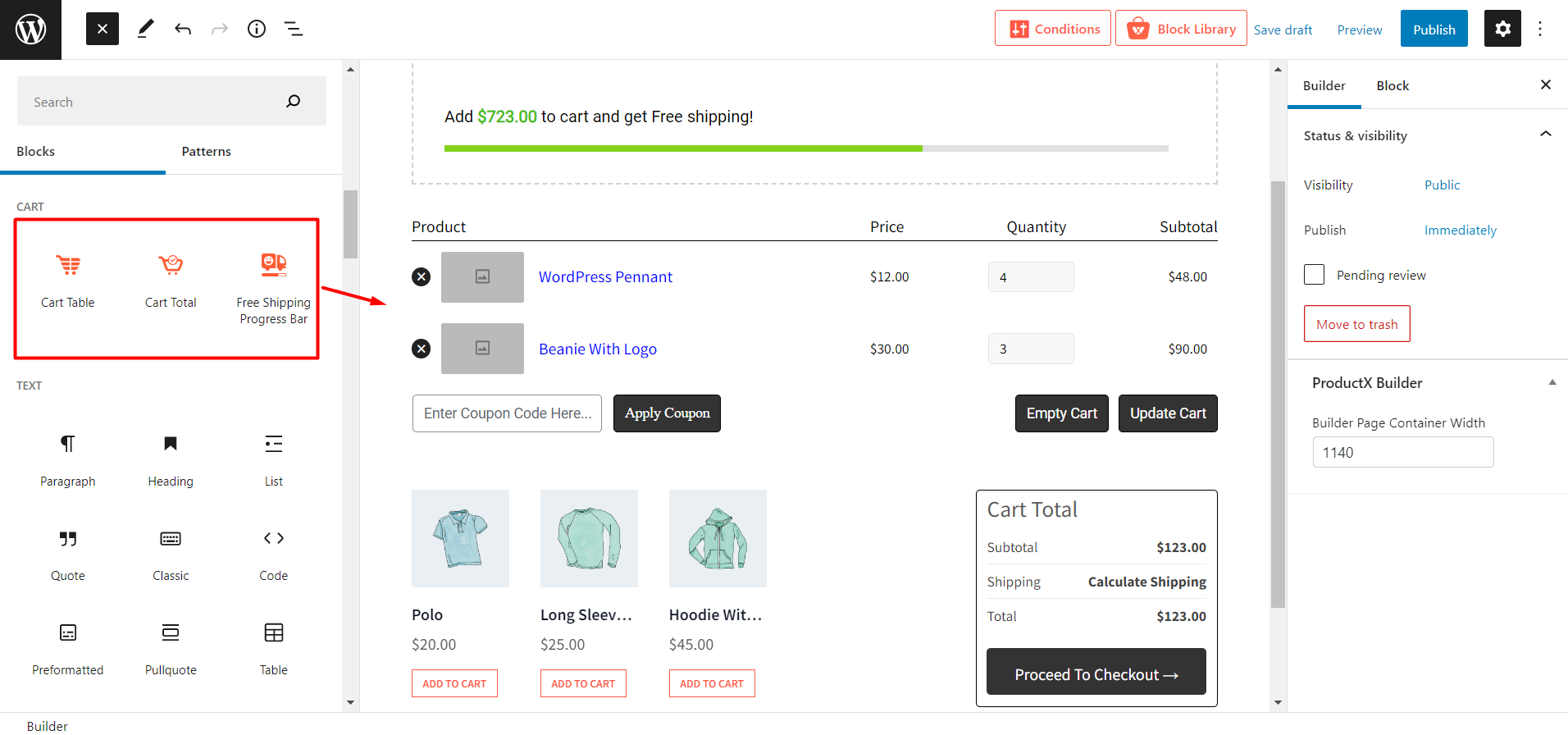
The WooCommerce Builder of WowStore helps to create a custom Cart Page from scratch. It offers a drag-and-drop building option with three Gutenberg WooCommerce Blocks finely crafted for the cart page.
Turn on WooCommerce Builder
First, you have to turn on the addon to start working with the builder. For that:
- Go to the addons section of WowStore.
- Turn on Builder Addon.
Create a New Cart Page Template
After turning on the Builder addon, you can start creating WooCommerce page templates. As you want to create a template for the cart page:
- Go to the Builder Section of WowStore
- Click on “Add New”
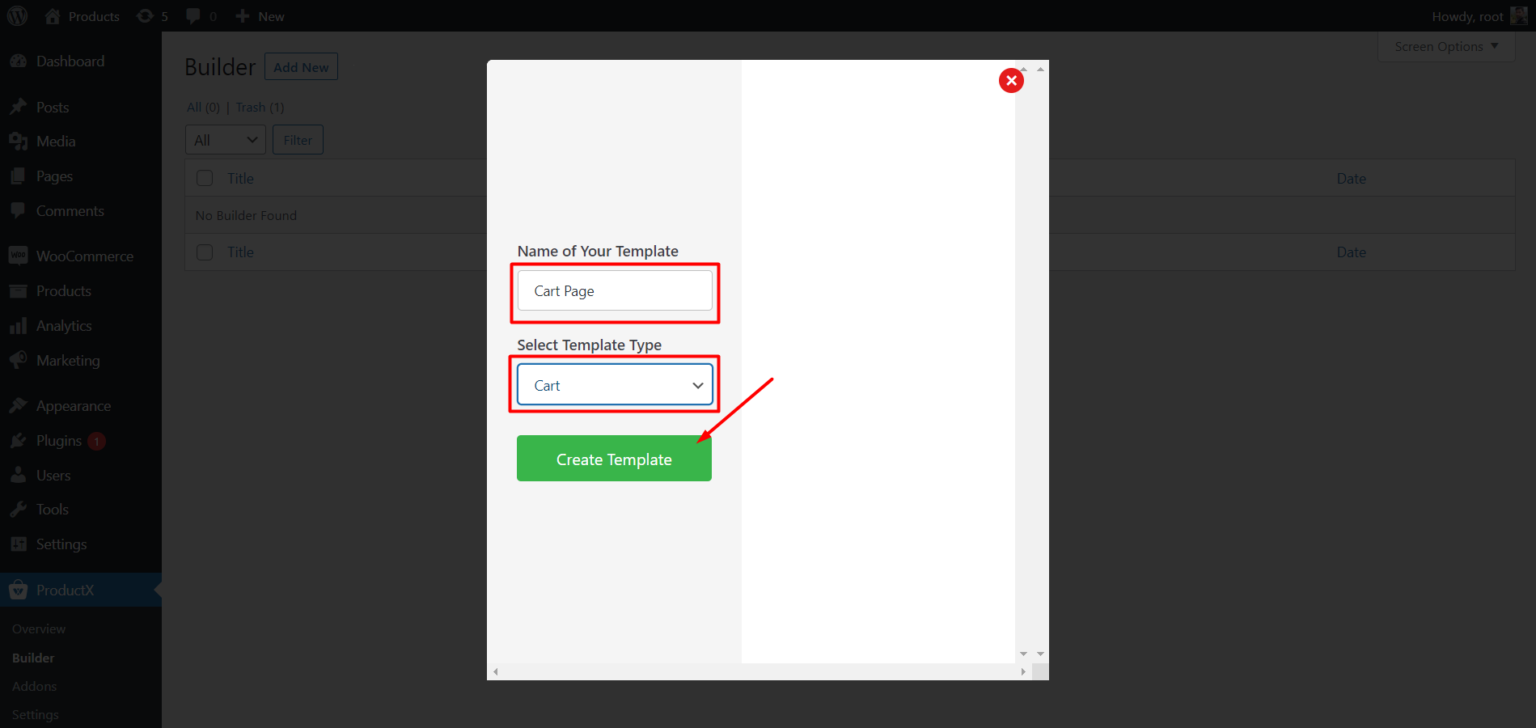
- Give a Name of the template
- Select Cart as the Template type
- Click on “Create Template”
- Click on Save and Edit
Customize Cart Page Template
After creating the template it will be empty and you have filled it up with the required elements. That’s why the WowStore Cart Builder comes with three new blocks finely crafted for the cart page. You just need to drag and add them to the template.