

A delivery note is a document sent with a shipment that lists the goods being delivered. It helps businesses and customers verify the items received and maintain accurate delivery records.
While delivery notes are often associated with logistics and warehouse operations, they are used across many industries, including retail, wholesale, manufacturing, and e-commerce.
Here are some of the most common things to know about delivery notes:
- Who creates them: Usually the seller, supplier, warehouse team, or fulfillment staff
- Who receives them: The customer or recipient of the shipment
- Main purpose: To confirm which goods were delivered
- What they help with: Verifying orders, reducing mistakes, and keeping records organized
- When they are used: During shipping, delivery, and order fulfillment
- What they usually include: Customer details, product names, quantities, and delivery information
- What they usually do not include: Payment details or pricing information
In this guide, you’ll learn what a delivery note is, why businesses use it, what information it contains, how it differs from other shipping documents, and how WooCommerce stores can generate delivery notes more efficiently.
What Is a Delivery Note?
A delivery note is a document that lists the goods sent in a shipment. It travels with the order and shows what items were delivered to the customer.
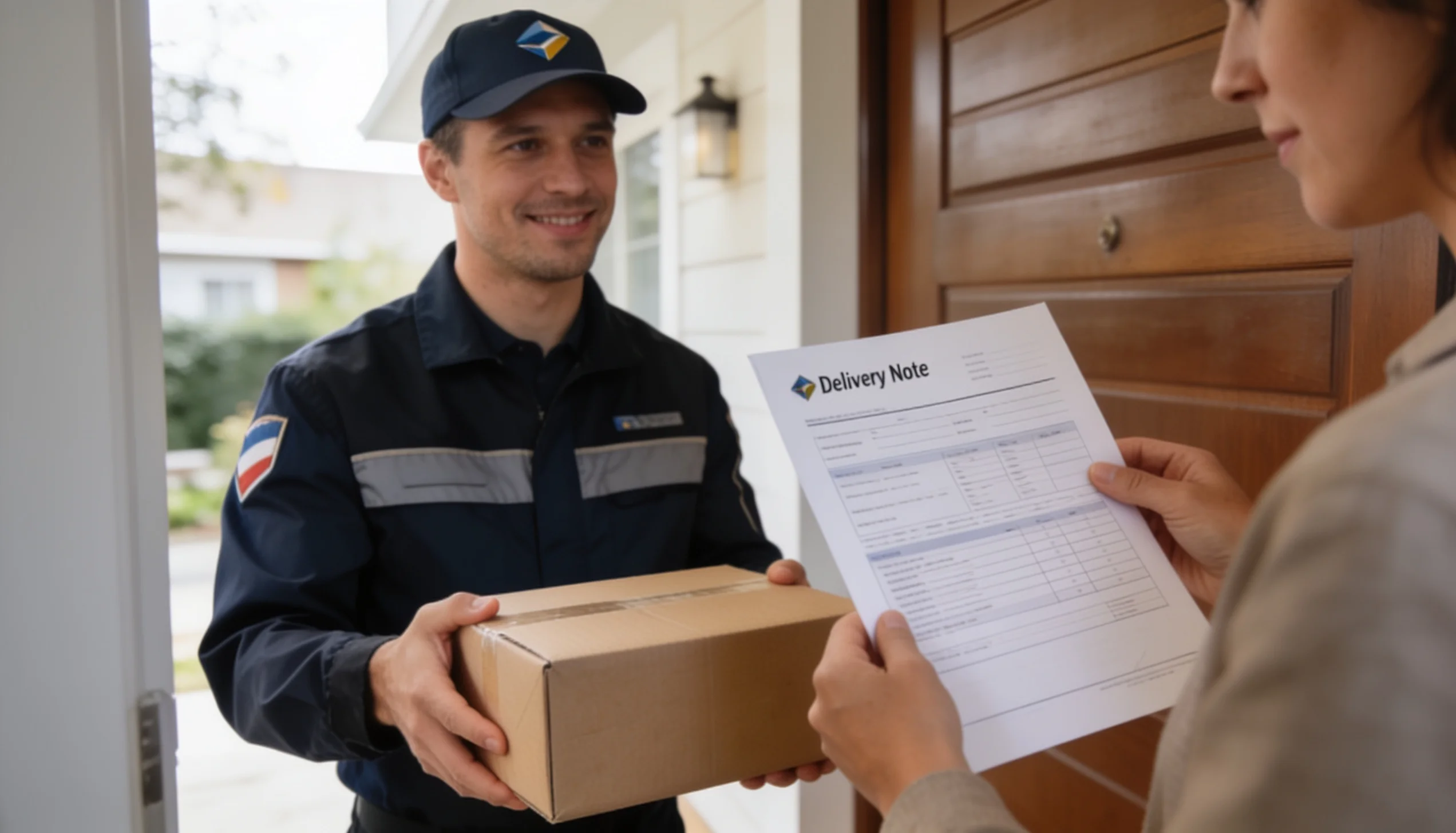
In simple words, it helps both the seller and the buyer check what was sent. It does not usually ask for payment. Its main job is to confirm the contents of the delivery.
For example, if a store sends 5 chairs and 2 tables, the delivery note will list those items. The receiver can then compare the note with the package and make sure everything arrived correctly.
What Does a Delivery Note Mean in Business?
In business, a delivery note is part of the order and shipping process. It helps teams track goods, reduce mistakes, and confirm deliveries.
Different industries use it in different ways.
- In retail, it helps stores and customers confirm that the right products were shipped.
- In wholesale, it is useful for checking bulk orders and item quantities.
- In manufacturing, it helps track raw materials, parts, or finished goods moving between locations.
- In e-commerce, it supports order fulfillment and makes the delivery process easier to manage.
In short, a delivery note gives businesses a simple way to verify what was sent and what was received. It also helps keep records clear and accurate.
Why Are Delivery Notes Important?
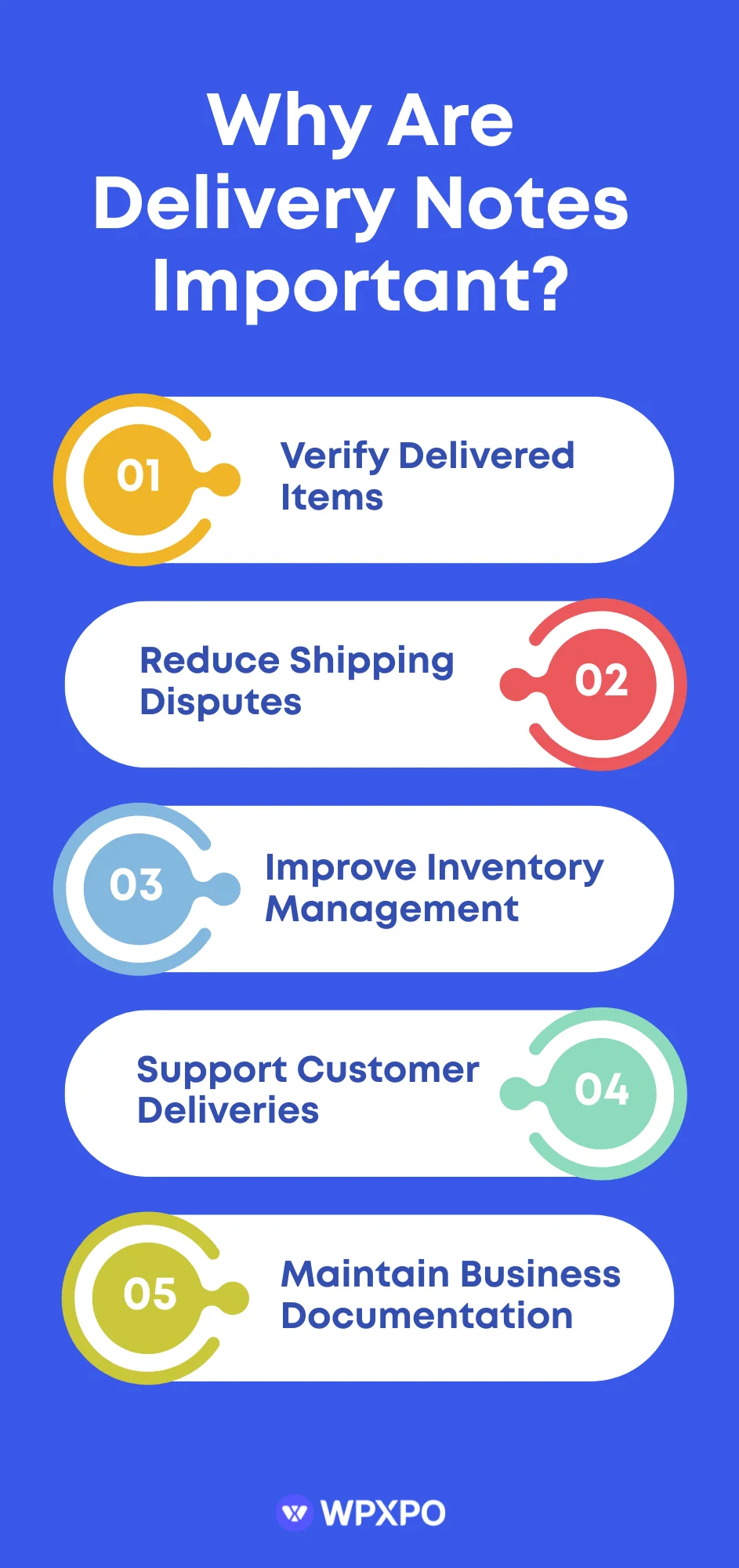
Delivery notes play an important role in shipping, fulfillment, and inventory management. They help businesses verify deliveries, keep accurate records, and reduce mistakes throughout the order process.
Verify Delivered Items
A delivery note helps the sender and receiver confirm that the correct products were delivered.
The recipient can compare the items in the package with the information on the delivery note. This makes it easier to spot missing, extra, or incorrect items before accepting the shipment.
Reduce Shipping Disputes
Delivery notes create a clear record of what was sent to the customer.
If there is a disagreement about missing products or incorrect quantities, both parties can refer to the delivery note for verification. This helps resolve issues faster and improves communication between sellers and buyers.
Improve Inventory Management
Businesses use delivery notes to keep inventory records accurate.
Warehouse staff can check incoming and outgoing goods against the delivery note. This helps update stock levels correctly and reduces inventory errors.
Support Customer Deliveries
A delivery note gives customers a clear overview of the products included in their order.
Customers can quickly verify that they received everything they purchased. This improves transparency and builds trust in the delivery process.
Maintain Business Documentation
Delivery notes serve as supporting documents for business operations.
They help businesses keep track of shipments, maintain delivery records, and organize order-related information. These records can also be useful when handling returns, exchanges, or customer inquiries.
What Information Is Included in an Ideal Delivery Note?
While delivery note formats can vary between businesses, most include the same core information. These details help both the sender and the recipient verify the shipment and keep accurate records.
An ideal delivery note should include:
✅ Delivery note number – A unique reference number used to track and identify the document.
✅ Seller information – The business name, address, contact details, and other relevant company information.
✅ Customer information – The recipient’s name, company name (if applicable), and contact details.
✅ Shipping address – The address where the goods are being delivered.
✅ Product details – Information about each item in the shipment, including:
- Product name
- SKU or product code
- Quantity ordered or shipped
✅ Delivery date – The date the shipment was sent or delivered.
✅ Order reference number – The related order number or purchase order number for easier tracking.
✅ Special delivery instructions – Any notes related to handling, delivery requirements, or shipment conditions.
✅ Signature or confirmation section – A space where the recipient can sign or acknowledge receipt of the goods.
What Does a Delivery Note Look Like?
Now that you know what information a delivery note contains, let’s see how those details are typically organized in a real document.
Most delivery notes follow a simple format that makes shipment information easy to read and verify. While the design may vary between businesses and software solutions, the core elements usually remain the same.
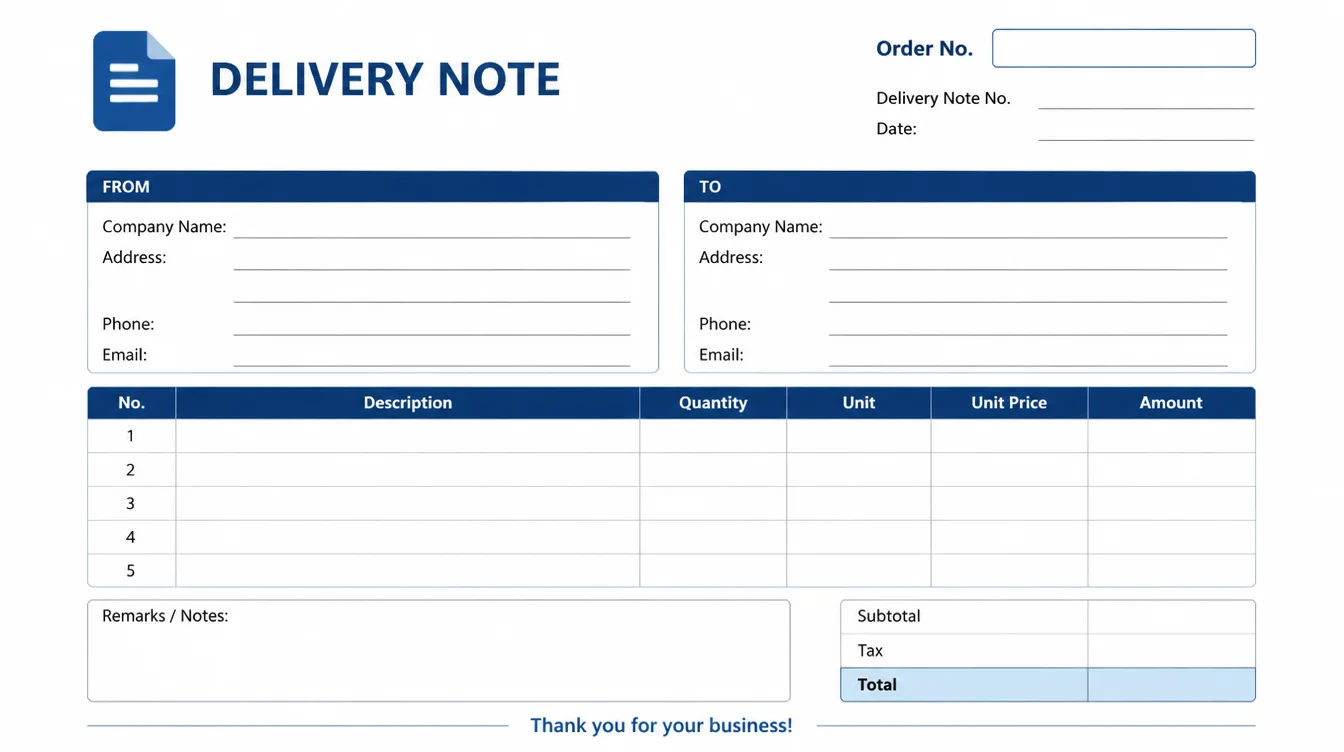
In the example above, you can see how these details are arranged in a structured format. This allows the recipient to quickly compare the delivered items with the information listed on the document.
Some businesses use basic delivery notes with only essential shipment details. Others use more detailed formats that include company branding, purchase order references, shipping information, and additional notes.
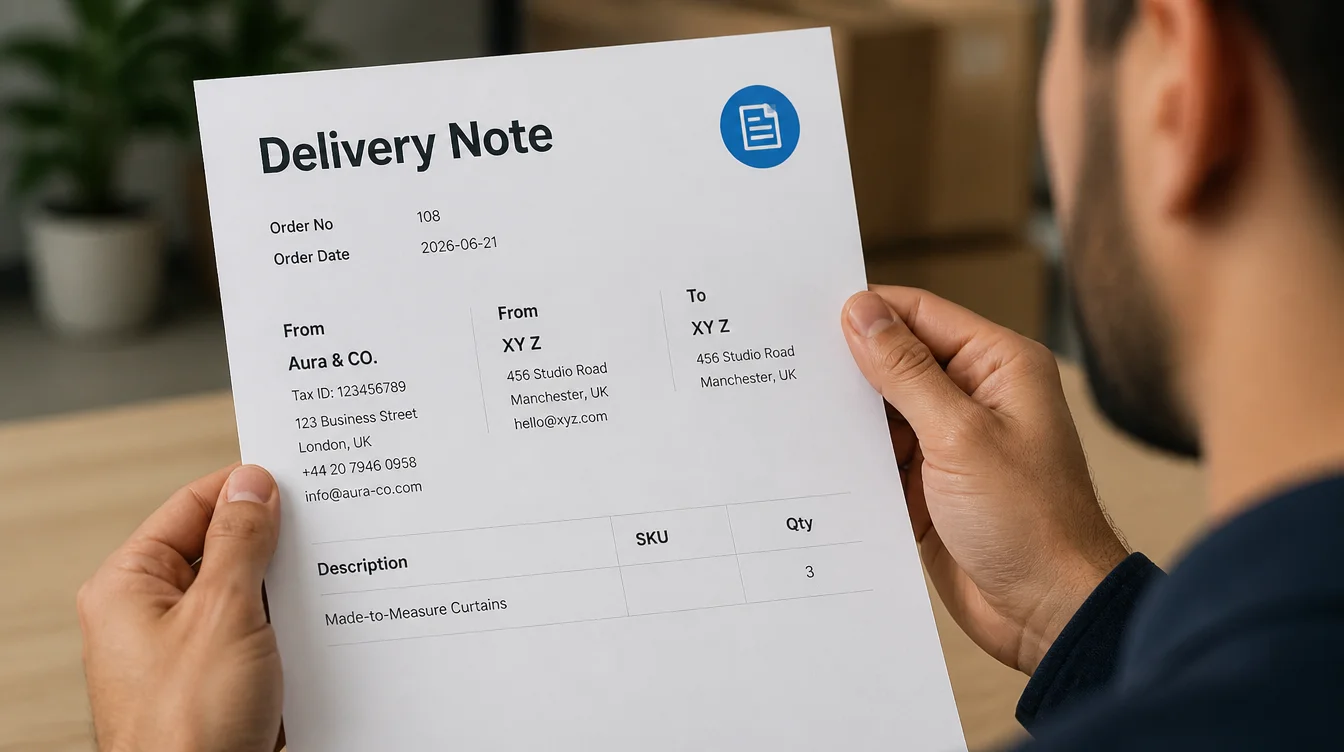
Regardless of the format, the purpose remains the same: to provide a clear record of the shipment and help both parties verify what was delivered.
How Businesses Use This Information
Businesses use the information in a delivery note to verify shipments and maintain accurate records.
- Warehouse teams use product details and quantities to check that the correct items were packed and delivered.
- Customer service teams use order numbers and delivery information to answer customer questions and resolve delivery issues.
- Inventory managers use delivery notes to track stock movement and update inventory records.
- Accounting and operations teams may also use delivery notes to match shipments with purchase orders and invoices.
- The signature or confirmation section provides proof that the goods were received. This can be helpful when handling disputes, returns, or missing item claims.
By keeping all shipment details in one place, delivery notes help businesses improve accuracy, reduce errors, and streamline their fulfillment process.
Delivery Note vs Invoice vs Packing Slip
Delivery notes, invoices and packing slips are often used together during the order fulfillment process. However, each document serves a different purpose.
A delivery note helps verify the goods delivered. An invoice is used to request payment, while a packing slip lists the contents of a package for shipping and packing purposes.
Although these documents may look similar, they serve different purposes during the fulfillment process. The table below highlights the key differences.
| Feature | Delivery Note | Invoice | Packing Slip |
|---|---|---|---|
| Primary Purpose | Confirm goods delivered | Request payment for goods or services | List package contents |
| Sent With Shipment | Yes | Sometimes | Yes |
| Includes Product Details | Yes | Yes | Yes |
| Includes Quantities | Yes | Yes | Yes |
| Includes Prices | Usually No | Yes | Usually No |
| Includes Tax Information | No | Yes | No |
| Used for Payment Collection | No | Yes | No |
| Used for Delivery Verification | Yes | No | Limited |
| Used by Warehouse Teams | Yes | Occasionally | Yes |
| Requires Customer Signature | Sometimes | Rarely | No |
While these documents may contain similar information, they serve different roles in business operations. Many businesses use all three documents together to ensure accurate shipping, payment processing, and record-keeping.
Do Delivery Notes Have Legal Value?
Yes, delivery notes can have legal value, but they are not usually considered legal documents in the same way as contracts or invoices.
A delivery note primarily serves as a record of what goods were delivered to a customer. When signed or acknowledged by the recipient, it can act as supporting evidence that the shipment was received.
For example, if a customer claims that certain products were missing from an order, the delivery note can help verify what was shipped and delivered. This makes it useful when resolving disputes between buyers and sellers.
So, Are Delivery Notes Mandatory?
In most countries and industries, delivery notes are not mandatory for every shipment.
They are usually optional. However, some businesses, industries, or business agreements may require them as part of their delivery process.
For this reason, many companies include delivery notes as a standard part of their fulfillment workflow even when they are not legally required.
When Can Delivery Notes Be Important?
Even when they are not legally required, delivery notes can be valuable for:
- Proving that goods were shipped and received
- Resolving delivery disputes
- Supporting inventory and fulfillment records
- Matching deliveries with purchase orders and invoices
- Maintaining an audit trail for business operations
How Do Businesses Create Delivery Notes?
Businesses can create delivery notes in different ways depending on their order volume and workflow.
Small businesses may create them manually, while larger businesses often automate the process to save time and reduce errors.
Creating Delivery Notes Manually
Many businesses create delivery notes using word processors, spreadsheets, or printable templates.
The process usually involves entering customer information, delivery details, and product data for each order. Once completed, the document is printed and included with the shipment.
Manual delivery notes can work well for businesses with a low number of orders. However, they can become time-consuming as order volume grows.
Creating Delivery Notes Automatically
Many businesses use e-commerce platforms, inventory management systems, or specialized software to generate delivery notes automatically.
These systems pull order information directly from the database and create delivery notes with minimal manual input. This helps ensure accuracy and consistency across all shipments.
Automatic delivery note generation can also reduce administrative work, speed up order processing, and minimize human errors.
For businesses that handle a large number of orders, automation is often the most efficient way to create and manage delivery notes.
If you run a WooCommerce store, you can automate delivery note generation directly from your order management workflow using an order fulfillment plugin.
Automatically Generate Delivery Notes in WooCommerce with WowInvoice
As a WooCommerce store grows, creating delivery notes manually for every order can become time-consuming and difficult to manage. A delivery note plugin helps automate the process, reduce manual work, and keep fulfillment documents organized.
How WowInvoice Helps
WowInvoice helps WooCommerce store owners generate delivery notes automatically from order data.
It is an all-in-one WooCommerce plugin that also supports invoices, packing slips, picklists, credit notes and shipping labels, making it easier to manage fulfillment paperwork from a single dashboard.
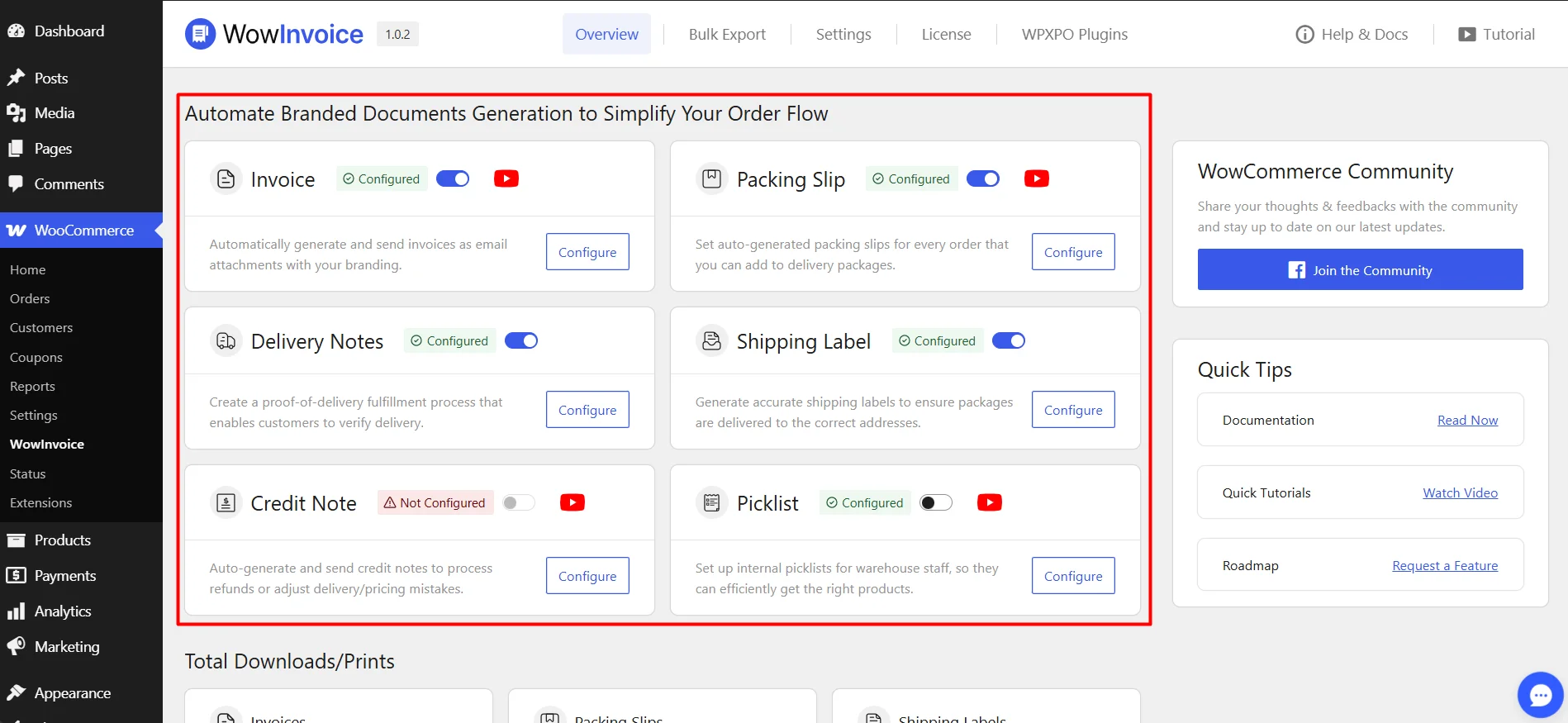
With delivery note generation built into the workflow, store owners can spend less time creating documents and more time processing orders.
How to Create a Delivery Note in WooCommerce Using WowInvoice
Creating a delivery note with WowInvoice is straightforward. Once the plugin is installed and activated, you can generate delivery notes directly from the plugin dashboard.
Follow these steps:
- Go to the plugin dashboard and click the Configure button on delivery notes
- Make sure the store informations are correct and then configure the layout size and notification email settings
- Then, customize the delivery note for different sections from the right sidebar.
- After setting everything, toggle the Publish button and save the configuration.
- Now go to WooCommerce>Orders and open any order details. In the right sidebar, you can see all the configured documents from WowInvoice.
- From here, you can download and print the delivery note for this order.
The delivery note automatically pulls information such as customer details, products, quantities, and order information, reducing the need for manual document creation.
When Should You Use WowInvoice?
WowInvoice makes the most sense when:
- Your WooCommerce store handles a steady number of orders and manual document creation is taking too much time.
- Your team needs a faster and more organized way to generate delivery notes.
- You want to reduce errors caused by entering delivery details by hand.
- You need a consistent workflow for customer orders, returns, or warehouse operations.
- You want to simplify delivery document management as your store grows.
In short, if your store is spending too much time on manual delivery documents, WowInvoice can help make the process simpler and more efficient.
FAQs About Delivery Notes
Is a Delivery Note the Same as an Invoice?
No, a delivery note and an invoice serve different purposes. A delivery note confirms the goods included in a shipment, while an invoice is used to request payment.
Is a Delivery Note Legally Required?
In most cases, no. Delivery notes are generally optional and are not legally required for every shipment, although some industries, business agreements, or regional regulations may require delivery documentation.
Who Creates a Delivery Note?
A delivery note is usually created by the seller, supplier, warehouse team, or fulfillment department responsible for shipping the goods. In many e-commerce stores, delivery notes are generated automatically through order management or fulfillment software.
What Is the Difference Between a Delivery Note and a Packing Slip?
A delivery note is used to verify the goods delivered to the customer and may also include a signature section to confirm receipt. A packing slip is mainly used for packing and shipping purposes and helps warehouse staff ensure the correct items are included before shipment.
Does a Delivery Note Include Prices?
Usually, no. Most delivery notes focus on shipment details such as product names, quantities, customer information, and delivery details, while pricing and payment information are typically included on the invoice instead.
Should E-commerce Stores Use Delivery Notes?
Yes, although they are not mandatory. Delivery notes help ecommerce stores verify shipments, reduce fulfillment errors, manage returns more efficiently, and maintain clear records of delivered orders.
Conclusion
A delivery note is a simple but important document that helps businesses verify shipments, maintain accurate records, and reduce fulfillment errors. It provides a clear overview of the goods delivered and serves as a useful reference for both sellers and customers.
Although delivery notes are not always legally required, they play an important role in inventory management, delivery verification, and dispute resolution.
For this reason, businesses of all sizes continue to use them as part of their fulfillment process.
As order volume grows, creating delivery notes manually can become inefficient. Many WooCommerce store owners choose to automate the process using delivery note and order document plugins to save time and keep their fulfillment workflow organized.
By understanding how delivery notes work and when to use them, businesses can create a smoother and more reliable delivery experience for both their teams and customers.
For more helpful tips, stay connected with our LinkedIn Newsletter.


