

Before we start discussing some of the necessary tools for Project Management in WordPress, it’s probably better to start with the basic definition of project management.
According to the Project Management Institute, Project Management is all about offering a solution/service that offers value to people by using contextual knowledge, methods, skills, etc. For example, the development of software to automate web-based common tasks or services is an appropriate example.
With that said, it’s probably better to learn why you would need a WordPress Project Management plugin in the first place.
Why Do You Need a WordPress Project Management Plugin?
In general, project management is a set of essential skills and tactics for members of a team (let’s say a software firm) to meet the pre-defined goals and objectives. This happens to be true for online businesses, freelancers, coders, and developers as well.
And if you’re running your endeavors on a web-based solution like WordPress, you’ll need it more than ever. WordPress Project Management plugins are essential for web devs, marketing, social media, UI/UX designers, and everyone connected online.
It’s essentially a way to keep track of and maintain the progress towards the goals and objectives of an organization.
Today, we’ll not just be talking about the Best WordPress Project Management Plugin. But we’ll also talk about what features you’ll need in a WordPress project management plugin to get your organization on track to meet the company’s vision.
So, let’s get started!
Best Project Management Plugin for WordPress: Options to Consider
There are some top-notch options out there that will help you get started with your WordPress project management journey. So we’ll look at these options for now and then move on to some of the more interesting topics we have in store for you.
Now, do keep in mind that all these options have their merits and demerits when it comes to project management. So, ranking them from top to bottom doesn’t do them justice in the right way.
We would ask you to choose a WordPress plugin that works for you. In short, you may want to pay attention to what each project management solution has in store for you.
1. WP Project Manager Pro by weDevs
WP Project Manager Pro is a solid offering from weDevs with a lot of cool features for managing small, medium, and large-scale projects. The free version of the plugin comes with a lot of cool features that will get you started on managing your workflow.
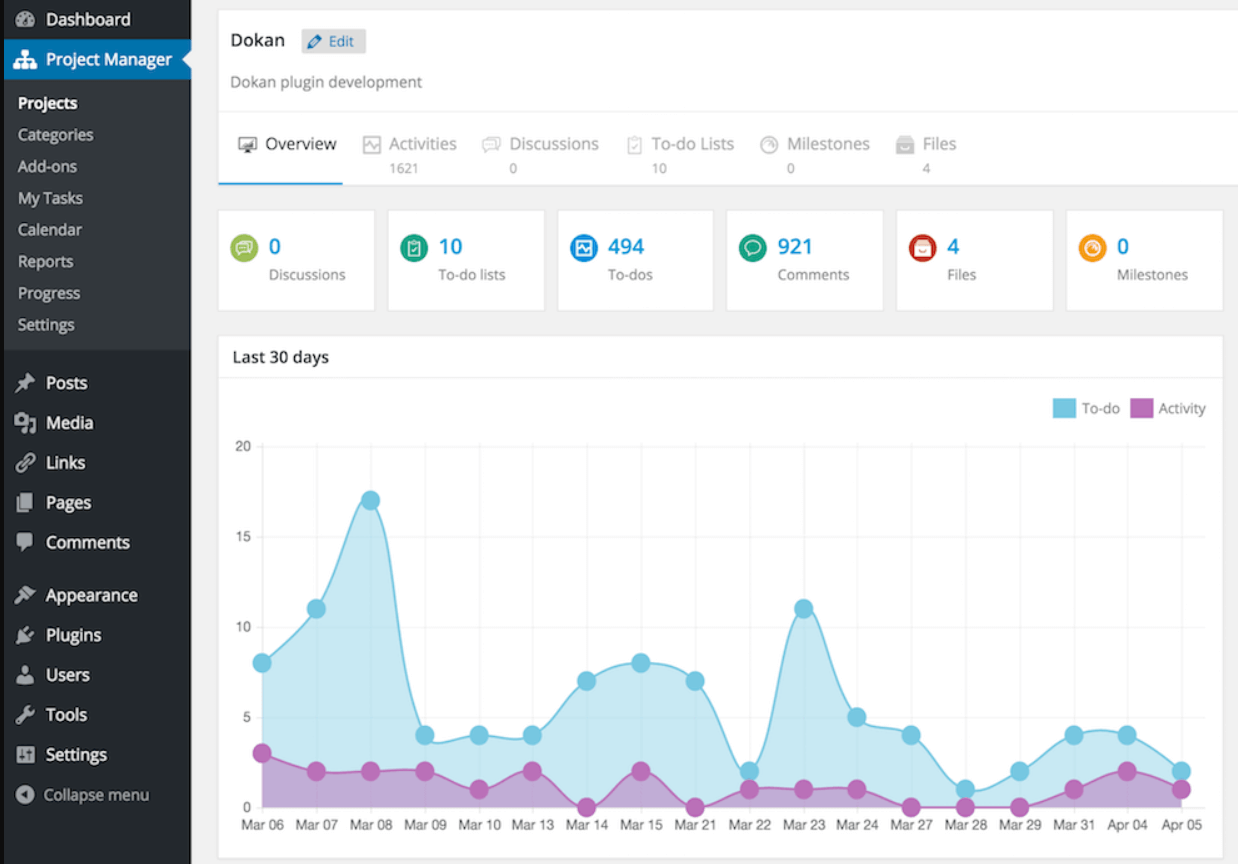
Among the basic features, you get the option to: create projects and allow users to leave comments, enable messaging, attach files to cards, and add users to them. Other than the usual features, you do get the option to add milestones alongside the messaging functionality.
Email notification, another important feature in a project management plugin, is also fully functional on WP Project Manager, allowing you to set the notifications and have control over who can receive them. And there’s also the capability to incorporate a push notification as well.
The ability to create and manage Kanban boards is an essential feature when it comes to project tools. With WP Project Manager, you can do so seamlessly by creating unlimited boards and drag-and-drop them to your needs.
There’s also the Gantt chart functionality, where users can see the timeline of a given task and assess changes and dependencies. Then there are the Time Tracking and Customer Invoicing Capabilities, where users can keep track of the progress and charge their clients accordingly in that manner.
As far as integration goes, you have support for WooCommerce, GitHub, Slack, and more. All in all, it’s pretty much a complete suite for project managers of any discipline.
The plugin currently has more than 10000 active installations that are growing at a steady pace. Also, the customer support is decent overall; issues do get quick attention from the team and get resolved on time.
You can get started for FREE and use the basic features. The Pro version of the WP Project Manager plugin starts at $79, very competitive in comparison to some of the competition.
2. FluentBoards
FluentBoards is a next-generation WordPress project management plugin. One of the great things about this plugin is its simplicity. The interface is very easy to master. Also, the design feels very intuitive, which is a plus for a project management plugin like this:
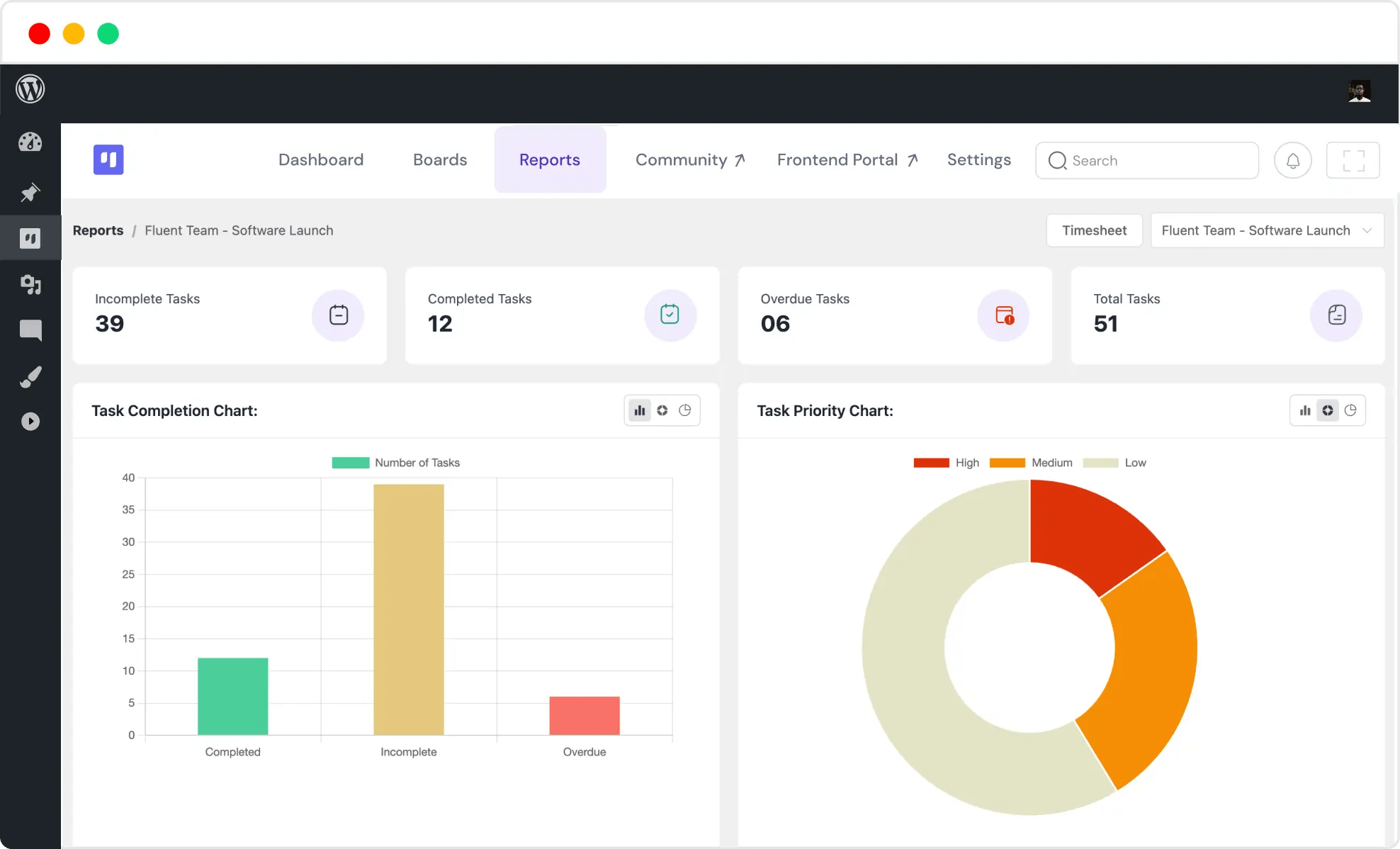
The visuals of the plugin are one of the key selling points. The team took extra care in keeping the design distraction-free. It’s the sign of a decent project management tool. And, all these things come with no boundaries. So, you’re pretty much guaranteed a clean, fast, and limitless environment to create and manage your projects.
Pricing for the plugins starts at $129 for a single-site license with 1-year validity. Pricing for the lifetime deal starts at $249. The pricing does seem a bit steep. But the 14-day money-back guarantee sweetens the pot. You should check it out for yourselves if you’re looking for a project management plugin that’s clean, simple, and easy to use; FluentBoards can be a great choice.
3. GemBoards
GemBoards is a modern WordPress project management plugin built for teams, agencies, freelancers, and businesses that want to manage projects directly from their WordPress dashboard. The plugin combines a clean, intuitive interface with powerful workflow management tools, making it easy to organize tasks, track project progress, and collaborate with team members.
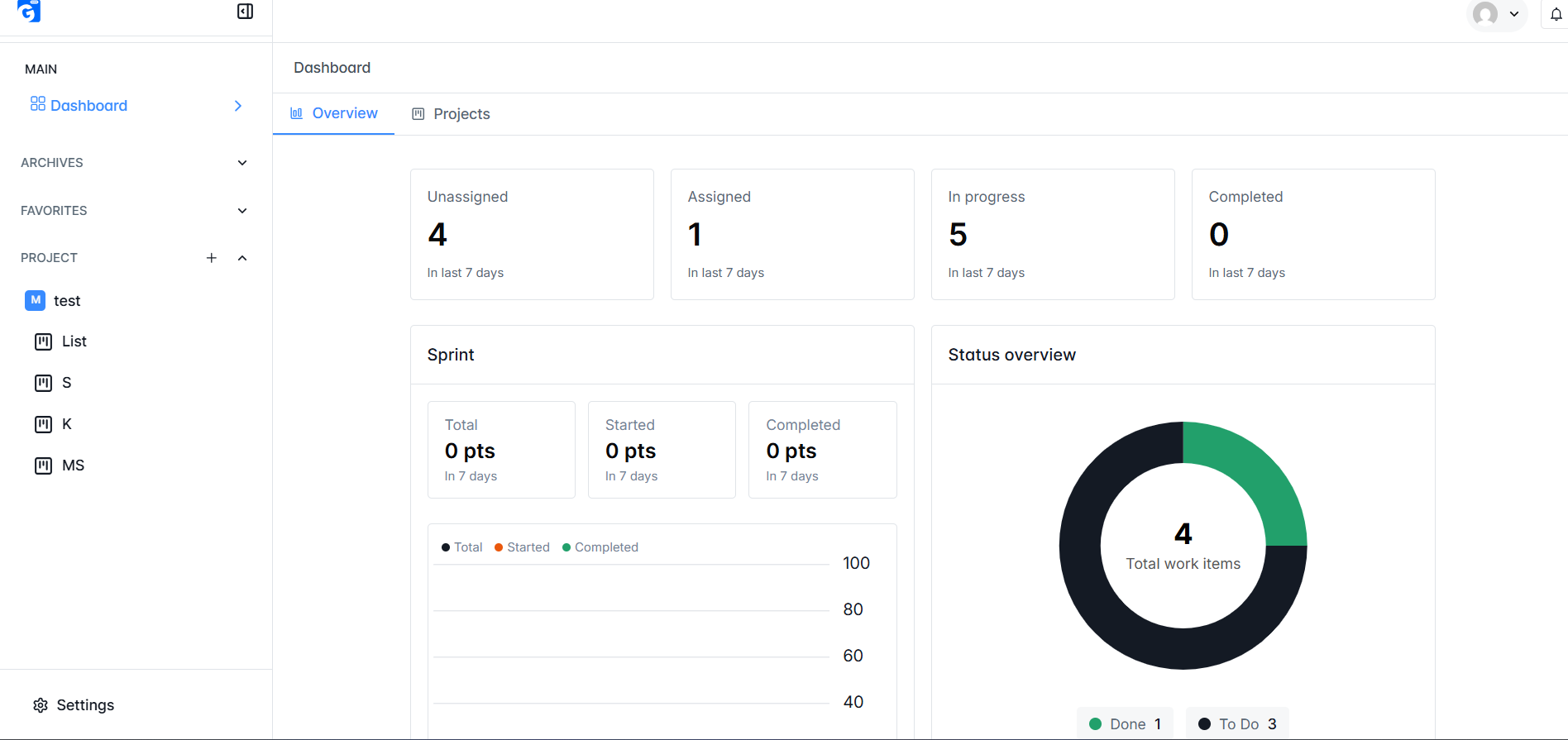
With visual Kanban boards, task assignments, sprint management, comments, file attachments, and activity tracking, GemBoards helps teams streamline their workflows without relying on external project management platforms. Its WordPress-native approach ensures that all project data remains under your control while providing a seamless user experience.
Pricing starts at $149 for a 1-site lifetime license, $249 for up to 10 sites, and $349 for up to 100 sites. Considering its lifetime pricing model and comprehensive project management features, GemBoards offers excellent value for businesses and agencies looking for a scalable and cost-effective collaboration solution.
4.CoSchedule by Team CoSchedule
The CoSchedule WordPress Project Management plugin is heavily focused on product marketing teams.
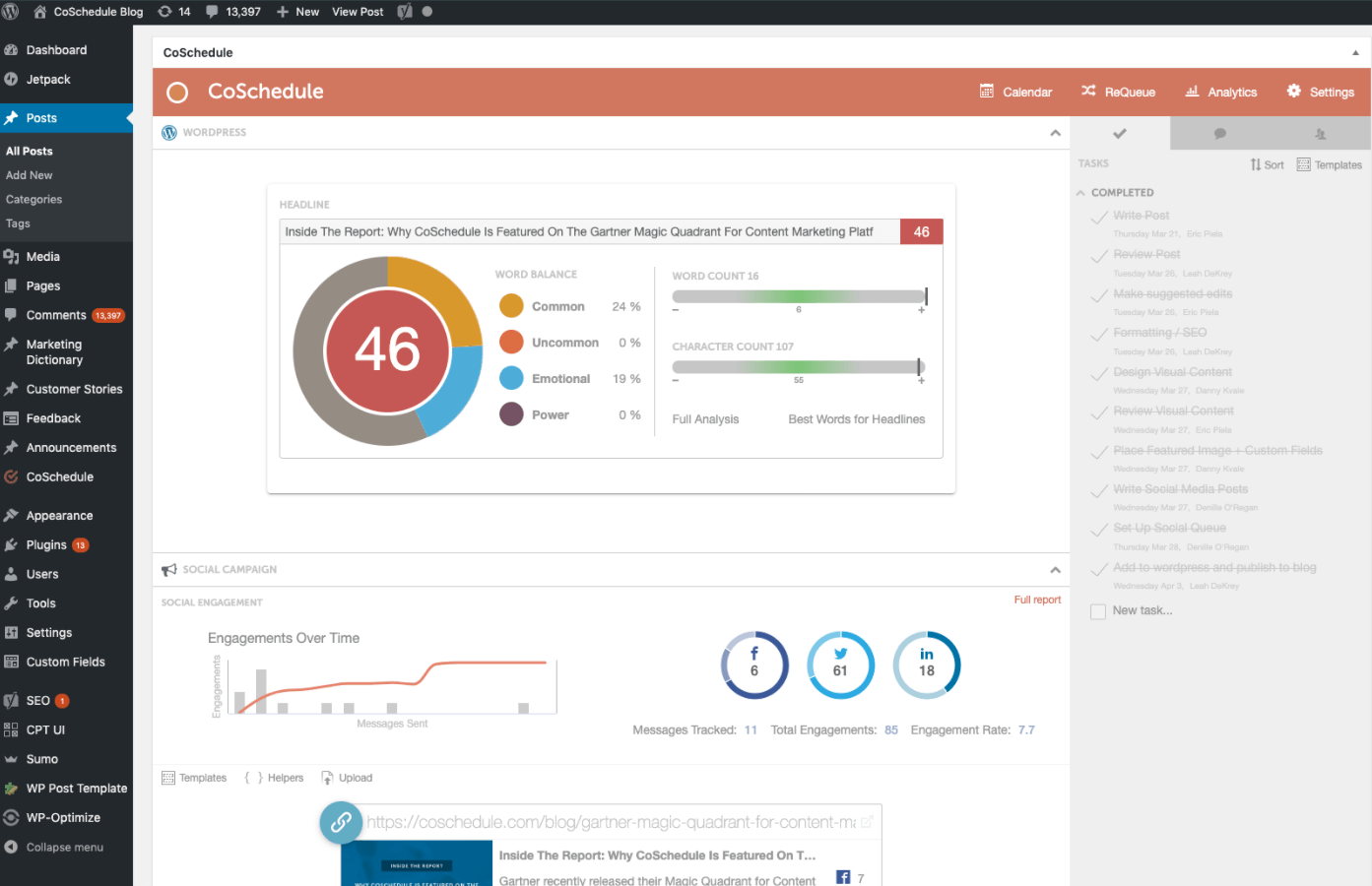
With over 10000+ active users, CoSchedule complements the agile approach by offering a Kanban Project Board look. With the marketing calendar and content organizer, the team can create a linked workflow for content production, social shares, etc.
And with the content organizer, the team can easily create plans and integrate email, social, and other relevant platforms.
The work organizer is also one of the key features where team members can share unique updates about the project timeframe. The Kanban board helps to visualize the entire workflow in adequate detail.
Social sharing is one of the key aspects of managing product marketing. With the help of social automation, you can organize the calendar and share content as you please. As always, all of these features are easily organizable. So, you don’t have to work too hard to get used to the project management plugin.
For a mere $29 a month, you can have an excellent plugin to work with that allows noteworthy integration capabilities. Although it is specifically designed for marketing teams, the multipurpose nature of the plugin makes it a versatile option.
5. WordPress Project Management by UpStream
UpStream is a suite of project management tools for WordPress that offers a few decent features. Although it has a similar suite of features, a starting price of $49 for the pro version is pretty much a steal.
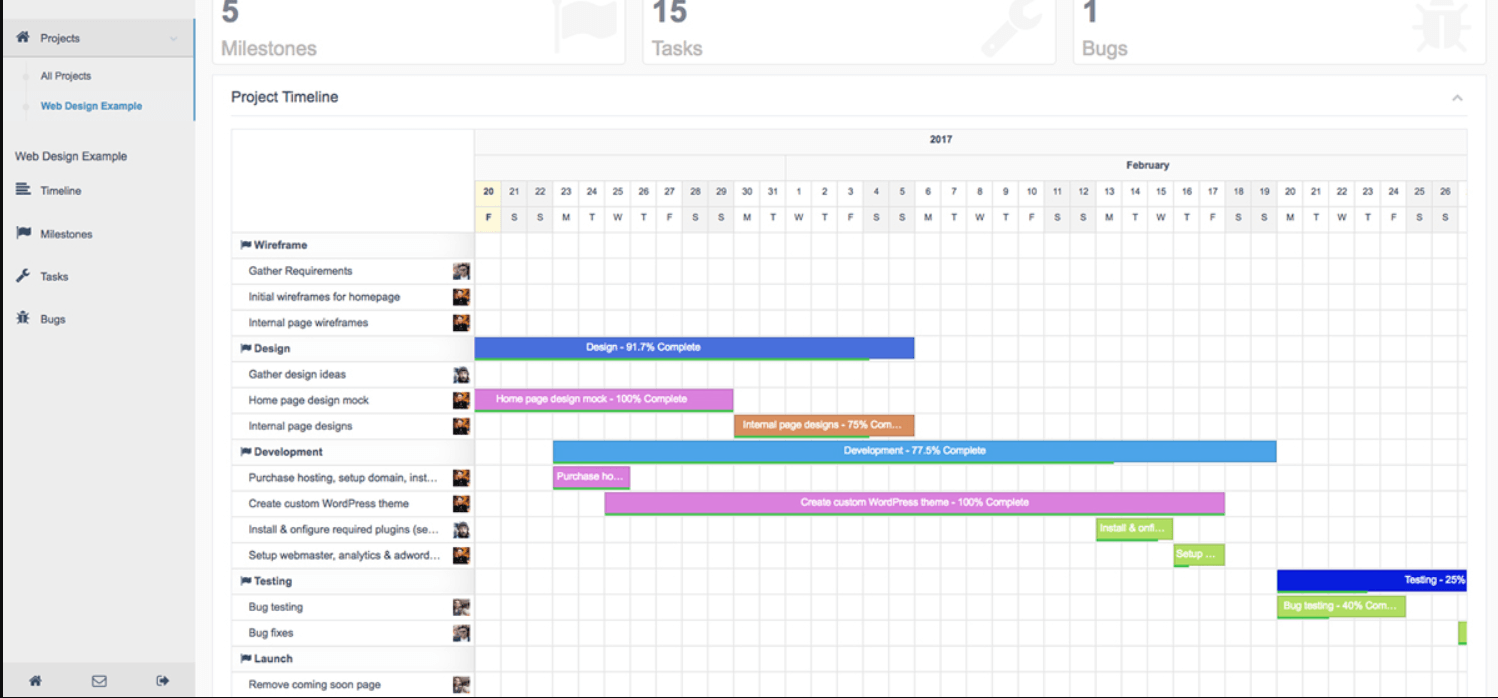
It takes care of the usual project management tasks like assigning tasks to team members, uploading media and other forms of documents, setting goals, and tracking, etc. So, with this WordPress project management tool, you can easily set up a highly functional project board and set up your team’s progress tracking.
The bug tracking tool is one of the key features of UpStream for Project Management in WordPress. You can create a system to track these bugs and obstacles. When something comes up, you can assign it to the person who takes/is taking care of all these things.
UpStream also has a secure way of letting only relevant stakeholders get access to sensitive information about the project. So, you don’t have to be a tech wizard to let someone in or out of your WordPress site.
Users are sharing their satisfaction with this plugin. Although it may not have the flair of some of the other WordPress Project Management plugins in our list, it’s a highly functional option to use.
FAQ
Q: What does a Kanban Board Show?
A Kanban board helps to create a visualization of the project tasks. It’s an agile methodology that helps keep track of the pace of the project, make adjustments, and tackle any obstacles that may come.
Q: What is the Best WordPress Project Management Plugin for me?
It will depend mostly on the type of project you’re working on. For instance, if you’re looking for an all-in-one solution, then the WP Project Manager Pro / Business Manager may be the appropriate option. But if your WordPress site is all about marketing, then you can consider CoSchedule.
Q: Should I use a plugin or Standalone Software for Project Management?
If you’re running your business on the WordPress platform, then you can consider a plugin for Project Management in WordPress. But if your business needs are different, then a standalone project management software like Nifty, or anything similar, may be more effective.
Q: What should I look for in a WordPress Project Tool?
You should look at Usability as a whole. You need to check if the features are easy to use and whether or not the drag-and-drop builder is intuitive enough. After some trial and error, you’ll know which WordPress solution to use.
Final Thoughts
When it comes to Project Management in WordPress, there are plenty of options [more incoming!] to choose from. But the matter of what to choose will depend on you. So make sure to check out the free versions of the plugins above to find the right one for you.
If you have a better suggestion than the WordPress Project Management plugins we have for you, sound off in the comments section.
Cheers!


