


BookingPress is a powerful starting point for all service-based businesses that need flexible booking rules, a wide range of payment gateways, a SaaS-like user interface, and an all-in-one booking system on their WordPress site. It has a solid 4.6/5 stars on Trustpilot and 100,000+ trusted users, which makes it a reliable WordPress booking plugin for all.
But not every website needs the same booking system. WP Booking Calendar is a WordPress booking calendar that is almost free and simple for starters and freelancers. WooCommerce Bookings is mostly recommended for online stores that want to turn their products into bookable services.
Apart from that, there are a few rising stars in the WordPress appointment booking space, such as Rox Booking and Vik Booking for hotels, villas and apartments.
But which one of them is really “the best” WordPress booking plugin in 2026?
In this comparison guide, we’ll compare six WordPress appointment booking plugins by what they offer, how they work, and which service businesses they’re suited for.
Quick Look: Best WordPress Booking Plugins at a Glance
In a hurry? No worries! Below, we’ve compared the best WordPress appointment booking plugins for 2026.
| Plugin | Best For | Booking Type | Key Features | Free Version | Starting Price |
|---|---|---|---|---|---|
| BookingPress | All service businesses | Appointments | 22+ gateways, staff management, AI integrations | Yes | $99/year |
| WP Booking Calendar | Rentals, freelancers | Daily/time slots | Visual calendar, Google sync, email alerts | Yes | $79 one-time |
| WP Simple Booking Calendar | Holiday homes | Availability | iCal sync, bulk editing, multilingual | Yes | $49/year |
| WooCommerce Bookings | Online stores | Product bookings | Dynamic pricing, resources, group bookings | No | $249/year |
| Rox Booking | Small service businesses | Appointments | Client portal, Google Meet, time zones | Yes | $49/year |
| Vik Booking | Hotels, hostels | Room bookings | Room inventory, seasonal rates, occupancy reports | Yes | €149/year |
What to Look for in a WordPress Booking Plugin
Before investing in any booking plugin, decide what you want, what kind of experience you want for your customers and how that plugin will fit into your specific niche service business. Thus, here are the five things to check:
- Ease of Use: Is the booking process quick and simple for your clients, and is the dashboard easy for you and your staff to manage?
- Payment Integrations: When shortlisting the best plugin for appointment scheduling, we also checked if it securely accepts deposits or full payment online via popular gateways like Stripe or PayPal. Even better if it connects with local gateways for easy transactions and avoids extra fees.
- Automated Reminders: Make sure the plugin automatically sends email, SMS or WhatsApp reminders to your clients to lower your no-shows.
- Calendar Syncing: Whichever booking plugin you go with, make sure it connects perfectly with tools like Google Calendar to show real-time availability and block off booked slots.
- Niche Features: Always cross-check that the plugin you get your hands-on handles your specific business needs, such as managing multiple staff schedules, buffer times between appointments, recurring or group bookings or service packages.
We’ve whittled down a list of 6 best WordPress booking plugins for 2026 and beyond.
6 Best Booking Plugins for WordPress (Expert Review)
1. BookingPress
- Rating: 4.4/5 Stars
- Active Installations: 100,000+
- Best for: All service-based businesses of all sizes, be it a salon, clinic, house cleaning, rental, consultancy firm, event management, fitness studio or coaching centers.
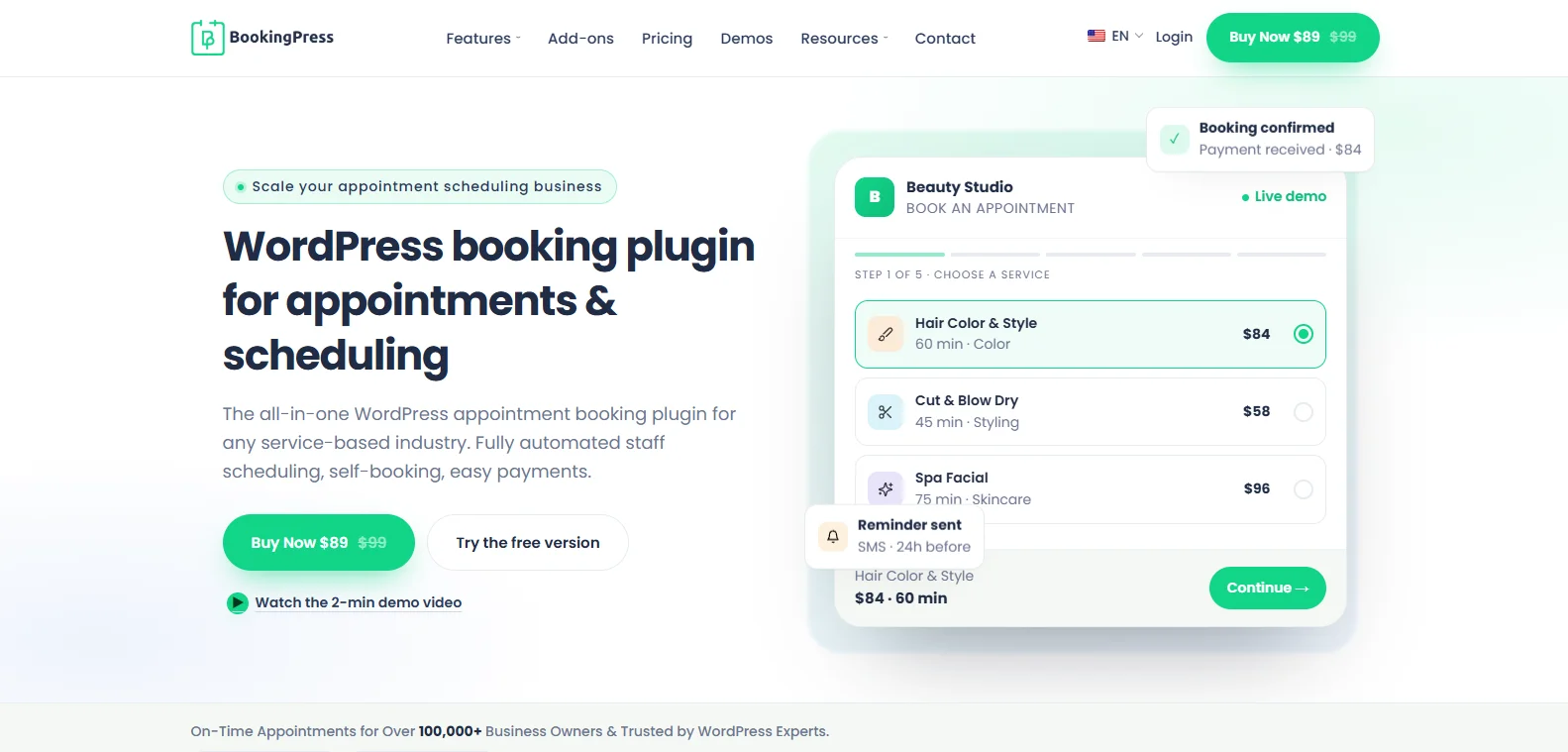
BookingPress is an all-in-one WordPress booking plugin that turns your simple WordPress site into a complete online booking system with zero coding. Combining 60+ premium add-ons and 22+ payment gateways like PayPal, Stripe, Square, and POS systems, it lets you manage your appointments with ease.
What we liked the most is its AI ready. You can integrate BookingPress with the AI assistant of your choice, and easily book and manage appointments via the WordPress API.
Best of all, clients can easily pick a service, select an available time slot, choose their favorite staff member/expert, fill in their details and pay online using their local gateways. After an appointment is confirmed, the automatic notifications are sent, calendars get synced, and clients can easily check, cancel and reschedule their upcoming appointments from their dedicated customer panel.
Highlighted features
- 22+ payment gateways for on-site, and online full or deposit payments
- Waitlist, buffer, happy hours and custom service duration
- Advanced multi-staff and multi-location management
- Resource management
- Gift cards and coupon management
- Bundle multiple services into one package
- Automatic notification via email, SMS, WhatsApp, and Telegram
- Two-way sync bookings across Google Calendar, Outlook Calendar, and iCal
Pros:
- Standard plan includes 45+ add-ons; 60+ are included in higher plans.
- Beginner-friendly setup and easy to use
- Modern, SaaS-like dashboard
- Wide range of payment gateways
- AI-ready for appointment management
Cons:
- No mobile app
- Some advanced features like recurring appointments and packages need a premium version.
Price:
- Free version available
- The premium plan starts at $89/year.
2. Booking Calendar
- Rating: 4.8/5 Stars
- Active Installations: 40,000+
- Best for: Service-based businesses that want full-day and time-slot appointment booking.
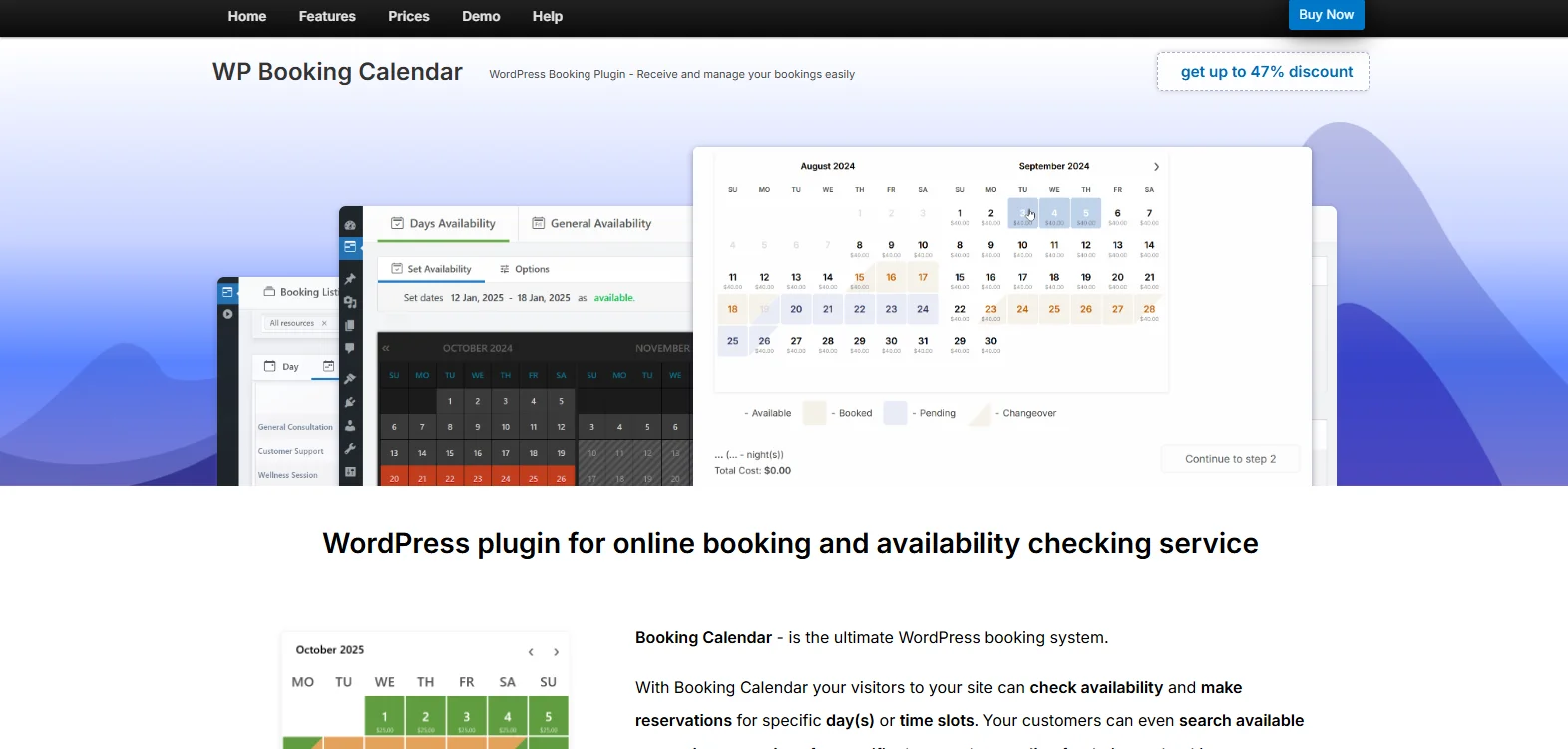
The official WP Booking Calendar plugin is a best fit for property rentals, changeover days and simple day or time slot scheduling with unlimited independent calendars.
Overall, it is one of the oldest and most mature plugins in the WordPress ecosystem. For visitors, the interface is dead simple. They see a clear visual calendar showing which days are booked and which are open. They drag or click to select their dates, fill out a basic form right below the calendar and hit submit. In our opinion, that’s functional but…not very attractive.
The dashboard lives natively inside your WordPress admin panel. You get a clean timeline or calendar view of all bookings where you can manually approve, decline or edit reservations. Best of all, because it avoids all heavy JS dashboards (unlike newer plugins), it is super lightweight.
Highlighted features
- Visual availability calendars
- Flexible time-slot and date rules
- Drag-and-drop form builder
- Two-way and one-way Google Calendar sync and .ics feed imports and exports
- Self-hosted data ownership
- Payment gateways like Stripe, PayPal and bank transfers
- Automatic notifications via email
Pros:
- High data privacy and control
- Works well for both property/hotel rentals (nightly/daily) and service businesses
- Budget-friendly
- Responsive support
Cons:
- For basic online payment gateways, buffer times and seasonal pricing features, you need the premium version
- Outdated user interface
- Learning curve for complex booking rules
Price:
- Free version available
- The premium plan starts at $41.87 for a one-time payment.
3. WP Simple Booking Calendar
- Rating: 4.8/5 Stars
- Active Installations: 10,000+
- Best for: Holiday home rentals, vacation properties, room availability, and equipment or space tracking businesses that want a lightweight and simple calendar plugin.
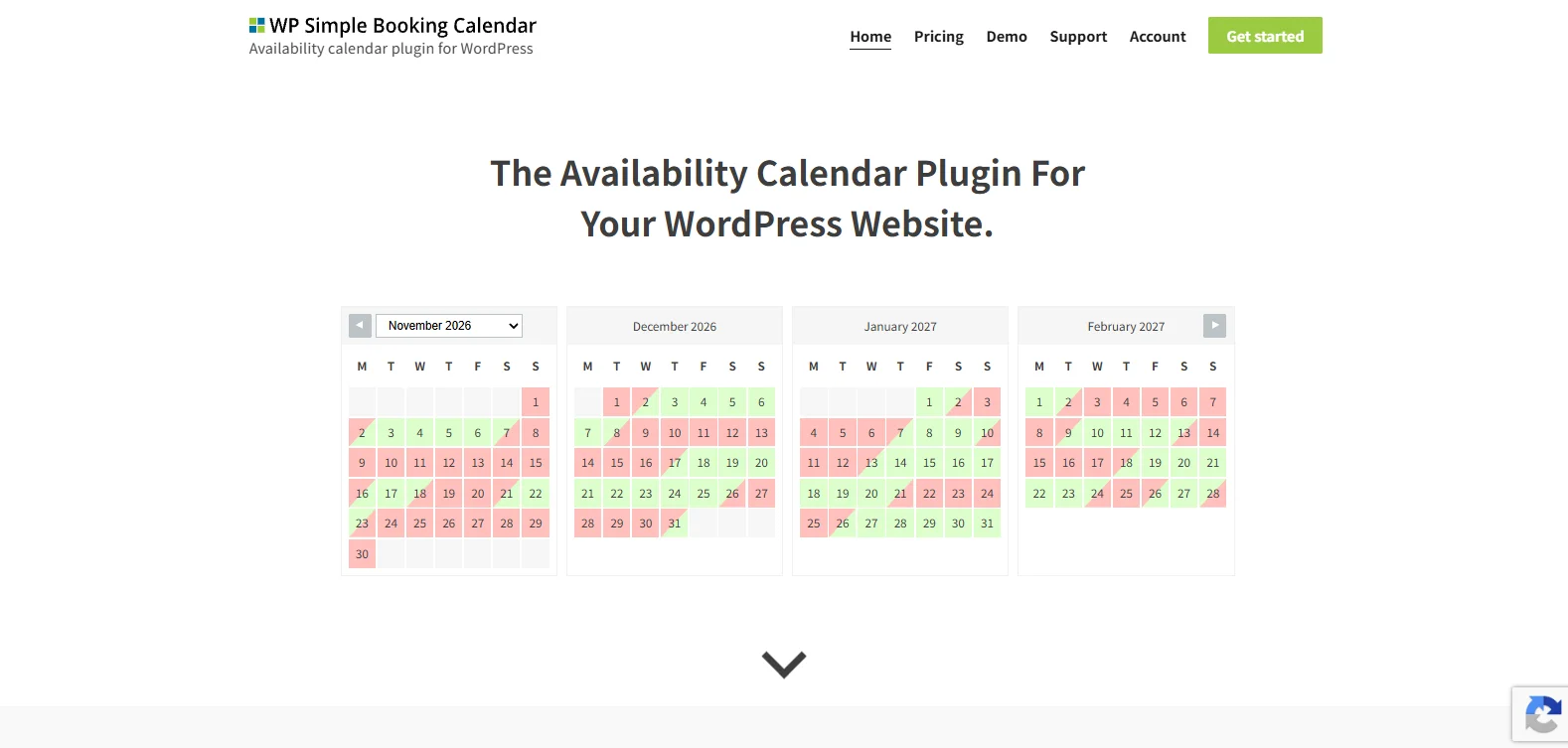
As its name suggests, WP Simple Booking Calendar is a simple, no-nonsense choice if you want a clean and straightforward way to just show your availability on your WordPress site.
For those who don’t want a full appointment-scheduling system, this sounds like the right choice. When tested, we were able to generate a calendar, assign it to a page via a shortcode and start editing dates in under 5 minutes.
The backend uses a simple click-and-assign method. You click a day (or drag across multiple days), select a status (like “Booked” or “Available”), and save. It feels like coloring in a grid. On the frontend, it loads right away. It doesn’t bog down your site with heavy JS scripts because it only shows information, and that’s also its downside.
In the free version, you can’t click a date to book it. It is purely visual. If you want people to actually reserve a slot, you have to pair it with a contact form, upgrade to Premium, or choose an appointment booking plugin like BookingPress.
Highlighted features
- Translations for 30+ languages (via PO files).
- Daily booking information and custom color legends.
- Unlimited calendars (Premium version)
- Two-way iCal synchronization with external platforms like Airbnb, Booking.com, and HomeAway
- Bulk editor for updating multiple dates
- CSV export and multi-site support
- Basic backup and restore options
Pros:
- Beginner-friendly
- Lightweight
- iCal integration
- Multilingual ready
Cons:
- Limited free version
- No built-in payment gateway
- Bulk editing is premium-only
- It is strictly an availability calendar
Price:
- Free version available
- The premium plan starts at $49 for 1 website.
Learn more: How to Add a Date Picker to WooCommerce
4. WooCommerce Bookings
- Rating: 2.7/5 Stars
- Active Installations: 20,000+
- Best for: WooCommerce stores that want to sell appointments, reservations, rentals or classes with bookable time or date slots.
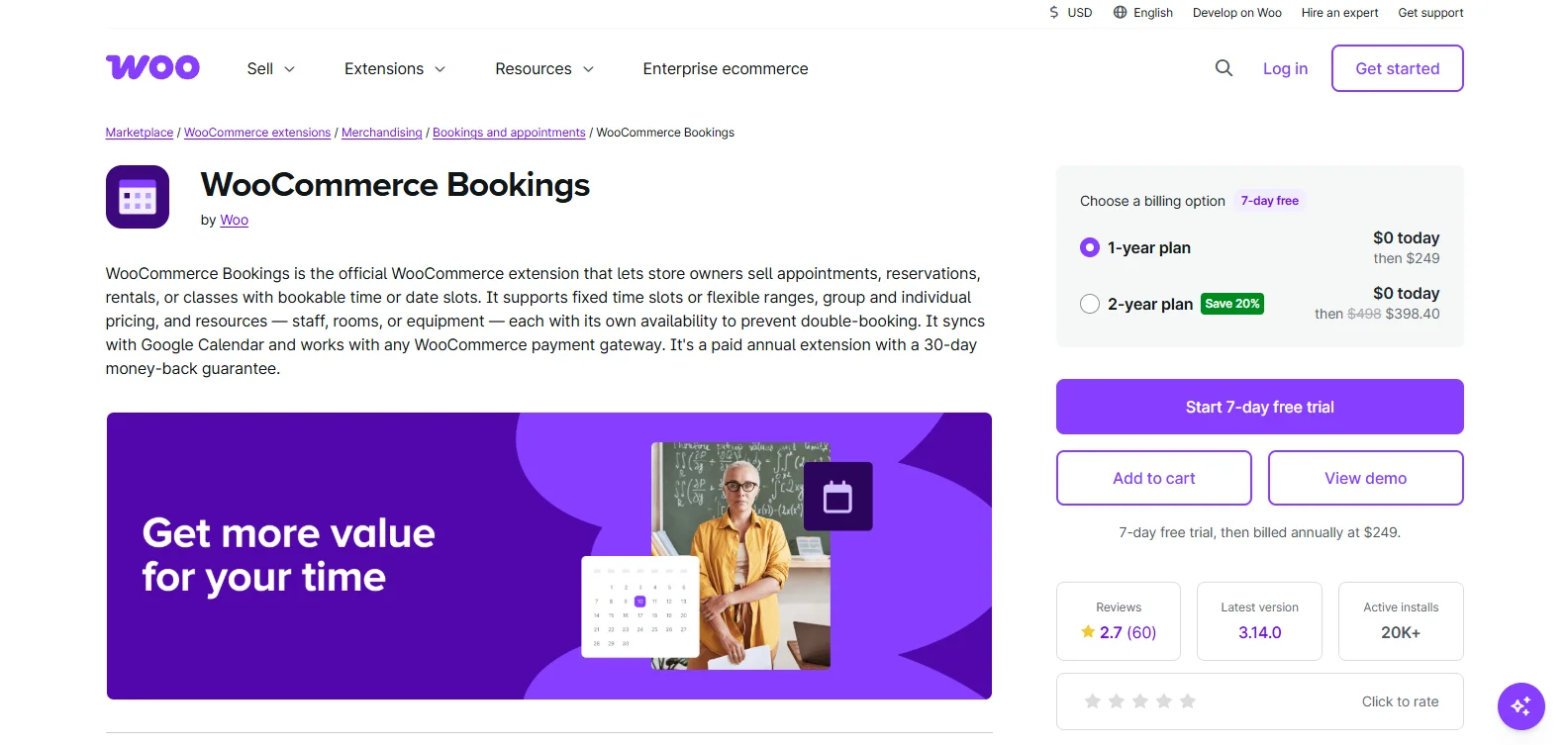
Looking for a booking plugin developed officially by WooCommerce? WooCommerce Bookings plugin is a robust, native extension by Woo for turning an online store into a complete appointment, rental and reservation hub.
The reason it got only 2.7/5 stars despite being an official plugin is due to factors like setup complexity and pricing. When we tried to configure it, we felt the pain of all other 20K WooCommerce store owners. Configuring this plugin requires patience. Transitioning a standard product to a “bookable product” opens dense tabs for block durations, buffer times and availability rules across store, product and staff resource levels. Thus, non-technical users find the layout hard to use.
Keeping that aside, it still excels in flexibility and features. You can set up dynamic pricing rules, multi-person and resource allocation and two-way sync with Google Calendar.
The backend admin calendar gives a clear, centralized view of all upcoming slots, manual booking creation and order status transitions (unpaid to confirmed). But notification options are basic by default, frequently requiring extensions like Twilio or AutomateWoo for reliable SMS/email workflows. Plus, Layout customization out of the box is rigid. Front-end calendar styling often demands custom CSS or third-party page builder tweaks to match modern site themes.
Highlighted features
- Dynamic booking blocks
- Multi-tier availability rules
- Resource management
- Native WooCommerce checkout flow
- Two-way Google Calendar sync
- Book one-on-one appointments or multi-person events
- Special pricing for groups, days or individuals
Pros:
- First-party security as developed by WooCommerce
- All-in-one dashboard
- Approval and buffer controls
Cons:
- Too expensive compared to BookingPress and Booking Calendar
- Steeper learning curve
Price:
- No free version available
- The premium plan starts at $249/year.
Learn more: WooCommerce automation plugins
5. Rox Booking
- Rating: 5/5 Stars
- Active Installations: 2000+
- Best for: Room booking, tour reservations and ticket sales
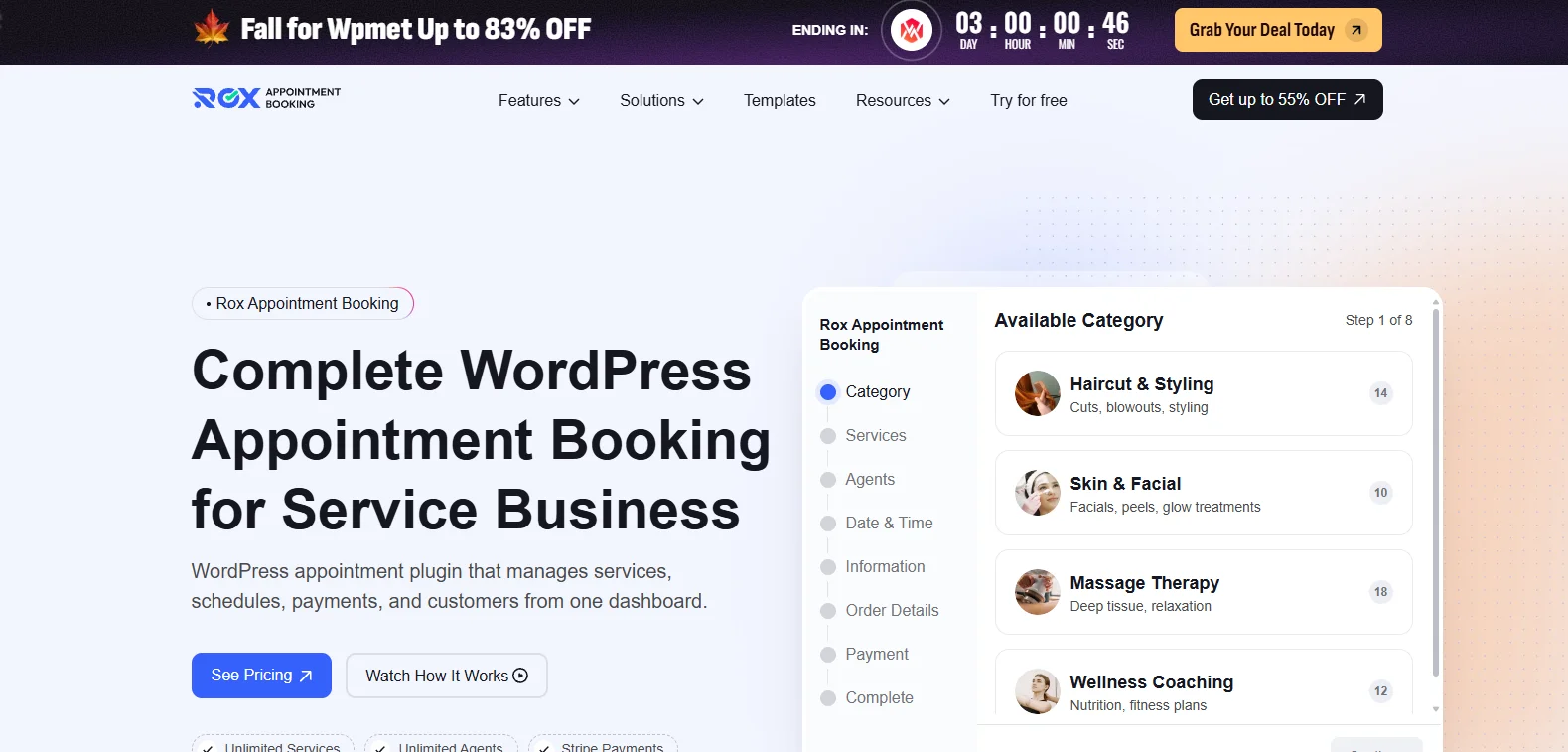
We have spent some time hands-on testing the Rox Appointment Booking Plugin by Wpmet, and we must say, it is a breath of fresh air if you’re tired of dealing with clunky, disjointed scheduling systems. Because it is built by the same team behind heavy-hitters like ElementsKit and MetForm, it feels incredibly stable and polished right out of the box.
Setting it up is a breeze. When you activate it, a clean setup wizard walks you through adding your agents, defining service categories (like “Consulting” or “Beauty”), setting custom durations/pricing, and locking in your weekly work hours and breaks. The UI is exceptionally clean. What really won us over during testing is the built-in customer self-service portal. The plugin automatically spins up a front-end dashboard at /rox-appointment-dashboard where clients can log in, view their booking history, reschedule on their own, and pay off balances without ever seeing the back-end of your WordPress site.
If you need multi-location support, Google Calendar/Meet syncing, or extra payment gateways like PayPal and Razorpay, upgrading to their Pro version is very reasonably priced. It handles everything from salons and clinics to classes beautifully, making it an absolute game-changer for anyone looking to replace a stack of single-purpose bookings too.
Highlighted features
- Robust customer self-service portals
- Beginner-friendly setup wizard
- Smart time zone detection
- AI-driven integrations
- Pagebuilder-friendlyy
- Online payments via Stripe, PayPal, Razorpay, Mollie and WooCommerce
- Google Calendar & Google Meet sync
Pros:
- Generous free version
- Fast customer support
- Advanced client management
Cons:
- Location restriction on free tier
- Newer to the WordPress market
Price:
- Free version available
- The premium plan starts at $49/year.
6. Vik Booking
- Rating: 4.8/5 Stars
- Active Installations: 8000+
- Best for: Hotel bookings and hostels to take zero-commission direct bookings on their own websites.
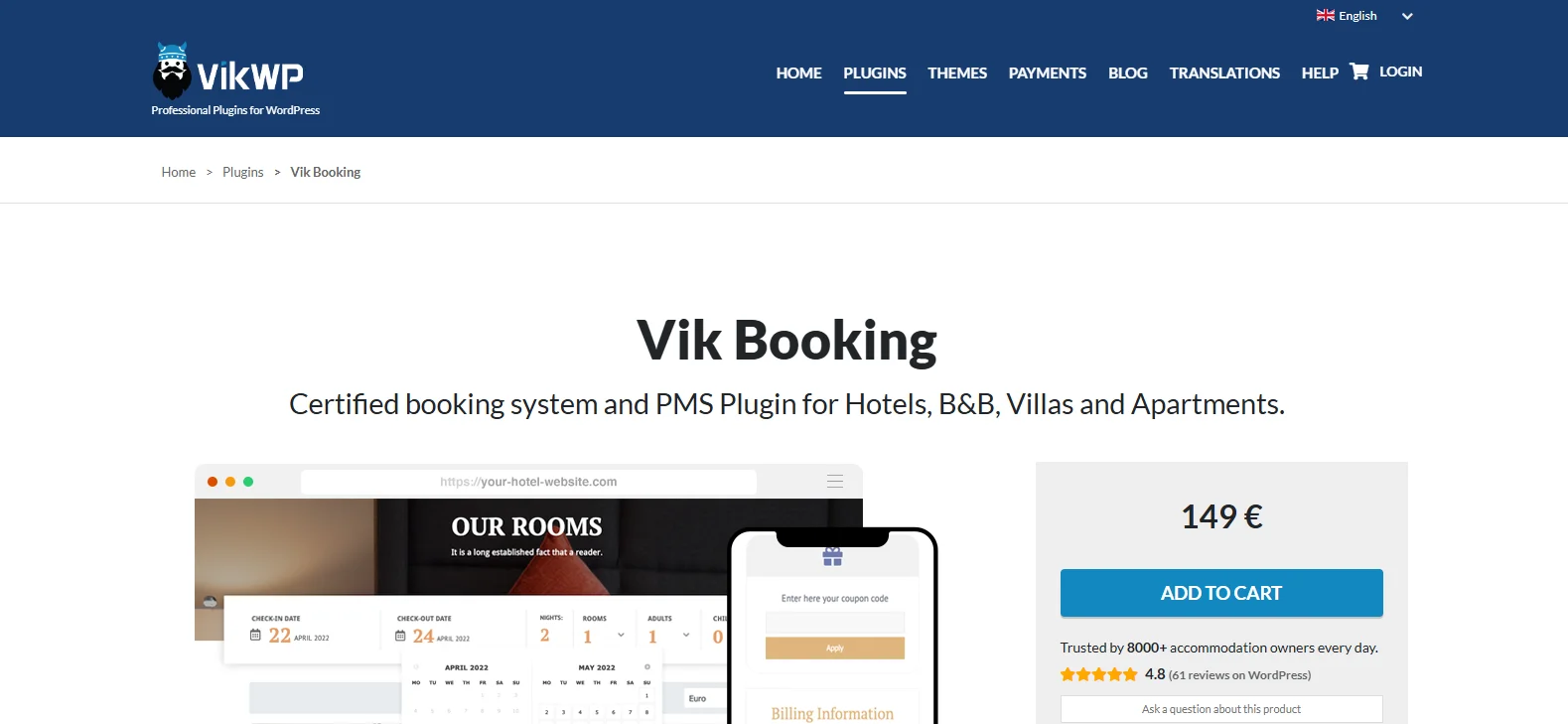
Vik Booking is another online reservation plugin for WordPress. If you’re running an accommodation business like a hotel, B&B, or villa rental, Vik Booking is the best fit as it’s specially built for property management.
When we put it through its paces, the first thing that struck us was how it handles room inventory. It doesn’t just block out a date; it treats your rooms like real assets. You can set up complex pricing matrices, handle seasonal rate changes, and create specific rules for minimum stays during peak weekends.
From a user experience standpoint, the backend is highly detailed, which is a double-edged sword. If you’re looking for a simple “plug-and-play” calendar that takes five minutes to launch, this isn’t it. The learning curve can feel a bit steep because there are so many tabs for tax rates, custom fields and cleaning fees. But once you get past that first-time setup phase, the level of control is incredible. The frontend presentation that your guests see is clean, professional and highly intuitive, making the actual reservation process smooth.
Highlighted features
- Advanced booking restrictions with mini/max length of stay
- Dynamic pricing rules
- Property management tools
- Custom options and extra services
- Receive payments through 60+ payment gateways
- Rooms Management and Sub-Units
- Customer and invoice management and Coupon codes
- Graphs, Revenue Reports and Statistics
- Availability Calendars and Occupancy for each room and sub-unit
Pros:
- No commissions
- Generous free version with PayPal payments being free
- One-time license fee only
- Highly customizable occupancy
Cons:
- Expensive to link external channels because that will need Vik Channel Manager add-ons and ongoing API connection costs
- No true iCal sync
- Steep Setup Learning Curve
- Single website constraint
Price:
- Free version available
- The premium plan starts at 149 € (The license key is valid for 1 year. Although this is not a subscription, patches and updates can only be installed if you have an active License Key for your domain.)
Conclusion
Still unsure which WordPress booking plugin is the best fit for your service business? Start by considering the type of bookings you get every day.
For a complete appointment booking system, give BookingPress a try. Its free version lets you explore the basic booking workflow before upgrading to premium features. Best of all, its SaaS-like user interface, smooth user experience and wide range of 60+ features make it the best overall option we’d personally use and recommend.
However, if you manage vacation rentals, WP Booking Calendar or Vik Booking are also good options to take into consideration. And for WooCommerce-based businesses, WooCommerce Bookings sounds like a better fit.
All in all, choose the best WordPress booking plugin that saves time, automates booking management, and gives your customers a smooth reservation experience.
