


If you are building a content-heavy WordPress site in 2026, PostX offers the most complete package in this comparison. It is particularly suited to blogs, magazines, and news websites because it goes beyond simple post grids. You get grids, lists, sliders, query controls, starter sites, and dynamic templates in the same Gutenberg-based workflow.
Content Views is the option to look at first if you want to start with a capable free plugin. Spectra takes a different approach and makes more sense when you simply want a post grid inside a lightweight Gutenberg toolkit.
Several of the other plugins become more attractive once you have a specific requirement. The Post Grid works across multiple builders. Smart Post focuses heavily on Gutenberg layout variety. ElementsKit is designed around Elementor. Kadence Blocks works best inside the Kadence ecosystem, while PickPlugins and WP Ultimate Post Grid are useful when filtering, masonry, budget, or taxonomy controls matter more than having an all-in-one publishing system.
To create the ranking, we compared the nine plugins on layout variety, query functionality, reader-facing controls, editor support, free features, maintenance, and price.
Quick Comparison of the Best WordPress Post Grid Plugins
Use this table to narrow the list before looking at the detailed reviews. It shows the strongest use case for each plugin, the editors it supports, whether you can start for free, the main compromise, and the verified entry-level price.
| Rank | Plugin | Best for | Editor support | Free version | Main trade-off | Pro price starts at |
|---|---|---|---|---|---|---|
| 1 | PostX | Complete blog, news, and magazine sites | Gutenberg | Yes | Broad publication toolkit; excessive for one basic grid | $44/year |
| 2 | Content Views | Building a capable grid without paying first | Gutenberg, Elementor, shortcodes | Yes | Strong free package; advanced visitor filters require Pro | $39/year |
| 3 | Spectra | Lean Gutenberg websites | Gutenberg | Yes | Lightweight block toolkit; fewer publication-specific controls | $69/year |
| 4 | The Post Grid | Sites that use multiple builders | Gutenberg, Elementor, Divi, shortcodes | Yes | Broad builder support; stronger filters and templates require Pro | $31/year |
| 5 | Smart Post | Gutenberg sites that need many post layouts | Gutenberg | Yes | Large layout library; smaller full-site design system than PostX | $39/year |
| 6 | Kadence Blocks | Sites already using Kadence | Gutenberg | Yes | Fits the Kadence system; limited as a dedicated grid tool | $99/year bundle |
| 7 | Post Grid by PickPlugins | Budget grids, masonry, and filtering | Gutenberg, shortcodes | Yes | Many free controls; less polished interface and documentation | Not publicly listed |
| 8 | ElementsKit | Elementor websites | Elementor | Yes | Native Elementor workflow; oversized if you need only a grid | $39/year |
| 9 | WP Ultimate Post Grid | Taxonomy filters and custom templates | Gutenberg, Classic Editor, shortcodes | Yes | Flexible filtering; dated default designs and smaller user base | Not publicly listed |
Pricing was reviewed in September 2026. Discounts, introductory offers, and renewal rates can change, so check the latest terms before purchasing.
How We Selected and Ranked These Post Grid Plugins
We did not rank these plugins simply by counting features. Every product first had to qualify for the list, and then we assessed it using the same criteria.
That makes it easier to compare how useful each plugin is for an actual WordPress site rather than how long its marketing feature list happens to be.
Eligibility Requirements
Before a plugin could enter the comparison, it needed to:
- Be currently available for download or purchase
- Have evidence that it is still actively maintained
- Be primarily relevant to displaying WordPress posts or similar content
- Provide enough up-to-date official information for us to verify important functionality and pricing
We left out plugins where availability was uncertain, product information was clearly outdated, or there was no strong practical reason to include them.
Ranking Criteria
The final evaluation covered seven areas:
- Layout options: How many useful grids, lists, masonry styles, and sliders are available
- Query controls: How much control you have over the posts and content being displayed
- Reader controls: Whether visitors can filter, paginate, load more items, or navigate the collection
- Editor compatibility: How well the plugin works with Gutenberg, Elementor, Divi, or shortcodes
- Free-version value: How far you can realistically go before paying
- Maintenance and reputation: Recent development activity and WordPress.org ratings
- Paid-plan value: Starting price, license limitations, and renewal conditions
The order reflects the overall package for the type of user each plugin is trying to serve.
That is why you should not automatically ignore an option simply because it is ranked lower. If a particular plugin matches your builder, content type, or filtering requirements better, it can still be the more appropriate choice for your project.
1. PostX: Best for Blogs, News Sites, and Magazines
PostX is built for sites where displaying posts is a major part of the website rather than an occasional requirement.
It includes seven Post Grid blocks, four Post List blocks, over 24 free patterns, three free starter sites, advanced query tools, and dynamic template building. All of this works around Gutenberg.
That makes PostX particularly attractive for news sites, magazines, and larger blogs. For a site that only wants to add one small grid to a homepage, however, the package may be more extensive than necessary.
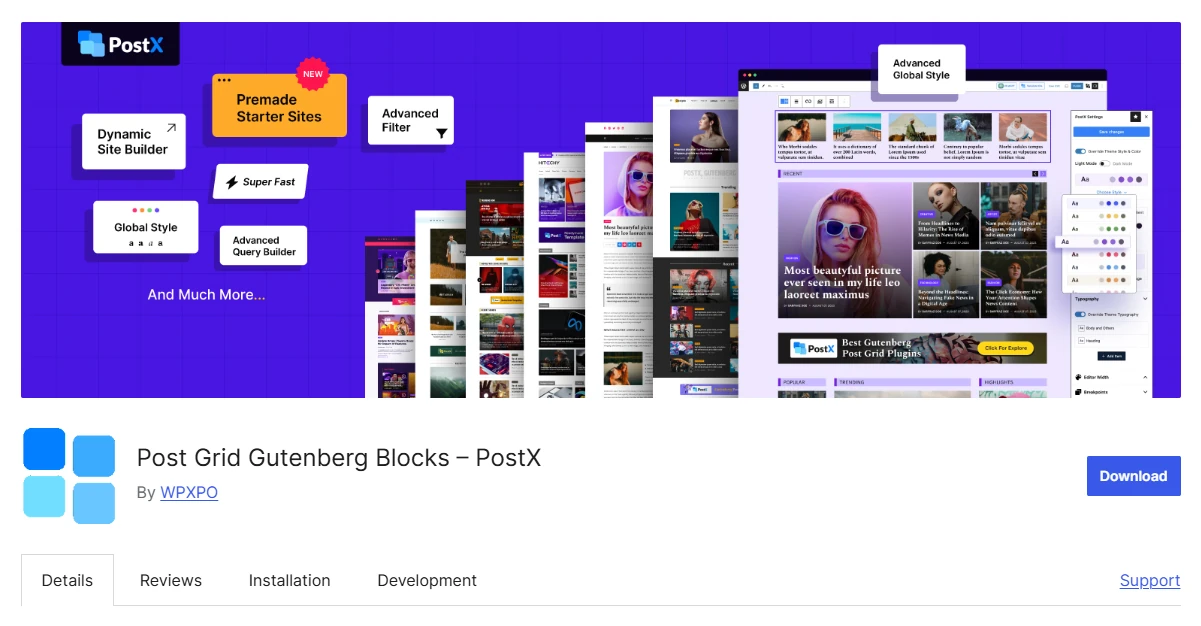
Key Features of PostX
- Seven Post Grid blocks
- Four Post List blocks
- Post sliders, filters, and pagination
- Advanced post and taxonomy query controls
- Dynamic templates for posts, archives, authors, and search pages
- Three free starter sites and more than 24 free patterns
- More than 40 Pro starter sites, 366 page templates, and more than 250 patterns
Where PostX Works Best
The main reason PostX ranks first is that it handles much more of the publishing workflow than a typical post grid plugin.
Its seven grid blocks give you several ways to build card-style and editorial content sections. The four Post List blocks work well for tighter areas such as a sidebar, latest-news section, archive, or compact homepage section.
When a static grid is not enough, you can add sliders, pagination, filtering, and more detailed queries.
There is also a sizeable template library. Free users receive over 24 patterns and three starter websites. Pro increases that to more than 250 patterns, 366 page templates, and more than 40 complete starter sites covering niches such as gaming, food, sports, travel, and news.
PostX can also be used beyond individual page sections. Its Gutenberg site builder lets you design templates for single posts, archive pages, categories, tags, authors, and search results.
The query builder provides additional control over which content appears. For example, you can include or exclude items according to author, category, tag, taxonomy, post type, and other conditions.
PostX Pricing
The introductory price for PostX Pro starts at $44 per year for one website based on the pricing checked for this article.
If you need unlimited website usage, the annual plan starts at $104.
Pay attention to renewal pricing as well as the first-year discount, because renewals use the listed full price.
Who Should Use PostX?
Choose PostX if: you want a complete Gutenberg publishing setup with seven Post Grid blocks, four Post List blocks, sliders, detailed queries, three free starter sites, and dynamic template building.
Choose another option if: all you need is a basic post grid or your entire site is built with Elementor.
2. Content Views: Best for Flexible Content Displays
Content Views is a practical option when you need to display different types of WordPress content and do not want the solution tied to one editor.
It supports five primary display formats and works through Gutenberg blocks, Elementor widgets, and shortcodes. That versatility gives it a strong second-place position.
The main limitation is that some of the more advanced filtering tools available to website visitors, including custom-field filtering, require the Pro version.
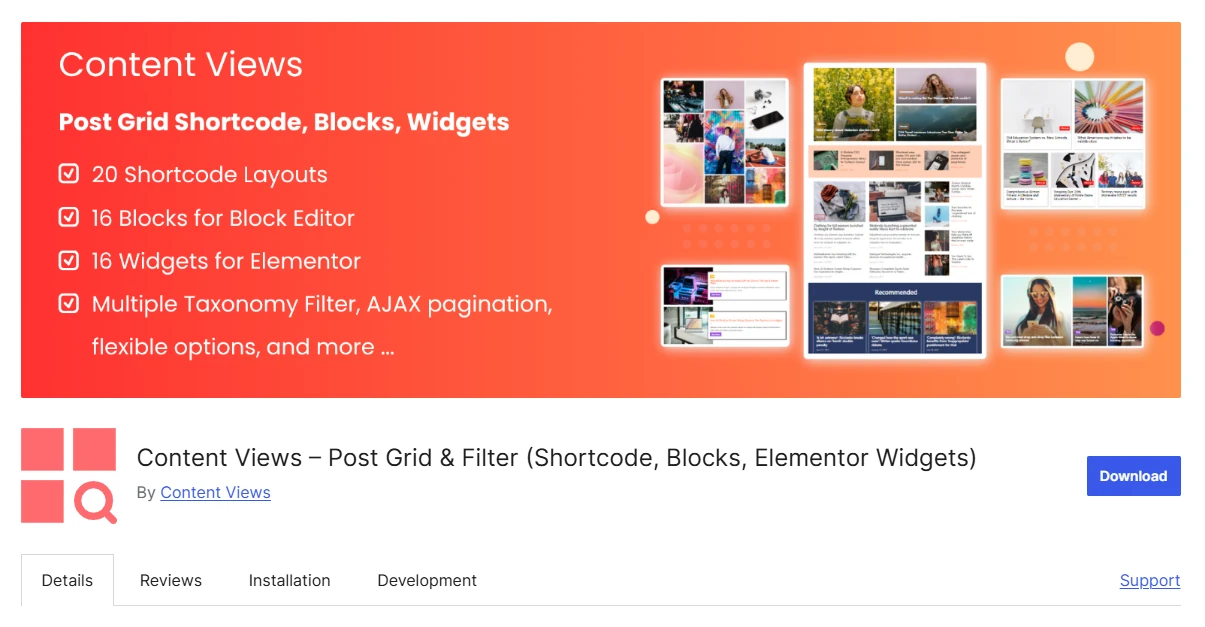
Key Features of Content Views
- Grid, list, slider, masonry, and timeline layouts
- 16 Gutenberg blocks, 16 Elementor widgets, and a shortcode-based View builder
- Queries by category, tag, author, keyword, and date
- Support for posts, pages, media, taxonomy terms, and custom post types
- Front-end and custom-field filters in Pro
Where Content Views Works Best
Content Views becomes particularly useful when the same website contains several types of pages or has changed builders over time.
You can create displays using its Gutenberg blocks, work with dedicated widgets inside Elementor, or rely on its View builder and shortcodes for older templates and other page-building systems.
The content source is also flexible. You are not limited to normal blog posts. Content Views can work with pages, media, taxonomy terms, and custom post types.
You can then control the results through common query conditions.
That combination is useful for everything from a standard blog to a resource database, directory, or site that contains several different kinds of content.
The plugin has more than 100,000 active installations and currently holds a 4.8 WordPress.org rating.
Content Views Pricing
A single-site Content Views Pro license starts at $39 per year.
The five-site plan is $89 per year, while the unlimited license costs $199 per year.
Renewals come with a 50% discount. If you stop renewing, the installed plugin continues to work, but you lose future updates and support.
Who Should Use Content Views?
Choose Content Views if: you want to create flexible displays for normal posts and other content types while retaining the ability to use Gutenberg, Elementor, or shortcodes.
Choose another option if: you need Divi support, advanced visitor filters without paying, or a larger publication-focused system for building a complete magazine or news website.
3. Spectra: Best for a Lean Gutenberg Website
Spectra makes the most sense when the grid is only one part of a broader Gutenberg website.
Instead of trying to operate as a complete publishing suite, its Post Grid block gives you the practical controls most ordinary websites need: responsive columns, metadata, excerpts, taxonomy settings, and styling options.
That approach keeps the system relatively simple. The downside is that websites requiring complex editorial templates, extensive queries, or front-end filtering will probably need something more specialized.
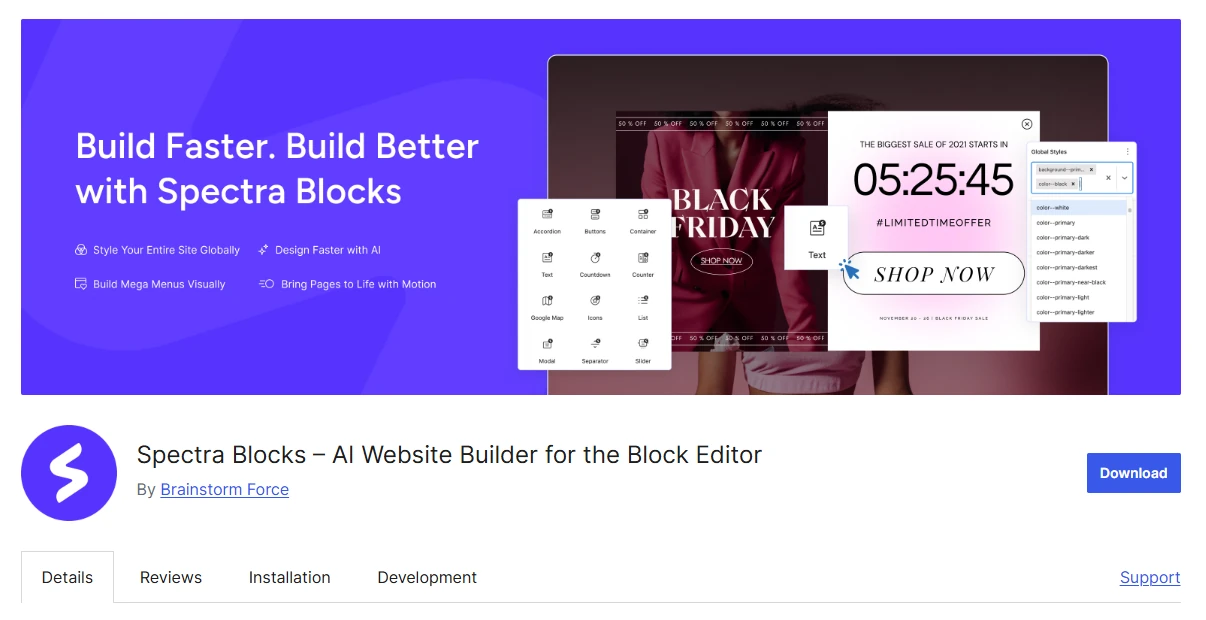
Key Features of Spectra
- Responsive Post Grid block
- Post Carousel and Post Timeline blocks
- Taxonomy, metadata, and excerpt controls
- Integrated Gutenberg styling controls
- Conditional asset loading
- Loop Builder and dynamic-content controls in Pro
Where Spectra Works Best
Spectra is less about having dozens of post-grid variations and more about keeping everything inside one Gutenberg design toolkit.
The plugin conditionally loads assets according to the blocks actually being used on a page. The same library also provides containers, forms, schema-related blocks, and other general website-building tools.
You also get Post Carousel and Post Timeline blocks in the free version.
For a straightforward blog or small-business website, those three post-display options may cover everything you need without adding a specialized magazine-building plugin.
Spectra Pricing
Spectra Pro starts at $69 per year and covers up to three websites.
A lifetime option was priced at $319 when the plans for this article were checked.
There is also an important 2026 product change to understand. Brainstorm Force renamed the original plugin Spectra Legacy, while new feature development has moved to a separate product called Spectra Blocks.
Spectra Legacy continues receiving security and compatibility updates. New users should still check which product is intended for the setup they want to maintain over the long term.
Who Should Use Spectra?
Choose Spectra if: you want a clean and relatively simple post grid as part of a broader Gutenberg block collection.
Choose another option if: your project depends on advanced archive templates, publication layouts, or front-end filters.
4. The Post Grid: Best for Sites Using Multiple Builders
The Post Grid is easier to recommend when builder compatibility is one of your main concerns.
It can work with Gutenberg, Elementor, Divi, and shortcode-based pages, which is valuable when a website is not standardized around a single editor.
That flexibility also makes it useful to agencies managing different WordPress setups.
The main catch is that some of its best filtering, template, and dynamic-content functionality sits behind the Pro upgrade.
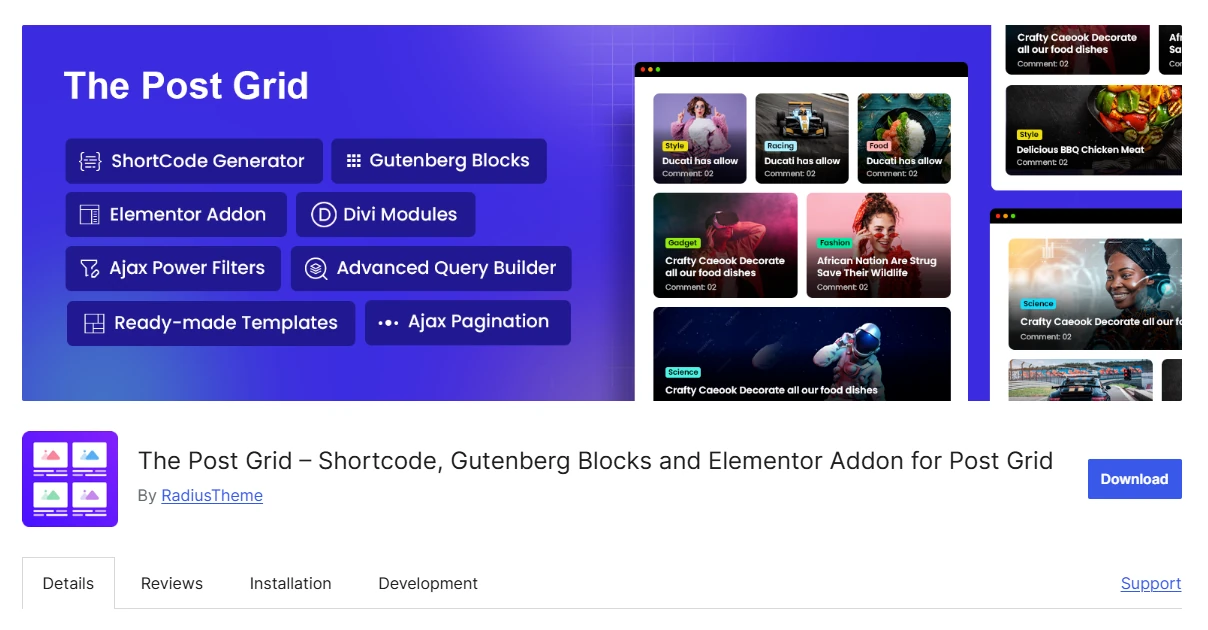
Key Features of The Post Grid
- Nine Gutenberg blocks plus Elementor, Divi, and shortcode support
- Grid, list, masonry, hover, and slider layouts
- Queries by taxonomy, author, date, and post type
- Responsive typography, spacing, and metadata controls
- Ajax filters, load more, and infinite scrolling in Pro
- Archive, single-template, and ACF support in Pro
Where The Post Grid Works Best
Instead of requiring one editing method, The Post Grid gives you Gutenberg blocks, Elementor widgets, Divi modules, and a shortcode generator.
The shortcode approach also makes it usable inside Classic Editor content and other builders.
This is helpful if you maintain older sites, run an agency, or have a WordPress installation where different sections were created using different editors.
The layout collection includes traditional grids, lists, masonry displays, sliders, and hover-focused designs.
Content can be queried using criteria such as author, taxonomy, category, tag, publication date, and custom post type. The plugin also gives you interface controls for typography, spacing, metadata, and responsive behavior.
The Post Grid Pricing
The entry-level Pro license costs $31 per year for one website.
A five-site license costs $79 annually, and unlimited-site usage costs $159 per year.
The plugin has more than 100,000 active installations, a 4.8 WordPress.org rating, and continues to maintain an active changelog in 2026.
Who Should Use The Post Grid?
Choose The Post Grid if: you want one post-display plugin that can work across Gutenberg, Elementor, Divi, and shortcode-based pages.
Choose another option if: getting the largest possible free feature set is more important to you than builder compatibility.
5. Smart Post: Best for Gutenberg Layout Variety
Smart Post is aimed at Gutenberg users who want a large number of content-display designs.
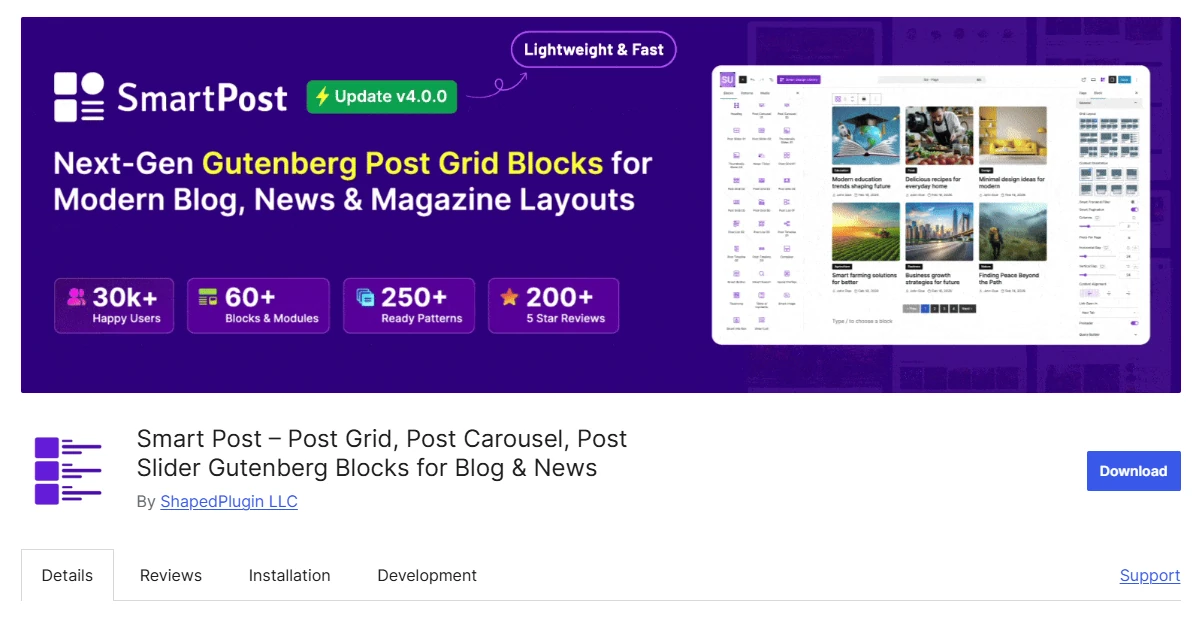
The plugin provides six Post Grid blocks and more than 250 patterns across its free and premium functionality. It also includes formats for lists, timelines, carousels, sliders, news tickers, archives, and single-page designs.
That makes it one of the stronger publication-focused Gutenberg plugins in the comparison.
Compared with PostX, however, the surrounding starter-site and full-site design ecosystem is not as extensive.
Key Features of Smart Post
- Six Post Grid blocks
- List, carousel, slider, timeline, and news ticker blocks
- Archive and single-page dynamic blocks
- More than 250 layout patterns across free and paid features
- Five grid designs in the free version
Where Smart Post Works Best
If you like the publishing-oriented approach of PostX but want another Gutenberg-first option, Smart Post is one of the closest alternatives.
Its six grid blocks give you considerably more post-layout variety than most general-purpose Gutenberg libraries.
There are also dedicated blocks for carousels, sliders, lists, timelines, news tickers, and dynamic archive or single-page output.
The plugin offers more than 250 patterns across its free and Pro functionality.
ShapedPlugin continues to develop Smart Post, and the plugin currently holds a 4.7 rating on WordPress.org.
Smart Post Pricing
Smart Post Pro starts at $39 per year for one website.
The five-site plan costs $99 per year, while the unlimited-site license is $199 annually.
At the time this article was researched, lifetime plans were available for $139, $239, and $399.
Who Should Use Smart Post?
Choose Smart Post if: you want plenty of Gutenberg-native layouts for grids, lists, carousels, sliders, and other publication sections without moving to a different editor.
Choose another option if: a larger library of complete starter sites and broader full-site design resources is more important than the number of block variations.
6. Kadence Blocks: Best for Sites Already Using Kadence
Kadence Blocks is not trying to be a dedicated post grid platform, and that is exactly why it works well for some websites.
If you already use the Kadence theme and its block system, the Posts block lets you add content sections without introducing another design workflow.
Your typography, spacing, responsive settings, and broader visual system can remain aligned with the rest of the site.
For complex publication sites, though, the post-display features are not as deep as those offered by specialist plugins.

Key Features of Kadence Blocks
- Gutenberg Posts block
- Responsive column and spacing controls
- Integration with Kadence global styles
- Conditional CSS and JavaScript loading
- Kadence theme, Kadence Blocks, and more than 200 starter templates in the Essentials plan
Where Kadence Blocks Works Best
The strongest reason to use Kadence Blocks for post grids is consistency.
A Kadence-based homepage, landing page, or archive-style section can use the same design controls and global styling as the rest of the site. There is no separate post-grid design environment to learn.
Kadence also loads CSS and JavaScript conditionally according to which blocks are present.
This setup is a good fit for users who care more about keeping their entire Gutenberg stack coordinated than having dozens of specialized editorial grid designs.
Kadence Blocks Pricing
The Kadence Essentials package costs $99 per year.
It includes the Kadence theme, Kadence Blocks, and a library of more than 200 starter templates.
The bundle makes much more sense when you plan to use the complete Kadence ecosystem. If you only want extra controls for a single post grid, paying for the full package is harder to justify.
Who Should Use Kadence Blocks?
Choose Kadence Blocks if: your WordPress website already relies on Kadence and you want post layouts that follow the same design system.
Choose another option if: sophisticated post queries, specialized publishing layouts, or visitor filtering are central to the project.
7. Post Grid by PickPlugins: Best for Masonry and Front-End Filters
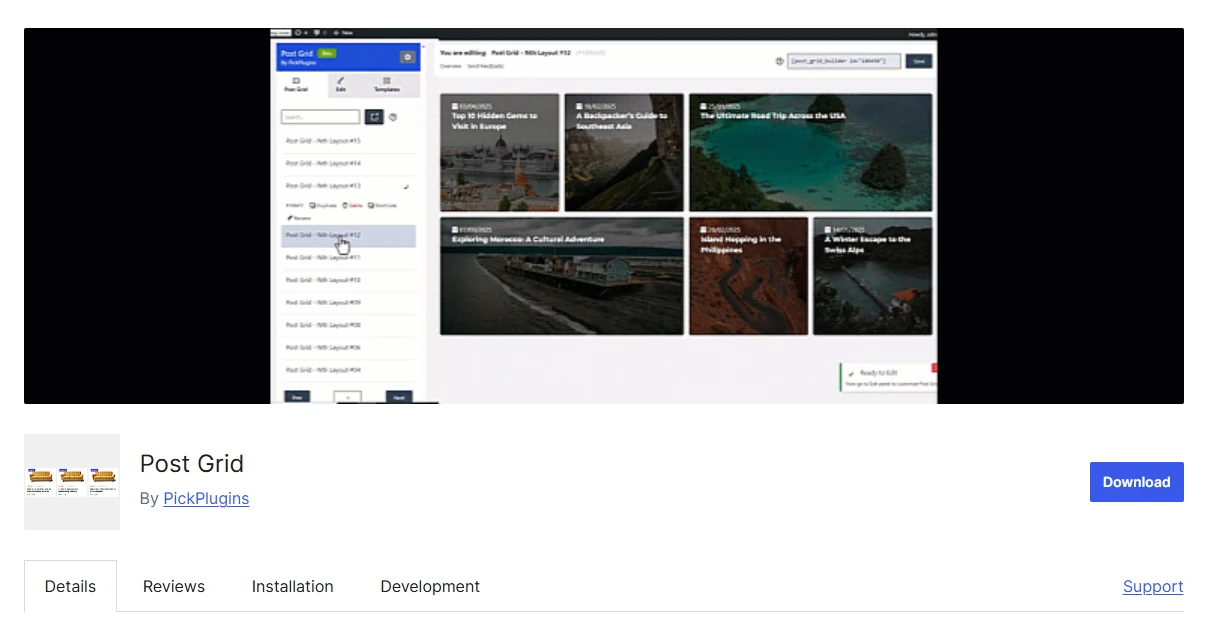
Post Grid by PickPlugins gives you an unusually broad selection of filtering and navigation features without requiring you to start with a paid plan.
It supports grids, sliders, masonry layouts, custom post types, products, front-end filters, search, and several pagination methods.
That makes it useful for websites where visitors need to browse and narrow a large collection.
Its weaknesses are mostly around presentation and product experience: the interface is less polished, the documentation is thinner, and its overall reputation is not as strong as the plugins at the top of the list.
Key Features of Post Grid by PickPlugins
- Grid, slider, and masonry layouts
- Posts, pages, WooCommerce products, and custom post types
- Category and tag filters
- Search and standard pagination
- Ajax pagination and load-more navigation
- Responsive visual builder and reusable templates
Where Post Grid by PickPlugins Works Best
PickPlugins lets you display standard posts, WordPress pages, WooCommerce products, and custom post types through grid, slider, and masonry layouts.
Its React-based visual builder gives you responsive settings, reusable templates, and styling options for individual components.
The front-end controls are where the free version becomes especially interesting.
Visitors can filter by category and tag, run searches, use normal pagination, move through results with Ajax pagination, or load additional items without refreshing the page.
For a directory, portfolio, product collection, or large resource archive, those controls can be more important than having a highly polished library of preset layouts.
Post Grid by PickPlugins Pricing
There is a Pro version of the plugin, but a current price could not be confirmed from an official public pricing page.
Rather than include an uncertain number, we have listed its paid price as not publicly available.
Who Should Use Post Grid by PickPlugins?
Choose Post Grid by PickPlugins if: you want masonry layouts, custom post type support, or front-end filtering while keeping the initial cost at zero.
Choose another option if: a more refined interface, stronger documentation, and better overall user ratings matter more to you.
8. ElementsKit: Best for Elementor Websites
ElementsKit makes the most sense when Elementor is already the center of your WordPress workflow.
Its Blog Posts widget can create grid, list, and category-driven sections without forcing you to leave the editor or learn a separate interface.
Because ElementsKit is a large Elementor addon suite, however, it can be overkill when the only feature you need is one post grid.

Key Features of ElementsKit
- Elementor Blog Posts widget
- Grid, list, and category-based layouts
- Elementor typography, color, spacing, and column controls
- Post layouts inside the Elementor editor
- Broader Elementor widget and module suite
Where ElementsKit Works Best
If you are already comfortable with Elementor, ElementsKit keeps post design inside the same environment.
The Blog Posts widget allows you to adjust columns, spacing, colors, typography, and other presentation settings using familiar Elementor controls.
ElementsKit also provides a much wider set of widgets and modules covering areas such as menus, headers, footers, tables, galleries, and other page elements.
That wider package is valuable when you expect to use several of those tools.
For Gutenberg users, or for a website whose main concern is sophisticated post queries and filtering, ElementsKit is less compelling.
ElementsKit Pricing
ElementsKit Pro starts at $39 per year for one website.
The five-site license costs $87 annually, and an unlimited-site license starts at $179 per year according to the pricing reviewed for this article.
The paid version is easier to justify if you plan to use several ElementsKit widgets.
If the post grid is the only feature you need, the dedicated options higher in this list provide deeper query, archive, and publication functionality.
Who Should Use ElementsKit?
Choose ElementsKit if: Elementor is your main page builder and the rest of the ElementsKit widget collection is useful to your site as well.
Choose another option if: you work primarily in Gutenberg or need a specialized system for archives, complex queries, and front-end filters.
9. WP Ultimate Post Grid: Best for Taxonomy Filters and Custom Templates
WP Ultimate Post Grid is better suited to users who care about filtering logic and template control than about getting modern-looking presets immediately.
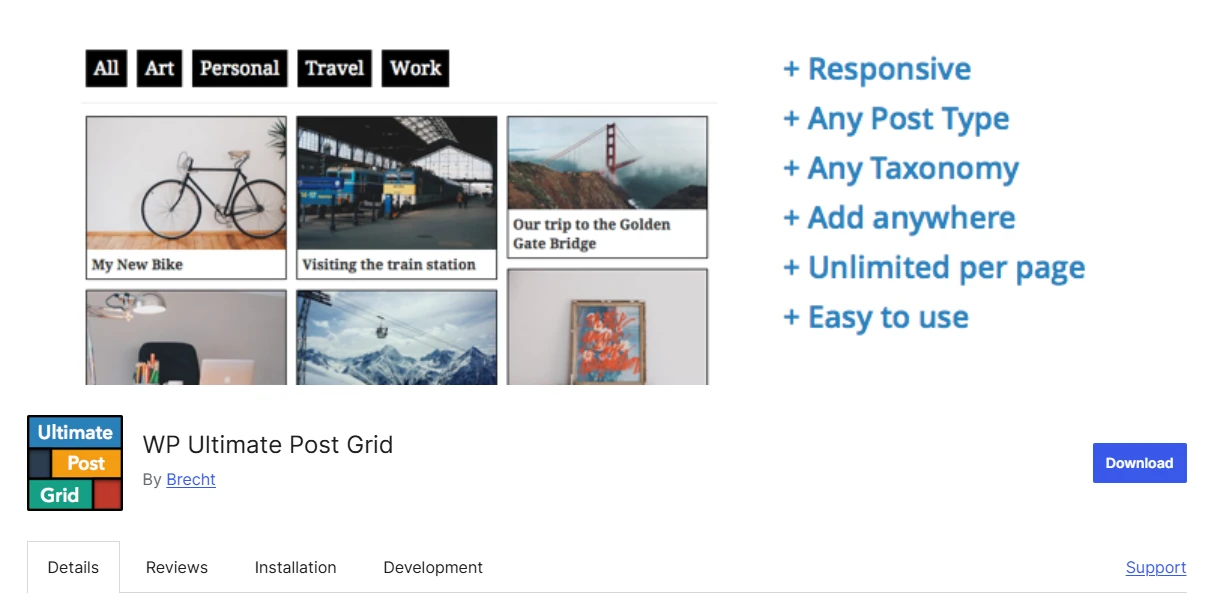
It supports responsive grids for normal posts, pages, and custom post types. You can also build taxonomy filters, work with custom fields, create deep links to filtered views, and modify grid templates.
Its default designs look less contemporary than those of several competitors, and the plugin has a smaller user base.
Key Features of WP Ultimate Post Grid
- Responsive grids for posts, pages, and custom post types
- Taxonomy and custom-field filters
- Deep links to prefiltered grid states
- Live preview and pagination
- Editable grid templates
- Gutenberg, Classic Editor, and shortcode support
Where WP Ultimate Post Grid Works Best
WP Ultimate Post Grid is particularly useful when visitors need to filter a structured collection.
Filters can be based on taxonomy or custom-field values. The plugin can also generate deep links for specific filter states.
For example, instead of sending a visitor to the full grid and asking them to configure filters themselves, you can link directly to an already filtered collection.
That is useful for recipe websites, directories, resource libraries, and similar archives.
The plugin also gives you several templates and a template editor when you want more control over the output.
It can be used through Gutenberg, the Classic Editor, and shortcodes. There is also integration with WP Recipe Maker for recipe-grid use cases.
WP Ultimate Post Grid Pricing
WP Ultimate Post Grid continues to receive maintenance updates, but we could not verify the current premium price on an official public pricing page.
Its Pro pricing is therefore listed as not publicly available.
Who Should Use WP Ultimate Post Grid?
Choose WP Ultimate Post Grid if: taxonomy filtering, custom templates, or links to predefined filtered views are important to the website.
Choose another option if: you want polished modern designs that look ready with minimal customization.
Which Post Grid Plugin Should You Choose?
Start with your editor because it eliminates several options immediately.
For an Elementor-based site, ElementsKit is the obvious place to start. If your website uses Gutenberg and you simply need a reliable grid inside a broader block collection, Spectra or Kadence Blocks is usually a better fit.
If you want to avoid paying at the beginning, try Content Views first. Its free version supports multiple editing methods and provides enough layout and query functionality for many standard blog and archive setups.
For content-heavy publishing websites, PostX becomes a stronger candidate. Grids are only one part of the package. You also get lists, sliders, starter websites, query controls, and dynamic templates, which can reduce the number of separate tools required to assemble a magazine or news website.
The Post Grid deserves a closer look when you cannot standardize on one builder. Smart Post is one of the nearest Gutenberg-focused alternatives to PostX.
PickPlugins and WP Ultimate Post Grid become more interesting when your requirements are more specific, particularly around masonry layouts, custom post types, taxonomy filtering, and front-end visitor controls.
FAQs About WordPress Post Grid Plugins
The following questions cover common concerns around filtering, custom post types, performance, free post grid plugins, and whether a specialist grid plugin is necessary.
Q: Can a Post Grid Filter Articles by Category?
Yes. Most plugins built specifically for post grids allow you to choose which articles appear based on their WordPress categories.
PostX, Content Views, The Post Grid, PickPlugins Post Grid, and WP Ultimate Post Grid also provide category-filtering functionality that can be exposed to website visitors.
Some products place those front-end filtering features inside their paid plans.
Q: Can I Display Custom Post Types or WooCommerce Products in a Grid?
Yes, but you need to check exactly what each plugin includes.
Content Views, The Post Grid Pro, Post Grid by PickPlugins, and WP Ultimate Post Grid can work with custom post types.
Post Grid by PickPlugins also specifically supports WooCommerce products.
If either of these capabilities is essential, confirm whether it is available in the free edition or requires an upgrade before committing to the plugin.
Q: Do Post Grid Plugins Slow Down WordPress?
Any post grid can have some performance impact because WordPress has to query the database, generate additional markup, load images and styling, and in some cases execute JavaScript.
How noticeable that impact becomes depends on the implementation.
A grid containing many large images and complex filters can behave very differently from a small four-post homepage section.
Image optimization, the number of queried posts, filtering behavior, and asset-loading strategy all matter.
The safest approach is to build the actual grid on a staging installation and measure the finished page rather than relying on a generic performance statement.
Q: Which Post Grid Plugin Has the Best Free Version?
Content Views offers the strongest free package for the broadest range of users.
You get multiple layout types, query controls, Gutenberg blocks, Elementor widgets, and shortcode support without immediately purchasing Pro.
PostX and Smart Post provide richer collections of publication-focused blocks, but several of their more advanced tools are premium features.
Q: Is a Dedicated Post Grid Plugin Better Than a Gutenberg Block Suite?
It depends on how important post presentation is to the site.
Choose a dedicated post grid plugin when you need things such as multiple editorial layouts, detailed query controls, Ajax filters, reusable grid configurations, or archive templates.
If you simply want to show recent posts on a homepage, a general Gutenberg suite such as Spectra or Kadence Blocks will usually do the job.
Make the Shortlist Before Installing Anything
Do not choose a post grid plugin based only on the number of layouts shown on its sales page.
The better choice is the plugin that fits your existing editor, the type of content you publish, the controls you actually need, and the amount you are willing to spend over time.
Use these four questions to narrow the list:
- Editor: Are you using Gutenberg, Elementor, Divi, or a shortcode-driven setup?
- Content: Are you displaying a basic blog section, building a filterable directory, or designing an entire news or magazine website?
- Controls: Do you need simple post selection, detailed queries, visitor filtering, or complete archive templates?
- Budget: What can you accomplish for free, and what will the plugin cost when the license renews?
For a straightforward blog, Content Views, Spectra, or Kadence Blocks may already be enough.
For a publication-style website, PostX, Smart Post, or The Post Grid can make more sense because their additional layouts and template functionality are more likely to be used.
Once you have reduced the list to two plugins, install both on a staging site and recreate the same post grid using real content.
Compare how the grid behaves on mobile, how easy the query settings are to configure, and how the finished page performs on the front end.
That test will tell you more about the right plugin for your website than another hour spent comparing feature lists.


