


Finding an online form builder might seem like an easy job, but the real difficulty begins when you sit down to compare the available options.
That’s because different tools are designed for different purposes, and no single form builder is perfect for every use case. Some are good for quick surveys, others focus on lead generation, payment collection, customer onboarding, event registrations, or advanced business workflows.
That’s why the “best” online form builder depends on what you’re trying to accomplish.
If you run a WordPress website, you might want full control over your forms, data, and integrations. If you need a hosted solution that works out of the box, a SaaS platform may make more sense. And if collecting payments is your priority, you’ll want a tool designed around transactions rather than basic form submissions.
To help you choose, we reviewed some of the most popular online form builders in 2026. This list includes both WordPress plugins and cloud-based platforms.
Instead of focusing only on feature lists, we’ll look at what each tool does best, why users choose it, where it falls short, and who it’s actually built for.
Best Online Form Builders of 2026 at a Glance
| Tool | Type | Best For | Free Plan | Starting Price |
|---|---|---|---|---|
| Bit Form | WordPress plugin | Any type of WordPress forms (contact, multi-step, calculators, payment forms) | Yes | $25/year, 1 site |
| Sigma Forms | WordPress plugin | AI-generated forms, conditional logic, payment collection | No (60-day money-back) | $39/year, 1 site |
| Contact Form 7 | WordPress plugin | Simple contact forms | Yes | Free, may need third-party paid addons |
| Google Forms | SaaS | Free surveys, quizzes, and generic forms | Yes | Add-on based |
| Jotform | SaaS | Enterprise-grade versatile forms | Yes (5 forms, 100 submissions) | $34/month, billed annually |
| WowOptin | WordPress plugin | Lead-capture pop-ups & opt-ins | Yes | $69/year, 1 site |
| Paymentform.io | SaaS | Quick payment forms like donation, fundraising, product-selling forms, event, membership, etc. | Yes | $5/month |
Why Online Forms Matter More Than Ever in 2026 for Businesses?
Almost all websites across the internet use forms as the primary way to collect information from visitors. In fact, you’ll be surprised to know that according to NVECTA’s lead form statistics report, 74% of businesses generate leads from online forms, and 49.7% see them as the most effective method of conversion.
They help businesses collect leads, accept payments, register users, gather feedback, process applications, and automate workflows from a single submission.
A few years ago, many websites only needed a basic contact form. But now users’ expectations have changed.
People want forms to be responsive. They expect forms to adapt to their answers, work smoothly on mobile devices, save time, and confirm submissions instantly when a submission is complete.
A good form builder can help you:
- Increase form completion rates with multi-step forms and conditional logic
- Collect payments without building a separate checkout system
- Automate notifications, CRM updates, and follow-up actions
- Reduce spam and low-quality submissions
- Keep form data organized and accessible
And there’s another important consideration: where your data is stored. WordPress form builders usually keep submissions on your own website, while SaaS platforms store them on their servers. Depending on your privacy requirements, compliance needs, and long-term business goals, that difference can be significant.
The best online form builder software does much more than collect information. They help turn random website visitors into leads, customers, subscribers, and regular users without adding unnecessary friction to the process.
Top Online Form Builders of 2026 – Elaborate Discussion
Bit Form – Easy & Lightweight WordPress Form Builder
Bit Form is a lightweight, drag-and-drop form builder designed for WordPress users. This is one of the easiest form plugins I’ve used. With over 50+ form fields, you can build any form, starting from a basic contact form to a multi-step event registration, a job application, or a calculator form. Also, with a suite of pre-designed templates, you might not need to create a form from scratch.
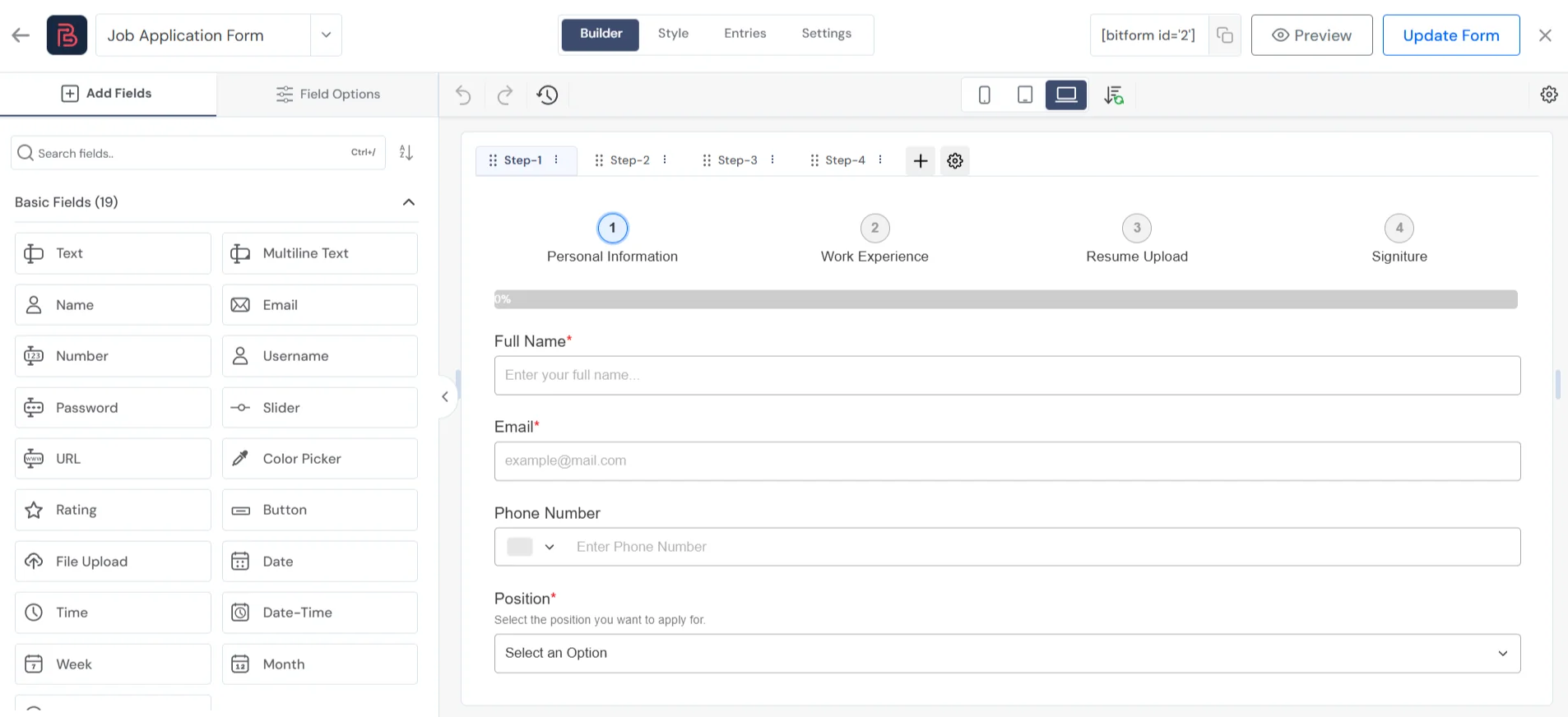
Moreover, the plugin integrates with popular payment gateways such as PayPal and Stripe, so you can easily accept payments through your forms. You can also send your form data to external platforms, as the plugin natively integrates with 50+ platforms, including Mailchimp, HubSpot, Google Sheets, Zapier, and more.
Bit Form is not only good at creating dynamic forms, but it is also good at tracking form abandonment, email OTP verification, protecting forms from spam submissions, and more. With its sleek style editor, you can customize the form to match your brand or purpose. Everything it does comes in one installation and with no add-ons.
Most loved features:
- Lightweight performance, so sites stay smooth.
- Drag-and-drop builder and interactive form layout and style editing, no coding needed.
- Complex forms like conditional logic, multi-step, conversational forms, and calculator forms.
- Built-in payment support with Stripe, PayPal, Mollie, and Razorpay fields.
- Rich field library: Over 50 diverse fields like file upload, calculations, e-signature, address, etc.
- 30+ form templates & 50+ integrations with third-party platforms.
- Form abandonment tracking to capture partial submissions
- Highly Customizable Form Style Editor
- Advanced form spam protection through Google reCAPTCHA, Cloudflare Turnstile, and more.
What to keep in mind:
- Although it’s easy to use, new users may need time to explore all options.
- Advanced fields like signature, file upload, and payment fields are available in the premium plan.
Pricing: Bit Form is a freemium plugin. The core plugin is free on WordPress. Paid plans start at $25/year for 1 site.
Best For: WordPress developers, agencies, small businesses, and WooCommerce store owners who need forms that do more than just collect a name and email. Like, users can create multi-step flows, conditional logic, payment collection, calculations, and CRM integrations, without any add-ons.
Sigma Forms – AI-Powered WordPress Form Builder
Most form builders still ask you to drag fields one by one, decide field types yourself, and set up validation manually. Sigma Forms skips that step. You describe the form you want in plain English, and the AI puts together the fields, labels, and validation for you in seconds.
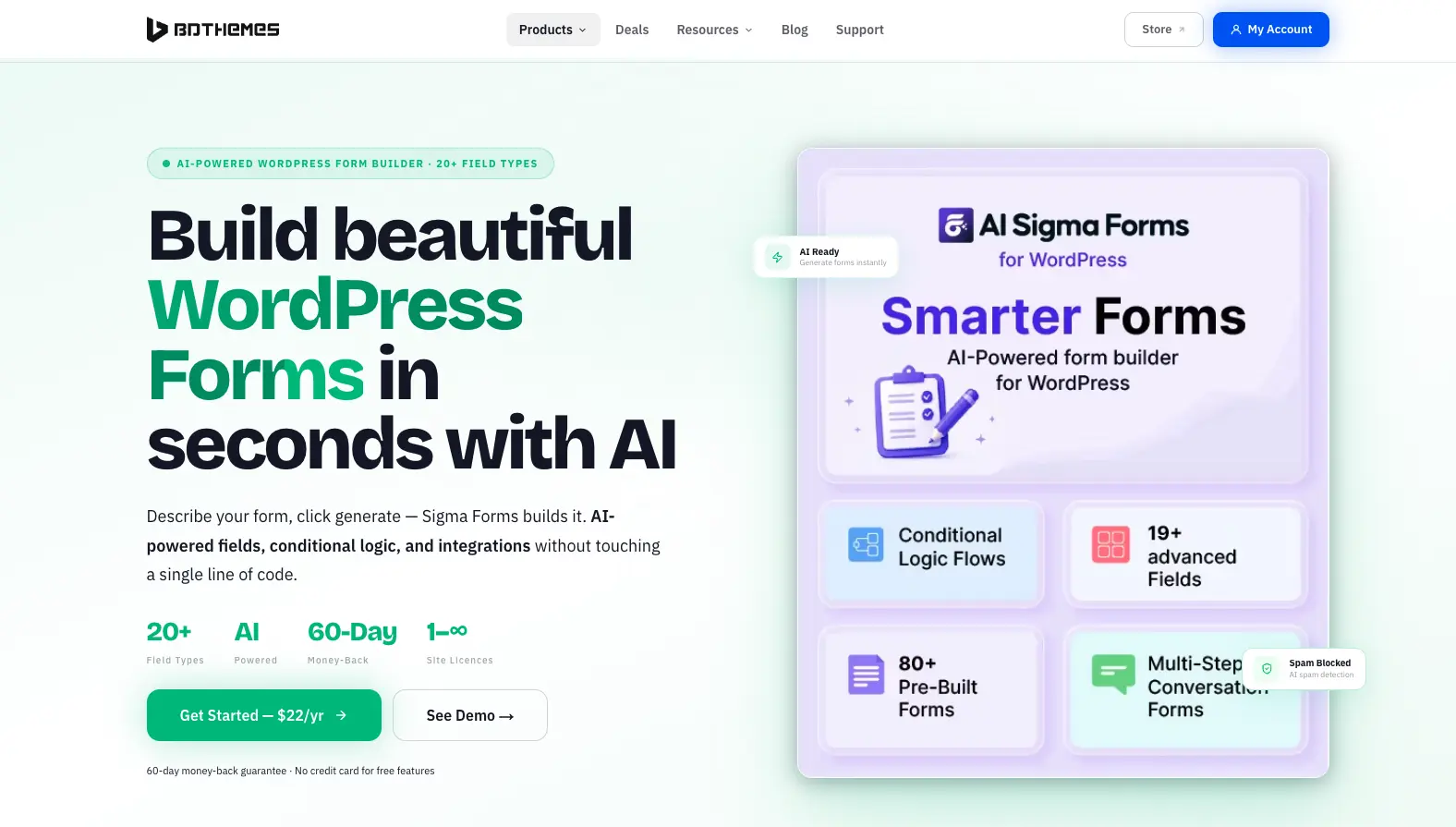
It’s built by BdThemes, the team behind Element Pack Pro and a few other WordPress tools, so it comes with a native Elementor widget and a Gutenberg block, meaning you can drop a form into any page builder without extra setup. Beyond the AI part, it has the usual things a modern form builder needs: multi-step forms, conditional logic, payment fields, and integrations with tools like Mailchimp, Google Sheets, Zapier, and HubSpot.
Most loved features:
- AI generates a full form from a text description in under 10 seconds, fields, labels, and validation included.
- Visual, no-code conditional logic for showing or hiding fields, branching steps, and calculating values dynamically.
- 20+ field types, including file upload, date, and select fields, with drag-and-drop reordering.
- Multi-step and conversational form layouts with a progress bar, plus save-and-continue for longer forms.
- Native PayPal and Stripe payment fields for collecting one-time payments directly through a submission.
- Built-in spam protection with honeypot, reCAPTCHA v2/v3, and an AI pattern detector that learns from submission history.
- Integrates with Mailchimp, ConvertKit, Google Sheets, Zapier, Make, and more; no separate API key needed for the AI features.
- Submissions save to your WordPress database and can be exported as CSV or Excel anytime.
What to keep in mind:
- Advanced form layout templates and some AI refinement options are limited to paid plans.
- Payment fields (PayPal/Stripe) are only available on the Business and Developer plans, not the entry-level Personal plan.
- Being AI-first is the main differentiator, so if you just need a two-field contact form, it might feel like more plugin than necessary.
Pricing: Sigma Forms offers a Personal plan at $39/year for one site, a Business plan at $89/year for five sites with payment fields and priority support, and a Developer plan at $189/year with unlimited sites and white-label branding. A 60-day money-back guarantee comes with every plan.
Best For: WordPress users and agencies who want to skip manual form building altogether, describe what they need and let AI handle the structure, while still getting conditional logic, payments, and CRM integrations without add-ons.
Contact Form 7- Famous for Simple WordPress Contact Form
If you’re a WordPress user, you must know Contact Form 7 (CF7) is one of the oldest and most downloaded free form plugins. It doesn’t offer a drag-and-drop builder like other plugins. Instead, it gives users a simple HTML-like shortcode interface to create forms.
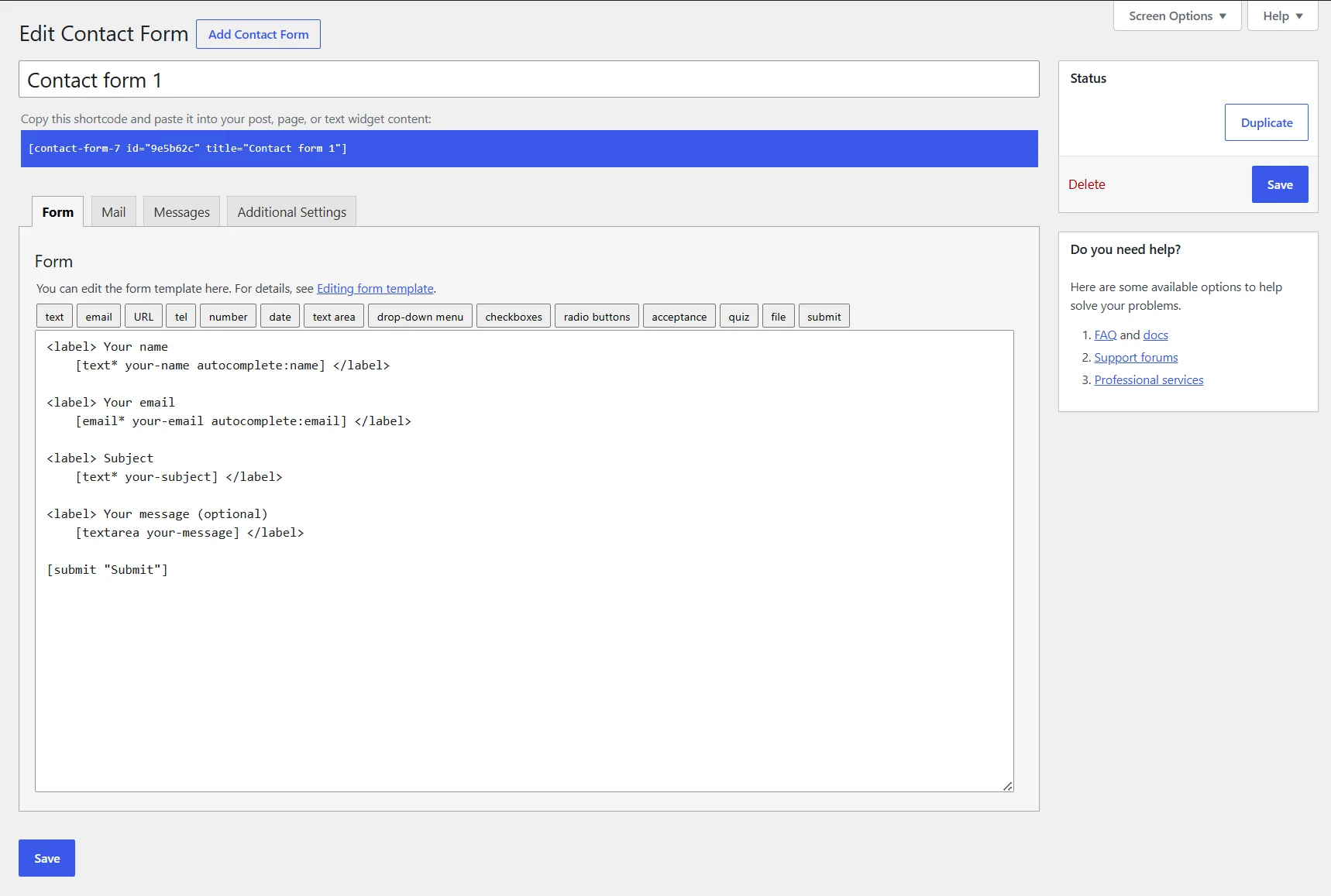
CF7 is a free plugin that comes with standard fields like text, email, textarea, dropdowns, checkboxes, radio buttons, file upload, and offers some basic features like CAPTCHA integration, Akismet spam filtering, multi-recipient email support, and more. So it is suitable for basic form needs.
To create dynamic forms like conditional logic, payment forms, and CRM connections, you’ll need extra add-ons, which will increase both setup time and cost.
Most loved features:
- It is free and has no limitations on form submissions.
- Lightweight, so it has minimal impact on site speed.
- Works well with almost every WordPress theme and page builder.
- Built-in integration with reCAPTCHA v3 and Akismet spam protection
- Highly extensible with third-party add-ons.
What to keep in mind:
- No visual builder; you have to write form tags manually to create a form. So it might be challenging for non-technical users.
- Without add-ons, you cannot create some widely used forms such as conditional logic, payment forms, and more.
- Also, CF7 doesn’t save form entries in your database. You’ll need an add-on called Flamingo for that.
Pricing: Completely free. There are separate add-on plugins for each extra feature, and those are paid.
Best For: Developers who want a zero-cost, reliable contact form for a simple use case. And WordPress users who are comfortable with basic shortcode configuration and need just a simple form.
Google Forms – Free Tool for Surveys & Internal Forms
If you don’t have any need to match your form with your brand, and if you want a free solution, Google Forms is one of the best online form builders for you. This cloud-based builder has a clean interface and is focused on creating simple survey forms, quizzes, and event registration forms.

Creating a form with Google Forms takes only a few clicks. Simply select the question type like multiple choice, short answer, long answer, dropdowns, etc., and then set required fields, choose a color theme, and publish.
In terms of customization, Google Forms only allows adding form color, header image, and font style. You can’t expect to get massive design options, as well as online payments, collecting digital signatures, and email notifications. For these features, you’ll need add-ons. Basically, Google Forms’ functionality is extendable through third-party add-ons.
Most loved features:
- It’s totally free, with unlimited forms and responses.
- Works within Google Workspace with no additional login
- Responses sync to Google Sheets automatically for easy analysis
- Different types of pre-made form templates (registrations, RSVPs, surveys, quizzes) to get you started.
- Automatic charts: Instant visual summaries of results (pie/bar charts by question)
- Multiple people can edit a form in real time
- Forms are responsive to any device
What to keep in mind:
- Form design options are limited
- No native payment collection or advanced fields
- Unlike other form builders, conditional logic is section-based only, with no support for text conditions, checkbox branching, or multi-condition rules.
Pricing: It is free, but for additional features, you might need add-ons. Some add-ons are free, and some are paid.
Best For: It is suitable for teams who already use Google Workspace, for example, schools, nonprofits, internal HR teams, researchers, event organizers collecting RSVPs, and anyone who needs simple, unlimited data collection at zero cost.
Jotform – All-In-One Form Builder
Jotform is another online form builder software with a huge directory of ready-made templates. In this directory, you’ll get almost all types of form templates, such as event registrations, healthcare intake forms, payment orders, employee onboarding, loan applications, RSVP forms, and more.
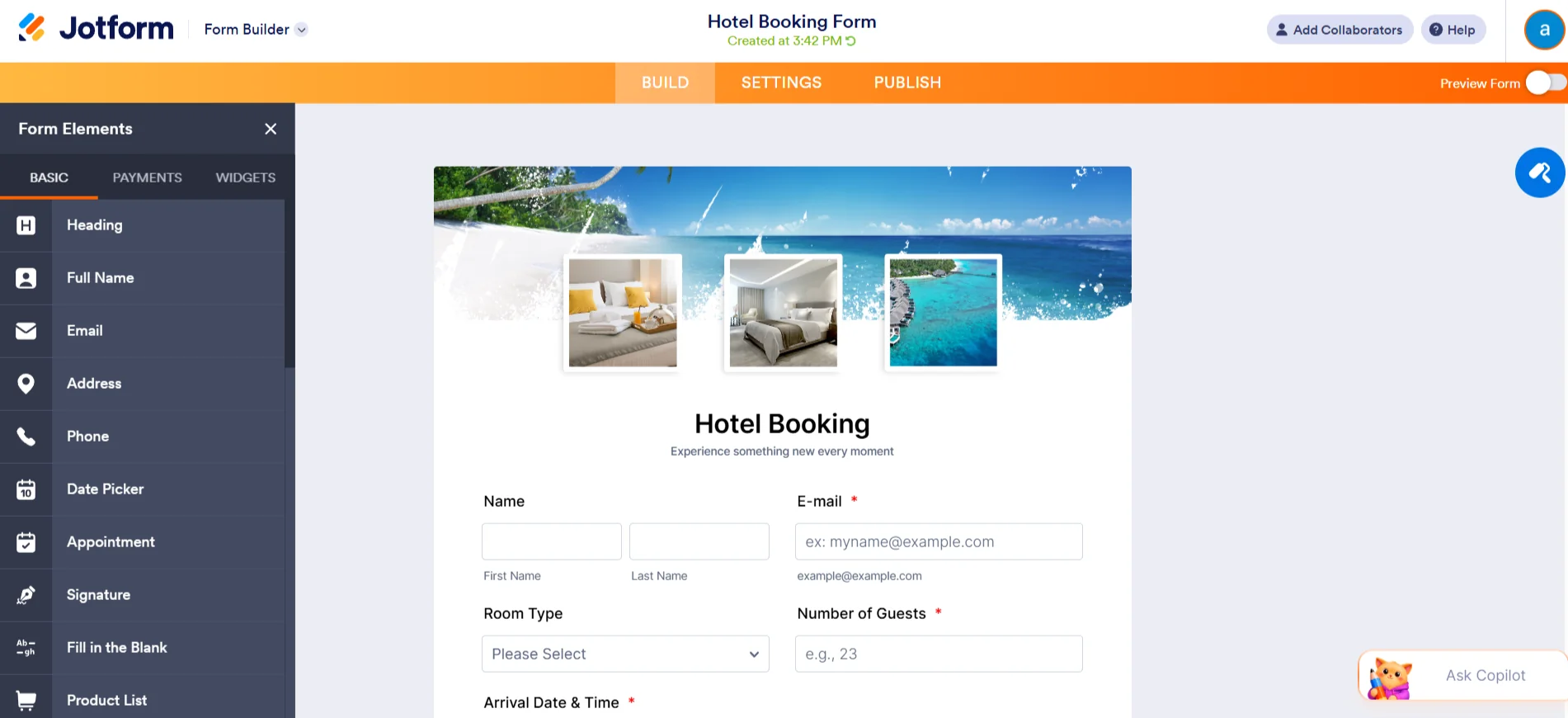
It also offers a visual drag-and-drop builder and 100+ field types, so it is perfect for creating complex forms. Moreover, Jotform natively integrates with 200+ apps (Dropbox, Salesforce, Mailchimp, etc.) for automated workflows.
One interesting feature of this form builder is that it has HIPAA-compliant forms for healthcare organizations that need to collect patient information securely and meet healthcare privacy regulations.
Most loved features:
- 20,000+ templates covering nearly every business use case
- 100+ field types, including e-signatures, geolocation, file upload, and payment fields
- Integrates with many payment gateways, including PayPal, Stripe, Square, Authorize.Net, and many local gateways (Alipay, MercadoPago, etc.).
- AI form generator builds a starting form from a plain-English description
- Offers HIPAA-compliant forms (for healthcare) and enterprise features
- Multi-user accounts, role permissions, and audit logs for businesses.
- Turn form submissions into a visual report.
What to keep in mind:
- The free plan is limited and allows only 100 submissions per month.
- There are so many features that new users may feel overwhelmed
- Team collaboration and many other features are behind paywalls.
Pricing: Offers a free plan with 5 forms, 100 submissions/month. The premium plans start at $34/month.
Best For: Larger enterprises that need a full-featured form builder to create complex forms with payment collection, HIPAA compliance, e-signatures, and workflow automation.
WowOptin – Best Opt-in Form Builder
If you don’t want general-purpose forms, you want something different to grab visitor attention. Try WowOptin. It is a WordPress pop-up and lead generation plugin. It mainly focuses on creating opt-in campaigns like pop-ups, slide-ins, sticky bars, and in-line forms.

And you create all of them using a modern Canva-style editor and over 700 ready-made templates. One interesting feature of this plugin is its targeting depth. You can show campaigns based on visitor device, geolocation, browser language, operating system, traffic source, and many more traits.
Also, with AI-powered copywriting, users can generate campaign text via ChatGPT, Grok, or Gemini directly inside the builder.
Most loved features:
- Canva-style editor to design opt-in forms, pop-ups, and floating bars
- AI-powered copywriting for optimizing pop-ups.
- 700+ ready-made pop-up templates
- Advanced targeting features
- Track key metrics with real-time analytics and A/B testing opt-ins
What to keep in mind:
- This is not a general form builder. It specializes in opt-in/lead-capture campaigns. You won’t use it for, say, multi-step surveys or calculators.
- Some advanced features, like advanced analytics, AI copywriting, and A/B testing, require the Pro version.
Pricing: Offers a free version. The premium plan starts at $69/year (introdutory discount available)
Best For: Bloggers, WooCommerce stores, digital marketers, and agencies focused on growing email lists, capturing leads, reducing cart abandonment, and running conversion-focused campaigns.
Paymentform.io – Best for Collecting Online Payments Without a Website
If you don’t want to create a website and an e-commerce store to collect payments online, then you can try Paymentform.io. It is a form-based checkout that allows you to accept online payments without any website or platform transaction fee.
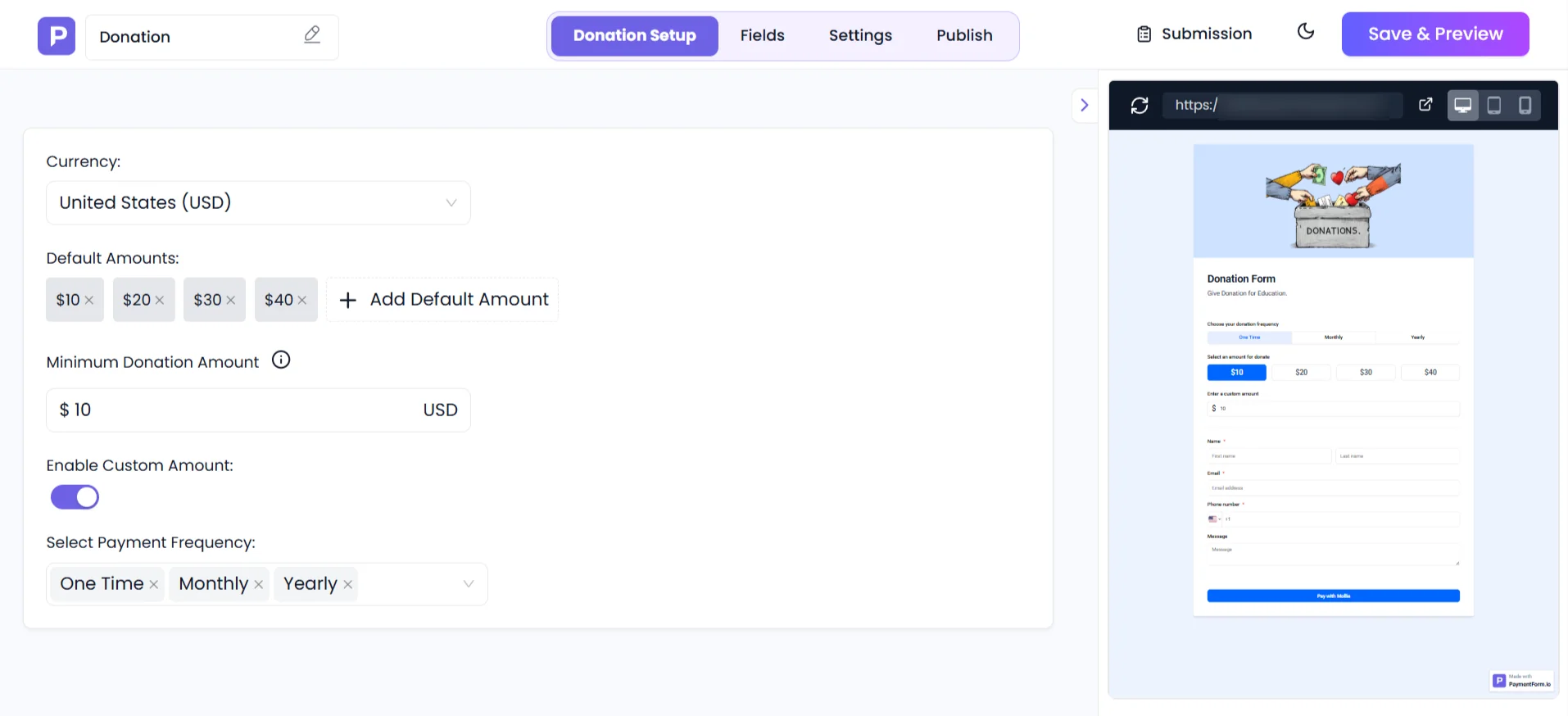
This online form builder software works straightforwardly: choose a module/template, connect a payment gateway, add essential contact fields for users, configure other form settings, and then publish. After publishing, you get multiple ways of sharing the form: a link, an embed code, a QR code, or a custom domain.
The platform has multiple dedicated modules for different use cases: an e-commerce module to sell single and multi-product physical products, a donation collection with one-time or recurring options, fundraising campaigns with a live progress bar, the sale of digital products, event ticket sales with QR code check-in, and membership subscriptions with flexible billing.
One of the clearest advantages of PaymentForm.io compared to other tools in the same niche is that it charges 0% platform transaction fees. You only pay the standard gateway processing fees. Most competing platforms take an additional percentage of the funds or apply platform fees.
Most loved features:
- No-code payment forms: Create forms for one-time or subscription payments, donations, product sales, invoices, etc., all with a clean editor.
- Module-based structure: It offers specific modules for different use cases, like e-commerce (single & multiple products), digital products, donations, event tickets, membership modules, etc.
- 0% platform fee: Unlike many form tools, PaymentForm.io never takes a cut of your sales or holds them. Payments go directly from the buyer to your connected gateway account.
- Supports multiple gateways like Stripe, PayPal, Mollie, Razorpay, and more.
- Built-in invoice builder, settings for various currencies, tax rules, coupon codes, and custom email notifications.
- Customer portal to manage invoices, download receipts, etc.
- Form abandonment follow-ups to recover incomplete submissions.
- After building a form, you can publish it via a unique URL, embed it on your site, or generate a QR code for easy sharing.
What to keep in mind:
- PaymentForm.io is payment-focused. It’s not a general-purpose form builder or survey tool.
- It’s a relatively new product. That’s why the full feature roadmap is still being rolled out.
Pricing: Offers a free plan with unlimited transactions, forms, and core features. The premium plans start at $5/month.
Best For: Individual sellers, small business owners, nonprofits, event organizers, creators selling digital products, and anyone who needs a clean payment form without the overhead of an e-commerce platform.
How to Pick the Right Online Form Builder?
The right tool depends on multiple factors, such as what your main concern is, your budget, the flexibility you want, and so on. However, to help you make a decision, I have made you a quick checklist. Have a look:
| Use Case | Recommended Tool |
|---|---|
| Basic contact form | Contact Form 7 (free) |
| Advanced WP forms | Bit Form (WP plugin) |
| Lead capture/popups | WowOptin (WP plugin) |
| Payment collection | PaymentForm.io (SaaS) |
| Surveys/Quizzes | Google Forms (free SaaS) |
| Enterprise data & PDF | Jotform (SaaS) |
| E-commerce checkout | PaymentForm.io (SaaS) |
When picking a form builder, first decide whether it’s a WordPress plugin or a SaaS. WordPress plugins (Bit Form, CF7, WowOptin) give you control and no ongoing fees (just an optional license), but require a WP site and can sometimes slow it down.
On the other hand, SaaS builders (PaymentForm.io, Google Forms, Jotform) are easy to start with (no installation, just a simple sign-up), host the forms for you, and usually offer more flexibility and diverse features. However, they often have usage limits or subscription costs at higher tiers.
Wrapping Up
A few years ago, most businesses only needed a basic contact form to collect user information. Today, forms handle lead generation, customer onboarding, event registrations, payments, and countless other tasks that once required separate tools.
That’s why choosing the right tool is crucial. The best online form builder isn’t necessarily the one with the longest feature list. It’s the one that fits how you collect information, manage submissions, and connect forms to the rest of your workflow.
If you run a WordPress website and want full control over your forms and data, a WordPress-based solution may be the better choice. If you prefer a hosted platform that works out of the box, a SaaS form builder can save time and reduce maintenance.
Before making a decision, think about what your forms need to do today and what they might need to do six months from now. A simple contact form is easy to replace. A form connected to your payments, CRM, email marketing, and business processes is not.
FAQs
What is an online form builder?
An online form builder is a tool that helps you create digital forms without writing code. You can use it to build contact forms, surveys, registration forms, order forms, payment forms, feedback forms, and more through a visual interface. Most modern form builders use drag-and-drop editors, allowing you to add fields, customize layouts, collect responses, and automate follow-up actions from a single dashboard.
What are online form builders for?
Online form builders are used to collect information from website visitors, customers, employees, students, or event participants. Businesses use them for lead generation, customer inquiries, job applications, newsletter signups, and payment collection. They help turn manual processes into structured digital workflows that are easier to manage and track.
What are the benefits of a form builder?
Online form builders simplify data collection and reduce the need for manual work. They allow you to gather information in a consistent format, automate notifications, connect with other tools, and store responses securely. Many form builders also include features like conditional logic, payment processing, spam protection, analytics, and mobile-responsive designs, making it easier to create better user experiences and improve form completion rates.
What should I know about online form builders before choosing one?
Before choosing an online form builder, consider how you plan to use it. Some tools are designed for simple surveys, while others support advanced workflows, payment collection, automation, and integrations. You should also look at pricing, submission limits, ease of use, customization options, data ownership, and whether the platform works with your existing tools. Choosing a form builder that matches your current needs and future growth can save time and reduce the need to switch later.
What are the best free online form builders?
All the plugins in the above list offer a free version, so you can test them before selecting one. Each serves a different purpose. Google Forms is useful for surveys and internal data collection, Contact Form 7 is a long-standing WordPress option for basic forms, and Bit Form offers advanced features such as drag-and-drop form building, conditional logic, and multi-step forms within its free version. The best choice depends on the type of forms you want to create and the platform you use.
Which builder is easiest for beginners?
Google Forms wins for sheer simplicity, with no setup required. Among WordPress tools, Contact Form 7 is straightforward for simple forms but lacks a drag-and-drop UI. Bit Form and WowOptin have visual drag-and-drop builders that feel modern, but WowOptin is only for pop-ups. Many find Jotform’s interface easy and love it for its huge collection of templates.


