

Running a WooCommerce store often means spending 20+ hours per week on repetitive manual work. Processing and updating orders, managing inventory across products and variations, sending follow-up emails, and handling abandoned carts, syncing customer data between tools.
Research shows that most routine e-commerce tasks are repetitive. The good news? Smart automation can cut this manual workload by half or more. Merchant case studies confirm that it can increase revenue by 1.2X to 2X. This is due to better timing, personalization, fewer errors, and higher average order values.
What Is WooCommerce Automation?
WooCommerce automation means rule-based workflows that watch for specific triggers in your store and then automatically perform actions.
Common examples include:
- Pricing → dynamic discounts based on stock level, user role, or purchase history
- Orders → auto-change status, add tags, create invoices, trigger fulfillment
- Marketing → abandoned cart sequences, post-purchase upsells, win-back campaigns
- Operations → inventory sync, customer segmentation, CRM updates
Instead of doing these tasks manually, the system runs 24/7 whenever the defined condition is met.
The Biggest Automation Trends Shaping WooCommerce in 2026
The automation landscape has evolved significantly. The leading directions right now are:
- No-code / low-code builders – anyone on the team can create powerful workflows.
- AI-assisted rules – artificial intelligence suggests conditions, predicts the best timing, and personalizes offers.
- Deeper native integrations – fewer external SaaS dependencies and faster, more reliable connections inside WordPress.
- Advanced conditional logic – multi-step “if → then → else” flows with real-time data checks.
These changes make automation more intelligent, more accessible, and more profitable.
What You’ll Find in This Guide
This article reviews the Best Automation Plugins for WooCommerce that deliver genuine hands-off operation, tools merchants actually use every day to save hours and increase revenue.
We focus on plugins with strong WooCommerce-native triggers, reliable performance, and meaningful results (not just feature checklists).
Why Automation Matters for Your WooCommerce Store in 2026
Automation is no longer optional; it’s essential for staying competitive in the fast-evolving e-commerce landscape of 2026.
By setting up rule-based workflows, store owners eliminate repetitive manual tasks and let their WooCommerce site run more intelligently 24/7.
Key Benefits You Can Expect
- Significant time savings – Free up hours each week previously spent on order updates, inventory checks, email follow-ups, and customer data handling.
- Drastic error reduction – Remove human mistakes in pricing, stock levels, order processing, and shipping rules.
- Revenue growth – Features like automated upsells, dynamic discounts, bundles, and personalized offers often lead to noticeably higher average order value (AOV) and repeat purchases.
Major Shifts in 2026
The automation space has matured with:
- Stronger native WordPress integrations – that keep everything fast and breakage-resistant inside your site.
- Advanced behavioral triggers – workflows that respond instantly to user actions like browsing patterns, cart additions, or purchase history.
- Uninterrupted multi-channel sync – connecting WooCommerce to CRMs, email tools, social platforms, and external services without constant manual intervention.
Quick ROI Examples in Action
- Auto-shipping rules prevent overselling by updating stock and adjusting rates based on weight, location, or order totals in real time.
- Pop-up and cart triggers recover abandoned carts with timely discounts or reminders, turning lost sales into completed orders.
- Discount and bundle automations apply smart offers at checkout or thank-you pages, boosting cart totals without extra effort.
These small, hands-off improvements compound quickly, delivering faster returns through better efficiency, happier customers, and scalable operations.
Quick Comparison of Top WooCommerce Automation Plugins
Here are the best automation plugins for WooCommerce that will help you automate your store with ease:
| Plugin | Core Automation Focus | Key Triggers/Rules | Best For |
|---|---|---|---|
| Bit Integrations | No-code automation & data sync. | Support Woo order creation, product creation, product removed from cart, and 33+ more popular triggers. | Connecting WooCommerce to 160+ external tools (CRMs, sheets, email) for automated data flows. |
| WowRevenue | Revenue boosting via bundles & discounts | Auto-applied discounts, cart/checkout offers, thank-you page deals, free shipping triggers, product bundles, Buy X/Get Y, tiered campaigns. | Stores aiming to increase Average order value with smart bundling and strategic discounts. |
| Bit Flows | AI-assisted workflow automation. | In trigger: support 22+ events, and in action support 84+ events include, new order creation, product removed from cart, create order, create customer, and more. | Advanced, multi-step automations with AI suggestions for complex store workflows. |
| Salesforce Integration for WooCommerce | Real-time CRM sync & customer management automation | Automatically syncs WooCommerce customers, orders, products, categories, account updates, and order status changes with Salesforce CRM. | WooCommerce stores using Salesforce for CRM, lead management, customer support, sales tracking, etc. |
| WowShipping | Conditional/tiered shipping rules. | Shipping rates based on weight, price, destination, item count, and custom conditions. | Stores with complex shipping needs to automate accurate, conditional rates and prevent oversells. |
| WooCommerce Subscriptions | Recurring payments & subscription handling. | Automatic renewals, failed payment retries, status changes, and scheduled emails. | Memberships, subscriptions, or recurring products needing reliable billing automation. |
| WooCommerce Bookings | Appointment & reservation scheduling. | Availability calendars, booking confirmations, staff sync, automated notifications. | Service-based stores (appointments, rentals, classes) require time-slot automation. |
| WholesaleX | B2B/wholesale pricing & rules. | Dynamic wholesale prices, tiered pricing, user role discounts, bulk order forms, and catalog mode. | B2B or hybrid B2B+B2C stores need role-based pricing and wholesale automation. |
These plugins emphasize hands-off operation, with many offering no-code setups and deep WooCommerce ties for reliable performance in 2026. Choose based on your primary pain point, whether revenue optimization, integrations, or specialized features like subscriptions/bookings.
Now, let’s see a detailed overview of each of these automation tools, so you can get a better idea about how each one integrates into your business workflow.
Bit Integrations – No Code WooCommerce Workflow Automation
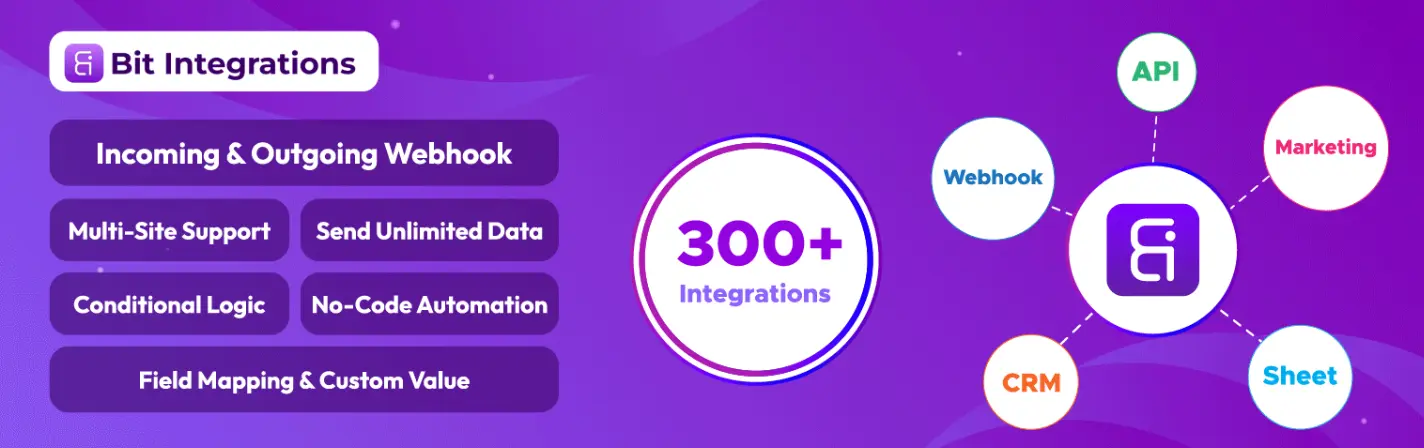
Bit Integrations is the perfect automation plugin for your WooCommerce store that connects to almost 160+ tools you use. It lets you move data between apps without writing a single line of code.
You can set up automations that fire the moment something happens in your store, like a new order or a customer signup. The plugin handles the rest by sending that info exactly where it needs to go.
Best of all, it works with hundreds of popular platforms and keeps everything running automatically. If you want to stop manual data copying and let your tools talk to each other, Bit Integrations makes it simple and reliable.
- No-code setup for beginners and pros alike
- Connects WooCommerce to 300+ apps and platforms
- Real-time data sync across all connected tools
- Triggers from WooCommerce events like new orders
- Supports order status changes as instant triggers
- New customer registration auto-triggers actions
- Conditional logic for advanced integrations
- Easy field mapping and custom webhook support
How it automates: Set up a flow once (e.g., new order → add row to Sheets + tag customer in CRM + send thank-you email), and it runs 24/7 without any intervention.
Perfect for easy inventory reporting, automated follow-ups, lead management, or keeping your data consistent across tools.
Mail Mint
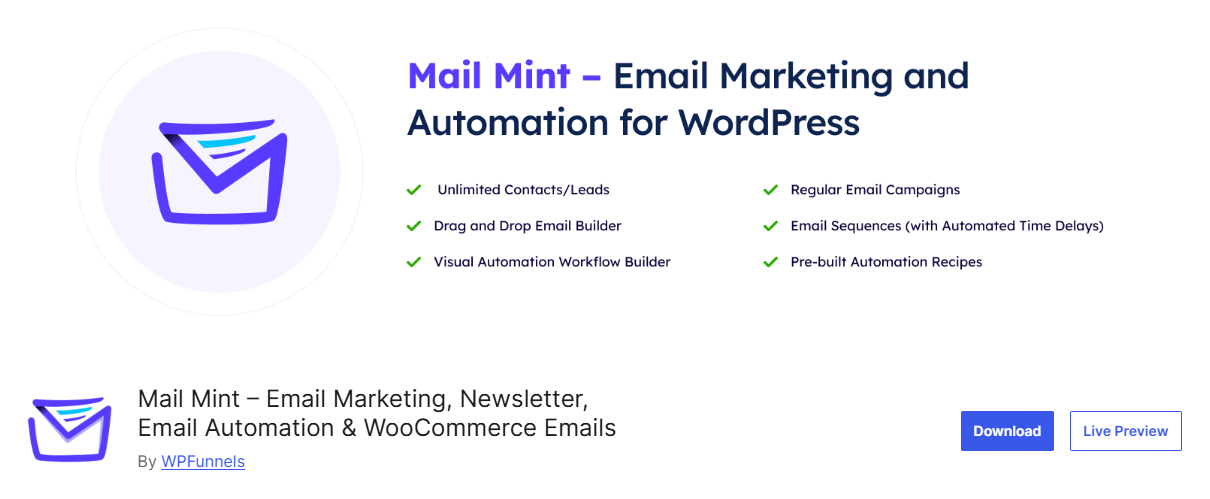
Mail Mint is a WooCommerce email marketing and automation plugin that helps you turn customer activity into more sales and repeat purchases. You can automate emails based on what customers do in your store, from abandoning a cart to completing a purchase.
Instead of manually sending follow-ups or creating every customer journey step by step, you can set up automations that run in the background. This helps you stay connected with shoppers at the right time and create more opportunities to bring customers back to your store.
What makes Mail Mint particularly interesting is its AI Email Engine. You can simply describe the campaign or automation you want, and Mail Mint can help build it for you, including the email copy, design, layout, triggers, conditions, and workflow steps. You review everything, make changes if needed, and launch.
- AI-powered email campaign and automation creation
- WooCommerce-based triggers for customer activity
- Abandoned cart recovery emails
- Automated post-purchase follow-ups
- Customer segmentation for targeted campaigns
- Promotional and win-back email campaigns
- Visual email automation workflow builder
- Email copy, design, layout, triggers, and conditions generated with AI
How it automates: Tell Mail Mint what you want to achieve, such as “follow up with customers after a purchase and encourage them to buy again.” The AI can plan and create the automation workflow, including the triggers, steps, email content, and design. You review it and launch.
Perfect for WooCommerce stores that want to recover more abandoned carts, automate customer follow-ups, increase sales, and encourage more repeat purchases without manually building every email campaign and workflow.
WowRevenue – Automate Discounts, Bundles & Upsells
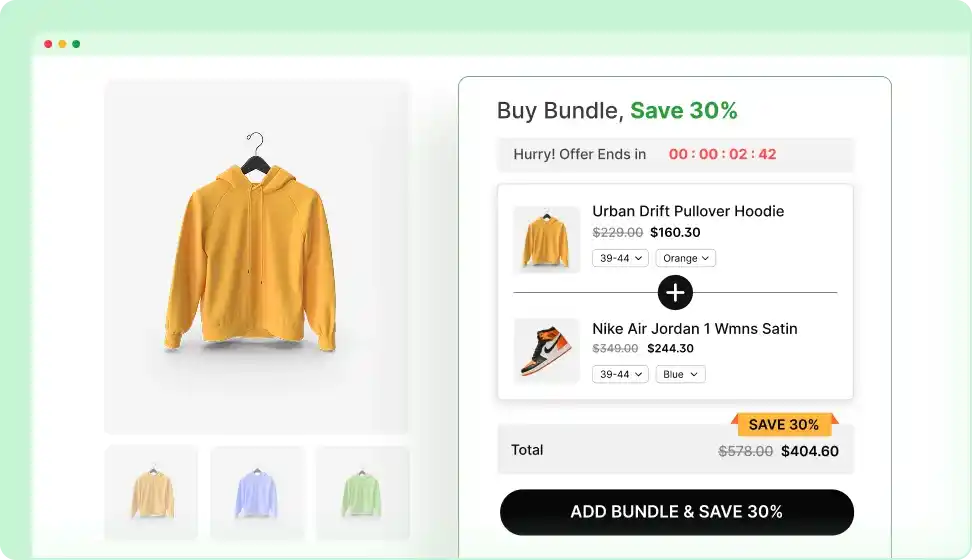
WowRevenue is one of the best product bundle plugins on the market, helping you make more money from every cart by automatically showing the right offers at the right time.
Customers see bundles, discounts, or upsells without requiring any manual intervention.
You create different campaign types once, set the conditions, and the plugin takes care of applying them in real time. It works great for increasing average order value with almost no ongoing work.
Whether you want simple Buy One Get One deals or more advanced tiered offers, WowRevenue gives you the tools to turn browsers into bigger buyers automatically.
- 12+ campaign types (BOGO, mix-and-match, tiers)
- Auto-applied discounts at cart or checkout
- Spending-goal rewards and countdown timers
- Buy X Get Y and next-order coupon rules
- Thank-you page upsells for last-minute boosts
- Dynamic offers based on cart contents/behavior
- Category and product-specific targeting
- Smooth variable product bundle support
How it automates: Rules trigger in real time as the cart updates, and offers appear instantly without any manual work.
Use cases: Increase average order value with “Buy 3 get 1 free” on seasonal items or personalized upsells on high-margin products.
Bit Flows – AI-Powered Workflow & Multi-step Automation
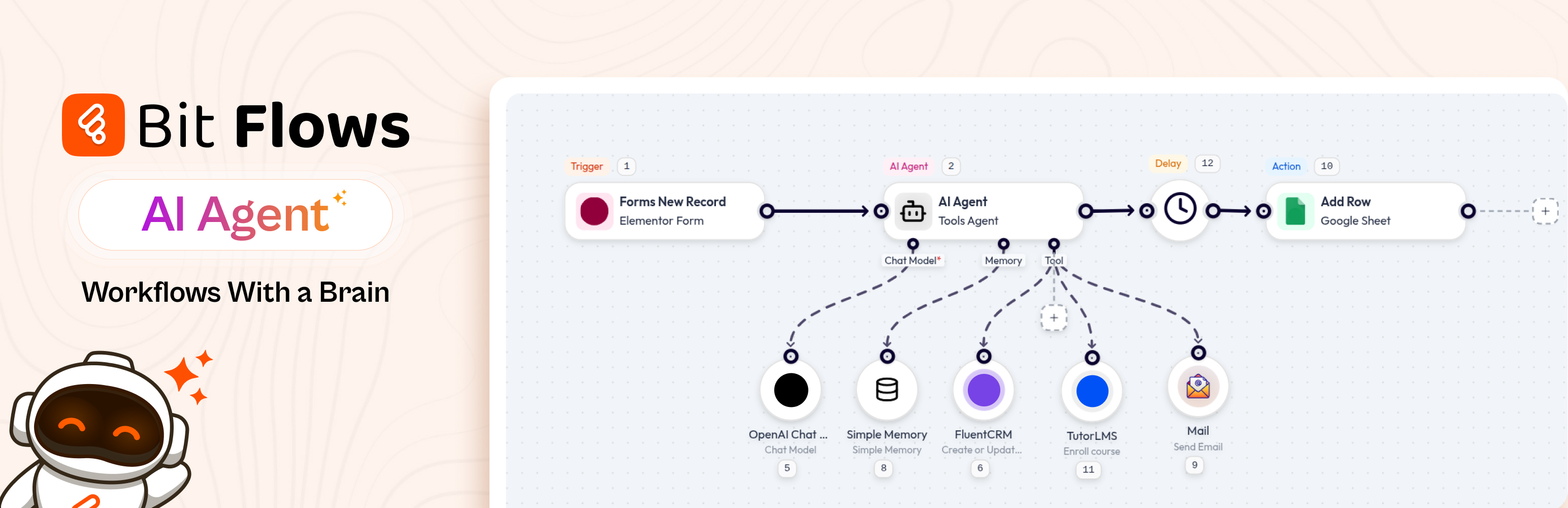
Bit Flows is your go-to multi-step automation plugin for WooCommerce and WordPress, and now it comes with a game-changing AI Agent. This AI-powered feature can handle complex tasks like content generation, smart decision-making, and even automating customer communication.
With Bit Flows’ easy drag-and-drop interface, you can create multi-step workflows that run seamlessly in the background. Whether you’re syncing data, processing orders, or optimizing your marketing efforts, the AI Agent ensures everything is done faster and smarter.
And the best part? It’s self-hosted, meaning you have full control over your data. Ready to supercharge your WordPress workflows with AI? Bit Flows has got you covered!
- Drag-and-drop visual workflow builder
- AI-powered content generation for descriptions and rules
- Over 250 integrations, including WooCommerce
- Advanced conditional logic with math and functions
- Multi-step workflows including Router, Iterator, and Delay
- Unlimited tasks, steps, and executions allowed
- Custom triggers and actions for full flexibility
- Self-hosted plugin with no recurring subscription fees
How it automates: Build complex sequences (like, low-stock trigger → AI-draft restock email → notify vendor → update stock level), all hands-free with AI assistance.
Great for stores that need adaptive, multi-step automations beyond simple if-this-then-that setups.
Salesforce Integration for WooCommerce: Automate CRM Sync & Customer Management
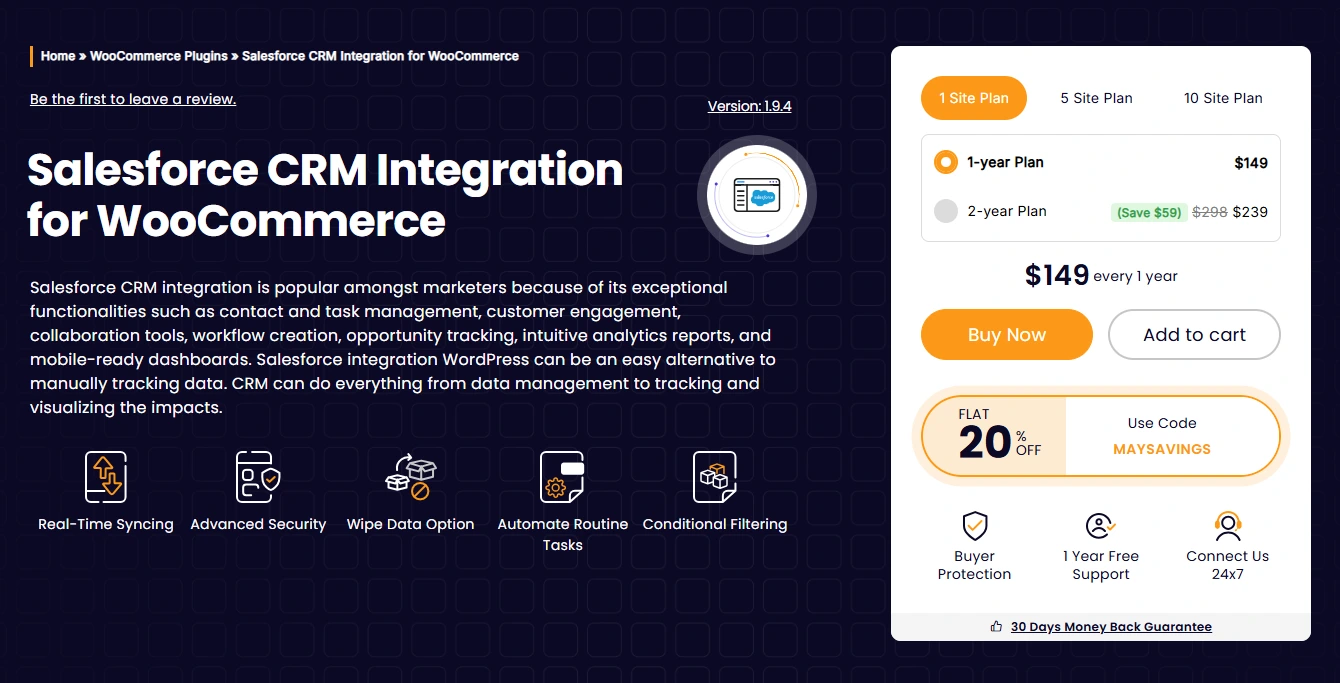
Salesforce CRM Integration for WooCommerce helps store owners automatically sync WooCommerce store data with Salesforce CRM in real time, eliminating the need for manual customer, order, and product management.
The plugin creates a seamless connection between WooCommerce and Salesforce so your sales, marketing, and support teams always have updated customer and order information inside one centralized CRM platform.
Whether you want to automate lead management, enhance customer segmentation, track order history, or create personalized marketing workflows, this plugin streamlines the entire process without requiring complex development work.
- Real-time WooCommerce and Salesforce data synchronization
- Sync customers, products, orders, and categories automatically
- Bi-directional data sync support for seamless workflow automation
- Map WooCommerce fields with Salesforce objects easily
- Automatic contact and lead creation inside Salesforce
- Order status updates are synced instantly to CRM.
- Advanced filters and object mapping support
- Supports custom Salesforce objects and workflows
- Helps sales and support teams access centralized customer data
- Reduces manual data entry errors and repetitive admin work
How it automates:
Whenever a customer places an order, registers, or updates their account details in WooCommerce, the plugin automatically syncs the relevant data to Salesforce CRM in real-time. This enables automated sales workflows, customer tracking, lead nurturing, and operational efficiency without manual intervention.
Perfect for WooCommerce stores that use Salesforce for CRM management, customer support automation, lead tracking, personalized marketing campaigns, sales reporting, and customer lifecycle management.
WowShipping – Automate Shipping Calculations
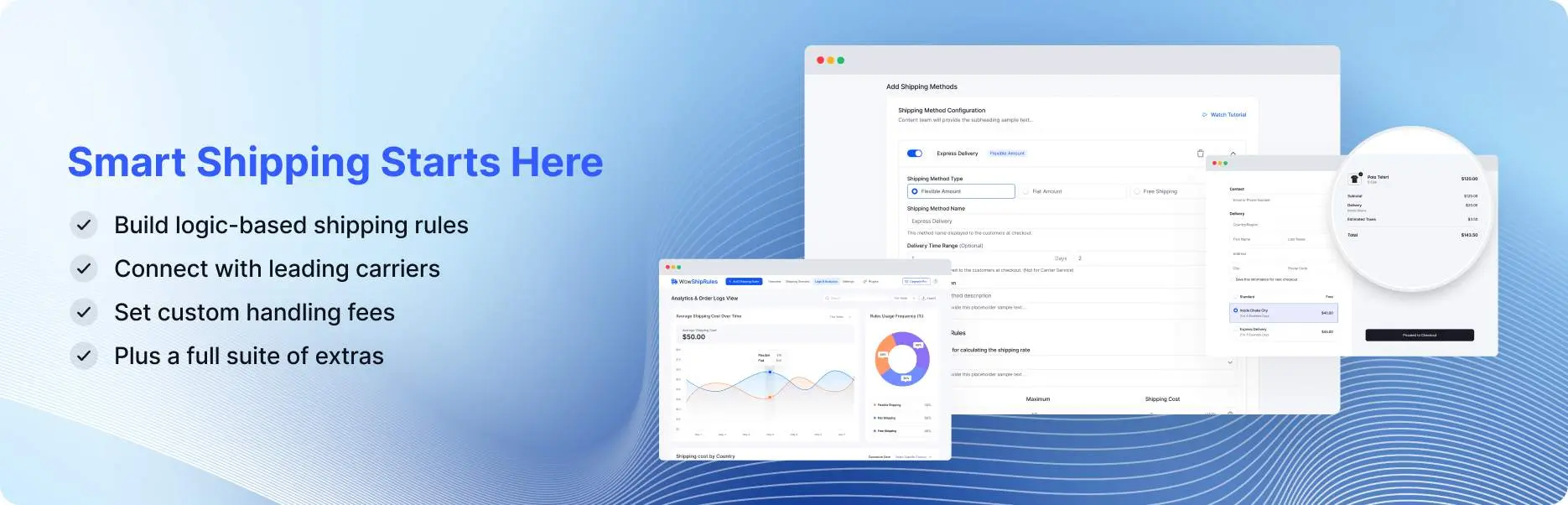
WowShipping is your ultimate table rate shipping plugin that automatically calculates accurate shipping rates based on dozens of conditions you define.
You build your shipping rules once using weight, price, location, customer type, and more. The plugin then shows the correct rate every time someone checks out.
No more manual adjustments or customer complaints about unexpected fees. If your store has complicated shipping needs, WowShipping keeps everything fair and automatic.
- 30+ conditions (weight, price, destination, role)
- Advanced table rate shipping calculations
- Real-time rate display at cart/checkout
- Country, zip code, and city-based rules
- Item count and dimension considerations
- Customer role-specific shipping adjustments
- Custom condition combinations for accuracy
- Prevents overselling with smart restrictions
How it automates: Rates recalculate instantly as the cart changes; no manual adjustments needed.
Benefits: Prevents overselling on heavy items, ensures fair pricing, and reduces support tickets.
WooCommerce Subscriptions – Automate Recurring Payments & Billing

WooCommerce Subscriptions keeps your recurring revenue coming in without you having to chase payments or send reminders manually.
It handles renewals, failed attempts, customer changes, and notifications all on its own. Customers can manage their own subscriptions through a simple portal.
Whether you sell memberships, boxes, or any repeat product, this official extension makes sure the money keeps flowing automatically.
- Automatic recurring payments via 25+ gateways
- Built-in renewal notifications and emails
- Failed payment retry logic automatically
- Customer self-service portal for management
- Upgrade/downgrade options without intervention
- Manual renewal support with invoices
- Renewal synchronization and proration
- Status change handling and customer alerts
How it automates: Tracks dates, processes billing, handles failures, and grace periods automatically.
Reliable recurring revenue with zero hassle.
WooCommerce Bookings – Automate Appointments & Scheduling
WooCommerce Bookings takes care of all the scheduling details for service-based products so you don’t have to juggle calendars or send reminders by hand.
Customers pick available times, pay, and get automatic confirmations and follow-ups. The system also prevents double bookings and syncs with Google Calendar.
If you offer classes, consultations, rentals, or any time-based service, this plugin runs the booking process smoothly from start to finish.
- Flexible time slots (hours, days, minutes)
- Real-time availability management
- Anti-double-booking with resource assignment
- Automated reminder and confirmation emails
- Google Calendar sync integration
- Participant min/max limits per booking
- Buffers between appointments
- Custom pricing for groups or special days
How it automates: Enforces limits, updates availability in real time, sends messages, and customers book and get handled automatically.
No more endless back-and-forth scheduling.
WholesaleX – Automate B2B Pricing & Wholesale Rules
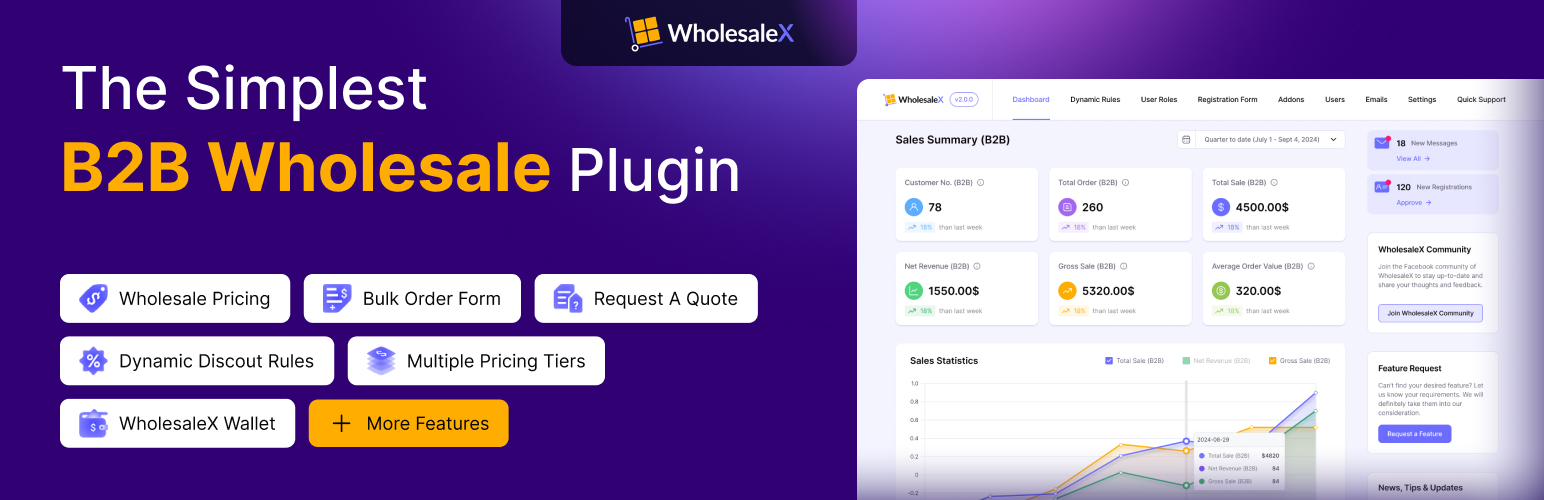
WholesaleX makes it easy to sell to both regular customers and businesses by automatically applying the correct prices and rules based on who is shopping.
You set up different user roles, pricing tiers, and visibility settings once. After that, everything adjusts on its own when someone logs in or adds items to their cart.
It also includes registration forms and approval steps so new wholesale customers get set up quickly. If you want a smooth B2B experience without constant price changes, WholesaleX does the heavy lifting.
- Dynamic tiered and quantity-based pricing
- Role-specific wholesale prices and taxes
- Unlimited custom user roles creation
- Auto role assignment on registration
- Conditional product/category visibility rules
- Custom B2B registration forms with approval
- Bulk order forms for quick, large purchases
- Request-a-quote and wallet payment options
How it automates: Pricing rules trigger per user role, cart quantity, or other factors; everything updates seamlessly at checkout.
Use cases: Auto-apply bulk discounts for orders over 50 units, give exclusive pricing to approved wholesalers.
How to Choose the Best Automation Plugins for WooCommerce
Picking the best automation plugins for WooCommerce (or a few) comes down to knowing what hurts most in your store right now.
Ask yourself: Are you losing sales because of missed upsell opportunities? Struggling with manual pricing for different customer types? Spending too much time copying data between tools? Or maybe your operations feel chaotic with orders, shipping, or customer follow-ups?
Assess your main needs first:
- Sales/revenue focus: Look for plugins that handle discounts, bundles, upsells, or dynamic pricing (e.g., WowRevenue for cart-based offers or WholesaleX for B2B rules).
- Operations/efficiency: Prioritize shipping calculations, inventory sync, or order handling (e.g., WowShipping for conditional rates or Bit Integrations for data flows).
- Marketing/outreach: For social posting, email triggers, or broader integrations (like Bit Social for social media auto-promotion or Bit Flows for AI-enhanced sequences).
- Specialized needs: Subscriptions for recurring billing, bookings for services, or discount rules for more profits.
Key things to look for in any automation plugin:
- No-code or drag-and-drop setup, so you don’t need a developer.
- Strong WooCommerce-native triggers (new order, status change, cart update, product added/edited, new customer).
- Solid integrations with your existing tools (CRMs, email services, Sheets, social platforms).
- Reliable support, regular updates, and good documentation or community help.
- Clear pricing with no hidden limits on workflows or executions.
Implementation Tips: Getting Started with WooCommerce Automation
Getting automation running doesn’t have to be crushing. Follow these practical steps to launch smoothly and avoid headaches.
Step-by-step rollout:
- Install and activate the plugin from your WordPress dashboard (always use the official repo or developer site for security).
- Set up your first trigger (like “new order created” in Bit Integrations or “cart contents match condition” in WowRevenue).
- Define the action(s), keep it simple at first, like sending data to Google Sheets or applying a discount.
- Test thoroughly: Use a staging site or test orders/customers to see what happens without risking your live store.
- Monitor results: Check logs, error notifications, or dashboards in the plugin for the first few days/weeks.
Common Mistakes to Avoid
Automation can save you hours, but a few common mistakes can quickly lead to broken checkouts, spam emails, or lost sales. Avoid jumping into complex multi-step workflows without proper testing. Start simple and expand only after everything works reliably.
Always check compatibility with your current WooCommerce version, WordPress, theme, and other plugins, ideally on a staging site first. Never skip regular backups and error log monitoring, since automation moves data fast and a single glitch can create bigger problems.
Test from the customer’s perspective, not just in the admin area, because discounts or shipping rates that look fine to you might not apply correctly at checkout. Be careful with overly broad triggers; without clear conditions like a minimum order value, you risk flooding inboxes or applying offers unintentionally.
Finally, keep all plugins updated, as outdated versions can cause security issues or break when WooCommerce releases new updates. Spot these pitfalls early, and your automations will run smoothly for months.
Summing Up
In 2026, the most successful WooCommerce stores work smarter, not harder. The best automation plugins for WooCommerce we’ve covered deliver true automation power. WowRevenue and WholesaleX drive revenue with smart discounts, bundles, and B2B pricing.
WowShipping takes care of complex shipping rules effortlessly. Bit Integrations and Bit Flows manage data sync and AI-powered workflows, saving time and increasing efficiency, while WooCommerce Subscriptions and Bookings handle recurring payments and appointments.
Ready to eliminate repetitive tasks and grow faster? Explore these best automation plugins for WooCommerce, catch any current deals, and start automating your store today. Your future self (with far more free time) will thank you!
Frequently Asked Questions
What is the best plugin for discount and upsell automation?
WowRevenue shines here with 12+ campaign types like BOGO, bundles, and thank-you page upsells that apply automatically based on cart behavior.
Are these plugins mostly no-code?
Yes! Most (especially Bit Integrations, Bit Flows, WowRevenue, and WholesaleX) use drag-and-drop, rule builders, or simple settings so anyone can set them up without coding.
Can I use multiple automation plugins at once?
Absolutely! You can use multiple automation plugins at once.
How often should I review my automations?
Quarterly audits are ideal; check for outdated rules, test flows, and update plugins to keep everything running smoothly.
Are these plugins updated for the 2026 WooCommerce changes?
These WooCommerce automation plugins stay current with regular updates for compatibility and new features.
What is the role of AI in WooCommerce automation?
AI-powered tools like Bit Flows’ AI Agent can analyze data and make decisions in real-time. For example, it can predict the best times to send promotional emails, automatically generate product descriptions, and trigger upsell offers based on customer behavior, all without manual intervention.
Can automation handle complex shipping rules in WooCommerce?
Yes, WowShipping automates complex shipping rules based on conditions like weight, destination, and order totals. This eliminates manual adjustments and ensures customers always see accurate shipping rates at checkout, preventing surprises and improving customer satisfaction.
Are these automation plugins suitable for small businesses?
Absolutely! Many of these plugins, like Bit Integrations, are designed to be easy to use, with no-code setups. They help small businesses save time, reduce errors, and improve efficiency without needing a large team or advanced technical knowledge.


